Cocoapods: Command Line Tool + CocoaPods frameworks breaks
I tried to use the new frameworks feature with an OS X Command Line tool, and it complained about missing images. I had to add the following to my Runpath search paths: @executable_path/../Pods, and everything works again. Not sure at which level this should be solved or what I could do to help :).
 chriseidhof
All 14 comments
Looks like this can be a pretty complex problem when working with Swift too: https://colemancda.github.io/programming/2015/02/12/embedded-swift-frameworks-osx-command-line-tools/
 orta
on 21 Jun 2015
orta
on 21 Jun 2015
I don't think it is entirely solvable by us, considering that there is no "standard" way to distribute frameworks alongside a command line tool.
Also, always worth to plug https://github.com/neonichu/cato when talking about Swift CLI tools :)
 neonichu
on 21 Jun 2015
neonichu
on 21 Jun 2015
I suppose Xcode should be adding the frameworks location to the run path search paths?
 segiddins
on 6 Oct 2015
segiddins
on 6 Oct 2015
This issue has been inactive for a long time and will be closed because we want to move forward with a clean slate after our 1.0 release.
neonichu
on 30 Apr 2016
I know this is a closed issue.... But I have been able to make some progress here by embedding the command app inside a GUI app ... (and then i can symlink to it from /usr/local/bin or something like that ) but when I do that it seems like the swift frameworks are getting linked twice...
Class _TtC10Foundation25NSFastEnumerationIterator is implemented in both ...MyApp.app/Contents/Frameworks/libswiftFoundation.dylib (0x106d54720) and ...MyApp.app/Contents/MacOS/./myapp-cli (0x10621ce40). One of the two will be used. Which one is undefined.
 edwardvalentini
on 30 Mar 2017
edwardvalentini
on 30 Mar 2017
It's not a solution, just a stupid patch, but maybe it would help somehow somebody:
post_install do |installer|
  installer.pods_project.targets.each do |target|
    if target.name =~ /-macOS$/
      target.build_configurations.each do |config|
        config.build_settings['DYLIB_INSTALL_NAME_BASE'] = target.product_name
        config.build_settings['ALWAYS_EMBED_SWIFT_STANDARD_LIBRARIES'] = 'YES'
      end
    end
  end
end
It raises warnings like Class _SwiftNativeNSStringBase is implemented in both /System/Library/PrivateFrameworks/Swift/libswiftCore.dylib (0x7fffa52a6dc0) and ... One of the two will be used. Which one is undefined., but at least works in my case.
 bonkey
on 2 Jan 2018
bonkey
on 2 Jan 2018
@bonkey you might think it's stupid, but it saved me a lot of hair pulling! thankyou
 Bergasms
on 14 Mar 2018
Bergasms
on 14 Mar 2018
I was just creating a standard C++ command line tool and it worked if I just turned all of my pods into static libraries like this:
post_install do |installer|
  installer.pods_project.targets.each do |target|
    target.build_configurations.each do |config|
        config.build_settings['MACH_O_TYPE'] = 'staticlib'
    end
  end
end
Cheers to @bonkey for the idea!
 bitjeep
on 3 Oct 2018
bitjeep
on 3 Oct 2018
For anyone stumbling upon this through google, this plugin is really great and basically solves the problem with minimal changes by embedding all pods into the executable itself:
 jariz
on 10 Dec 2018
jariz
on 10 Dec 2018
@jariz Just for future reference, the cocoapods-amimono project is dead, not working from cocoapods 1.5 :/
 federicocappelli
on 24 Jan 2020
federicocappelli
on 24 Jan 2020
I made a 'fork' here. It's very unsupported and undocumented, I might do so at some point, but just for your reference:
https://github.com/jariz/Akku/tree/master/cocoapods-amimono
jariz
on 24 Jan 2020
I was just creating a standard C++ command line tool and it worked if I just turned all of my pods into static libraries like this:
post_install do |installer|
  installer.pods_project.targets.each do |target|
    target.build_configurations.each do |config|
        config.build_settings['MACH_O_TYPE'] = 'staticlib'
    end
  end
end
Cheers to @bonkey for the idea!
THANK YOU,
I am new to XCode, and after spending several hours trying to figure this out your solution worked.
Doing this using Gradle for a Kotlin command line project is a lot simpler..
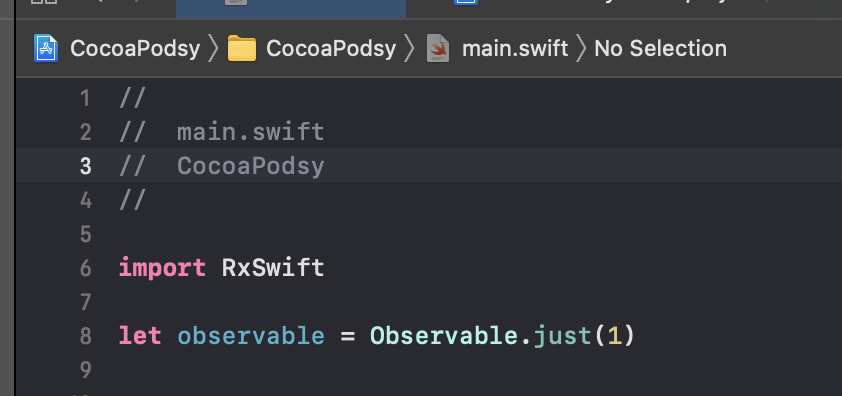
target 'CocoaPodsy' do
  # Comment the next line if you don't want to use dynamic frameworks
  # use_frameworks!

  # Pods for CocoaPodsy
  pod 'RxSwift', '6.0.0'
  pod 'RxCocoa', '6.0.0'
end

post_install do |installer|
  installer.pods_project.targets.each do |target|
    target.build_configurations.each do |config|
      config.build_settings['MACH_O_TYPE'] = 'staticlib'
    end
  end
end
and my libraries were static, and I was able to just include them in my project

 juanmendez
on 24 Jan 2021
juanmendez
on 24 Jan 2021
It might be more robust to use use_frameworks! :linkage => :static instead of the post_install script.
 paulb777
on 25 Jan 2021
paulb777
on 25 Jan 2021
It might be more robust to use
use_frameworks! :linkage => :staticinstead of the post_install script.
I replaced it with your suggestion, and didn't work for me. Thanks anyways.
juanmendez
on 31 Jan 2021
Related issues
 tlandsmancars
·
3Comments
tlandsmancars
·
3Comments
 k06a
·
3Comments
k06a
·
3Comments
 gerchicov-bp
·
3Comments
gerchicov-bp
·
3Comments
 steffendsommer
·
3Comments
steffendsommer
·
3Comments
 Mingmingmew
·
3Comments
Mingmingmew
·
3Comments
Most helpful comment
It's not a solution, just a stupid patch, but maybe it would help somehow somebody:
It raises warnings like
Class _SwiftNativeNSStringBase is implemented in both /System/Library/PrivateFrameworks/Swift/libswiftCore.dylib (0x7fffa52a6dc0) and ... One of the two will be used. Which one is undefined., but at least works in my case.