Cocoapods: Can not run unit tests: "Failed to load test bundle from..."
- [X] I've read and understood the *CONTRIBUTING guidelines and have done my best effort to follow.
Report
What did you do?
Our project uses CocoaPods 1.1.1 and everything works as expected. When we update to a newer version (tested with 1.4.0, 1.3.1, and 1.2.0) our unit tests break.
What did you expect to happen?
Unit tests continue to run successfully. Note that the app itself runs fine.
What happened instead?
The unit tests fail to execute. The build succeeds but on execution the following error message is shown in the console:
2018-02-08 18:19:36.372700-0800 MyApp[43293:3997796] Failed to load test bundle from file:///Users/myuser/Library/Developer/Xcode/DerivedData/MyApp-arzvhxnckyztygfodubllbddduwd/Build/Products/Debug-iphonesimulator/MyApp.app/PlugIns/MyAppTests.xctest: Error Domain=NSCocoaErrorDomain Code=3587 "dlopen_preflight(/Users/myuser/Library/Developer/Xcode/DerivedData/MyApp-arzvhxnckyztygfodubllbddduwd/Build/Products/Debug-iphonesimulator/MyApp.app/PlugIns/MyAppTests.xctest/MyAppTests): Library not loaded: @rpath/Instabug.framework/Instabug
  Referenced from: /Users/myuser/Library/Developer/Xcode/DerivedData/MyApp-arzvhxnckyztygfodubllbddduwd/Build/Products/Debug-iphonesimulator/MyApp.app/PlugIns/MyAppTests.xctest/MyAppTests
  Reason: image not found" UserInfo={NSLocalizedFailureReason=The bundle is damaged or missing necessary resources., NSLocalizedRecoverySuggestion=Try reinstalling the bundle., NSFilePath=/Users/myuser/Library/Developer/Xcode/DerivedData/MyApp-arzvhxnckyztygfodubllbddduwd/Build/Products/Debug-iphonesimulator/MyApp.app/PlugIns/MyAppTests.xctest/MyAppTests, NSDebugDescription=dlopen_preflight(/Users/myuser/Library/Developer/Xcode/DerivedData/MyApp-arzvhxnckyztygfodubllbddduwd/Build/Products/Debug-iphonesimulator/MyApp.app/PlugIns/MyAppTests.xctest/MyAppTests): Library not loaded: @rpath/Instabug.framework/Instabug
  Referenced from: /Users/myuser/Library/Developer/Xcode/DerivedData/MyApp-arzvhxnckyztygfodubllbddduwd/Build/Products/Debug-iphonesimulator/MyApp.app/PlugIns/MyAppTests.xctest/MyAppTests
  Reason: image not found, NSBundlePath=/Users/myuser/Library/Developer/Xcode/DerivedData/MyApp-arzvhxnckyztygfodubllbddduwd/Build/Products/Debug-iphonesimulator/MyApp.app/PlugIns/MyAppTests.xctest, NSLocalizedDescription=The bundle “MyAppTests.xctest” couldn’t be loaded because it is damaged or missing necessary resources.}
The problem seems to be the following entry in our Podfile:
pod 'Instabug', :git => 'https://github.com/Instabug/Instabug-iOS',
                :configurations => ['Release (TestFlight)']
When I remove :configurations everything works.
Note that we use a build configuration called "Debug" (and not "Release (TestFlight)") to run our unit tests, so I am surprised that it tries to load Instabug. All our calls to Instabug are behind a compile time flag, so only the "Release (TestFlight)" build configuration will call Instabug.
CocoaPods Environment
I removed a few entries that did not seem relevant.
source 'https://github.com/CocoaPods/Specs.git'

platform :ios, '10.0'

inhibit_all_warnings!

project 'MyApp', 'Debug' => :debug, 'Release - Debug' => :debug, 'Release - Debug Sand' => :debug

# Some pods

target 'MyApp' do
  # Some more pods
  pod 'Instabug', :git => 'https://github.com/Instabug/Instabug-iOS',
                  :configurations => ['Release (TestFlight)']

  target 'MyAppTests' do
    inherit! :search_paths
  end

  target 'MyAppUITests' do
    inherit! :search_paths
  end
end

target 'MyAppShare' do
  inherit! :complete
  # Some more pods
end

target 'MyAppSiri' do
  inherit! :complete
  # Some more pods
end

target 'MyAppToday' do
  inherit! :complete
  # Some more pods
end
Project that demonstrates the issue
I am able to reproduce the issue with a new project. Pretty much all I did after creating a new "Single View App" project was to include this one Pod via a Podfile.
Run make to setup CocoaPods. Then try to run the unit tests to observe that they will fail.
Changing the Podfile entry from
pod 'Instabug', :git => 'https://github.com/Instabug/Instabug-iOS',
                :configurations => ['Release']
to
pod 'Instabug', :git => 'https://github.com/Instabug/Instabug-iOS'
fixes the issue.
 TheDom
All 7 comments
This seems like an excellent bug report. Thank you so much. I should be able take a look.
 dnkoutso
on 9 Feb 2018
dnkoutso
on 9 Feb 2018
Thank you so much for the quick reply! I appreciate you looking into this. :)
TheDom
on 9 Feb 2018
@TheDom I can repro just trying to understand why it would happen around why the same dynamic framework being linked on both test bundle and non test bundle would cause the crash.
dnkoutso
on 9 Feb 2018
Wonder if this is fixed by revamped build settings, should try again with latest master and the sample app attached
dnkoutso
on 16 May 2018
This appears to be fixed on latest master, most likely due to the re-work of the build settings.
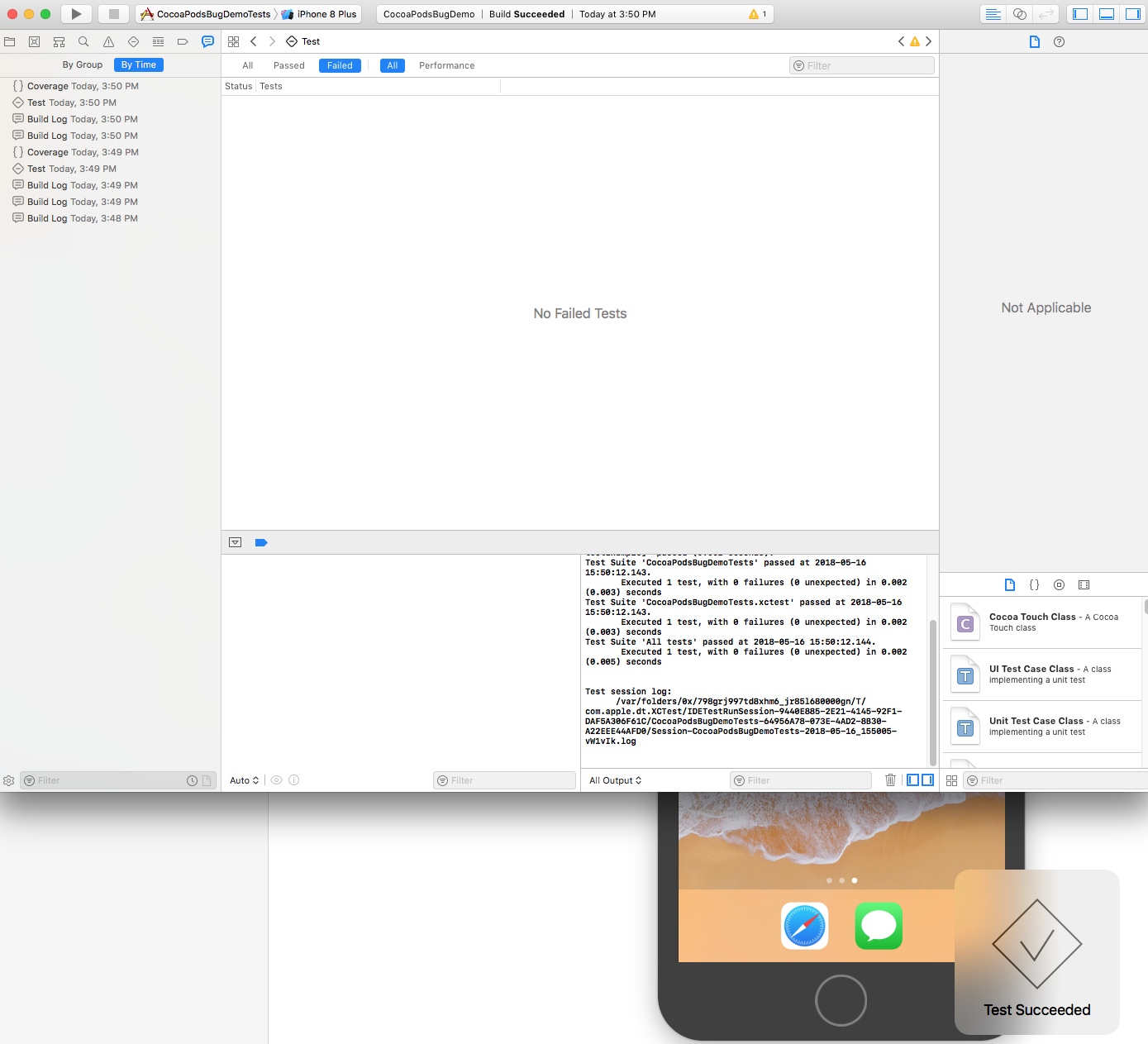
@TheDom can you also try it? I am going to preemptively close this and re-open if there is still an problem.
dnkoutso
on 17 May 2018
Even on release configuration for the tests it works.
dnkoutso
on 17 May 2018
I just tried master with our project and can confirm that it works! 😃 Thank you so much for fixing the issue!
Now I am really excited for the next release so that we can finally migrate off of v1.1.1 😅
TheDom
on 17 May 2018
Related issues
 soleares
·
3Comments
soleares
·
3Comments
 intelliot
·
3Comments
intelliot
·
3Comments
 dawnnnnn
·
3Comments
dawnnnnn
·
3Comments
 pallaviMN
·
3Comments
pallaviMN
·
3Comments
 Mingmingmew
·
3Comments
Mingmingmew
·
3Comments
Most helpful comment
I just tried
masterwith our project and can confirm that it works! 😃 Thank you so much for fixing the issue!Now I am really excited for the next release so that we can finally migrate off of v1.1.1 😅