Coc.nvim: Floating window does not open anymore (Unknown function coc#util#create_float_win)
Result from CocInfo
## versions

vim version: NVIM v0.4.4
node version: v12.19.0
coc.nvim version: 0.0.79
coc.nvim directory: /home/yago/.vim/bundle/coc.nvim
term: xterm-256color
platform: linux

## Output channel: git
Looking for git in: git
> git rev-parse --show-toplevel
resolved root of /home/yago/Taff/Tweag/Nickel/nickel/src/merge.rs: /home/yago/Taff/Tweag/Nickel/nickel
> git ls-files -- src/merge.rs
> git symbolic-ref --short HEAD
> git --no-pager show :src/merge.rs
> git diff --name-status
> git diff --staged --name-status
> git ls-files --others --exclude-standard
> git diff src/merge.rs
> git ls-files -- src/merge.rs
> git --no-pager show :src/merge.rs
> git symbolic-ref --short HEAD
> git diff --name-status
> git diff --staged --name-status
> git ls-files --others --exclude-standard
> git diff src/merge.rs
> git symbolic-ref --short HEAD
> git ls-files -- src/merge.rs
> git diff --name-status
> git diff --staged --name-status
> git ls-files --others --exclude-standard
> git --no-pager show :src/merge.rs
> git diff src/merge.rs
> git ls-files -- src/merge.rs
> git --no-pager show :src/merge.rs
> git diff src/merge.rs
> git symbolic-ref --short HEAD
> git ls-files -- src/merge.rs
> git diff --name-status
> git diff --staged --name-status
> git ls-files --others --exclude-standard
> git --no-pager show :src/merge.rs
> git diff src/merge.rs
> git ls-files -- src/merge.rs
> git --no-pager show :src/merge.rs
> git diff src/merge.rs
> git ls-files -- src/merge.rs
> git --no-pager show :src/merge.rs
> git diff src/merge.rs
> git ls-files -- src/merge.rs
> git --no-pager show :src/merge.rs
> git diff src/merge.rs
> git ls-files -- src/merge.rs
> git --no-pager show :src/merge.rs
> git diff src/merge.rs
> git ls-files -- src/merge.rs
> git --no-pager show :src/merge.rs
> git diff src/merge.rs
> git ls-files -- src/merge.rs
> git --no-pager show :src/merge.rs
> git diff src/merge.rs
> git ls-files -- src/merge.rs
> git --no-pager show :src/merge.rs
> git diff src/merge.rs
> git ls-files -- src/merge.rs
> git --no-pager show :src/merge.rs
> git diff src/merge.rs
> git ls-files -- src/merge.rs
> git --no-pager show :src/merge.rs
> git diff src/merge.rs
> git ls-files -- src/merge.rs
> git --no-pager show :src/merge.rs
> git diff src/merge.rs
> git ls-files -- src/merge.rs
> git --no-pager show :src/merge.rs
> git diff src/merge.rs
> git ls-files -- src/merge.rs
> git --no-pager show :src/merge.rs
> git diff src/merge.rs
> git ls-files -- src/merge.rs
> git --no-pager show :src/merge.rs
> git diff src/merge.rs
> git ls-files -- src/merge.rs
> git --no-pager show :src/merge.rs
> git diff src/merge.rs
> git ls-files -- src/merge.rs
> git --no-pager show :src/merge.rs
> git diff src/merge.rs
> git ls-files -- src/merge.rs
> git --no-pager show :src/merge.rs
> git diff src/merge.rs
> git ls-files -- src/merge.rs
> git --no-pager show :src/merge.rs
> git diff src/merge.rs
> git ls-files -- src/merge.rs
> git symbolic-ref --short HEAD
> git --no-pager show :src/merge.rs
> git diff --name-status
> git diff --staged --name-status
> git ls-files --others --exclude-standard
> git diff src/merge.rs
> git symbolic-ref --short HEAD
> git ls-files -- src/merge.rs
> git diff --name-status
> git diff --staged --name-status
> git ls-files --others --exclude-standard
> git --no-pager show :src/merge.rs
> git diff src/merge.rs


## Output channel: snippets
[Info 11:22:28] Using ultisnips directories: UltiSnips /home/yago/.config/coc/ultisnips
[Info 11:22:28] Using ultisnips python command: pyx


## Output channel: Rust Analyzer Language Server Trace
Describe the bug
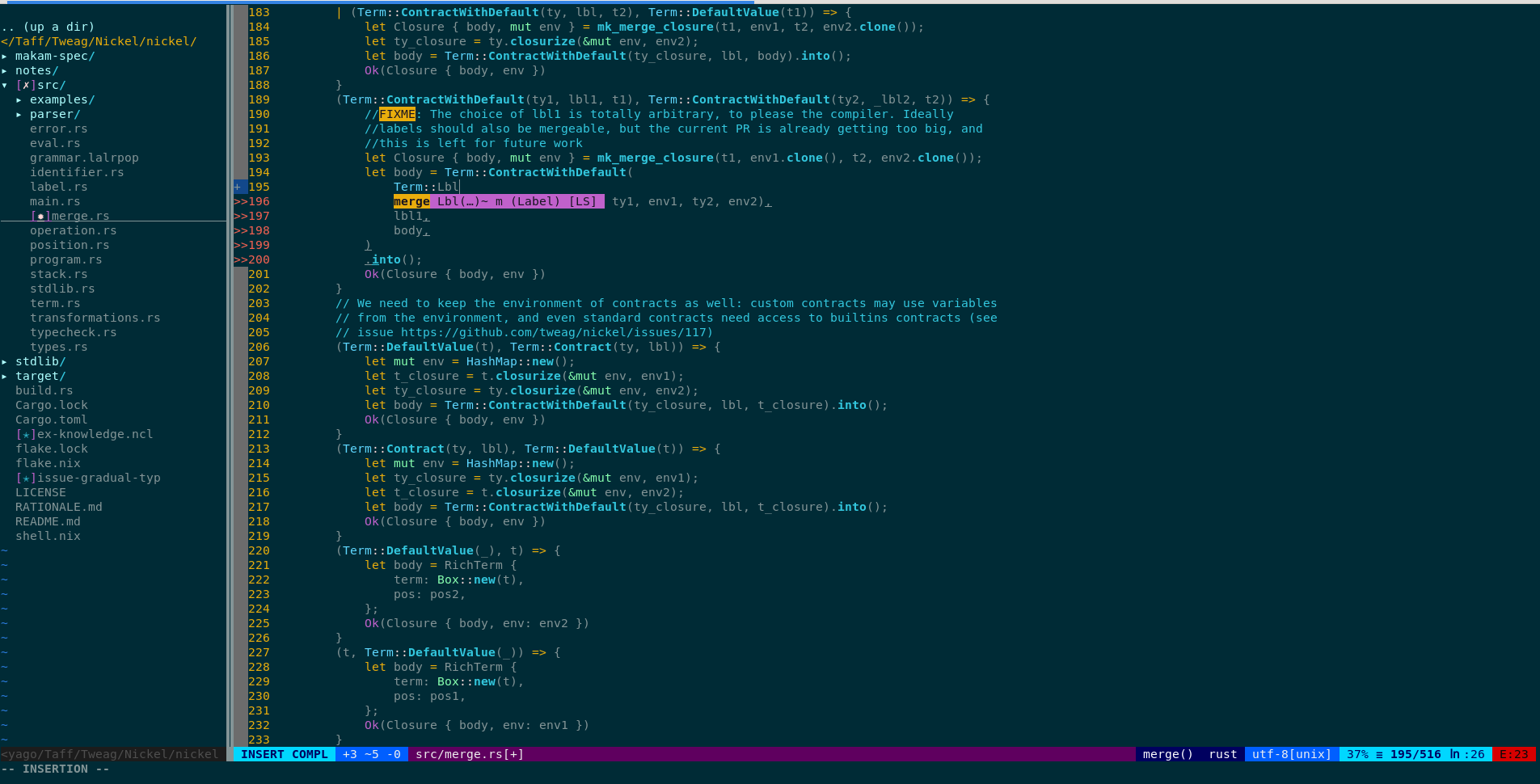
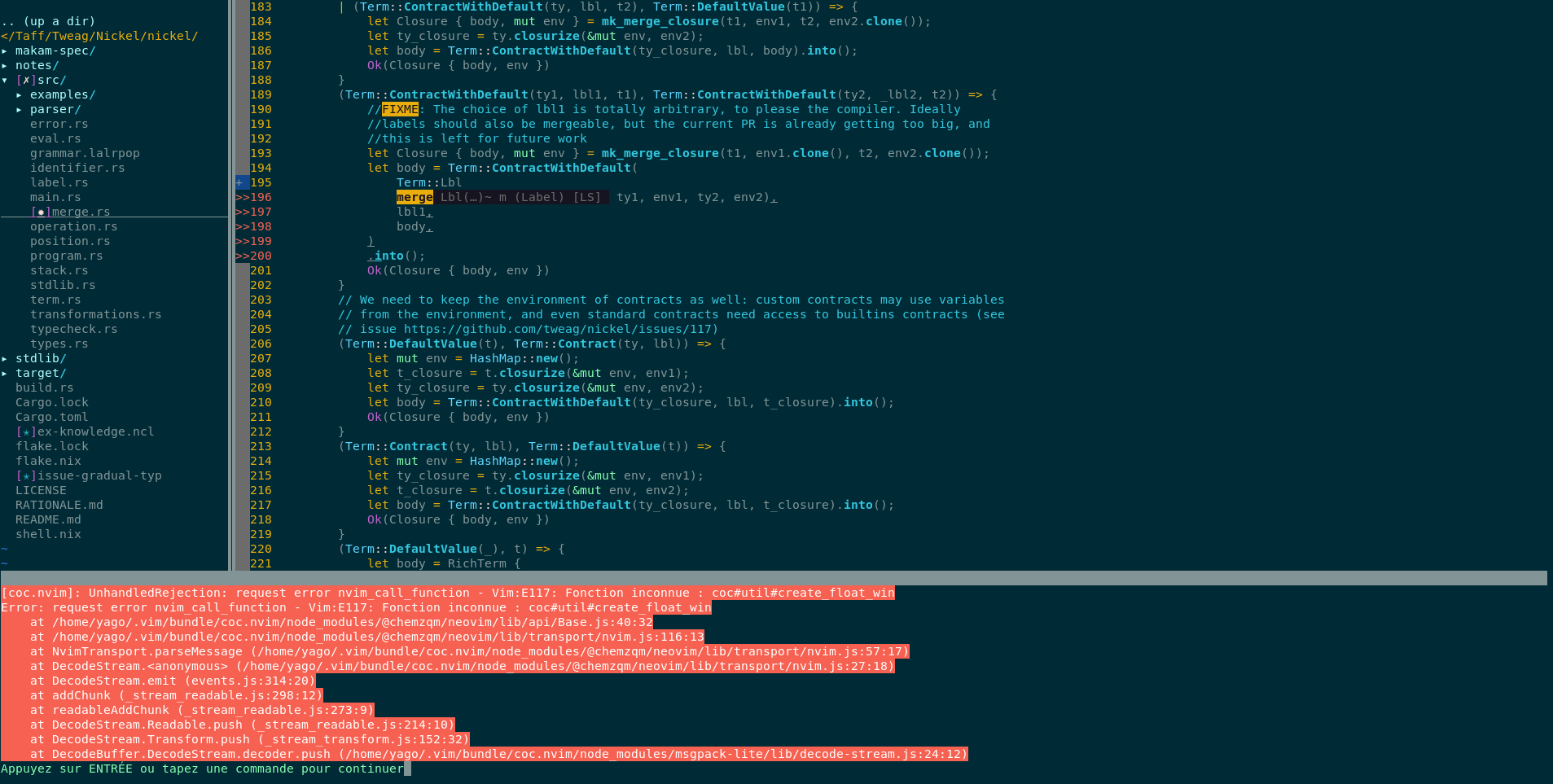
Floating windows don't open anymore. If I try to go to the next diagnostic, or show information about a symbol, it just does nothing and fails silently. However, if I trigger auto-completion (auto-completion window shows up fine) and TAB on one symbol, which usually shows contextual information about this particular symbol in a floating window, then it fails explicitely with the following error message:
[coc.nvim]: UnhandledRejection: request error nvim_call_function - Vim:E117: Fonction inconnue : coc#util#create_float_win
Error: request error nvim_call_function - Vim:E117: Fonction inconnue : coc#util#create_float_win
    at /home/yago/.vim/bundle/coc.nvim/node_modules/@chemzqm/neovim/lib/api/Base.js:40:32
    at /home/yago/.vim/bundle/coc.nvim/node_modules/@chemzqm/neovim/lib/transport/nvim.js:116:13
    at NvimTransport.parseMessage (/home/yago/.vim/bundle/coc.nvim/node_modules/@chemzqm/neovim/lib/transport/nvim.js:57:17)
    at DecodeStream.<anonymous> (/home/yago/.vim/bundle/coc.nvim/node_modules/@chemzqm/neovim/lib/transport/nvim.js:27:18)
    at DecodeStream.emit (events.js:314:20)
    at addChunk (_stream_readable.js:298:12)
    at readableAddChunk (_stream_readable.js:273:9)
    at DecodeStream.Readable.push (_stream_readable.js:214:10)
    at DecodeStream.Transform.push (_stream_transform.js:152:32)
    at DecodeBuffer.DecodeStream.decoder.push (/home/yago/.vim/bundle/coc.nvim/node_modules/msgpack-lite/lib/decode-stream.js:24:12)
[Note: "Fonction inconnue" translates to "Unknown function"]
Reproduce the bug
I'm using coc-rust-analyzer, but I also tested it with another language plugin ocaml-lsp, and it happens too: I don't get the explicit error, but diagnostics and information on a specific symbol don't show up anymore. I can provide my full vimrc if necessary, but I don't really know how to trim it to a minimal example. So I guess:
- Install a language server protocol (rust analyzer or ocaml lsp)
- Type garbage in a source file to generate an error
- Go to next diagnostic (
<Plug>(coc-diagnostic-next-error), and see that no floating window with the error appears, as it used to.
Alternative:
- Show documentation (
:call show_documentation()) on a symbol, the symbol is highlighted, but no information appear, as it used to.
Screenshots (optional)
Triggering auto-completion (before the error):
TABbing on one specific entry causes the error:
 yannham
>All comments
You have latest vim code, but old javascript code, reinstall coc.nvim.
It happens when you pull code from master branch but failed to compile javascript.
 chemzqm
on 20 Oct 2020
chemzqm
on 20 Oct 2020
Related issues
 aareman
·
3Comments
aareman
·
3Comments
 MaskRay
·
3Comments
MaskRay
·
3Comments
 cvlmtg
·
3Comments
cvlmtg
·
3Comments
 npearson72
·
3Comments
npearson72
·
3Comments
 marene
·
3Comments
marene
·
3Comments
Most helpful comment
You have latest vim code, but old javascript code, reinstall coc.nvim.
It happens when you pull code from master branch but failed to compile javascript.