Coc.nvim: Cursor vanishes in vim after coc-implementation
Result from CocInfo
Run :CocInfo command and paste the content below.
versions
vim version: VIM - Vi IMproved 8.1 (2018 May 18, compiled Feb 14 2019 12:32:11)
node version: v8.9.0
coc.nvim version: 0.0.54
term: iTerm.app
platform: darwin
Error messages
Describe the bug
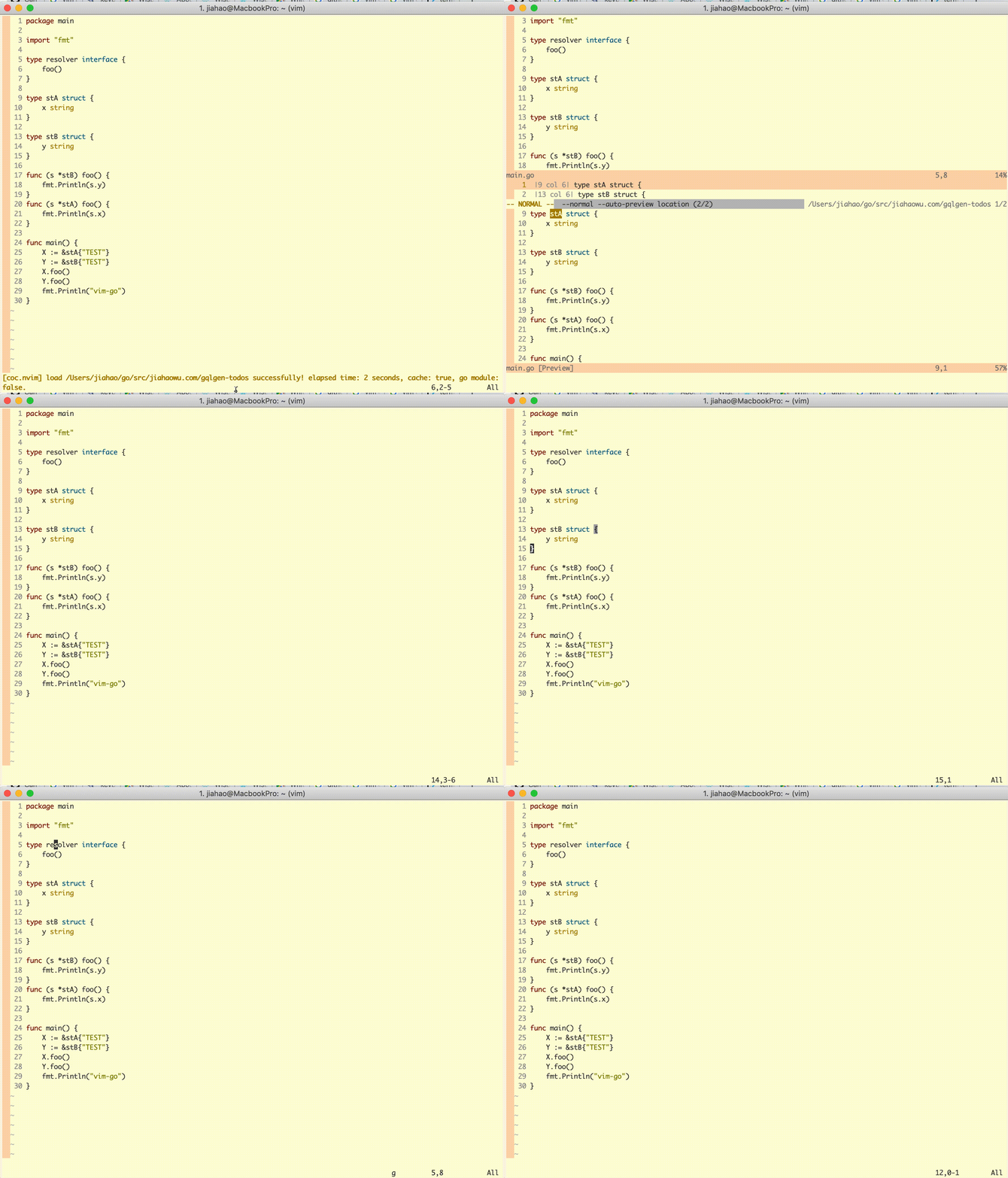
After executing the coc-implementation command for a Golang interface and enter a file from the pop-out pane, the cursor disappeared. Tested on another Ubuntu machine the same thing appends. It looks like the vim version has nothing to do with this strange behavior.
Vim on MacOS:
VIM - Vi IMproved 8.1 (2018 May 18, compiled Feb 14 2019 12:32:11)
macOS version
Included patches: 1-918
Vim version on Ubuntu:
VIM - Vi IMproved 8.1 (2018 May 18, compiled Oct 16 2018 19:28:47)
Included patches: 1-481
I can bring back the cursor by running :source ~/.vimrc even though redraw doesn't help.
To Reproduce
Steps to reproduce the behavior:
Using the suggested bingo backend:
"languageserver": {
    "golang": {
      "command": "bingo",
      "args": ["--diagnostics-style=instant"],
      "rootPatterns": ["go.mod", ".vim/", ".git/", ".hg/"],
      "filetypes": ["go"]
    }
  }
Let's using the following small go example:
package main

import "fmt"

type resolver interface {
    foo()
}

type stA struct {
    x string
}

type stB struct {
    y string
}

func (s *stB) foo() {
    fmt.Println(s.y)
}
func (s *stA) foo() {
    fmt.Println(s.x)
}

func main() {
    X := &stA{"TEST"}
    Y := &stB{"TEST"}
    X.foo()
    Y.foo()
    fmt.Println("vim-go")
}
- move to
type resolver interfaceto get the implementations ofresolver - I used the suggested key-binding (gi) for
coc-implementation, then I get a window to select implementations from:

- Once I select a file from the list to open it, the cursor disappeared....

Screenshots
 jiahaowu
All 5 comments
nvim+coc+bingo is worked.
vim version: NVIM v0.4.0-263-g969cc5599
node version: v11.9.0
coc.nvim version: 0.0.54
term: iTerm.app
platform: darwin
 fannheyward
on 15 Feb 2019
fannheyward
on 15 Feb 2019
Tried neovim as suggested by @fannheyward, it worked.
vim version: NVIM v0.3.4
node version: v8.9.0
coc.nvim version: 0.0.54
term: iTerm.app
platform: darwin
@jiahaowu what's result of :echo &splitbelow ?
 chemzqm
on 15 Feb 2019
chemzqm
on 15 Feb 2019
Try add set updatetime=300 to your .vimrc.
chemzqm
on 15 Feb 2019
@jiahaowu what's result of
:echo &splitbelow?
This command returns number 1.

Try add
set updatetime=300to your .vimrc.
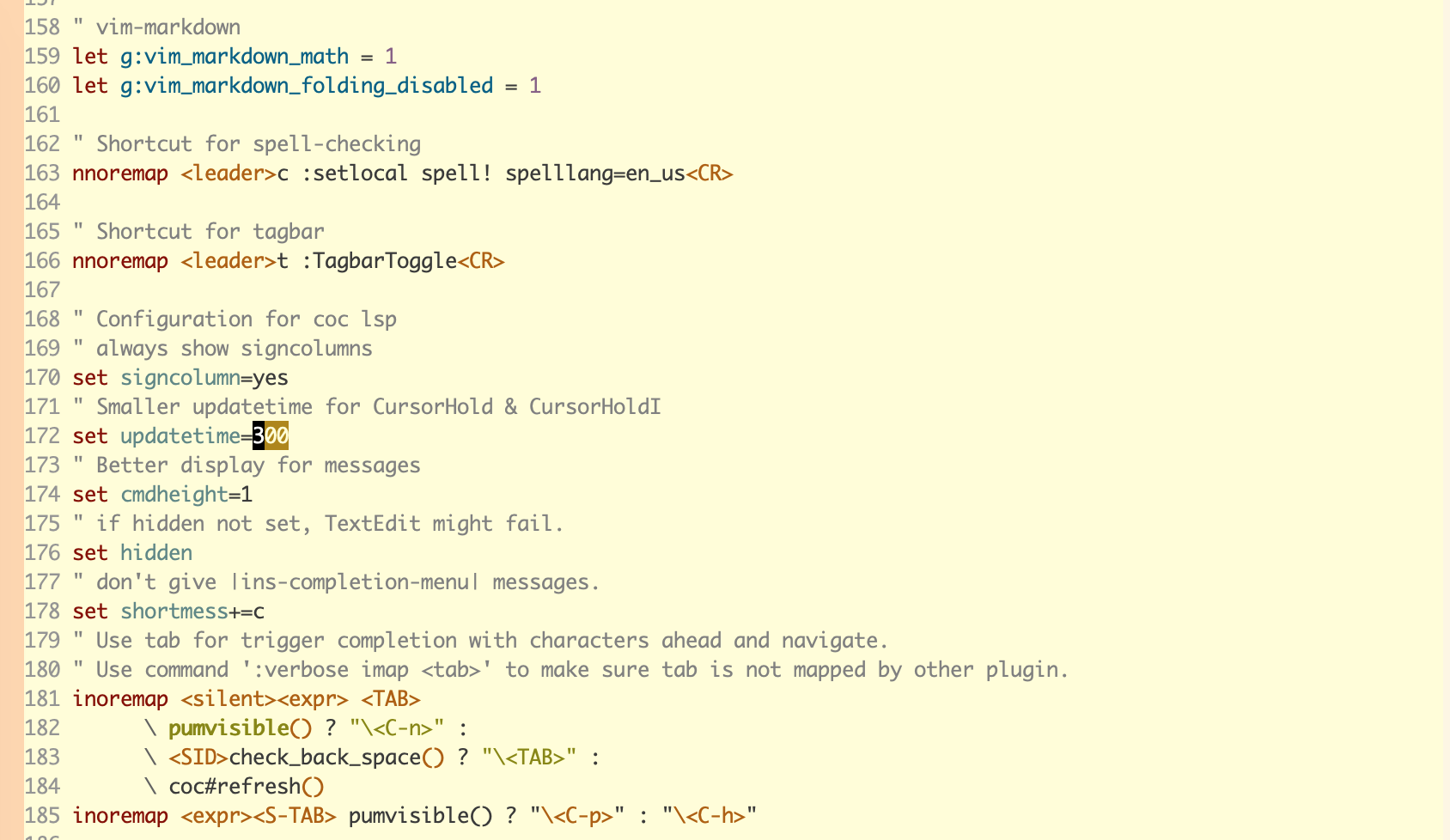
I had added this in vimrc from very beginning. The configuration for COC in my vimrc is the same as the one suggested in neoclide/coc.nvim repository readme.
jiahaowu
on 15 Feb 2019
Related issues
 rkulla
·
3Comments
rkulla
·
3Comments
 tom-james-watson
·
3Comments
tom-james-watson
·
3Comments
 hackingcat
·
3Comments
hackingcat
·
3Comments
 zhou13
·
3Comments
zhou13
·
3Comments
 LinArcX
·
4Comments
LinArcX
·
4Comments