Cms: Search bar issue (not finding entries)
Description
I have created a new section with the type Channel called "Secured Entry".
The entries from this section use the fields title (Craft's default), title block (plain text), content builder (NEO), and text block (plain text).
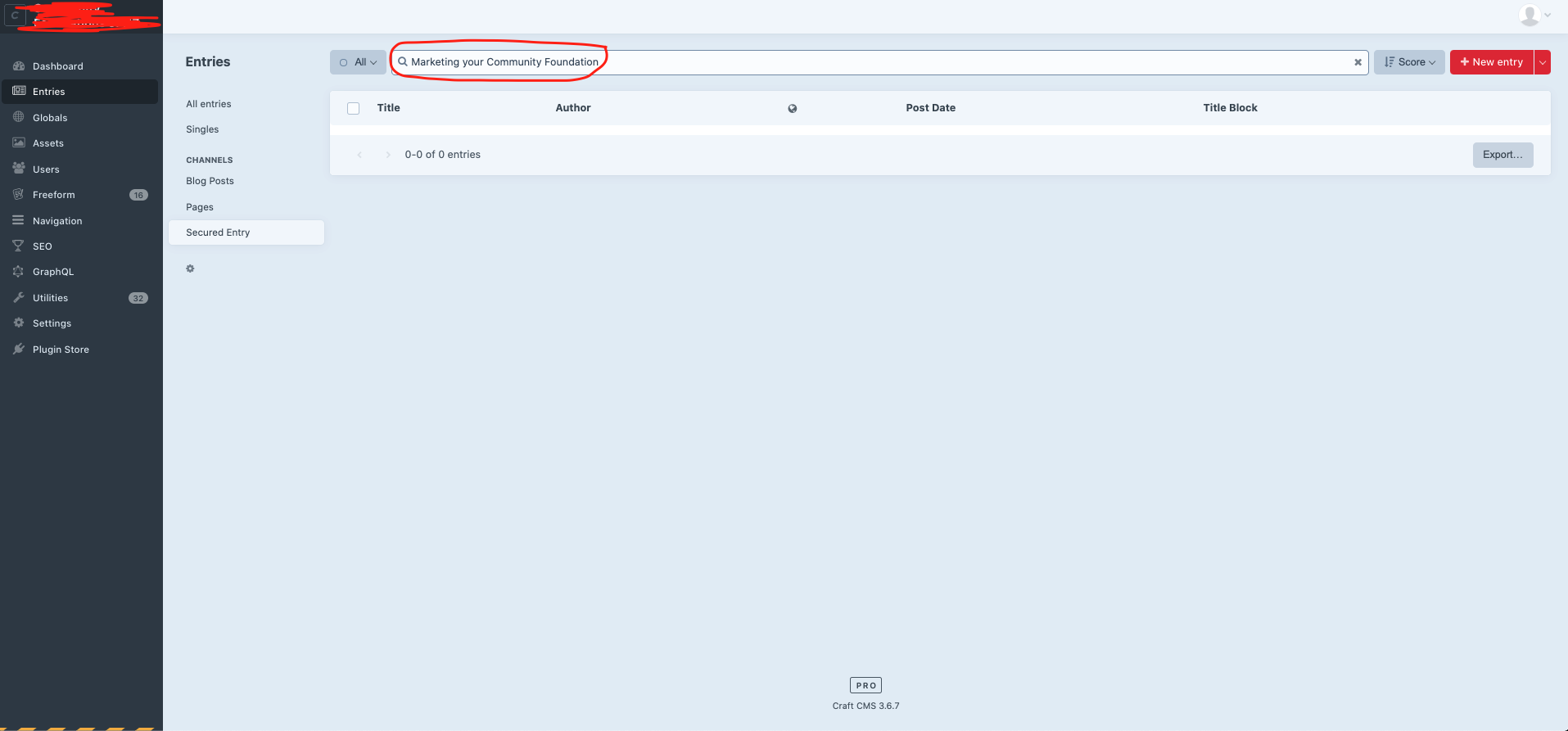
When I go to the search bar from the admin panel, I look by their title (Craft's default), which also contains the same content as the title block field, and it gives me zero results, when it clearly there's an entry with that title.
I have manually rebuild the search indexes as per the documentation (just in case), and still didn't work:
php craft resave/entries --update-search-index
I also made sure to tick the box for the field title block: Use this field’s values as search keywords
Not sure what else I can do. Any info will be appreciated!
Steps to reproduce
Create the new section:
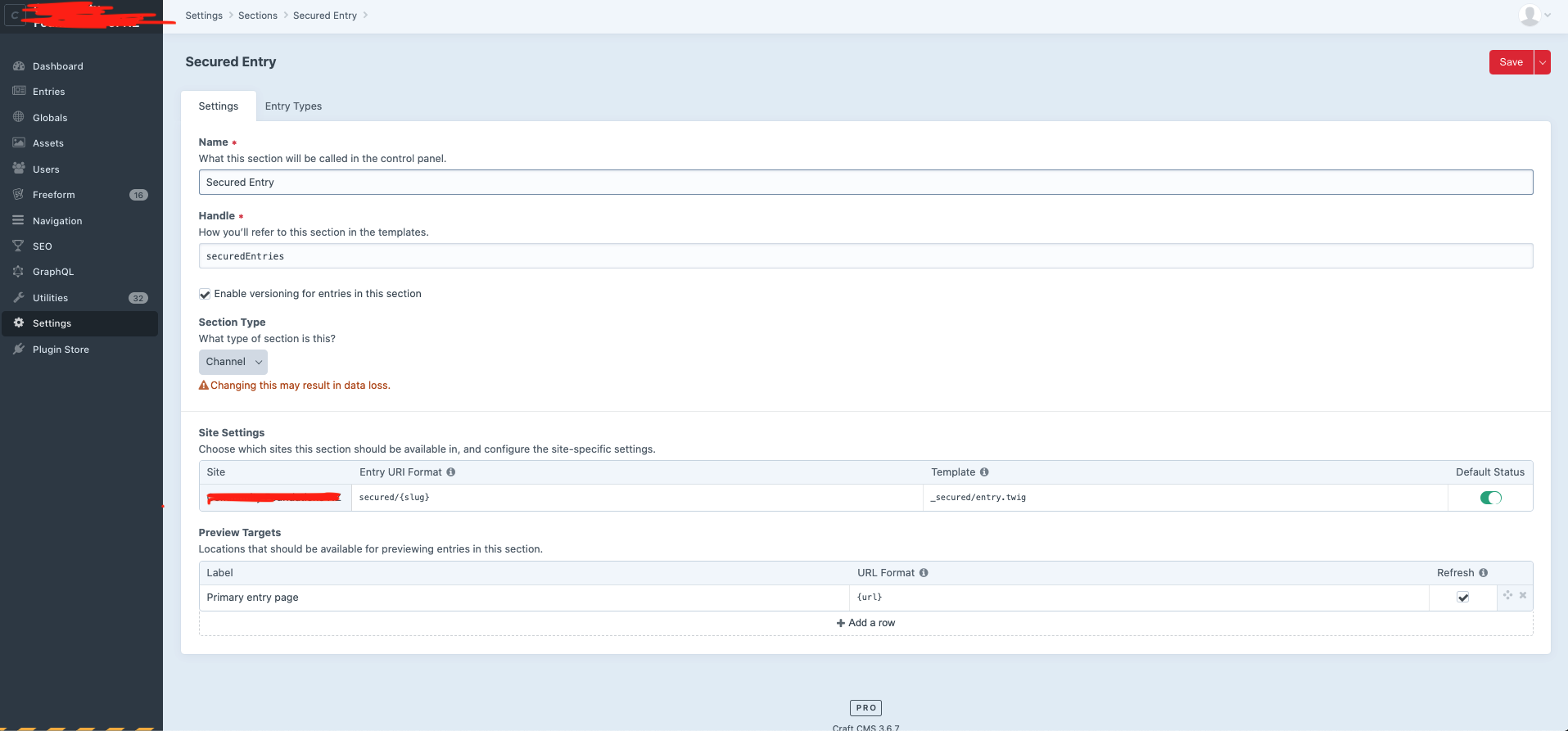
Create the entry type:
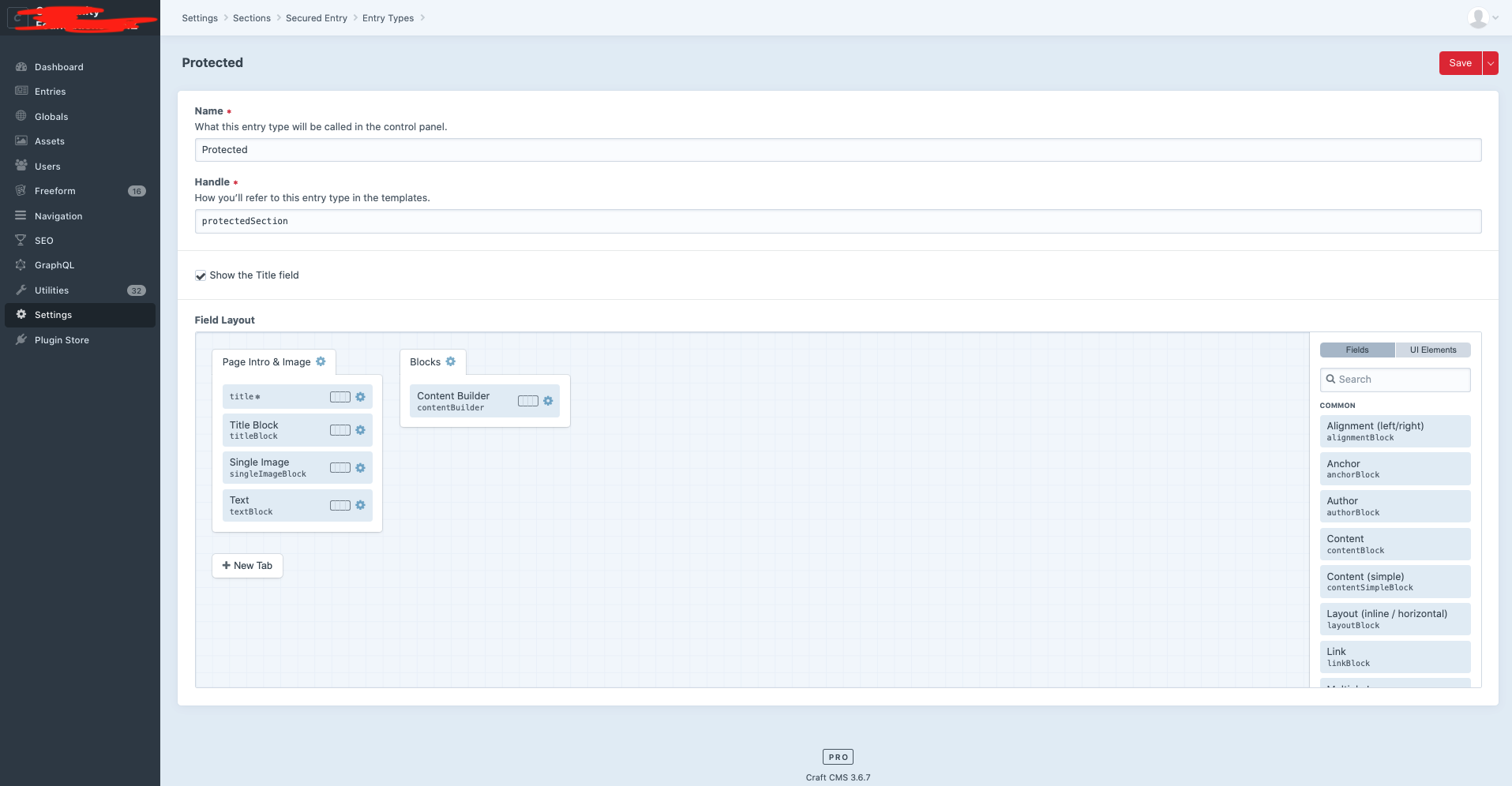
Start creating entries:
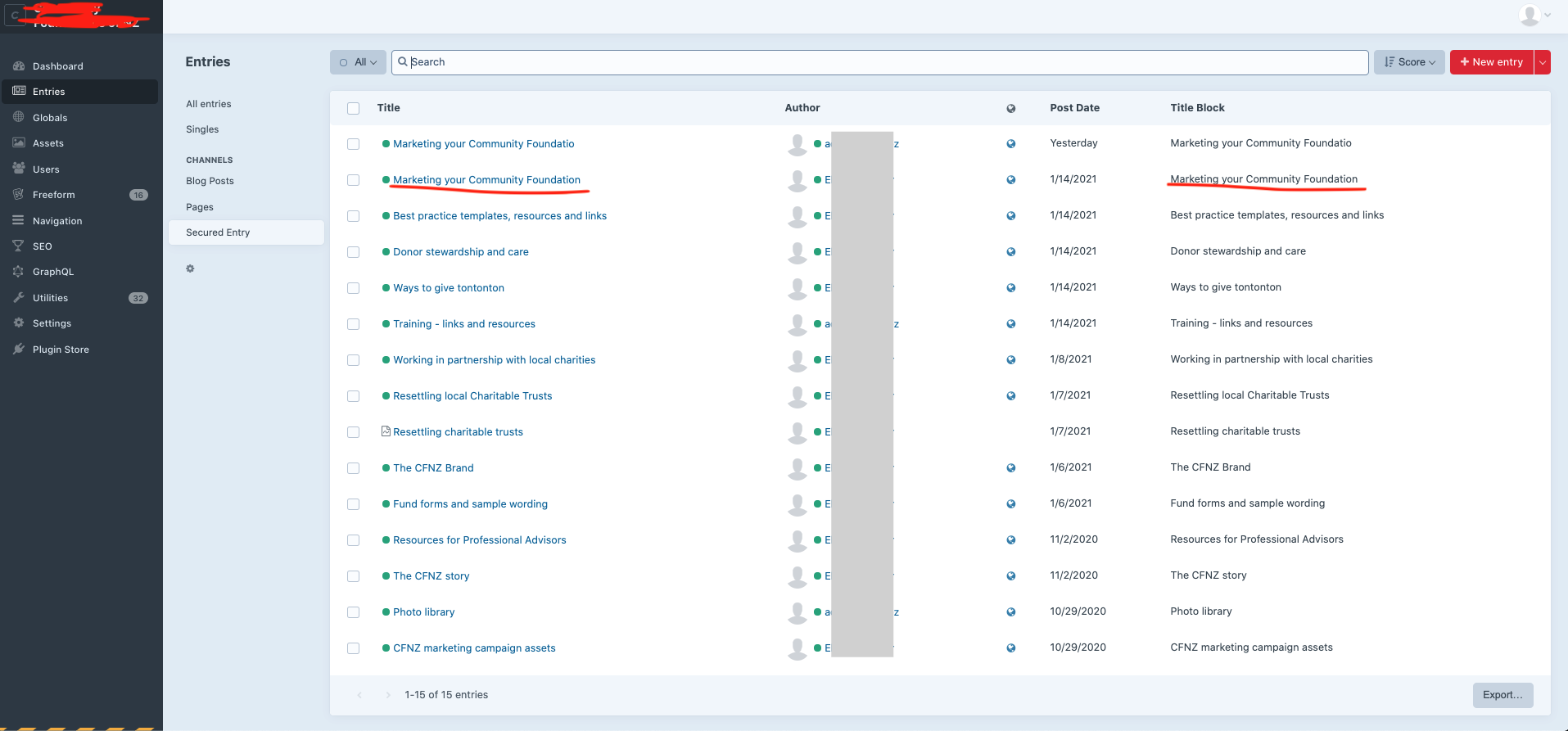
Look for an entry:
Additional info
- Craft version: 3.6.7
- PHP version: 7.3.24
- Database driver & version: MySQL 5.6.48
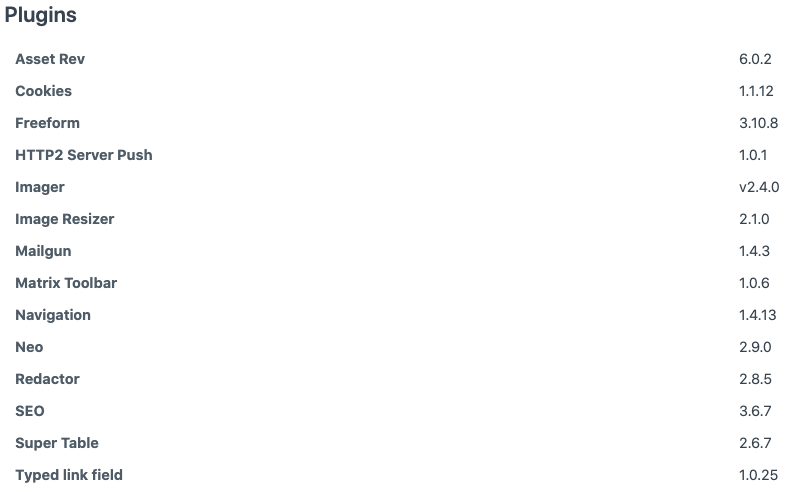
- Plugins & versions:
 palomamtnez
All 6 comments
Hm, strange. Are any of the entries working as expected?
 brandonkelly
on 3 Mar 2021
brandonkelly
on 3 Mar 2021
Yeah, it is a pretty weird one.
I have other sections, channel type as well (like Blogs and Pages), and tested it creating new entries with that name and it doesn't show in the results _(Marketing your Community Foundation)_.
There are some other entries that appear in the results when I look for them in the search bar, and others that don't (most of the ones that are not showing have more than 3 words)
palomamtnez
on 3 Mar 2021
Can you please send a database backup and your Composer files over to [email protected]? We can try digging into this from there.
brandonkelly
on 4 Mar 2021
I had an answer from the support team!
For the record, I will post their effective answer here:
This is related to stopwords for MyISAM search indexes.
MySQL uses a list of stopwords when performing full-text searches. As you can see, your is in there... As an example, if you search for Marketing community foundation (without your), your post will return correctly.
At the top of the page they say:False hits or misses might occur for stopword lookups...
I think that's what we are seeing here.
If you are on MySQL 5.6+ you could convert your searchindex table to InnoDB which would solve the issue.
Alternatively, you could add the below to your config/general.php:
'defaultSearchTermOptions' => [
'subLeft' => true,
],
This would change the default search behaviour to make it fuzzy (less precise) but return the result correctly - see docs.
After I did the first change option it worked as expected :)
As a suggestion, I would say to at least add this to the documentation, as not many of us relate this issue to the data table type (InnoDB).
Thank you for your help @brandonkelly :)
palomamtnez
on 8 Mar 2021
Thanks for the update! It was not our understanding that _any_ stop words in the query could prevent the whole search from yielding no results, but we were able to reproduce this on our end as well.
Just fixed this for the next release. Going forward, any known stop words will result in a LIKE condition rather than a fulltext search.
brandonkelly
on 9 Mar 2021
Craft 3.6.10 is out now with a fix for this.
brandonkelly
on 9 Mar 2021
Related issues
 davist11
·
3Comments
davist11
·
3Comments
 mccombs
·
3Comments
mccombs
·
3Comments
 angrybrad
·
3Comments
angrybrad
·
3Comments
 rynpsc
·
3Comments
angrybrad
·
3Comments
rynpsc
·
3Comments
angrybrad
·
3Comments
Most helpful comment
Craft 3.6.10 is out now with a fix for this.