Description
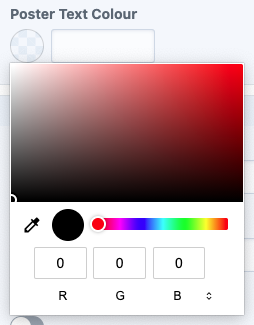
An empty colour field can't be set to #000000 via the colour chooser popup.
Steps to reproduce
- On an empty colour field, click the circular swatch to open the colour chooser. A javascript error is thrown tracing back to ColorInput.js:40 but I'm not sure if it's relevant to the issue:
Uncaught RangeError: Maximum call stack size exceeded
    at RegExp.[Symbol.replace] (<anonymous>)
    at String.replace (<anonymous>)
    at U (jquery.js? [sm]:4216)
    at V.get (jquery.js? [sm]:4297)
    at Object.trigger (jquery.js? [sm]:8711)
    at HTMLInputElement.<anonymous> (jquery.js? [sm]:8793)
    at Function.each (jquery.js? [sm]:381)
    at b.fn.init.each (jquery.js? [sm]:203)
    at b.fn.init.trigger (jquery.js? [sm]:8792)
    at s.constructor.<anonymous> (ColorInput.js:40)
- The colour picker appears with R0 G0 B0 selected by default. You can drag the dot around to another pure black, or manually re-enter R0 G0 B0 to no effect. When you press enter or click off, it doesn't detect any changes and leaves the colour field blank. Expected behaviour is to insert
#000000.
Screenshots:
⬇️
Press enter or click off colour chooser
⬇️

Additional info
- Craft version: 3.6.4.1
- PHP version: 7.4.2
- Database driver & version: MySQL 5.7.26
- Plugins & versions: None
... and thanks for making a CMS that is a genuine delight to work with!
 realjoshharrison
All 3 comments
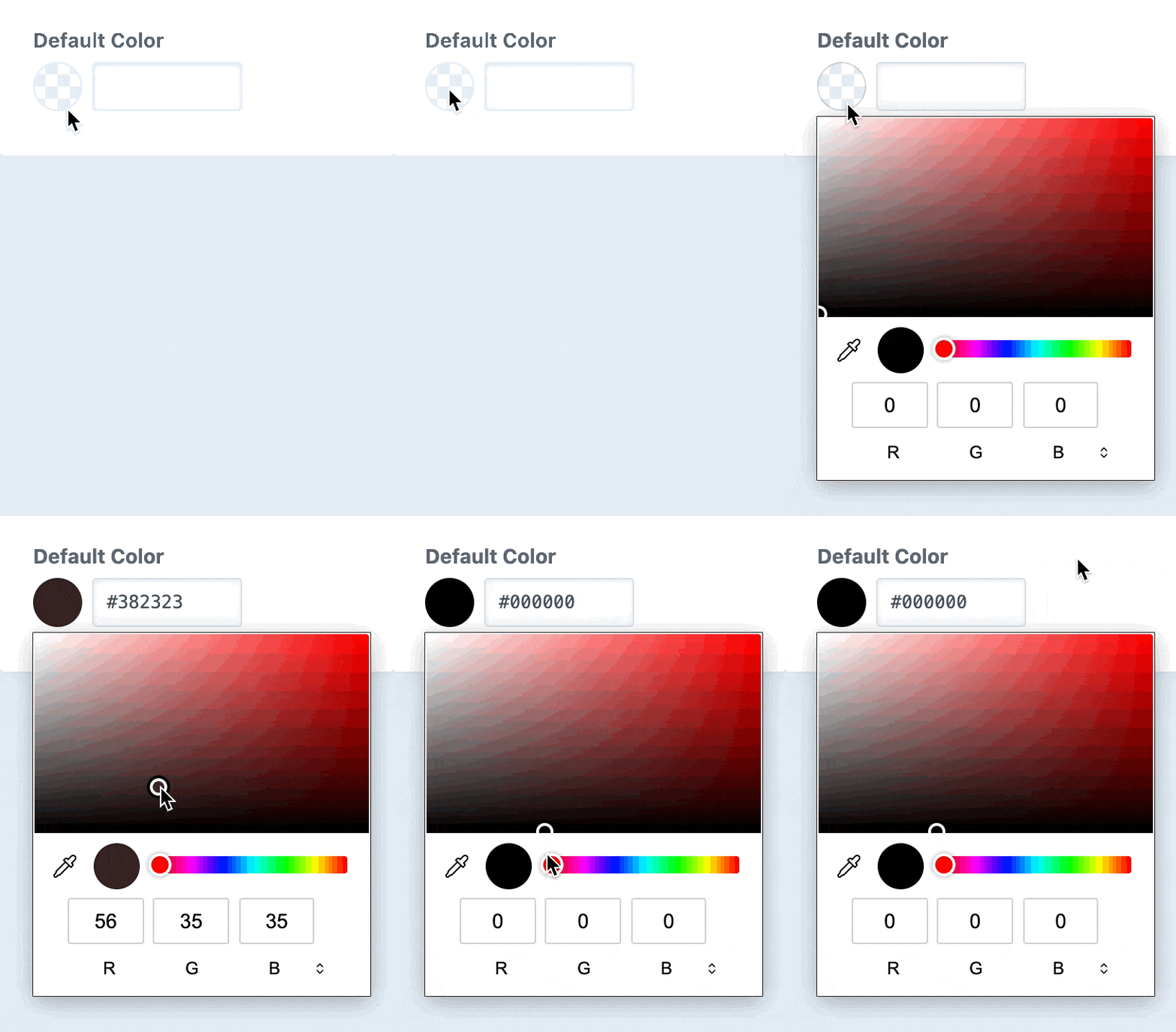
The reason that’s happening is because color inputs are set to #000000 by default, if they don’t have a value attribute. So the input isn’t sending a change event when you close it with #000000 “still” selected.
I’ve worked around this for the next release by updating the text input on the color input’s input event rather than change, which will get fired even when the color picker is still visible. You still have to get it to register that you want #000000 by temporarily changing the color and then changing it back, but it’s a bit easier than selecting a different color, closing the color picker, and then (re-)selecting black.
That JS error was unrelated, but it’s fixed as well now.
 brandonkelly
on 9 Feb 2021
brandonkelly
on 9 Feb 2021
Craft 3.6.5 is out now with that change ✨
brandonkelly
on 10 Feb 2021
Speedy. That works great in my opinion. Thanks 👌
realjoshharrison
on 11 Feb 2021
Related issues
 angrybrad
·
3Comments
angrybrad
·
3Comments
 RitterKnightCreative
·
3Comments
RitterKnightCreative
·
3Comments
 bitboxfw
·
3Comments
bitboxfw
·
3Comments
 richhayler
·
3Comments
brandonkelly
·
3Comments
richhayler
·
3Comments
brandonkelly
·
3Comments