Cms: Upgraded to 3.6 and graph QL query is broken in production mode, but not dev mode.
Description
After upgrading from 3.5 to 3.6.0.1 my graphQL query is broken.
The problem exists in both the front end and in the dashboard GraphiQL.
I can reproduce in local, staging and live environments.
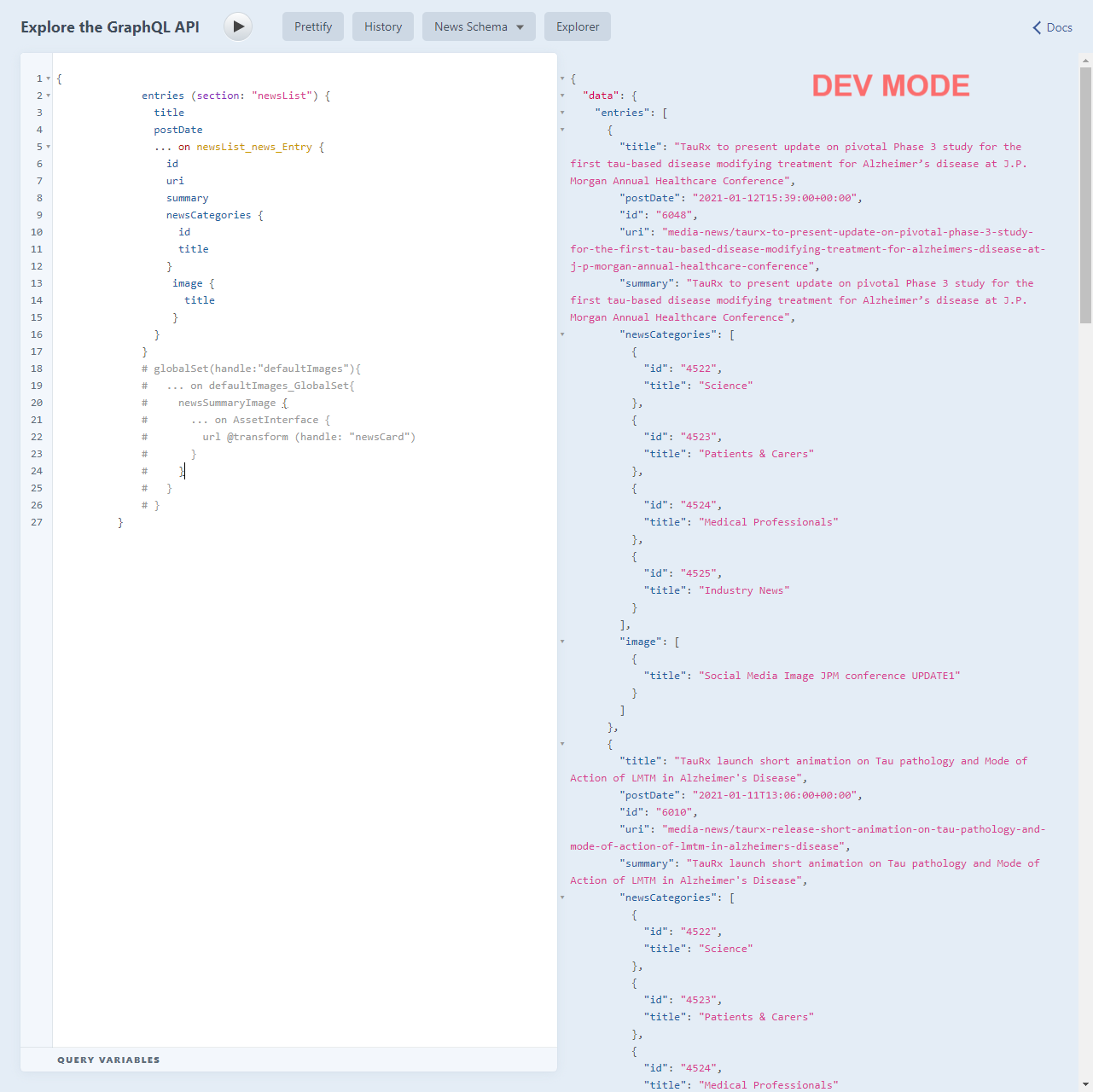
When the site is in dev mode it works perfectly:
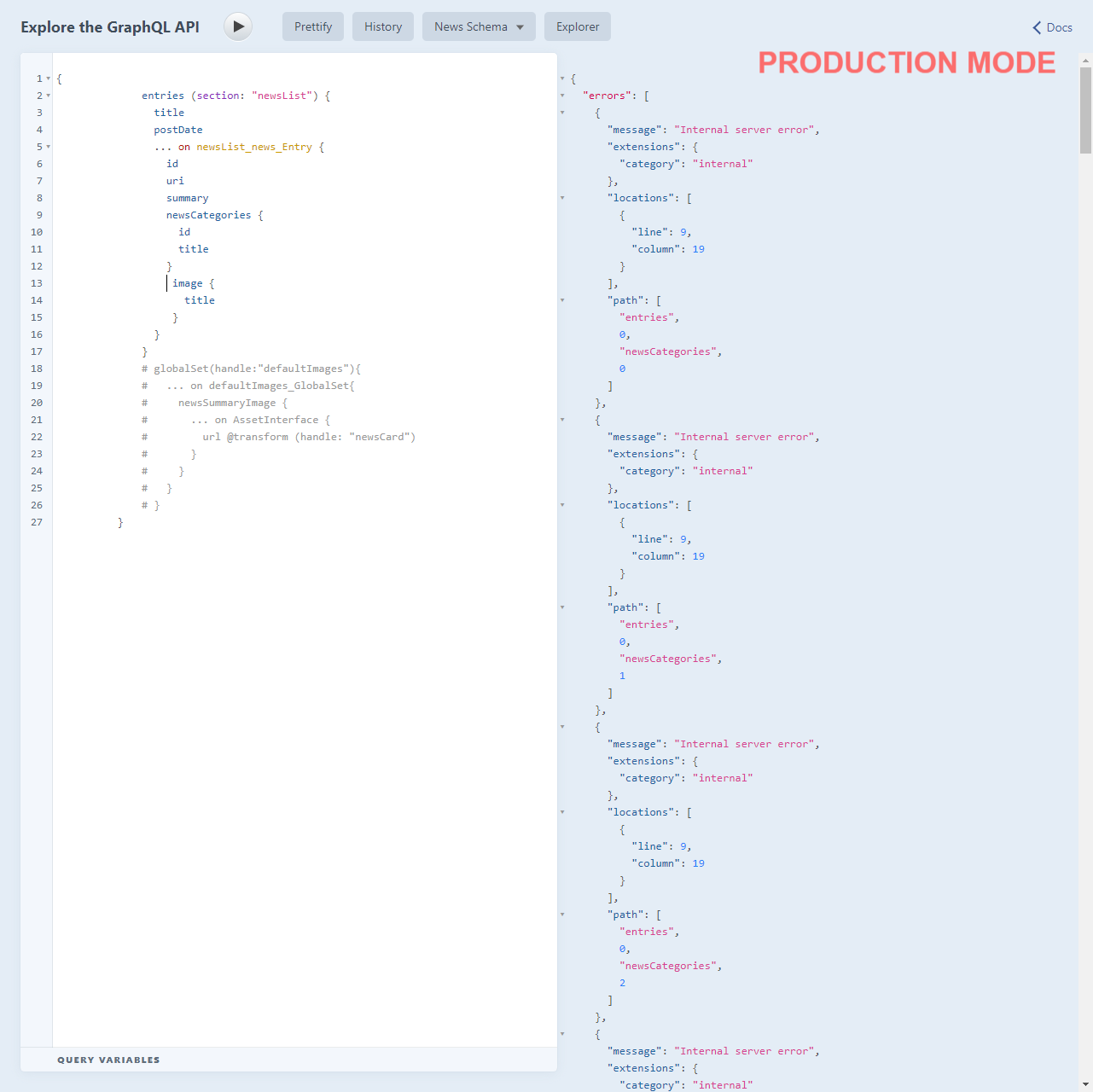
When in production mode this is the error I get:
Nothing comes up in the logs.
I've tried clearing storage, all caches, checking all migrations are run.
I'm not sure how to proceed from here.
Additional info
- Craft version: 3.6.0.1
- PHP version: 7.4.12 and 7.4.13 (local, live) [edited to show correct version nos]
- Database driver & version: MySQL 8.0.22
- Plugins & versions: n/a
 sunscreem
All 12 comments
Craft 3.6 requires PHP 7.2.5 or later. Can you please ensure you’re running at least that? (Ideally 7.4.x though.)
 brandonkelly
on 27 Jan 2021
brandonkelly
on 27 Jan 2021
Yeah @brandonkelly - sorry - typo on my part. Both 7.4.12 and 7.4.13.
sunscreem
on 27 Jan 2021
Alright, can you please send a database backup, your Composer files, and the raw text of that GraphQL query over to [email protected] so we can look into it?
brandonkelly
on 27 Jan 2021
Thanks - done :)
sunscreem
on 27 Jan 2021
@sunscreem It looks like the newsCategories field might not exist or be set up correctly in production.
 bencroker
on 28 Jan 2021
bencroker
on 28 Jan 2021
I was unable to reproduce the error you're encountering with the files you sent over.
However, I just improved GraphQL error logging. To pull this improvement in your environment, change your craftcms/cms requirement in composer.json to:
"require": {
"craftcms/cms": "dev-develop#67682d5a2d9e7f76ee0a14e477b81323c6ebf82d as 3.6.1",
"...": "..."
}
Then run composer update.
Now, running the query should log the exception responsible for the error to your log files.
 andris-sevcenko
on 28 Jan 2021
andris-sevcenko
on 28 Jan 2021
Thanks @bencroker. I'll come back to you.
sunscreem
on 28 Jan 2021
@sunscreem okay, got it to reproduce locally, too. I'll let you know!
andris-sevcenko
on 28 Jan 2021
Just traced it down to a behavior change in the underlying GraphQL package we use and pushed a fix for it.
To get the fix early, change your craftcms/cms requirement in composer.json to:
"require": {
  "craftcms/cms": "dev-develop#b6fe803404058126bb506689d7ef46db8809a57c as 3.6.1",
  "...": "..."
}
Then run composer update.
andris-sevcenko
on 28 Jan 2021
Hey @andris-sevcenko. That's working now :)
sunscreem
on 28 Jan 2021
Glad to hear it!
andris-sevcenko
on 28 Jan 2021
Craft 3.6.2 is out now with that fix.
brandonkelly
on 29 Jan 2021
Related issues
 michaelhue
·
3Comments
michaelhue
·
3Comments
 leigeber
·
3Comments
leigeber
·
3Comments
 michel-o
·
3Comments
michel-o
·
3Comments
 Mosnar
·
3Comments
Mosnar
·
3Comments
 richhayler
·
3Comments
richhayler
·
3Comments
Most helpful comment
Just traced it down to a behavior change in the underlying GraphQL package we use and pushed a fix for it.
To get the fix early, change your
craftcms/cmsrequirement in composer.json to:Then run
composer update.