Cms: How to empty the Temporary Uploads folder and why can individual users not delete files within up this folder?
I am perhaps over looking something, but I cannot see anyway for an back-end user (not admin) to be able to remove/clean up their Temporary Uploads folder. As a full admin, I see the option to remove the assets.

However, when logged in as a user that has full rights for all assets but is not a 'admin' user there is no option to delete the temporary assets.

I have looked through the user permission settings and I cannot see anything relating to Temporary Uploads or any settings that can be enabled for this.
Is this an oversight/feature request or am I over looking something?
The other thing I think worth mentioning is that the list in the CMS is not reflecting what is actually in the Temporary Uploads folder on the server. So I don't think the asset indexing is quite working for Temporary Uploads but it is not a folder than can be re-index.

I would also like to know if there is an config setting or command that can be run periodically that would clean up all users Temporary Upload folders?
Thanks.
 terryupton
All 4 comments
Thanks for pointing that out! Just fixed this for the next release.
 brandonkelly
on 25 Jan 2021
brandonkelly
on 25 Jan 2021
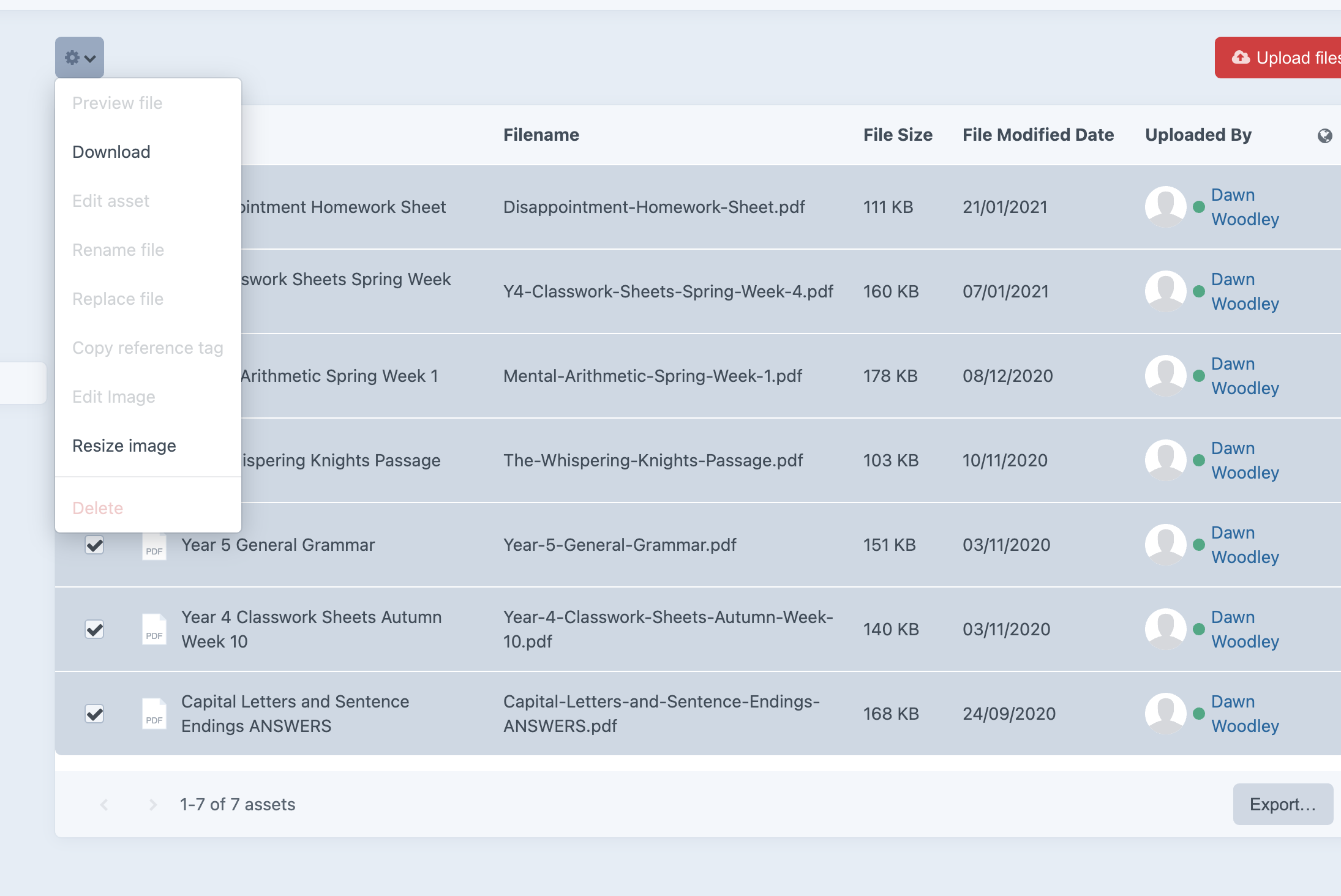
Thanks for this @brandonkelly although I am still seeing issues.
Logging in as the staff user, I can now see the delete option but it is disabled.
terryupton
on 13 Feb 2021
Doh, sorry about that. Fixed that for the next releasse.
brandonkelly
on 15 Feb 2021
Craft 3.6.6 is out now with that bugfix.
brandonkelly
on 15 Feb 2021
Related issues
brandonkelly
·
3Comments
 mccombs
·
3Comments
mccombs
·
3Comments
 mattstein
·
3Comments
mattstein
·
3Comments
 RitterKnightCreative
·
3Comments
RitterKnightCreative
·
3Comments
 Mosnar
·
3Comments
Mosnar
·
3Comments