Description
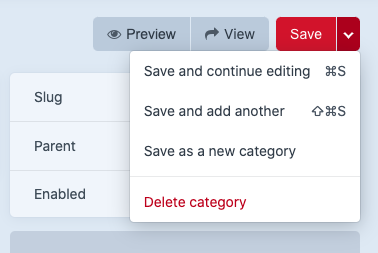
The details sidebar can be found on the right side of several edit views: assets, entries, categories, users. There may be more instances to identify.

Accessibility notes for this area:
All
- The editable fields don't have a border around them, so it's not clear that they are editable form fields. This is especially the case when there's only one editable field and no close/x icons nearby, such as a "filename" for assets:

- It would be helpful to label the top and bottom boxes. Not sure of good headings yet, but something that indicates the top section is editable and the bottom section is informative.
- h5 elements are causing heading level errors. I think these don't necessarily need to be headings. Maybe change to definition lists.
Assets
- The uploaded by author link text has insufficient contrast.
Entries
- The author selection doesn't seem to be keyboard operable.
- The remove button on the author field is announced before the author's name, which might be confusing.
- The "Notes about your changes" text box has insufficient contrast and is using a placeholder as a label.
- Date and author remove button hover styles are inconsistent (red on author, gray on date)
Moved date/time field related issues to #7321
Users
- The gear icon menu has insufficient contrast
- The delete functionality is inconsistent with the other editable views. It is located under a gear icon menu rather than within the save menu.

Steps to reproduce
- Edit or create a new asset, entry, category, or user.
Additional info
- Craft version: 3.5.17.1
 missmatsuko
All 2 comments
h5 elements are causing heading level errors. I think these don't necessarily need to be headings. Maybe change to definition lists.
+1 for <dl>- that was also my first impression
 ajanec01
on 4 Jan 2021
ajanec01
on 4 Jan 2021
👍1
Some other issues that I've found when checking assets entry
- the choose button and the switch have poor focus indication (I know you're going to have a new focus styling, let me know if you need the instances to be logged or should I not bother raising them)
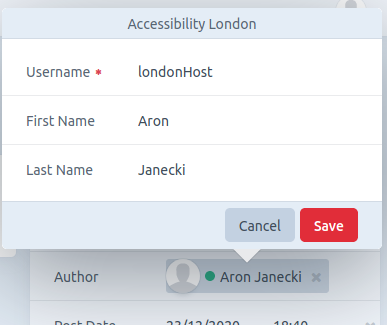
- just a side note about the author element not being operable, the author does not have an acc role and it should not be a container for the remove link (needs href)
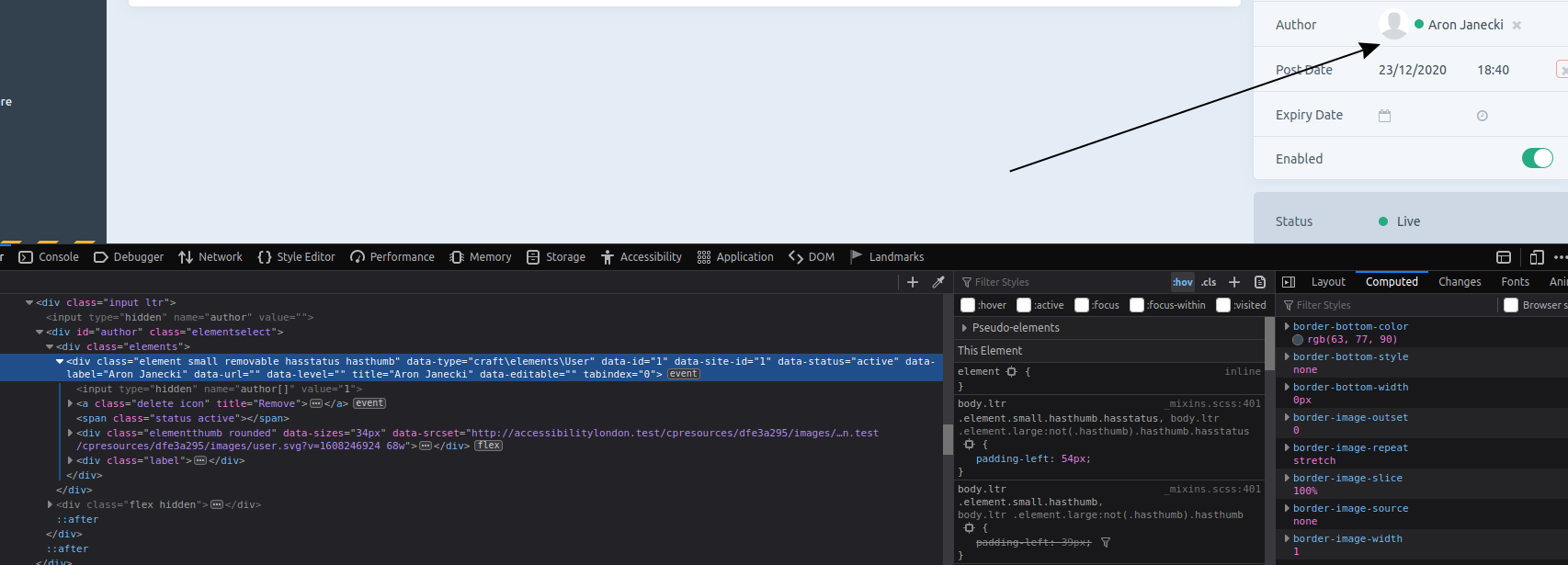
- the author pop-up would benefit from
role="dialog"and an accessible name; the focus indicator is poor and it's not trapped inside the popup; the content would benefit from the<dl>markup
- The post date, post time, expiry date, and expiry time are not labelled; ideally, with a description that would include the entry format (e.g. dd/mm/yyyy); there are no error messages for giving an incorrect format, I've tried 23/121/2020 and the entry got saved with today's date
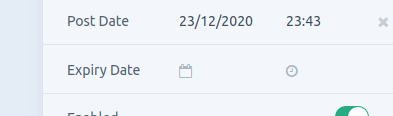
- date and time pickers are not keyboard accessible; worth having a look at the aria date picker and aria listbox patterns.
- finally, I wasn't too sure what format the post date and expiry date fields should have as they have more elements than any other; I've checked the spec for
<dl>and it's appropriate to have onedtand a fewdd; I didn't know that earlier so I thought I would raise it just in case
ajanec01
on 6 Jan 2021
👍1
Was this page helpful?
0 / 5 - 0 ratings
Related issues
 mccombs
·
3Comments
mccombs
·
3Comments
 RitterKnightCreative
·
3Comments
RitterKnightCreative
·
3Comments
 bitboxfw
·
3Comments
bitboxfw
·
3Comments
 richhayler
·
3Comments
richhayler
·
3Comments
 Mosnar
·
3Comments
Mosnar
·
3Comments