Cms: Logs going to `storage/runtime/debug` and not `storage/logs`
Description
I have some code that fires on Entry::EVENT_AFTER_SAVE and it used to log to storage/logs (it does this on my local), but on our test enviro it only ends up in storage/runtime/debug in a serialized format. Any ideas on what would cause that?
Steps to reproduce
- Have something calling
Craft::info(orCraft::error(on a save hook. - Observe the logs (or lack thereof).
Additional info
- Craft version: 3.4.30
- PHP version: 7.3.x
 ryanpcmcquen
All 20 comments
Check config/app.php. Are you overriding the log component config there?
 brandonkelly
on 11 Sep 2020
brandonkelly
on 11 Sep 2020
Nope, nothing in config/app.php that touches log at all. The normal logs aren't landing anywhere. The stuff under storage/debug is for the debug toolbar as far as I can tell because it doesn't follow the standard logging format (it is serialized data).
On my local it lands in both places, for example:
storage/logs/web.log.1
storage/runtime/debug/5f5ba38255f3b.data
But on our test environment it only lands in the serialized format in the debug directory:
storage/runtime/debug/5f5ba45144666.data
…Right, ok, that’s correct those are for the Debug Toolbar.
Have you checked the file permissions for your storage/ folder? (And your storage/logs/ folder if that exists)
brandonkelly
on 12 Sep 2020
Yes, all are nginx:nginx, which is correct. And I checked that the container had disk space available, because I've seen that do it as well. It's obviously something environmental that I'm missing, but sadly, it doesn't seem to be any of the obvious things. It's worth noting that logging _did_ work perfectly in this environment for a long time, and recently broke.
ryanpcmcquen
on 12 Sep 2020
nginx:nginx is the group/owner, but what about the actual permissions?
brandonkelly
on 12 Sep 2020
Ah, sorry:
drwxr-xr-x 1 nginx nginx 48 Sep 10 19:19 storage
drwxr-xr-x    2 nginx    nginx         77 Sep 10 20:36 logs


md5-5357f4a7c15fa7ca3d7c6d673b915002


-rw-r--r--    1 nginx    nginx       9.2K Sep 10 19:18 console.log
-rw-r--r--    1 nginx    nginx     148.2K Sep 11 16:22 queue.log
-rw-r--r--    1 nginx    nginx      13.4K Sep 10 20:36 web-404s.log
-rw-r--r--    1 nginx    nginx       1.7M Sep 10 22:03 web.log
Are you sure you’re testing with Craft::error()? When dev mode is disabled, only Craft::warning() and Craft::error() calls will actually get logged. Craft::info() calls will be ignored.
brandonkelly
on 12 Sep 2020
That could be it, is there a way to change that?
ryanpcmcquen
on 12 Sep 2020
Technically possible, but it would add a lot of noise to your log file. Maybe instead it would be better to add a new log target, which only captures the info logs. You can do that by adding this to config/app.php:
return [
    'components' => [
        'log' => function() {
            $config = \craft\helpers\App::logConfig();

            if (!$config) {
                return null;
            }

            // Add new log target for `info` logs
            $generalConfig = Craft::$app->getConfig()->getGeneral();
            $config['targets'][] = [
                'class' => \craft\log\FileTarget::class,
                'fileMode' => $generalConfig->defaultFileMode,
                'dirMode' => $generalConfig->defaultDirMode,
                'includeUserIp' => $generalConfig->storeUserIps,
                'except' => [
                    \yii\i18n\PhpMessageSource::class . ':*',
                ],
                'levels' => \yii\log\Logger::LEVEL_INFO,
                'logFile' => '@storage/logs/info.log',
            ];

            return \Craft::createObject($config);
        }
    ],
];
Thank you @brandonkelly!
ryanpcmcquen
on 12 Sep 2020
@brandonkelly, I'm not seeing these logs in the debug toolbar either, maybe I have a config wrong? They definitely exist in storage/runtime/debug/*.data and nowhere else.
ryanpcmcquen
on 15 Sep 2020
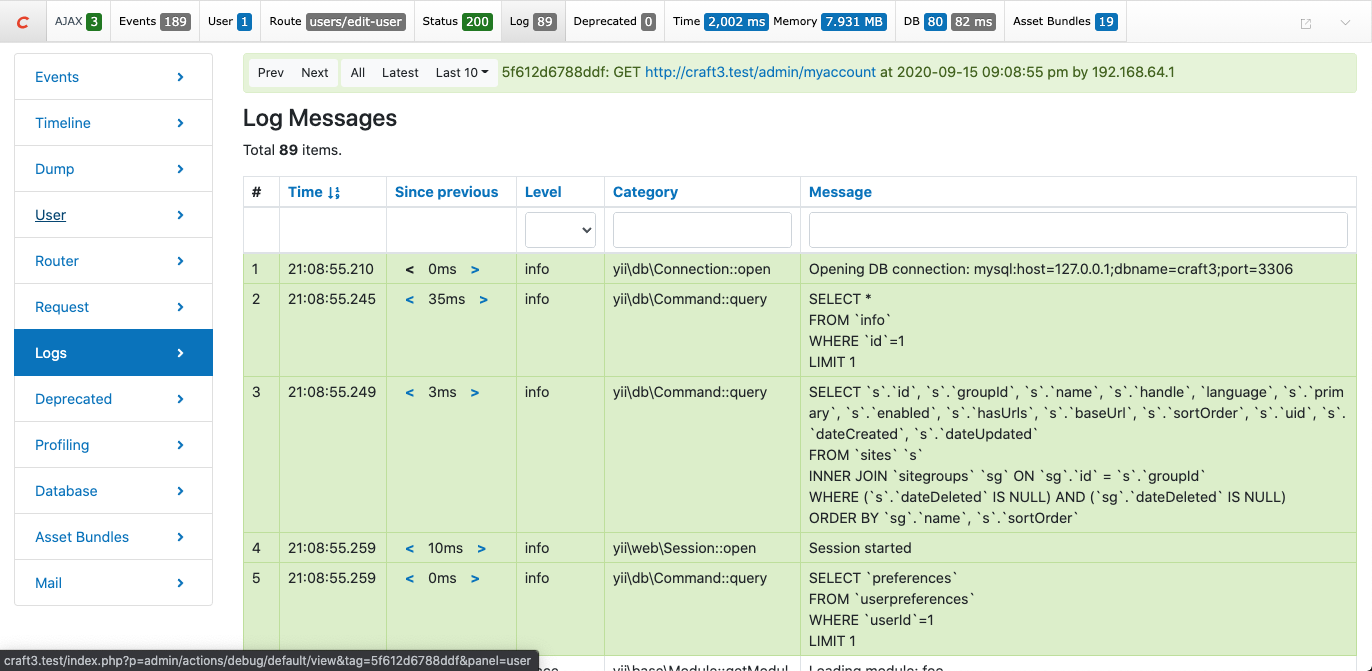
Are you saying that the Log tab in the Debug Toolbar is blank?
brandonkelly
on 15 Sep 2020
@brandonkelly, it is not blank, it just doesn't contain the Craft::info logs that I am logging, but they do show up the in the .data files.
ryanpcmcquen
on 15 Sep 2020
Even if you change the Level filter dropdown to “Info”?
brandonkelly
on 15 Sep 2020
@brandonkelly, yes, even if I change the filter or explicitly search for messages that appear in the .data files.
ryanpcmcquen
on 15 Sep 2020
Huh, that’s so weird. Can you try updating to Craft 3.5 and see if that fixes it?
brandonkelly
on 15 Sep 2020
Yes, I will give it a go and report back, thanks!
ryanpcmcquen
on 15 Sep 2020
@brandonkelly, I can repro the same behavior on 3.5.10.
ryanpcmcquen
on 16 Sep 2020
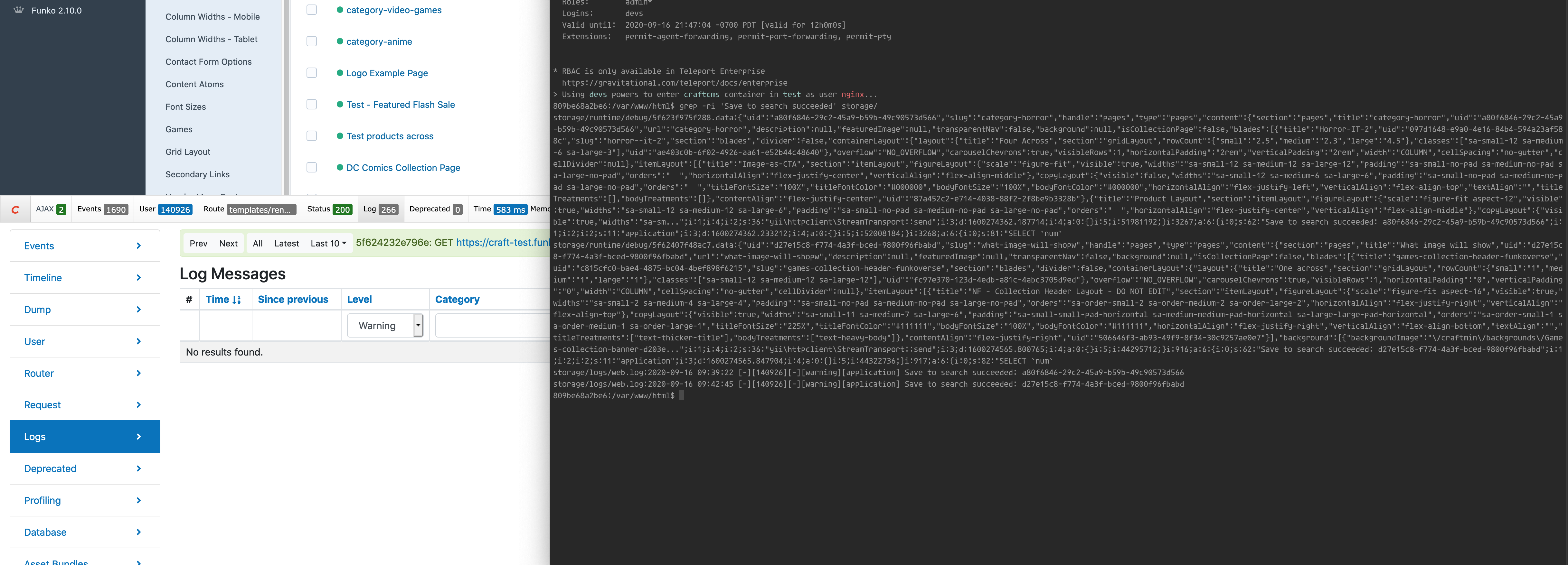
@brandonkelly, it is getting even more interesting. What is the expected scope of the debug toolbar?
I switched the info log to a warning log, and I still don't see it in the debug toolbar. It now appears in web.log (as expected). Is the toolbar only for the current page? The log I am expecting happens on the Entry::EVENT_AFTER_SAVE hook.
ryanpcmcquen
on 16 Sep 2020
Debug toolbar will only capture logs for the current request, but you can switch between recent requests via that “Last 10” menu. If the request is happening over Ajax, check the X-Debug-Link response header on the Ajax request – that will give you the URL to view the debug toolbar info for it.
brandonkelly
on 18 Sep 2020
Related issues
 angrybrad
·
3Comments
angrybrad
·
3Comments
 Mosnar
·
3Comments
Mosnar
·
3Comments
 davist11
·
3Comments
davist11
·
3Comments
 bitboxfw
·
3Comments
brandonkelly
·
3Comments
bitboxfw
·
3Comments
brandonkelly
·
3Comments