Description
We're working on a complex multisite/multilanguage set-up with 100 sites from one Back-end.
What would really improve the user experience is an option to set propagation per entry with a ligthswitch. E.g: "Sync this entry with all other sites?"
You can disable them per site using the lightswitches on the right hand site, but in our use case this gives a lot of clutter in the cms and also unnecessary db calls. In some cases, disabling might not be what you want, especially if you have this many sites you probably want the entry not to exists in the other sites it's not supposed to for performance and sanity reasons.
 lenvanessen
All 9 comments
Just added a new Propagation Method option for Craft 3.5: “Let each entry choose which sites it should be saved to”.
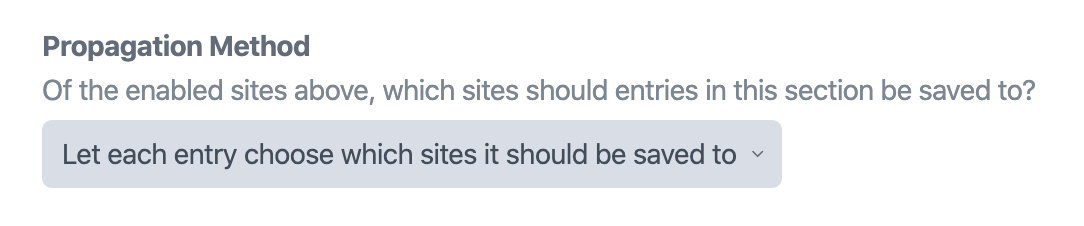
This works much like the “Only save entries to the site they were created in” option – when you initially create an entry, it will only be saved to the site you were looking at on the previous screen. But when you expand the status selector, you will find a new “Add a site…” option, which lets you add additional sites to the entry.
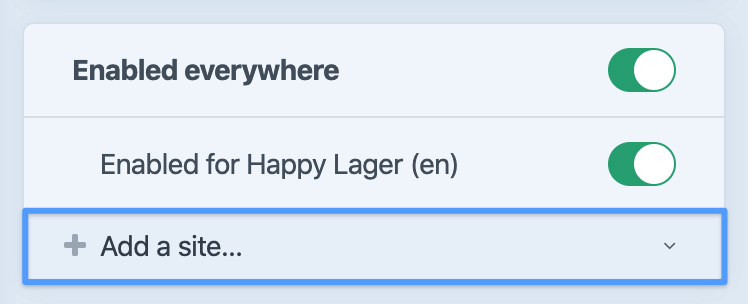
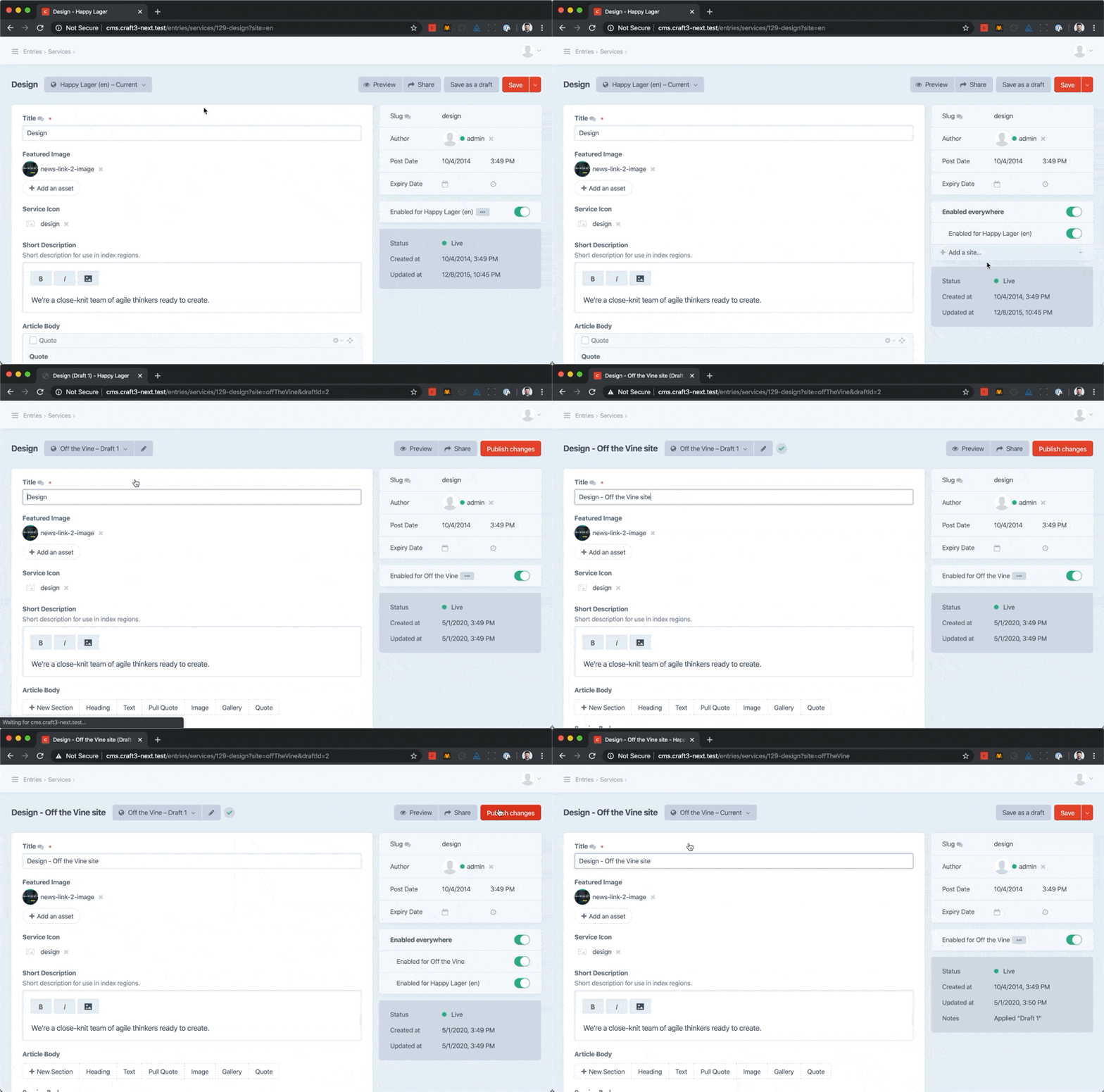
If you are editing a draft, the new site will be added to the draft immediately, but won’t be added to the source entry until you’ve published the draft.
Here’s a video of it in action:
 brandonkelly
on 1 May 2020
brandonkelly
on 1 May 2020
You are: tha bomb
lenvanessen
on 1 May 2020
Looks great!
 jan-dh
on 1 May 2020
jan-dh
on 1 May 2020
Thank you, great feature!
 puck3000
on 2 May 2020
puck3000
on 2 May 2020
thanks @brandonkelly this is awesome! this commit closes my issue too.
one question:
if the author of 'off the vine' site is another person and restricted to edit only that 'off the vine' site, if he/she want to has this entry on 'happy lager', i suppose the only way is to ask author of 'happy lager' to add 'off the wine' site?
it is not a bad thing though, specially if 'happy lager' is main site and author in 'happy lager' has control over entries and sites.
actually i am thinking about a way for author of 'happy lager' and other enabled sites for that section to be informed about the entry and ask to have the entry for their sites via CP.
 vnali
on 2 May 2020
vnali
on 2 May 2020
@vnali Whoops, sorry I forgot about that issue. It does indeed seem like the same request.
The answer to your question is yes – users are only able to add sites that they have permission to edit. So you would need someone with permission to edit two sites to be the one to add the entry to the second site.
brandonkelly
on 4 May 2020
@brandonkelly Is it possible to remove entries from sites they’re disabled in? We changed the propagation method of one of our pre-3.5 sections and are on a clean up mission. If there’s no UI for it, any other ideas for a database query or a migration?
 seidtgeist
on 14 Jan 2021
seidtgeist
on 14 Jan 2021
@seidtgeist Yep it’s possible as of the upcoming 3.6 release – see #7190.
brandonkelly
on 14 Jan 2021
@brandonkelly Amazing, thank you and sorry for missing this!
seidtgeist
on 15 Jan 2021
Related issues
 benface
·
3Comments
benface
·
3Comments
 michaelhue
·
3Comments
michaelhue
·
3Comments
 timkelty
·
3Comments
timkelty
·
3Comments
 rynpsc
·
3Comments
rynpsc
·
3Comments
 davist11
·
3Comments
davist11
·
3Comments
Most helpful comment
Just added a new Propagation Method option for Craft 3.5: “Let each entry choose which sites it should be saved to”.
This works much like the “Only save entries to the site they were created in” option – when you initially create an entry, it will only be saved to the site you were looking at on the previous screen. But when you expand the status selector, you will find a new “Add a site…” option, which lets you add additional sites to the entry.
If you are editing a draft, the new site will be added to the draft immediately, but won’t be added to the source entry until you’ve published the draft.
Here’s a video of it in action: