Cms: Hide Decimal Formatting for Numbers Fieldtype in the Entries View
Description
There are many instances where you do not want data from number fields to be displayed with decimal separation in an entries col listing.
I am working specifically now with two fields of numeric data – a vehicle identification number (VIN), and a model year – where in both cases, these are useful as columns in the entries listing and really should be input-constrained as numbers, ...but the commas are so disruptive that the data either needs to be collected as plain text or banished from the entries view entirely.
An option on the field to "Hide decimal formatting in the entries view" would be very nice.
 kerns
kerns
All 2 comments
Just added a new “Preview Format” setting to Number fields for the next release, which can be set to “Unformatted” to prevent values from getting formatted on element indexes.
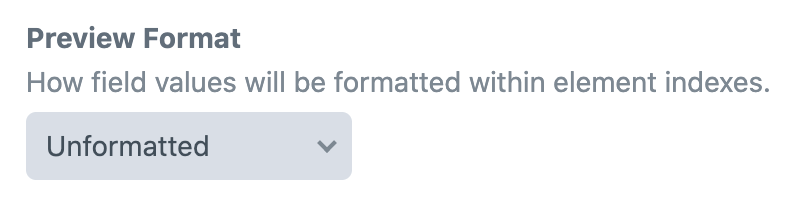
Additional options are “As decimal numbers” (same behavior as before), and “As currency values”.
 brandonkelly
on 16 Sep 2020
brandonkelly
on 16 Sep 2020
Craft 3.5.11 is out now with that new setting 🎉
brandonkelly
on 18 Sep 2020
Related issues
 angrybrad
·
3Comments
angrybrad
·
3Comments
angrybrad
·
3Comments
angrybrad
·
3Comments
 michel-o
·
3Comments
michel-o
·
3Comments
 bitboxfw
·
3Comments
bitboxfw
·
3Comments
 lukebailey
·
3Comments
lukebailey
·
3Comments
Most helpful comment
Craft 3.5.11 is out now with that new setting 🎉