Currently Craft identifies whether the current request is a CP request by comparing the first URI segment with the CP trigger (admin by default). If they match, then it’s a CP request.
There are cases where it would be nice to access the CP at the root of a domain, though:
- When accessing the CP from a separate domain from the front-end site (e.g.
cms.example.com) - When running Craft in headless mode, where there is no front-end site in the first place (besides a
graphql/apiroute or something)
In these cases, it seems weird that you have to include a CP trigger in the URL to access the control panel. So it should be possible to set the cpTrigger config setting to false or an empty string, and identify CP requests in another way instead, such as a CRAFT_CP constant defined in index.php:
if ($_SERVER['HTTP_HOST'] === getenv('CP_HOST')) {
    define('CRAFT_CP', true);
}
 brandonkelly
All 22 comments
@brandonkelly Thank you very much for this proposal.
That would be indeed great 👍
 Jones-S
on 18 Oct 2019
Jones-S
on 18 Oct 2019
Added support for setting cpTrigger to null, for Craft 3.5. Craft will also start checking for a new CRAFT_CP PHP constant, when determining whether to treat the current request as a control panel request, which is required if you don’t have a cpTrigger.
define('CRAFT_CP', true);
Just improved on this a bit more – now you no longer need to define a CRAFT_CP constant, if your baseCpUrl config setting is set.
brandonkelly
on 10 Mar 2020
Just installed Craft 3.5.x-dev and set my 'cpTrigger' => null.
I then set baseCpUrl to a specific value: 'baseCpUrl' => '/' to access the CP like: localdomain.test.
This worked at first, it prompted me with some database updates which I did.
After that, when accessing localdomain.test it does always redirects me to http://localhost:3000/dashboard
If I access localdomain.test/dashboard manually it works, I can reach the CP. But when accessing the root of my CMS it redirects me to the frontend => http://localhost:3000/dashboard.
Which settings are causing this?
Something in my general.php?
Thank you for some input.
Cheers
⚠️ ====== update:
I realized that when setting:
'baseCpUrl' => getenv('DEFAULT_SITE_URL'),
with DEFAULT_SITE_URL="http://localdomain.test/"
I would get the desired results!
I was wondering though, if it would not be enough to just set 'cpTrigger' => null and then by default I would reach the CP by accessing the root of my domain. Why do I need to set the baseCpUrl?
Jones-S
on 10 Mar 2020
Sorry, to be clear, baseCpUrl must be set to an absolute URL, not just /.
I was wondering though, if it would not be enough to just set
'cpTrigger' => nulland then by default I would reach the CP by accessing the root of my domain. Why do I need to set thebaseCpUrl?
Because without baseCpUrl set, Craft has no way of knowing whether the request was intended for the control panel or the front-end. (Even if you have headlessMode enabled, there’s still a front-end site – it’s just limited to custom routes and controller actions.)
brandonkelly
on 11 Mar 2020
Sorry to bother you again...
After these changes I have trouble reaching my GraphQL API, which worked normally before.
When accessing it now I get this error back
Template not found: api
Respectively when making the test curl request (https://docs.craftcms.com/v3/graphql.html#create-your-api-endpoint)
I get this
Unable to verify your data submission
Could this be linked? Or did I mess up other things?
Jones-S
on 11 Mar 2020
To be clear, in order to use this feature, baseCpUrl must be set to a different host name than the front-end site (e.g. cms.localdomain.test).
brandonkelly
on 11 Mar 2020
I am getting back here, because I don't know where else I could find a fix for my problem...
@brandonkelly I do indeed have a different host name in my baseCpUrl.
CP URL
'baseCpUrl' => getenv('DEFAULT_SITE_URL'), where DEFAULT_SITE_URL="http://cms.localdomain.test/"
FRONTEND
and the frontend site (within Settings-> Sites -> SiteXY -> Base Url) is set to my alias @frontendUrl
'aliases' => [
'@frontendUrl' => getenv('FRONTEND_URL')
],
where FRONTEND_URL="http://localhost:3000".
As long as I have 'cpTrigger' => null, I can access the CP at http://cms.localdomain.test/ without cp trigger, but then the curl request to the GraphQL API is not working anymore.
As indicated above I get Unable to verify your data submission.
Of course I double checked:
If I set some things back to how they where:
'cpTrigger' => 'admin', // re-add a cpTrigger
// comment baseCpUrl out
// 'baseCpUrl' => getenv('DEFAULT_SITE_URL'),
Then my graphql request works again as expected:
curl -H "Content-Type: application/graphql" -d '{ping}' http://cms.localdomain.test/api
{"data":{"ping":"pong"}}%
And I can still access my CP at http://cms.localdomain.test/admin/dashboard
So the only things I am changing are baseCpUrl and cpTrigger and GraphQl starts to break...
Any idea what the reason for that could be? Unfortunately I am really in the dark there...
Thank you in advance. Cheers
Jones-S
on 31 Mar 2020
That makes sense because you have established http://cms.localdomain.test as the CP URL, and GraphQL requests must point to your front-end, not the CP.
I’m guessing that http://localhost:3000 is a decoupled front-end build? If so you will need to create an alternate host (e.g. api.localdomain.test which points to the same webroot as cms.localdomain.test, and direct your GraphQL requests to that host instead of cms.
If you do that, you’ll also be able to change the graphql/api route in config/routes.php to:
'' => 'graphql/api',
So you can point your GraphQL requests to just http://api.localdomain.test/, rather than http://api.localdomain.test/api.
brandonkelly
on 31 Mar 2020
Oh wow, I see. I thought the GraphQL Request has to go the server where Craft is installed.
Indeed I have a decoupled frontend.
Is there a reason why I can't have the CP and the GraphlQl at the same host?
In my case it would be perfectly fine to hast the CP running at root and just for incoming request at /api will be GraphQL requests. (And it would mean I don't have to setup two subdomains).
I will definitely follow your guide for now. Thank you very much for the quick input. 👍🏼. I never would have found out!
--- Edit:
BTW: it works 👍
Jones-S
on 31 Mar 2020
Oh wow, I see. I thought the GraphQL Request has to go the server where Craft is installed.
That’s correct. Which is why I had you create an api.localdomain.test host that points to the same webroot as cms.localdomain.test.
Is there a reason why I can't have the CP and the GraphlQl at the same host?
No, as long as you have the cpTrigger set, so Craft can differentiate between a CP request and a front-end request.
In my case it would be perfectly fine to hast the CP running at root and just for incoming request at
/apiwill be GraphQL requests.
Craft needs to be able to differentiate between a CP and front-end request, and when cpTrigger is blank and baseCpUrl is set, it does that by comparing the incoming request with all sites’ base URLs as well as the baseCpUrl, and goes with the best match.
That said, if you _really_ want to pull this off without a cpTrigger, you can do so by setting a CRAFT_CP PHP constant in your web/index.php file, set to true or false depending on your own request ID checks. If you set that, then Craft will take your word for it, and skip its own checks.
To do that, put this somewhere before the $app->run() line:
define('CRAFT_CP', $_SERVER['REQUEST_URI'] !== '/api');
I don’t recommend this approach in general though, because there’s a potential for URI conflicts, where aspects of the CP will stop working. There is no /api route in the CP so in this case it’s OK.
brandonkelly
on 31 Mar 2020
Alright, now I understand. Thank you very much for your valuable input.
Jones-S
on 1 Apr 2020
Sorry, I have another thing.
I set this up locally and it works perfectly.
Now I also added the setup remotely and there is one major difference:
If I visit the bare api.localdomain.test which points to the same /web directory as cms.localdomain.test I get this:
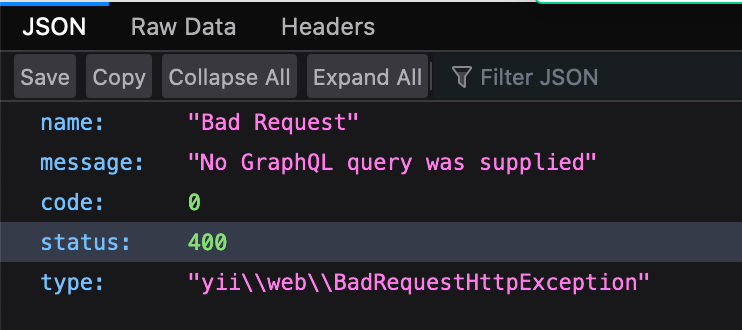
This makes totally sense, because I don't have any query included.
If I do the same on my remote:
I get
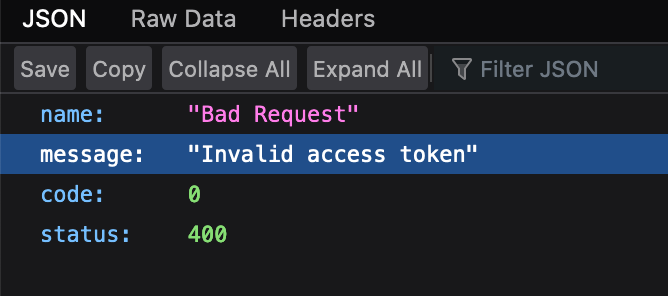
Invalid access token.
I did not setup any extra graphql schema with access tokens. I just use the public schema, which should be reachable like normal.
Also if I run my curl command:
$ curl -H "Content-Type: application/graphql" -d '{ping}' https://api.remotedomain.ch
{"name":"Bad Request","message":"Invalid access token","code":0,"status":400}%
Which should normally work (and which does if I execute the call requesting from api.localdomain.test.
What is this access toke for and where does it come from?
I have no idea how to resolve this.
Thanks for your input.
Cheers
Jones-S
on 21 Apr 2020
@Jones-S Make sure you have a Public Schema defined and that it’s both enabled and not passed its expiry date.
brandonkelly
on 23 Apr 2020
@brandonkelly Thanks for you reply. I already made sure of that before writing you.
Anyway, I realized that it may be connected due to the missing craft license.
I now bought a pro license and I thought that would resolve the problem, but it did not...
I am still getting this:
{"name":"Bad Request","message":"Invalid access token","code":0,"status":400}
When accessing the graphql API on the remote.
Also when executing the curl command it did not change anything.
Locally it all works fine, with the remote setup I can't access the GraphQL API.
GraphQL Schemas:
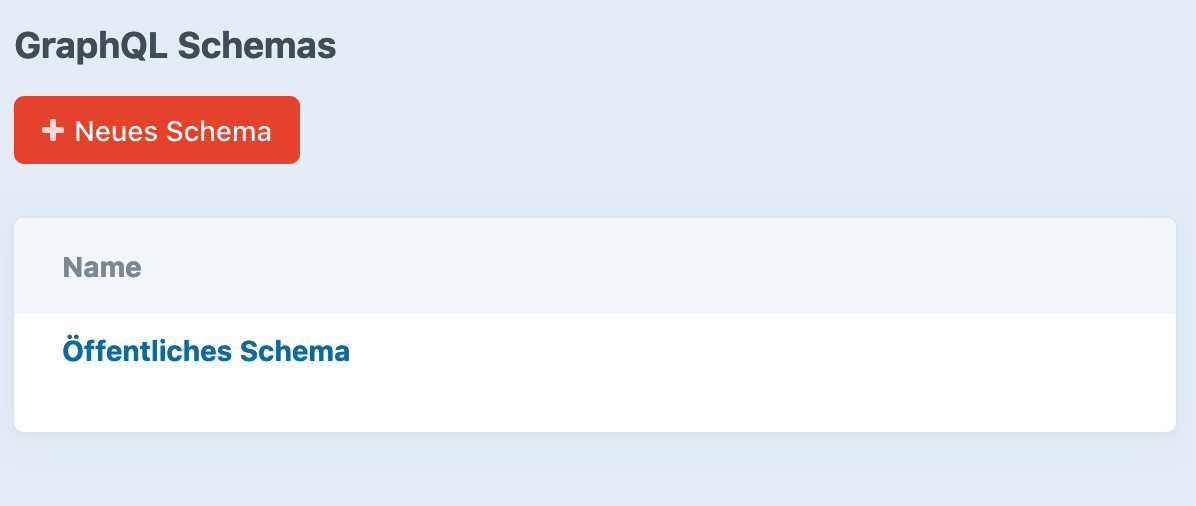
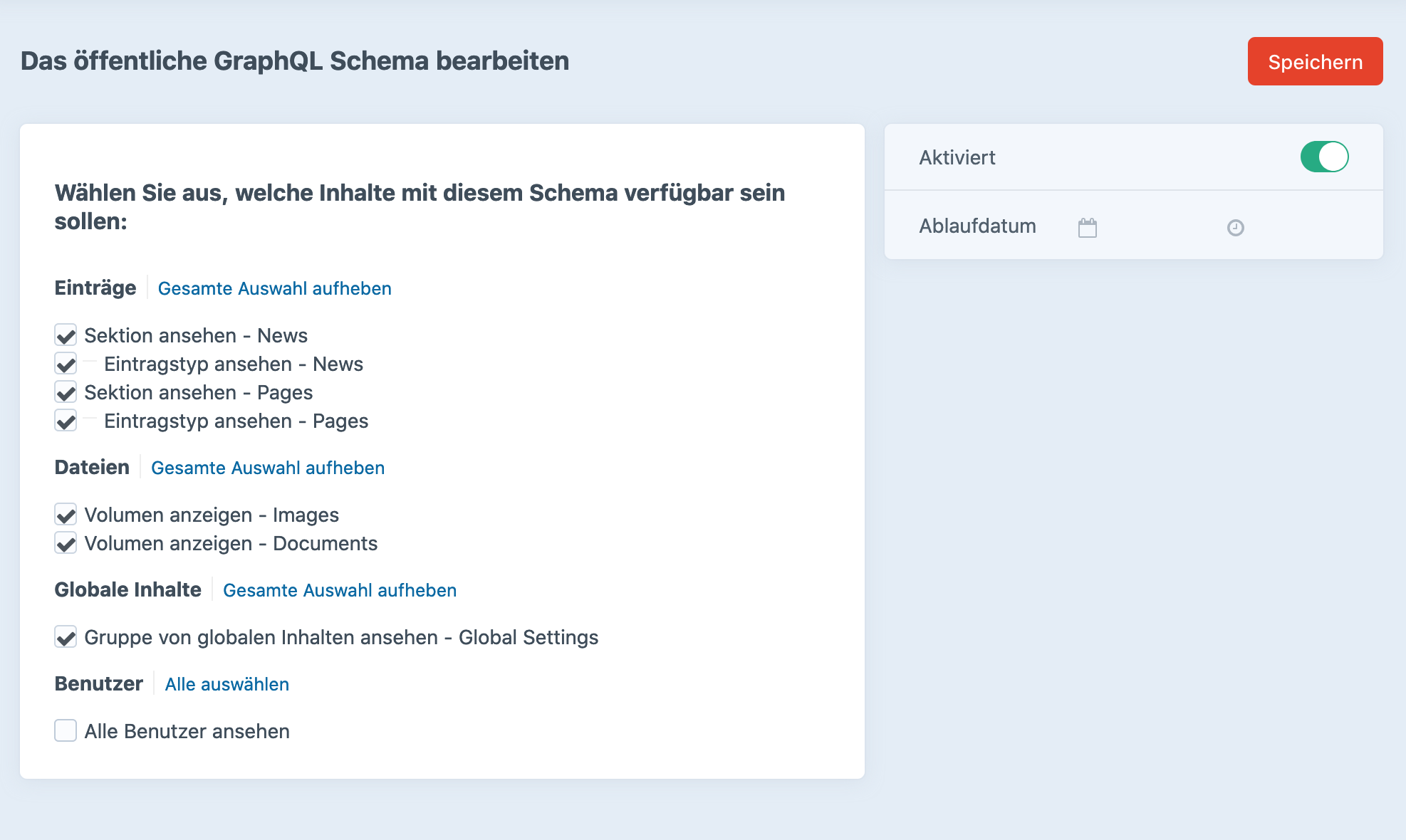
And as you can see. I it is activated, everything should be publicly available and there is no expiry date...
Jones-S
on 24 Apr 2020
@Jones-S Can you write into [email protected]? Likely an environmental issue.
brandonkelly
on 24 Apr 2020
Sure. If it is related to this ticket I will report back. thank you
Jones-S
on 24 Apr 2020
I just resolved my problems with Oli from support. 💪 Thank you.
I am getting back here, because there are a few findings, that may could be important for somebody else.
First problem was probably because I had an issue in my .env file, where I put DB_SERVER="localhost" which normally works, but not if 2 domains are accessing the same database, while the database is only related to one domain (This may be a PLESK specific issue).
A second thing is related to the alternative (how to use just one host, instead of two) to your comment @brandonkelly
To do that, put this somewhere before the $app->run() line:
define('CRAFT_CP', $_SERVER['REQUEST_URI'] !== '/api');
I took this literally and put the line right before $app->run().
Unfortunately this does not work. We figured that we had to move it. For example to here:
// Set path constants
define('CRAFT_BASE_PATH', dirname(__DIR__));
define('CRAFT_VENDOR_PATH', CRAFT_BASE_PATH.'/vendor');
define('CRAFT_STORAGE_PATH', CRAFT_BASE_PATH . '/assets');
define('CRAFT_CP', $_SERVER['REQUEST_URI'] !== '/api');
...
Hope that helps saving some problems in the future.
Cheers
Jones-S
on 28 Apr 2020
I found myself in the same position as this thread…wanting to use a single domain for Craft CP & API.
@brandonkelly short of setting CRAFT_CP from $_SERVER['REQUEST_URI'], is there a way to do this with routes.php?
Seems like something like this might be nice:
return [
  '' => [
    'route' => 'dashboard/index',
    'cp' => true,
  ],
  'graphql' => 'graphql/api',
];
Short of that, I can do something like this, which does what I want, but it feels like I should be able to do it via routes:
if ($_SERVER['REQUEST_URI'] === '/') {
    define('CRAFT_CP', true);
}
When it comes down to it, all I'm really after is a redirect from my base (cms.foo.com) domain to cms.foo.com/cp. I know there are any number of ways to do that, but as it seems like a common pattern for headless apps, it seems like it should be more automagic?
 timkelty
on 1 Sep 2020
timkelty
on 1 Sep 2020
@timkelty Craft needs to know what type of request it is (CP or front end) before it gets around to routing the request, as it’s a factor for several things, including knowing which routes to be checking in the first place.
brandonkelly
on 2 Sep 2020
@brandonkelly makes sense…
I guess it seems like, specifically when headlessMode: true, since you can take template/element routing out of the equation, it might make sense for Craft to redirect to the CP for unmatched routes, (i.e., a would be 404), or maybe just for the base '' route.
Otherise, I'll just continue setting CRAFT_CP by the REQUEST_URI :).
timkelty
on 2 Sep 2020
Well, headless mode still has the concept of “front end” requests. So still needs to be able to differentiate between a front end request and a CP request.
brandonkelly
on 2 Sep 2020
Related issues
 bitboxfw
·
3Comments
brandonkelly
·
3Comments
bitboxfw
·
3Comments
brandonkelly
·
3Comments
 angrybrad
·
3Comments
angrybrad
·
3Comments
angrybrad
·
3Comments
angrybrad
·
3Comments
 rynpsc
·
3Comments
rynpsc
·
3Comments
Most helpful comment
I just resolved my problems with Oli from support. 💪 Thank you.
I am getting back here, because there are a few findings, that may could be important for somebody else.
First problem was probably because I had an issue in my .env file, where I put
DB_SERVER="localhost"which normally works, but not if 2 domains are accessing the same database, while the database is only related to one domain (This may be a PLESK specific issue).A second thing is related to the alternative (how to use just one host, instead of two) to your comment @brandonkelly
I took this literally and put the line right before
$app->run().Unfortunately this does not work. We figured that we had to move it. For example to here:
Hope that helps saving some problems in the future.
Cheers