Cms: [Bug] Screen jumps when Matrix block header is clicked
Description
I like to double-click the Matrix block headers to collapse/expand them. However, this often causes the entire page to move unexpectedly.
See this GIF... (1) successful double-click collapse, (2) the block jumps when I click the header:
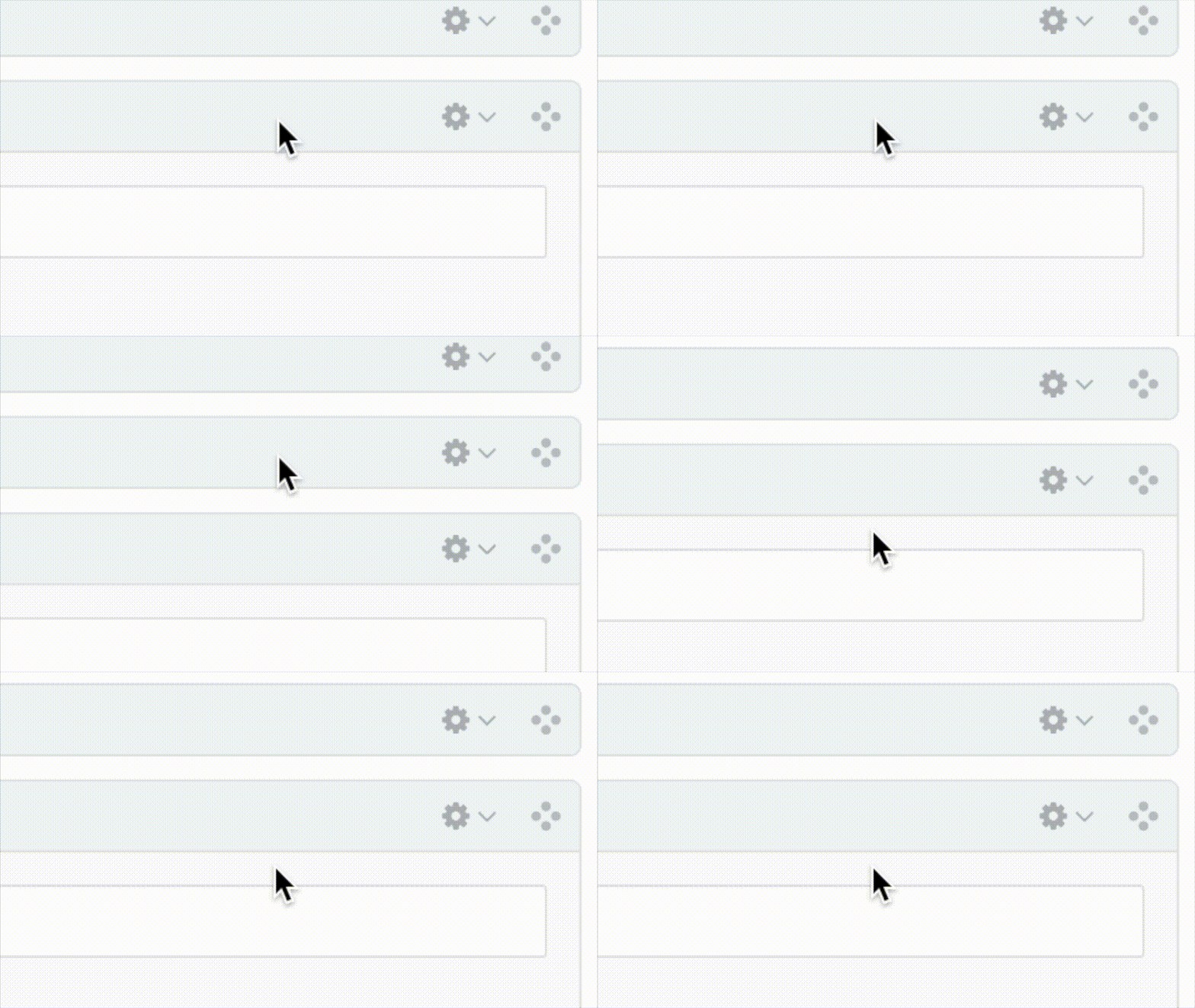
Oddly, this seems to be a side-effect of another quirk... Clicking the header bar will check/uncheck the block's checkbox. This in itself seems like undesirable behavior. There are several reasons to click the header (expand/collapse, move the block) which don't require the checkbox to be checked. Double-clicking multiple blocks will leave you with several random blocks checked for no reason.
Suggestion: Decouple the behavior where clicking the header automatically checks the box. This would half-solve the issue.
Here is a related thread, posted when I thought CP Field Inspect might be contributing to the issue...
https://github.com/mmikkel/CpFieldInspect-Craft/issues/9
Several people on that thread (and on Slack) have been able to replicate this behavior.
Steps to reproduce
- Check the checkbox of a Matrix block.
- Repeat until the page randomly jumps upward.
Additional info
- Craft version: 3.0.40
- Browser version: Chrome on Mac
- Plugins: None (though CP Field Inspect seems to make it worse)
 lindseydiloreto
All 13 comments
I’m guessing this happens because the field is toward the bottom of the page, and when you collapse the field, the browser has to scroll down a tiny bit, as the content area is no longer tall enough to fill its scrollable container at the original scroll position.
Is that correct? You can confirm by adding a few more blocks below the block you’re going to collapse, and make sure you’re not scrolled too close to the bottom of the content area before collapsing the block.
 brandonkelly
on 1 Feb 2019
brandonkelly
on 1 Feb 2019
It seems to have something to do with the matrix block's height compared to the viewable area (where fields live).
When clicking on the top bar of a matrix block...
If a block is fully visible on the screen, no scroll happens.
If a block is taller than the viewable area, the block scrolls to the top.
If a block is shorter than the viewable area, the block scrolls so the bottom of the block is at the bottom.
 jsunsawyer
on 1 Feb 2019
jsunsawyer
on 1 Feb 2019
@brandonkelly Good guess, but no, that's not what's happening. I have dozens of giant blocks, and even single-clicking on a block in the middle will have the same effect.
I think I've conflated two issues, which might be part of the confusion...
Clicking anywhere in the block's header will check/uncheck its box. I personally don't think that's desired behavior, since there are several other reasons why someone may click the block's header. I'd recommend decoupling this behavior.
Checking the box makes the page jump. It seems to be semi-random, unfortunately. I have no idea why sometimes it jumps, and sometimes it doesn't
I've made another GIF to demonstrate in greater detail...
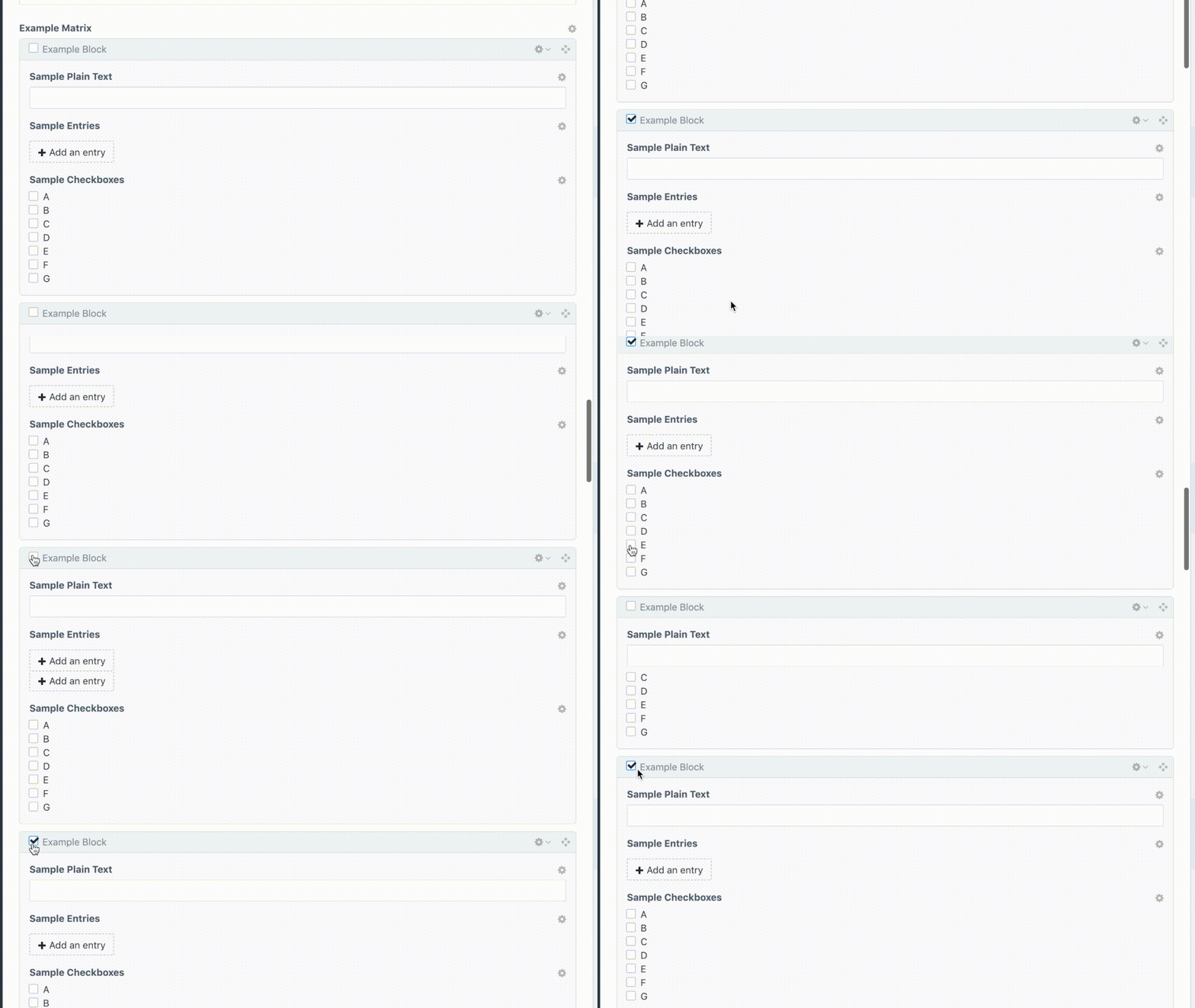
- Block 1: I click on the checkbox, it checks normally.
- Block 2: I click on the _header bar_, and it jumps (while simultaneously checking the box).
- Blocks 3 - 6: I click the checkboxes, they each jump.
- Blocks 7 - 8: I click the checkboxes, they don't jump.
Then I wiggle the mouse around, and the GIF starts over. 🙂
lindseydiloreto
on 2 Feb 2019
@lindseydiloreto Interesting. You seem to be getting different results than me.
I tested again in Chrome, and my initial results were the same as what I posted above. Tested in Firefox and no scrolling occurred at all.
Wonder why you're experiencing different behavior than me.
Also, this only seems to happen when a checkbox gets checked.
jsunsawyer
on 2 Feb 2019
@jsunsawyer I think you're basically correct!
If the block is hanging off the bottom of the screen, that will cause it to jump. _How far_ it jumps depends on the size of the block.
If a block is fully visible on the screen, no scroll happens.
If a block is taller than the viewable area, the block scrolls to the top.
If a block is shorter than the viewable area, the block scrolls so the bottom of the block is at the bottom.
If the block is larger than the visible area, the _top_ of the block will get aligned with the _top_ of the screen.
If the block is smaller than the visible area, the _bottom_ of the block will get aligned with the _bottom_ of the screen.
lindseydiloreto
on 2 Feb 2019
FWIW, I'm on Chrome. I think the issue I'm seeing is exactly how you described it.
lindseydiloreto
on 2 Feb 2019
Ah, I'm guessing that your gif is clipped to not show the entire viewport!
jsunsawyer
on 2 Feb 2019
^ Sadly yes. I had to jump through some hoops to make that GIF, including running it through iMovie which cropped it to a TV-friendly ratio. 🙃
lindseydiloreto
on 2 Feb 2019
It's acting as if there is JS that applies a scrolltop: 0 when collapsed.
 wooge
on 6 Sep 2019
wooge
on 6 Sep 2019
I’m able to reproduce and think I see what’s going on.
brandonkelly
on 6 Sep 2019
Fixed for the next release!
brandonkelly
on 6 Sep 2019
Sweet, thanks @brandonkelly! 🍺
lindseydiloreto
on 6 Sep 2019
Thank you!!!
wooge
on 6 Sep 2019
Related issues
 michel-o
·
3Comments
michel-o
·
3Comments
 michaelhue
·
3Comments
brandonkelly
·
3Comments
michaelhue
·
3Comments
brandonkelly
·
3Comments
 angrybrad
·
3Comments
angrybrad
·
3Comments
 lukebailey
·
3Comments
lukebailey
·
3Comments
Most helpful comment
Fixed for the next release!