Cms: [Feature Request] Option to disable image processing completely
Description
When uploading an image in an asset volume, Craft processes it and rewrites it, often leaving bad compression artifacts. There doesn't seem to be a way to prevent this from happening. Here's an example with defaultImageQuality set to 100 (the maximum quality):
Before upload (47 kb)

After upload (34 kb)

I suggest a new setting (this could be a general config setting or a volume setting) to disable image rewriting altogether. I understand images probably still need to be processed for security reasons, but if it doesn't contain anything suspicious, I would like Craft to store exactly the image that I uploaded.
Steps to reproduce
- In a new Craft install, create an asset volume and set
defaultImageQualityto100. - Download this image: https://benface.com/files/bird.jpg
- Upload the image in the asset volume from Craft's CP.
- Download the uploaded image and look at it.
Additional info
- Craft version: 3.0.13.2
- PHP version: 7.1.13
 benface
All 10 comments
Today Craft was doubling the size of my PNGs after I had already compressed them with tinypng.com.
It would be beautiful if I could have an option to not compress my images before I upload them. The option doesn't have to show up by default just enabled from settings(ex: Let users disable compression) and then the user gets to choose whether to use compression(checked by default)
Here are some examples of what it could look like:
From Assets
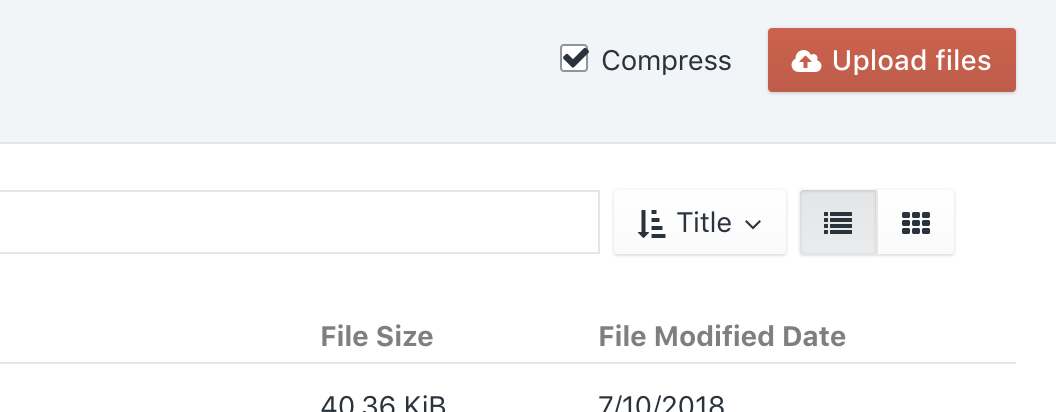
From Modal Uploader

 ThatGuySam
on 19 Oct 2018
ThatGuySam
on 19 Oct 2018
Craft isn’t attempting to compress them, it’s ensuring that there are no malicious scripts embedded within the image. Unfortunately the only way to do that is to reprocess it.
If you are using ImageMagick, it should do a pretty good job of keeping the file size similar to what you uploaded.
 brandonkelly
on 19 Oct 2018
brandonkelly
on 19 Oct 2018
That makes sense. I'll look in to using ImageMagick or a plugin for now
ThatGuySam
on 19 Oct 2018
@brandonkelly any chance of revisiting this option. I'm working on a site that is displaying high resolution, high quality images. The images are being optimized to the max to ensure minimum size with maximum quality before upload. Having the images processed during upload is causing the file sizes to nearly double, which isn't acceptable for site performance. There's an option to disable processing on SVG images, https://docs.craftcms.com/v3/config/config-settings.html#sanitizesvguploads. Could we have the same option for raster images?
 dgrigg
on 8 Jan 2020
dgrigg
on 8 Jan 2020
I will reopen since the main request wasn’t addressed. It opens up an attack vector though.
brandonkelly
on 9 Jan 2020
@brandonkelly You could name the option something like React's dangerouslySetInnerHTML.
Maybe something like dangerouslyDisableImageProcessing or probably something shorter than that.
ThatGuySam
on 9 Jan 2020
@brandonkelly it would be nice to have the option with a caveat, similar to the SVG override. For trusted content entry sources it would be very nice to have.
dgrigg
on 9 Jan 2020
This is still an issue, a header PNG we uploaded grew from 106kB to 314kB and acquired strange artifacts in the logo lettering. Need to be an option to allow direct upload, we do not allow external uploads anyway.
 saatchinorway
on 15 Jan 2021
saatchinorway
on 15 Jan 2021
Just added the sanitizeCpImageUploads (true by default) setting for Craft 3.6, which allows to opt-out of image sanitizing for Assets uploaded via CP. This also includes the site icon and site image.
 andris-sevcenko
on 18 Jan 2021
andris-sevcenko
on 18 Jan 2021
Craft 3.6 has now been officially released ✨
brandonkelly
on 27 Jan 2021
Related issues
 angrybrad
·
3Comments
angrybrad
·
3Comments
 mccombs
·
3Comments
mccombs
·
3Comments
 davist11
·
3Comments
davist11
·
3Comments
 michel-o
·
3Comments
benface
·
3Comments
michel-o
·
3Comments
benface
·
3Comments
Most helpful comment
Just added the
sanitizeCpImageUploads(trueby default) setting for Craft 3.6, which allows to opt-out of image sanitizing for Assets uploaded via CP. This also includes the site icon and site image.