Cms: UI/UX — field widths and matrix tabs.
Description
Ui/Ux. Field widths and matrix tabs.
Use flexbox/grid for field widths on dekstop/tablets view. On mobile view, just add a media query, full width and call it the day.
New :
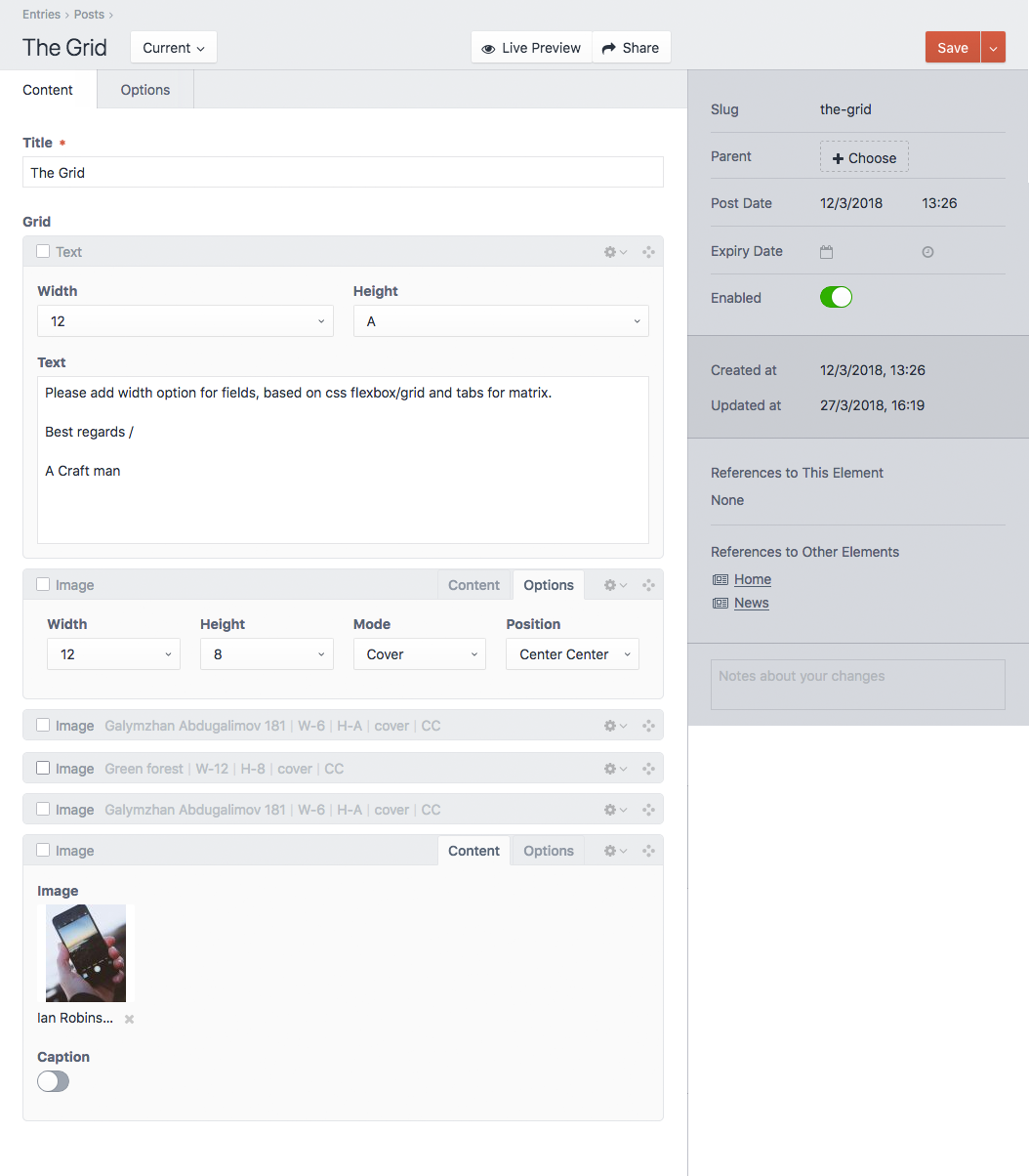
Old :
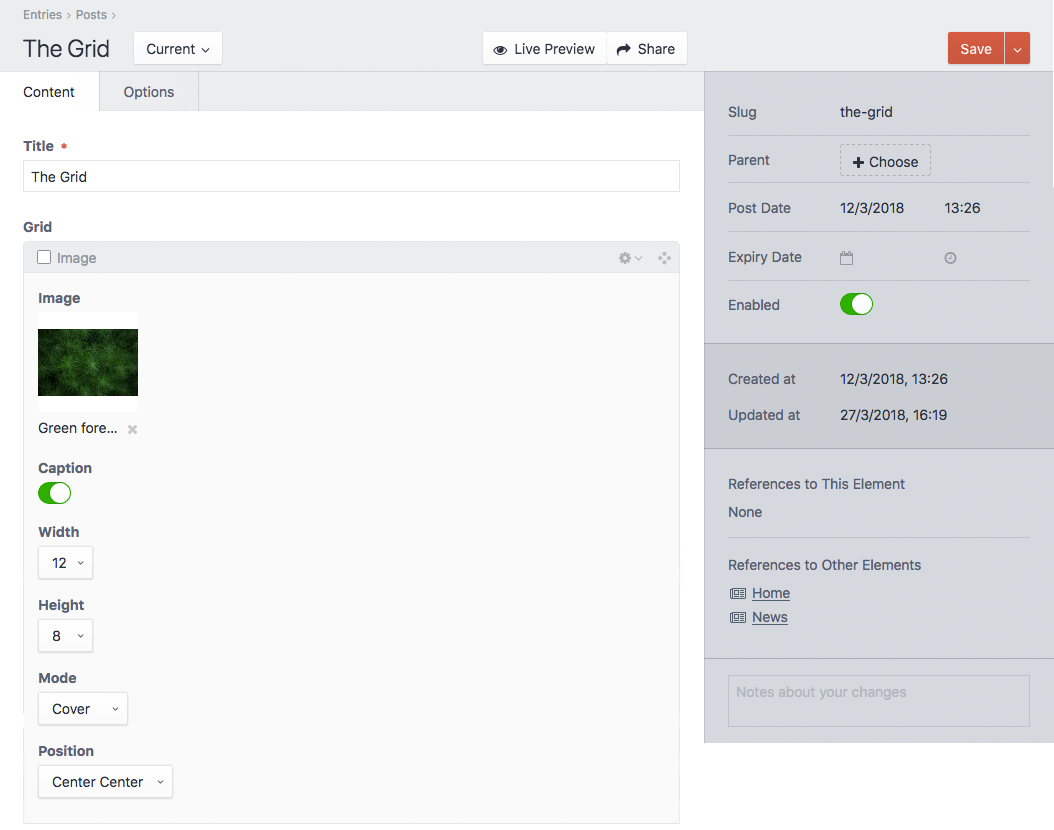
Set width for field :
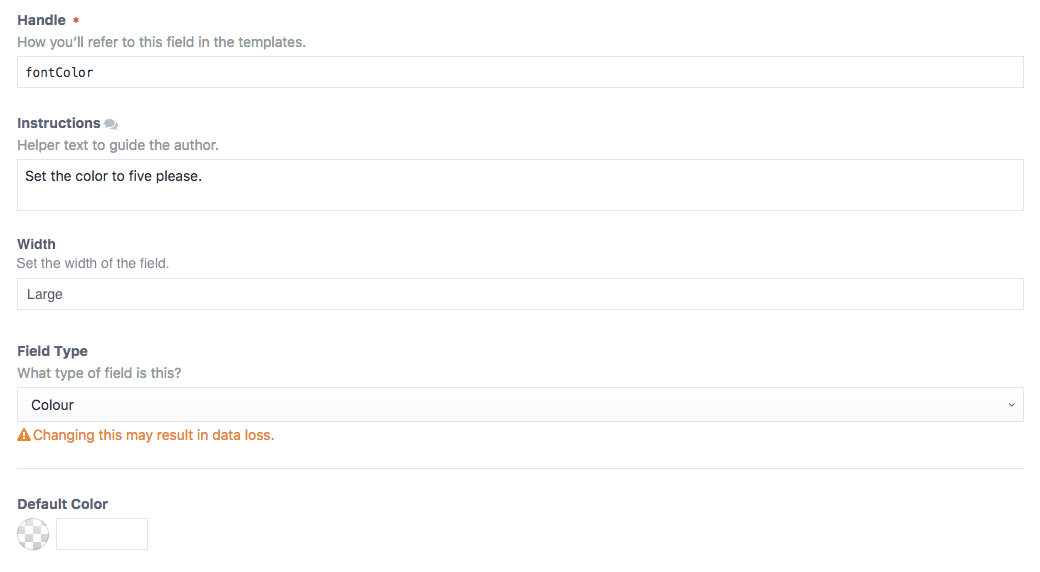
 H-i-red
All 10 comments
Groups, tabs and horizontal fields with defined column sizes would indeed be a great addition!
 riasvdv
on 27 Mar 2018
riasvdv
on 27 Mar 2018
@H-i-red feature requests for all of this already exist. See https://github.com/craftcms/cms/issues/2409 and https://github.com/craftcms/cms/issues/1138
 carlcs
on 27 Mar 2018
carlcs
on 27 Mar 2018
oh crap sorry..
H-i-red
on 27 Mar 2018
The horizontal fields with widths is a new feature request though I think
riasvdv
on 27 Mar 2018
@H-i-red is that photoshop or do u have tabs within matrix fields? 🤔
 davidhellmann
on 28 Mar 2018
davidhellmann
on 28 Mar 2018
@davidhellmann I do have tabs ; ) !
H-i-red
on 29 Mar 2018
I did a hacky solution by creating a module to add css and js to admin. Then I took the plugin "entry instructions" targeted the fields with js and css... But hey it works.. lol...
Here are the js if interested : You have to add a observer to check for dom changes (New matrix blocks..) I don´t have the plugin skills atm. but someone else maybe does.. 🤔
jQuery(document).ready(function ($) {

    'use strict';

    var config = { childList: true };

    $(".matrix .blocks").each(function () {
        var target = this;
        var observer = new MutationObserver(function(mutations) {
            mutations.every(function(mutation) {
                if (mutation.addedNodes.length > 0) {
                    tabber($(mutation.addedNodes));
                }
            });
        });
        observer.observe(target, config);
    });

    function tabber(obj) {
        if (obj) {
            var tabs = obj.find('div.field[data-type$="EntryInstructionsField"]');
            tabs.first().addClass("active");
            tabs.on('click', function() {
                tabs.removeClass("active");
                $(this).addClass("active");
                console.log("cool")
            });
        } else {
            $('.matrixblock').each(function() {
                var tabs = $(this).find('div.field[data-type$="EntryInstructionsField"]');
                tabs.first().addClass("active");
                tabs.on('click', function() {
                    tabs.removeClass("active");
                    $(this).addClass("active");
                    console.log("cool")
                });
            });
        }
    }

    tabber();
});
Some of the css to hide/show the "inactive fields"..
.matrixblock div.field[data-type$="EntryInstructionsField"] ~ div {
    display: none;
}

.matrixblock div.field[data-type$="EntryInstructionsField"].active ~ div {
    display: block;
}

.matrixblock div.field[data-type$="EntryInstructionsField"].active ~ div.field[data-type$="EntryInstructionsField"] ~ div {
    display: none;
}
OK, that sounds hacky :D but cool! :D haha
davidhellmann
on 29 Mar 2018
As of the next Craft 3.5 release, it will be possible to customize fields’ widths, setting them to either 25%, 50%, 75%, or 100% width.
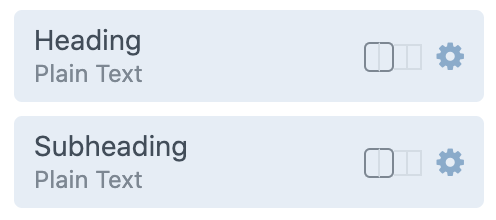
Note that this doesn’t affect Matrix sub-fields yet, and will keep #2409 open to address the Matrix block tabs request.
 brandonkelly
on 11 Jul 2020
brandonkelly
on 11 Jul 2020
Matrix sub-fields have now been updated to support custom field widths as well (see https://github.com/craftcms/cms/issues/6346#issuecomment-658919451).
brandonkelly
on 15 Jul 2020
Related issues
 angrybrad
·
3Comments
angrybrad
·
3Comments
 benface
·
3Comments
benface
·
3Comments
 leigeber
·
3Comments
leigeber
·
3Comments
 timkelty
·
3Comments
timkelty
·
3Comments
 rynpsc
·
3Comments
rynpsc
·
3Comments
Most helpful comment
Groups, tabs and horizontal fields with defined column sizes would indeed be a great addition!