Purpose of the issue
- [ x] Bug report (encountered problems/errors)
Description of the issue
I was able to use Cmder without any issue until I installed bash on my Windows 10 but not sure they are related
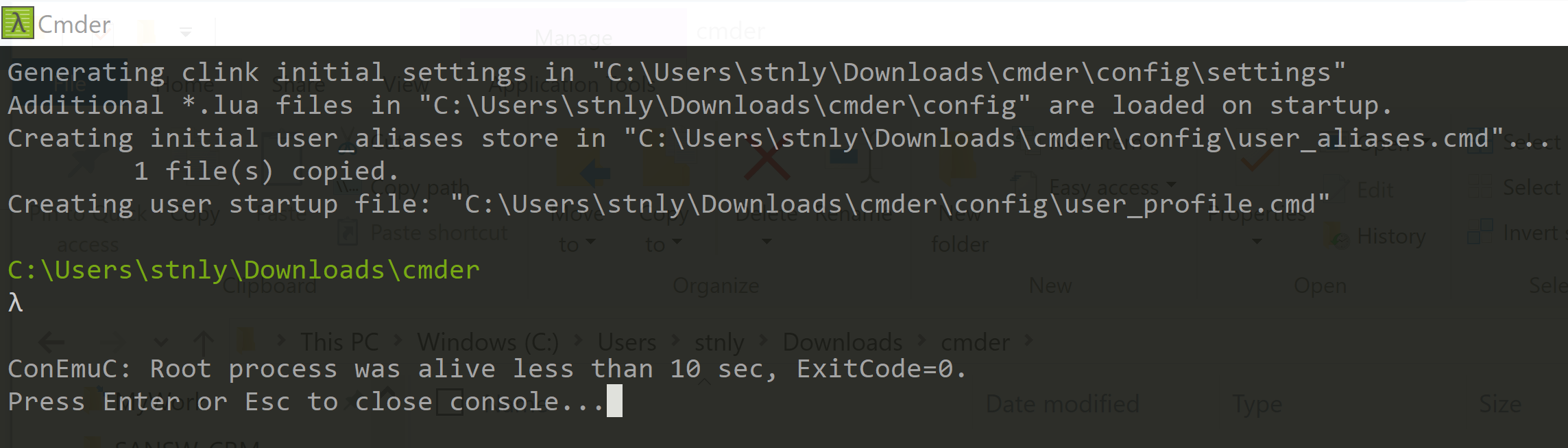
After I reinstalled the package, first start it will freeze immediately:

Second start it resumes but seems missing something (still usable)

 stnlylee
All 10 comments
I have a problem too when I start my new fresh Cmder downloaded.
There is any path written here, so I can't type commands.
I tried a lot of things, especially in Cmder setting.
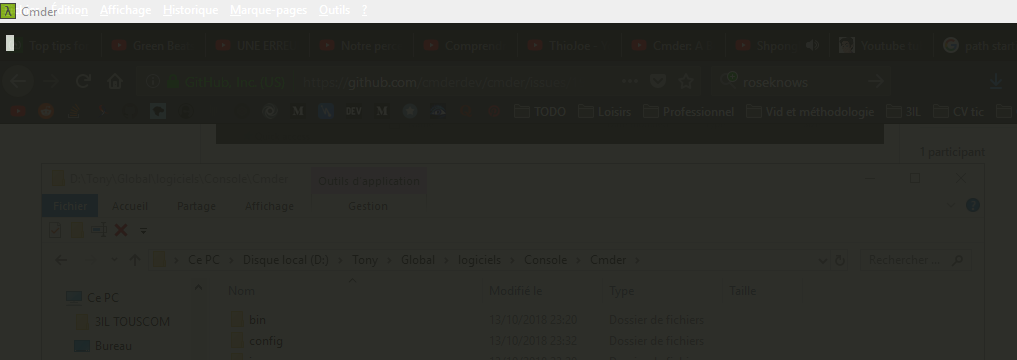
Thanks
 tonybengue
on 13 Oct 2018
tonybengue
on 13 Oct 2018
@stnlylee and @tonybengue When you say 'installed bash on my Windows 10' I assume you mean 'wsl'? I have wsl and do not see this issue. Have you tried the latest unreleased builds
 daxgames
on 14 Oct 2018
daxgames
on 14 Oct 2018
I tried it but there is nothing. When I open cmder in admin or not, I can see that current path is missing.
I don't know what to do.
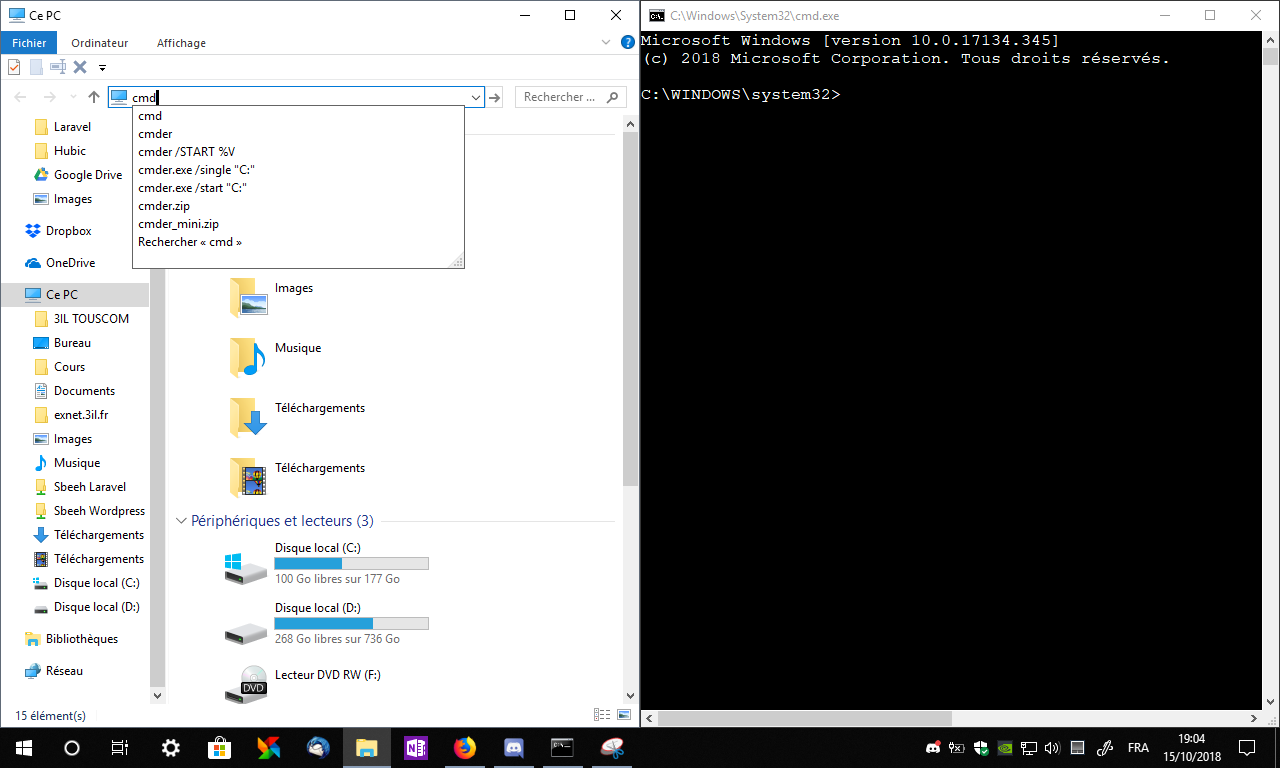
When i search cmd in cortana, i can't open it, however I can use it from System32 and anywhere in the system.
tonybengue
on 15 Oct 2018
@tonybengue I don't understand your Response. Can you clarify?
daxgames
on 15 Oct 2018
I said that there is no path in my cmder. I can't access Windows console by Cortano but I can use it anywhere else in the system by typing cmd in explorer.
tonybengue
on 15 Oct 2018
'I can't access Windows console by Cortano' I don't see how this is related to cmder.
Can you provide the contents of your %cmder_root%\config\user-profile.cmd?
daxgames
on 16 Oct 2018
@daxgames yes it's wsl on windows 10 - windows subsystem for linux
I have tried the link provide it's actually the same

stnlylee
on 16 Oct 2018
@daxgames I can confirm that my antivirus software blocked clink_x64.exe so it was not working
stnlylee
on 19 Oct 2018
@stnlylee Thanks.
@tonybengue Could you have the same issue? I can't reproduce the problem.
daxgames
on 20 Oct 2018
Closing, inactivity.
daxgames
on 3 Dec 2018
Related issues
 isnullxbh
·
3Comments
isnullxbh
·
3Comments
 spooky
·
3Comments
spooky
·
3Comments
 danwellman
·
3Comments
danwellman
·
3Comments
 jenisys
·
3Comments
jenisys
·
3Comments
 jordanrobinson
·
3Comments
jordanrobinson
·
3Comments
Most helpful comment
I have a problem too when I start my new fresh Cmder downloaded.
There is any path written here, so I can't type commands.
I tried a lot of things, especially in Cmder setting.
Thanks