Cmder: Change Tasks default start directory
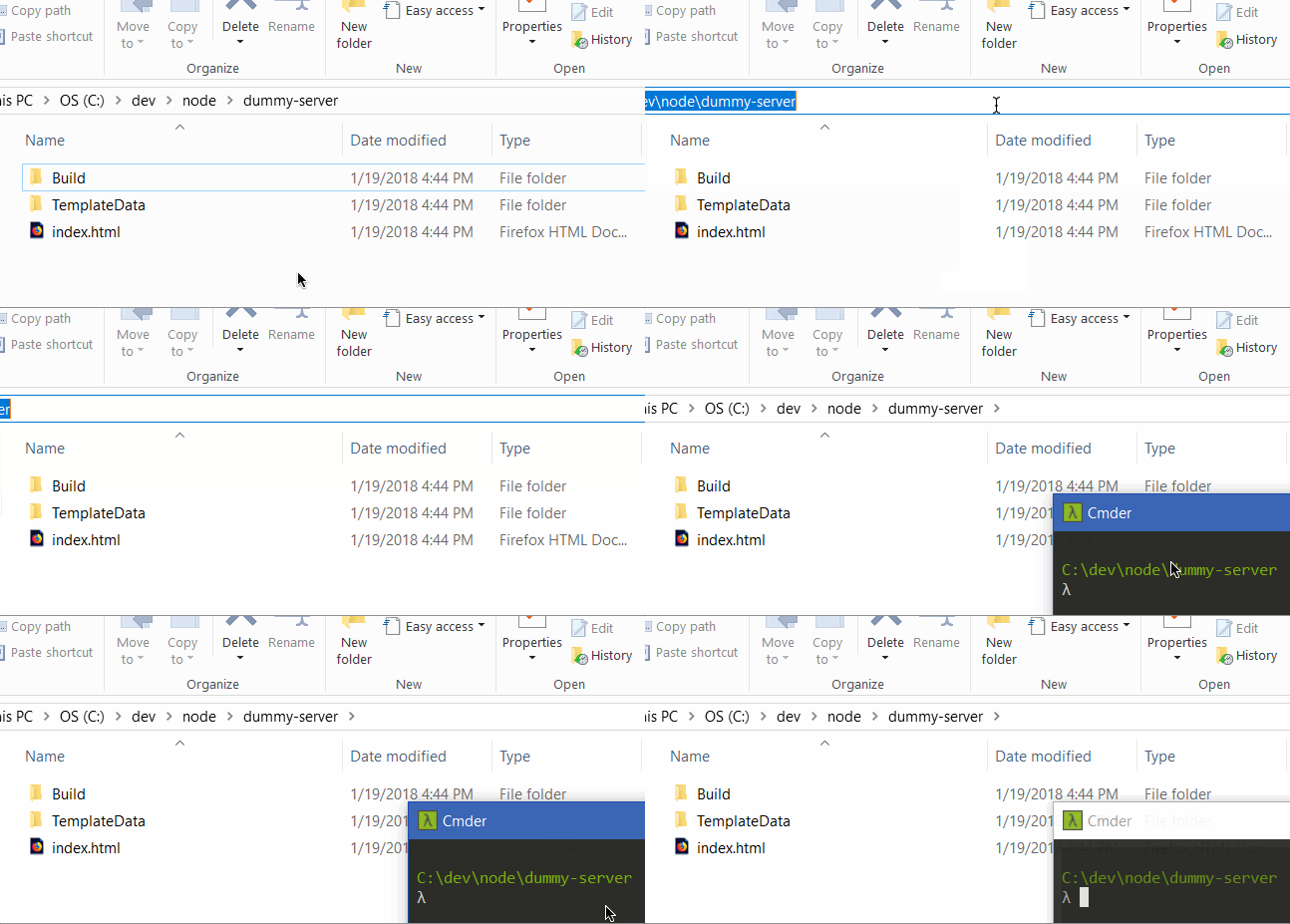
Similar to #203, I want Cmder to start from the opened directory when I run it from Windows explorer address bar, like so:
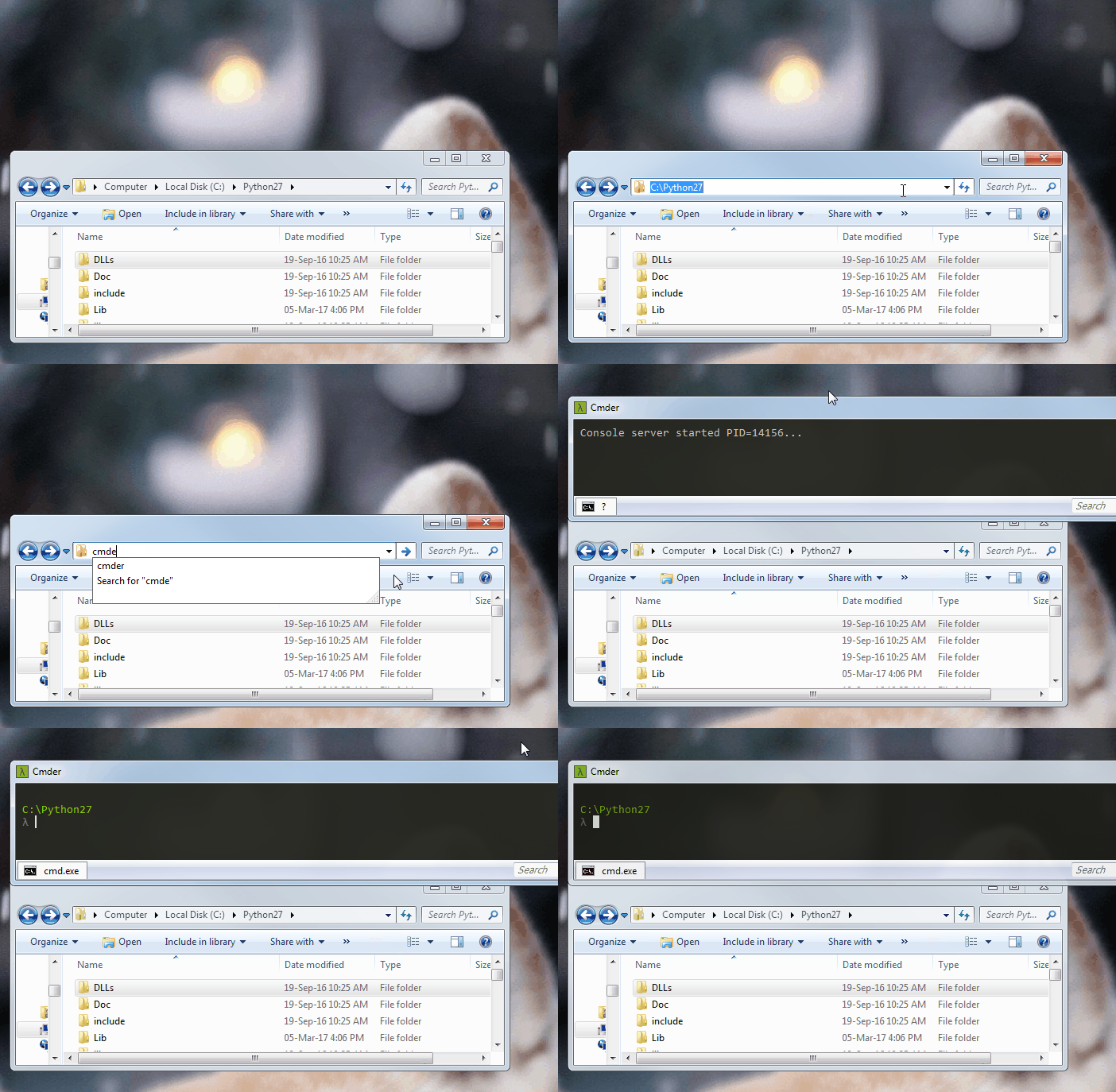
I messed a bit with the settings and made it work by removing %USERPROFILE% from the task command:
cmd /k "%ConEmuDir%\..\init.bat" -new_console:d:
Can this be the new default if it doesn't break anything?
 bnbdr
bnbdr
All 8 comments
Being trying to make this work for a couple of days. I didn't have any problems setting this thing up a year ago. I could just go to the address bar and open the terminal in that path 🤔
Even tho I'm creating a new task with
cmd /k "%ConEmuDir%\..\init.bat" -new_console:%__CD__%
orcmd /k "%ConEmuDir%\..\init.bat" -new_console:d:
It's not working for me.
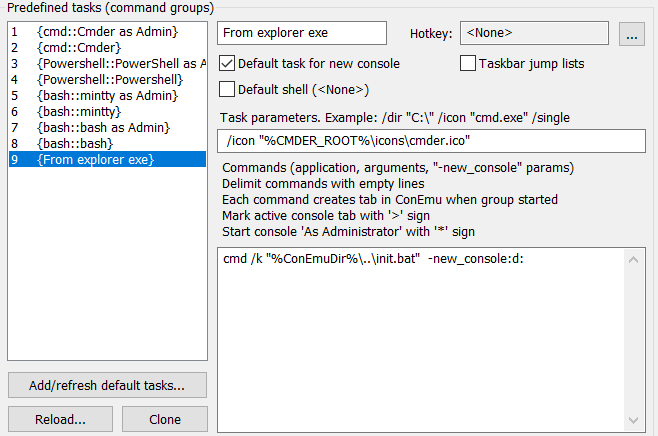
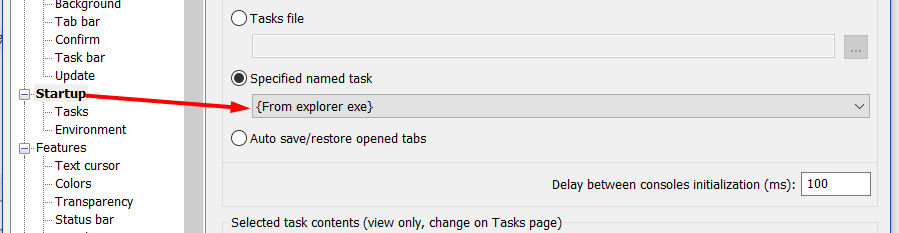
My Cmder is still being opened in %USERPROFILE% 😞
 alex-salas
on 25 Jan 2018
alex-salas
on 25 Jan 2018
Which version do you have installed? I'll try to reproduce this.
bnbdr
on 25 Jan 2018
@bdr00 I have v1.3.4
alex-salas
on 25 Jan 2018
@alex-salas this might not be the best solution, but looks like %ConEmuWorkDir% holds the path:
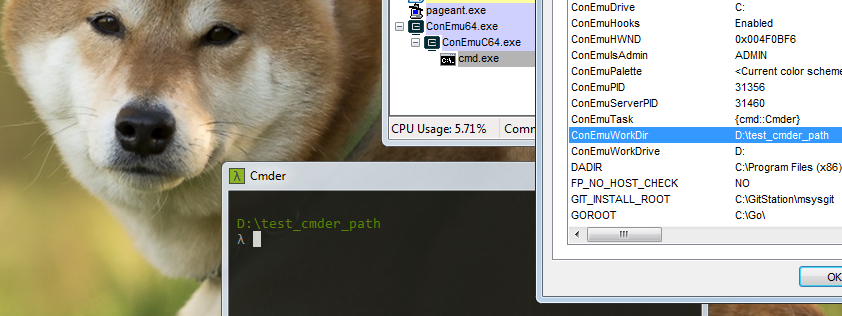
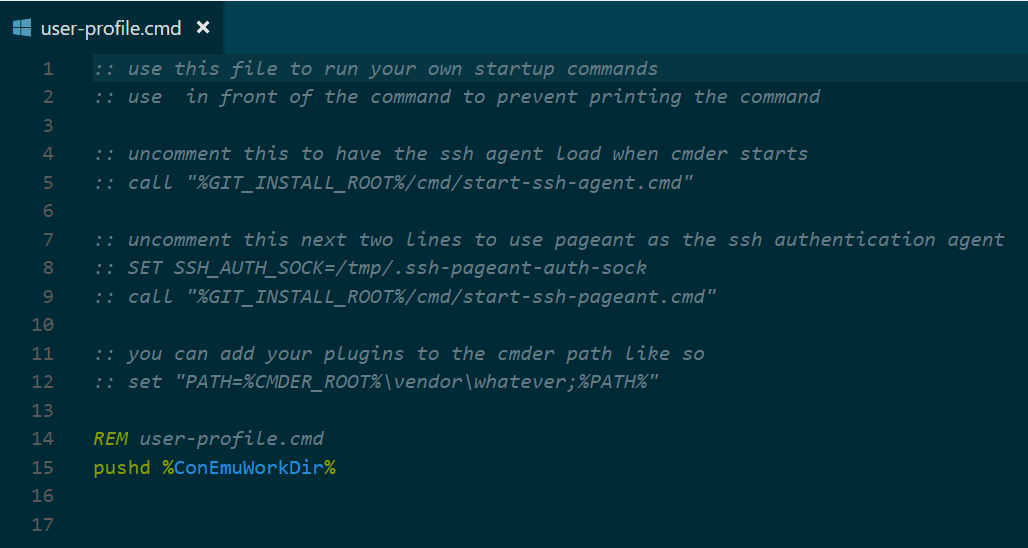
Try adding startup commands to your batch/powershell user profile files respectively (located in %CMDER_ROOT%\config\):
REM user-profile.cmd
pushd %ConEmuWorkDir%
# user-profile.ps1
push-location -path "$env:ConEmuWorkDir"
HTH
bnbdr
on 29 Jan 2018
Can confirm this is working after adding the code @bdr00 mentioned in the user-profile.cmd file.
Thank you.
alex-salas
on 29 Jan 2018
Cmder from the Windows Explorer address bar does not work for me, even after setting up a startup task exactly as @alex-salas did. Instead, it opens up my default Web browser at cmder/
Moreover, if I add the code @bdr00 mentioned in the user-profile.cmd file, then Cmder here starts opening at %USERPROFILE% instead of the current folder. Any ideas? I also am on v1.3.4.
 giuliannosbrugnera
on 30 Jan 2018
giuliannosbrugnera
on 30 Jan 2018
@giuliannosbrugnera Did you add the CMDER_ROOT / CMDER_HOME to your Windows path?
alex-salas
on 30 Jan 2018
@alex-salas I didn't, that fixed the Windows Explorer address bar, thanks :)
Cmder here still opens at %USERPROFILE% though 🤔 although I am sure I will be using only from the address bar now :)
giuliannosbrugnera
on 30 Jan 2018
Related issues
 jenisys
·
3Comments
jenisys
·
3Comments
 spooky
·
3Comments
spooky
·
3Comments
 GlassGruber
·
3Comments
GlassGruber
·
3Comments
 tfarina
·
3Comments
tfarina
·
3Comments
 edgariscoding
·
3Comments
edgariscoding
·
3Comments
Most helpful comment
@alex-salas this might not be the best solution, but looks like

%ConEmuWorkDir%holds the path:Try adding startup commands to your batch/powershell user profile files respectively (located in
%CMDER_ROOT%\config\):HTH