Cmder: Tmux requires constant redraws over SSH
I have a VPS running gentoo with a constant Tmux session running. I have Cmder running on a windows 10 laptop as my ssh client. I find that when I am SSH'd to my server, and tmux is attached, Tmux constantly fails to redraw updates. This requires me to force redraw (sometimes several times to do a hard cleaning).
I am pretty sure it is my $TERM messing it up. I want 256 color support without messing my term variable for my other clients I use (urxvt-256 on ubuntu). I have tried different $TERM var combinations on git-bash and through Bash On Windows™. The issue is definitely better on bash, just less frequent.
I have tried these $TERM combinations
client | server | result
-----------------|------------------|------------------------------------------------
"ConEmu" | "ansi" | random artifacting, needs constant redraws
"ConEmu" | "rxvt-256color" | colors are incorrect, random artifacting, needs constant redraws
"ConEmu" | "" | incorrect colors, light artifacting, moderate redraws
"rxvt-256color" | "rxvt-256color" | incorrect colors, light artifacting, moderate redraws
"ConEmu" | "ConEmu" | correct colors, no artifacting, messes up other clients
"xterm" | "xterm" | correct colors, light artifacting, light redraws
am I tackling this issue in the correct way? what are the recommended $TERM variables for client and server when interacting via Cmder?
 CatLover91
All 8 comments
I actually solved this issue on my end. I had to have my TERM changed when I was in the context of Tmux.
Specifically, I use fish, so I had to add this to my .tmux.conf
set -g default-terminal "screen-256color"
set -g default-terminal "xterm"
if you use zsh or bash it will be different.
CatLover91
on 29 Nov 2016
Quite the same as https://github.com/cmderdev/cmder/issues/1160
But your approach doesn´t seem to work very well for me. For now cmder isn´t a putty-alternative for me.
 Dod9er
on 1 Dec 2016
Dod9er
on 1 Dec 2016
After testing, it still is iffy.
xterm on cmder with xterm on my vps does not work well. before I attach tmux on my vps, my arrow keys do not get mapped properly, with up up down left right turning into [A [A [B [D [C. When I attach tmux and get screen-256color then it helps a lot, with almost everything working well. It still requires redraws, but quite rarely.
I think next I will try messing with my vps/client TERM settings now that tmux is better and see if I can find the best combination
CatLover91
on 8 Dec 2016
This renders Cmder unusable with host side Tmux. Any chance of this getting solved anytime soon?
 prcastro
on 2 Jun 2017
prcastro
on 2 Jun 2017
Confirmed that the tmux incompatibility issue can be resolved by combining cmder with babun. See the two screenshots attached. The bad one is using cmder with git for windows, the good one is using cmder with babun.
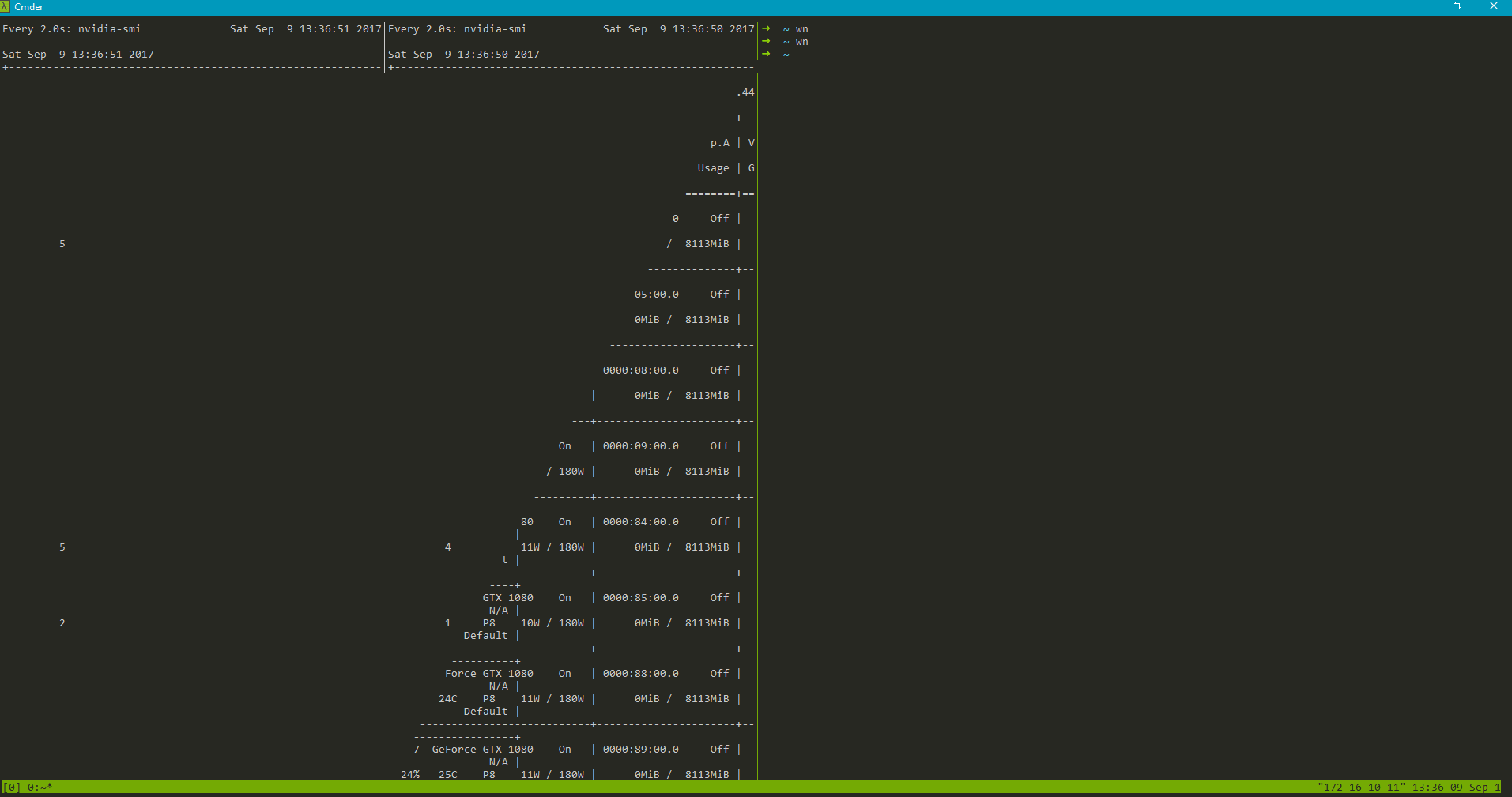
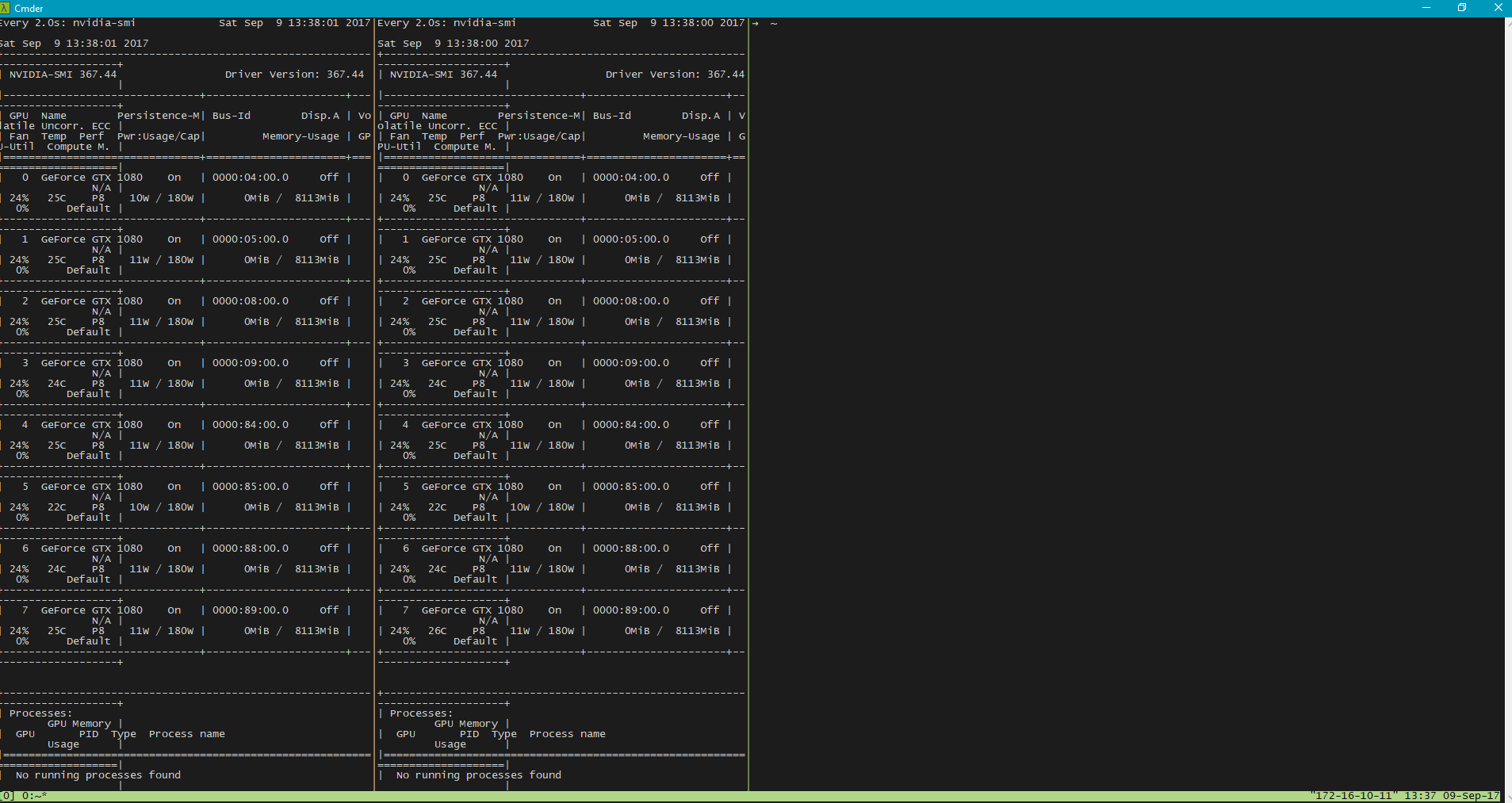
 wengcq
on 9 Sep 2017
wengcq
on 9 Sep 2017
If anyone still has the problem, one thing to check is the version of SSH you're using. Windows 10 now ships its own port of OpenSSH and, as CMDer adds Git for Windows at the end of the path, the Windows 10 version takes precedence.
And in short: SSHing to a server using tmux triggers constant redraws with Windows 10's OpenSSH (in %Windir%System32OpenSSH), but it works well with CMDer's version (in %CMDer%vendorgit-for-windowsusrbin)
 XPlantefeve
on 3 Feb 2019
XPlantefeve
on 3 Feb 2019
@xplantefeve You can change the cmder behavior you described to pre-pend git for windows binary path to the path env var. See: /nix_tools init.bat arg. This will prefer all cmder binaries over those in the windows path so be sure you know what this changes.
 daxgames
on 3 Feb 2019
daxgames
on 3 Feb 2019
Just a update: mintty works fine with ssh+tmux.
 georgix
on 18 Jul 2019
georgix
on 18 Jul 2019
Related issues
 hyrious
·
3Comments
hyrious
·
3Comments
 brunowego
·
3Comments
brunowego
·
3Comments
 edgariscoding
·
3Comments
edgariscoding
·
3Comments
 jordanrobinson
·
3Comments
jordanrobinson
·
3Comments
 Joe1992w
·
3Comments
Joe1992w
·
3Comments
Most helpful comment
If anyone still has the problem, one thing to check is the version of SSH you're using. Windows 10 now ships its own port of OpenSSH and, as CMDer adds Git for Windows at the end of the path, the Windows 10 version takes precedence.
And in short: SSHing to a server using tmux triggers constant redraws with Windows 10's OpenSSH (in %Windir%System32OpenSSH), but it works well with CMDer's version (in %CMDer%vendorgit-for-windowsusrbin)