Cmb2: Tabbed navigation for options-page without submenus - with single option_key
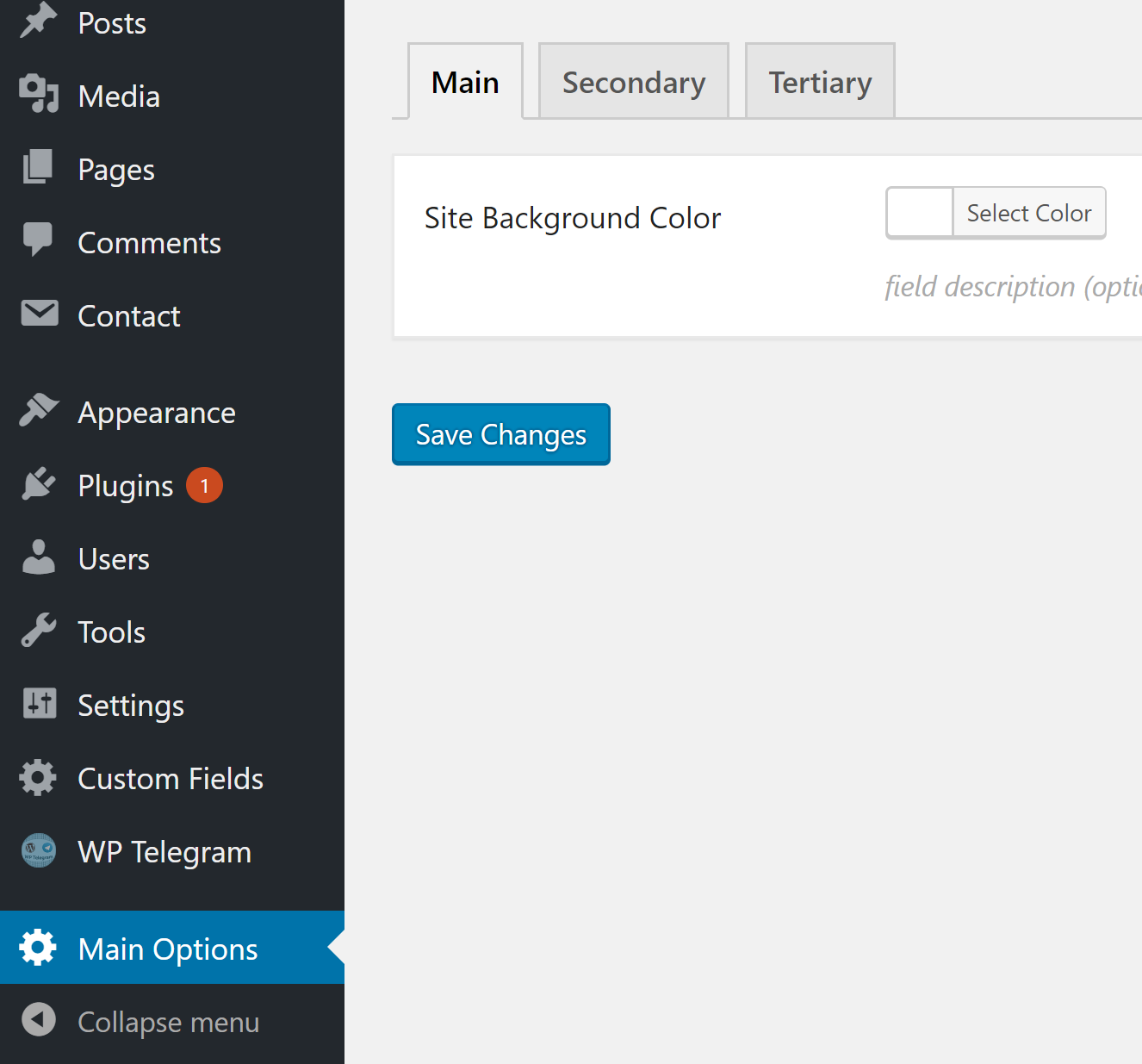
As version 2.4.0 introduces tabbed navigation for options-pages. Is there a simple way to create those tabbed pages without creating the submenus? Preferably with single option_key
Example
 manzoorwanijk
All 14 comments
Have you tried this https://github.com/taunoha/cmb2-theme-options-with-tabs ?
(https://github.com/taunoha/cmb2-theme-options-with-tabs/issues/1)
 taunoha
on 28 May 2018
taunoha
on 28 May 2018
@taunoha, that looks close enough but I wanted all the tab fields in single option key. The tab navigation should be JavaScript based without page reload.
I have now myself built something cool on those lines, just finishing it up :)
manzoorwanijk
on 28 May 2018
I'm looking to do the same thing. Using the same option key, but breaking up the fields into tabs would be a great addition. I'll need to roll something up myself as well I think.
 JiveDig
on 29 May 2018
JiveDig
on 29 May 2018
Could you please explain why you need to use the same option key? What is the use case?
taunoha
on 30 May 2018
Using the same option key makes sense in my head at least, since it's still all one set of options, it's just visually separated out and organized via some tab sections.
 tw2113
on 30 May 2018
tw2113
on 30 May 2018
@taunoha for example if there is a theme/plugin which has too many options to customise, it makes the page too long. It can easily be divided (visually into tabs). Creating separate menus and thus different option keys doesn't make sense in such case.
manzoorwanijk
on 30 May 2018
Yes exactly that. I have an ads/content plugin that has 10-20 fields to put in ad code. They are all in 1 key so it's only 1 option/row, but I'd like to break them up in tabs for "Global", "Posts", "Pages", "Sidebar", etc.
JiveDig
on 30 May 2018
At least in regards to the submenu items getting added, I have whipped up this quick snippet which will feel really straightforward.
function wpcodex_adjust_the_wp_menu() {
    remove_submenu_page( 'MY-MENU-SLUG', 'MY-SUBMENU-SLUG' );
}
add_action( 'admin_menu', 'wpcodex_adjust_the_wp_menu', 999 );
Only downside thus far is that the Options page i'm doing this for loses menu highlight on the secondary tabs.
tw2113
on 10 Jan 2019
Perhaps a show_submenu parameter could be added for options_page_menu_hooks()
tw2113
on 10 Jan 2019
@tw2113 came also up with the same solution. I didn't came up with a solution to keep the main menu item highlighted/active when navigation to the other pages.
Ah my case was little different. I used it in an existing menu for a plugin...
- submenu(Settings) submenu-item should be always active
- submenu(Secondary) removed menu item
- submenu(Tertiary) removed menu item
loosing the highlighed/active in the first submenu item(Settings) when you click another tab
 pgroot91
on 10 Jan 2019
pgroot91
on 10 Jan 2019
I hadn't delved into it last night, but my mind was thinking see if there's some way to fake it with some admin css and jquery or so. Will need exploring there.
tw2113
on 10 Jan 2019
@tw2113 remove_submenu_page will result in that page not being created at all, thus showing, "Sorry, you are not allowed to access this page."
Regaining the menu highlight can be easily done by using parent_file filter.
manzoorwanijk
on 10 Jan 2019
At least from my testing/tinkering last night, it was still showing the fields/tab content and saving it. It's the secondary tabs that i'm hiding, not the primary one, which gets specified as the parent.
I won't say this is a for-sure solution cause I still need to keep tinkering, but I presently feel it'll work for my needs in the long term.
tw2113
on 10 Jan 2019
Just wanted to let you guys know that i have finally found a solution that works!
This is not my solution but i found this on stackoverflow and edited it based on the CMB2 demo provided:
function yourprefix_remove_submenus( $submenu_file ) {

    global $plugin_page;

    $hidden_submenus = array(
    // Uncomment "yourprefix_main_options" for removing all submenus
    //'yourprefix_main_options' => true,
        'yourprefix_secondary_options' => true,
    'yourprefix_tertiary_options' => true,
    );

    // Select another submenu item to highlight (optional).
    if ( $plugin_page && isset( $hidden_submenus[ $plugin_page ] ) ) {
        $submenu_file = 'yourprefix_main_options';
    }

    // Hide the submenu.
    foreach ( $hidden_submenus as $submenu => $unused ) {
        remove_submenu_page( 'yourprefix_main_options', $submenu );
    }

    return $submenu_file;
}
add_filter( 'submenu_file', 'yourprefix_remove_submenus' );
Related issues
 paaljoachim
·
8Comments
paaljoachim
·
8Comments
 gorirrajoe
·
4Comments
gorirrajoe
·
4Comments
 abuyoyo
·
7Comments
abuyoyo
·
7Comments
 cehojac
·
3Comments
cehojac
·
3Comments
 stabilimenta
·
8Comments
stabilimenta
·
8Comments