Cluster-api-provider-aws: Failure creating new cluster
/kind bug
What steps did you take and what happened:
knova:cluster-api-provider-aws nova$ clusterctl create cluster -v2 --provider aws \
>   -m ./clusterctl/examples/aws/out/machines.yaml \
>   -c ./clusterctl/examples/aws/out/cluster.yaml \
>   -p ./clusterctl/examples/aws/out/provider-components.yaml
I1012 07:56:52.467474    1465 clusterdeployer.go:95] Creating bootstrap cluster
I1012 07:59:14.412618    1465 minikube.go:50] Ran: minikube [start --bootstrapper=kubeadm] Output: Starting local Kubernetes v1.9.4 cluster...
Starting VM...
Getting VM IP address...
Moving files into cluster...
Downloading kubeadm v1.9.4
Downloading kubelet v1.9.4
Finished Downloading kubeadm v1.9.4
Finished Downloading kubelet v1.9.4
Setting up certs...
Connecting to cluster...
Setting up kubeconfig...
Starting cluster components...
Kubectl is now configured to use the cluster.
Loading cached images from config file.
I1012 07:59:14.475250    1465 clusterdeployer.go:112] Applying Cluster API stack to bootstrap cluster
I1012 07:59:14.475269    1465 clusterdeployer.go:301] Applying Cluster API APIServer
I1012 07:59:14.971410    1465 clusterclient.go:511] Waiting for kubectl apply...
I1012 07:59:15.574586    1465 clusterclient.go:539] Waiting for Cluster v1alpha resources to become available...
I1012 07:59:25.576492    1465 clusterclient.go:539] Waiting for Cluster v1alpha resources to become available...
I1012 07:59:35.576277    1465 clusterclient.go:539] Waiting for Cluster v1alpha resources to become available...
I1012 07:59:45.576177    1465 clusterclient.go:539] Waiting for Cluster v1alpha resources to become available...
I1012 07:59:45.657858    1465 clusterclient.go:552] Waiting for Cluster v1alpha resources to be listable...
I1012 08:00:06.909144    1465 clusterdeployer.go:307] Applying Cluster API Provider Components
I1012 08:00:06.909168    1465 clusterclient.go:511] Waiting for kubectl apply...
I1012 08:00:07.433430    1465 clusterdeployer.go:117] Provisioning target cluster via bootstrap cluster
I1012 08:00:07.433468    1465 clusterdeployer.go:119] Creating cluster object test1 on bootstrap cluster in namespace "default"
I1012 08:00:07.467909    1465 clusterdeployer.go:124] Creating master  in namespace "default"
I1012 08:00:07.483677    1465 clusterclient.go:563] Waiting for Machine aws-controlplane-k52vd to become ready...
I1012 08:00:17.507306    1465 clusterclient.go:563] Waiting for Machine aws-controlplane-k52vd to become ready...
I1012 08:00:27.507234    1465 clusterclient.go:563] Waiting for Machine aws-controlplane-k52vd to become ready...
I1012 08:00:37.506986    1465 clusterclient.go:563] Waiting for Machine aws-controlplane-k52vd to become ready...
I1012 08:00:47.506878    1465 clusterclient.go:563] Waiting for Machine aws-controlplane-k52vd to become ready...
I1012 08:00:57.507156    1465 clusterclient.go:563] Waiting for Machine aws-controlplane-k52vd to become ready...
I1012 08:01:07.507777    1465 clusterclient.go:563] Waiting for Machine aws-controlplane-k52vd to become ready...
I1012 08:01:17.507086    1465 clusterclient.go:563] Waiting for Machine aws-controlplane-k52vd to become ready...
I1012 08:01:27.507507    1465 clusterclient.go:563] Waiting for Machine aws-controlplane-k52vd to become ready...
I1012 08:01:37.506839    1465 clusterclient.go:563] Waiting for Machine aws-controlplane-k52vd to become ready...
I1012 08:01:47.507134    1465 clusterclient.go:563] Waiting for Machine aws-controlplane-k52vd to become ready...
I1012 08:01:57.507379    1465 clusterclient.go:563] Waiting for Machine aws-controlplane-k52vd to become ready...
I1012 08:02:07.506892    1465 clusterclient.go:563] Waiting for Machine aws-controlplane-k52vd to become ready...
I1012 08:02:17.507149    1465 clusterclient.go:563] Waiting for Machine aws-controlplane-k52vd to become ready...
I1012 08:02:27.507310    1465 clusterclient.go:563] Waiting for Machine aws-controlplane-k52vd to become ready...
I1012 08:02:37.507377    1465 clusterclient.go:563] Waiting for Machine aws-controlplane-k52vd to become ready...
I1012 08:02:47.507860    1465 clusterclient.go:563] Waiting for Machine aws-controlplane-k52vd to become ready...
I1012 08:02:57.507539    1465 clusterclient.go:563] Waiting for Machine aws-controlplane-k52vd to become ready...
I1012 08:03:07.507748    1465 clusterclient.go:563] Waiting for Machine aws-controlplane-k52vd to become ready...
I1012 08:03:17.507504    1465 clusterclient.go:563] Waiting for Machine aws-controlplane-k52vd to become ready...
I1012 08:03:27.507204    1465 clusterclient.go:563] Waiting for Machine aws-controlplane-k52vd to become ready...
I1012 08:03:37.507773    1465 clusterclient.go:563] Waiting for Machine aws-controlplane-k52vd to become ready...
I1012 08:03:37.514520    1465 clusterdeployer.go:129] Updating bootstrap cluster object for cluster test1 in namespace "default" with master () endpoint
I1012 08:03:37.577770    1465 clusterdeployer.go:134] Creating target cluster
I1012 08:03:37.596035    1465 clusterdeployer.go:247] Getting target cluster kubeconfig.
I1012 08:03:37.596091    1465 clusterdeployer.go:363] Waiting for kubeconfig on aws-controlplane-k52vd to become ready...
I1012 08:03:37.773094    1465 clusterdeployer.go:141] Applying Cluster API stack to target cluster
I1012 08:03:37.773109    1465 clusterdeployer.go:316] Applying Cluster API APIServer
I1012 08:03:38.734845    1465 clusterclient.go:511] Waiting for kubectl apply...
I1012 08:03:39.021613    1465 clusterdeployer.go:224] Cleaning up bootstrap cluster.
I1012 08:03:39.757569    1465 minikube.go:50] Ran: minikube [delete] Output: Deleting local Kubernetes cluster...
Machine deleted.
F1012 08:03:39.757766    1465 create_cluster.go:64] unable to apply cluster api stack to target cluster: unable to apply cluster api apiserver: unable to apply apiserver yaml: couldn't kubectl apply: exit status 1, output: Unable to connect to the server: dial tcp: lookup test1-apiserver-898485427.us-west-2.elb.amazonaws.com on 8.8.8.8:53: no such host
 kris-nova
All 14 comments
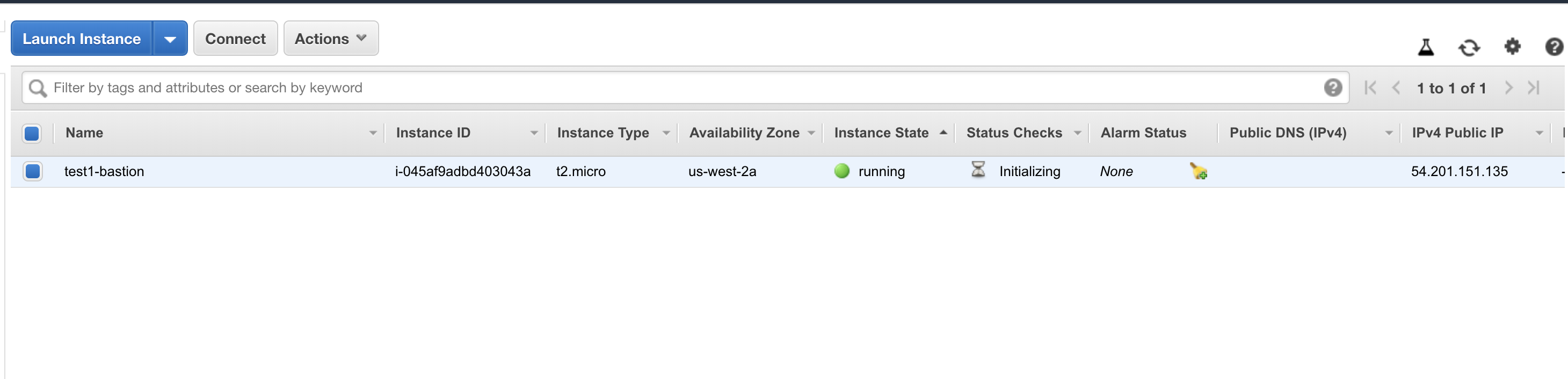
Here is Amazon account after the fact:
kris-nova
on 12 Oct 2018
Abandoning resources 😢 we were supposed to have solved this problem with the cluster API
kris-nova
on 12 Oct 2018
Running the create command again for good measure
kris-nova
on 12 Oct 2018
Abandoning resources cry we were supposed to have solved this problem with the cluster API
This is more an artifact of clusterctl than cluster-api itself. There is more work in general around safety needed still, though.
 detiber
on 12 Oct 2018
detiber
on 12 Oct 2018
2nd try
I1012 08:10:12.630808    1644 minikube.go:50] Ran: minikube [delete] Output: Deleting local Kubernetes cluster...
Machine deleted.
F1012 08:10:12.631043    1644 create_cluster.go:64] unable to apply cluster api stack to target cluster: unable to apply cluster api apiserver: unable to apply apiserver yaml: couldn't kubectl apply: exit status 1, output: Unable to connect to the server: x509: certificate signed by unknown authority (possibly because of "crypto/rsa: verification error" while trying to verify candidate authority certificate "kubernetes")
clusterctl will create a couple of kubeconfigs during operation. kubeconfig.minikube for accessing the minikube bootstrap cluster, and kubeconfig for accessing the remote cluster. Both of these are currently orphaned when clusterctl fails.
For the initial failure, I suspect that there was an issue with either the cluster or machine controller, which is being hidden when clusterctl tears down the bootstrapping cluster.
Unfortunately the logs from the controllers are not currently bubbled up through the clusterctl command, and the only way to debug is to inspect the logs from the controllers before they are torn down.
detiber
on 12 Oct 2018
cluster-api-dev-helper testing controller-logs is there if you need it.
 randomvariable
on 12 Oct 2018
randomvariable
on 12 Oct 2018
(Yesterday's me wishes that I had gone through the issues before banging my head on this.)
So I ran into the similar situation as @kris-nova, with the same results with the first and second run.
I suspect the kubeconfig from the previous attempt gets used in the second attempt, which causes that auth issue.
Additional things that I tried (because I assumed it was a problem with my config):
-v10verbosity on the clusterctl runsmasterandv1.0.0-alpha.1- minikube set to versions
v1.9.4,v1.12.1,v1.12.0,v1.11.3 - different regions:
us-east-2,us-east-1 - nodes:
t2.larges instead oft2.mediums (on the off-chance the run was failing because the node behind the ELB wasn't up due to resources)
Let me know if I can provide any more info! :)
 justaugustus
on 15 Oct 2018
justaugustus
on 15 Oct 2018
/assign
/lifecycle active
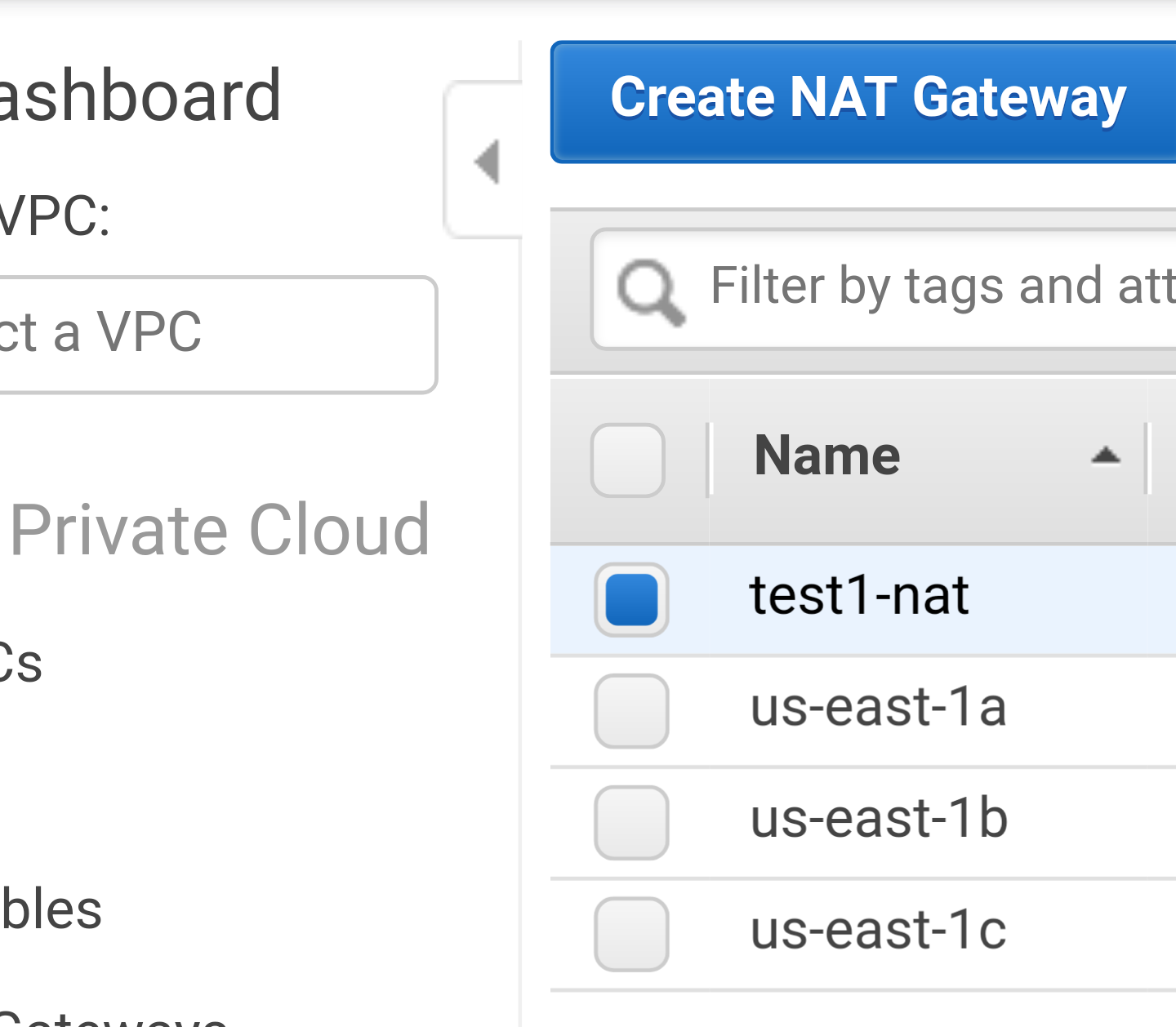
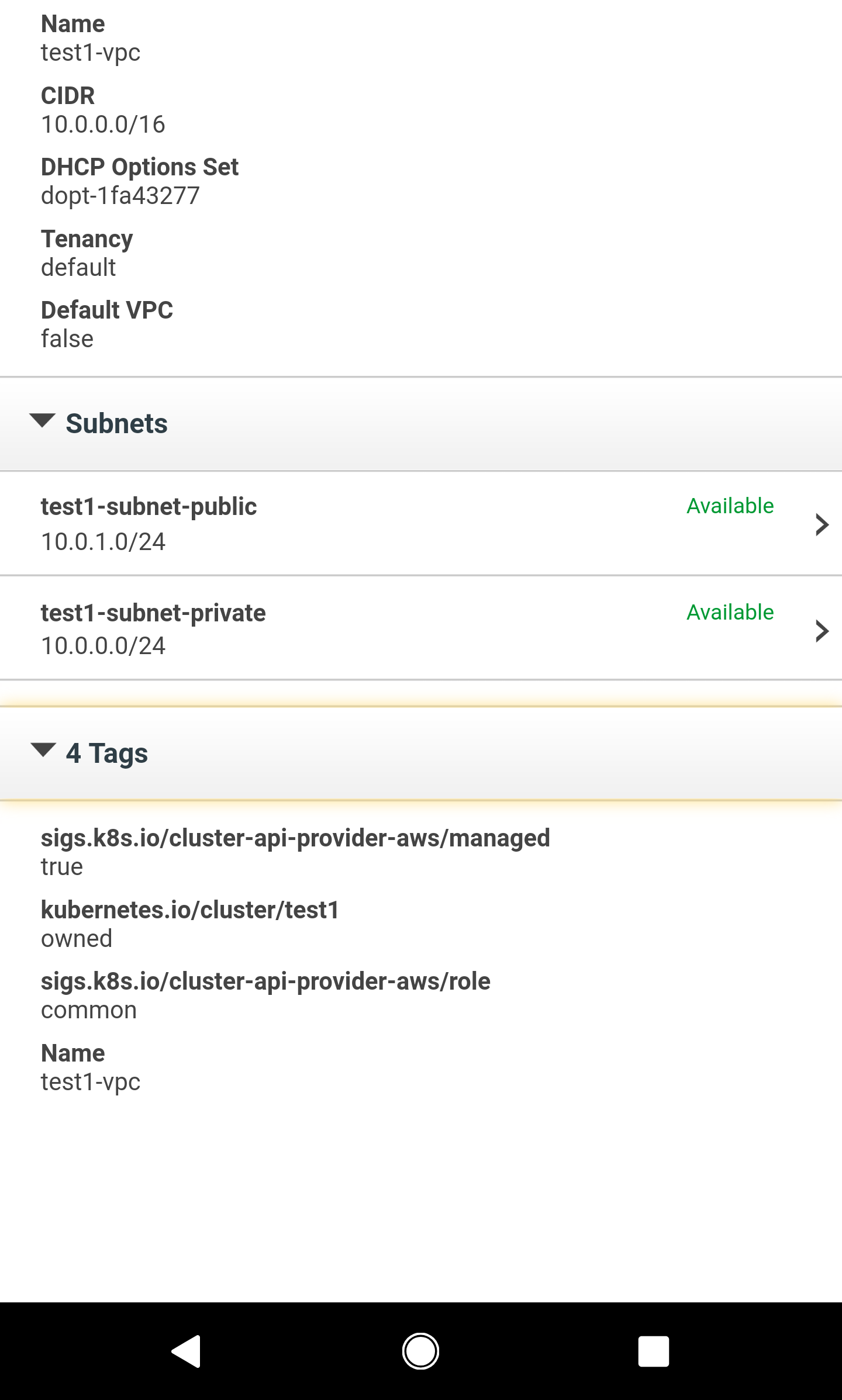
I believe we're doing some checks of existing resources wrong. If you could list me any pre existing VPCs, and particularly NAT gateways, it'd be much appreciated so we can capture these as test cases.
randomvariable
on 15 Oct 2018
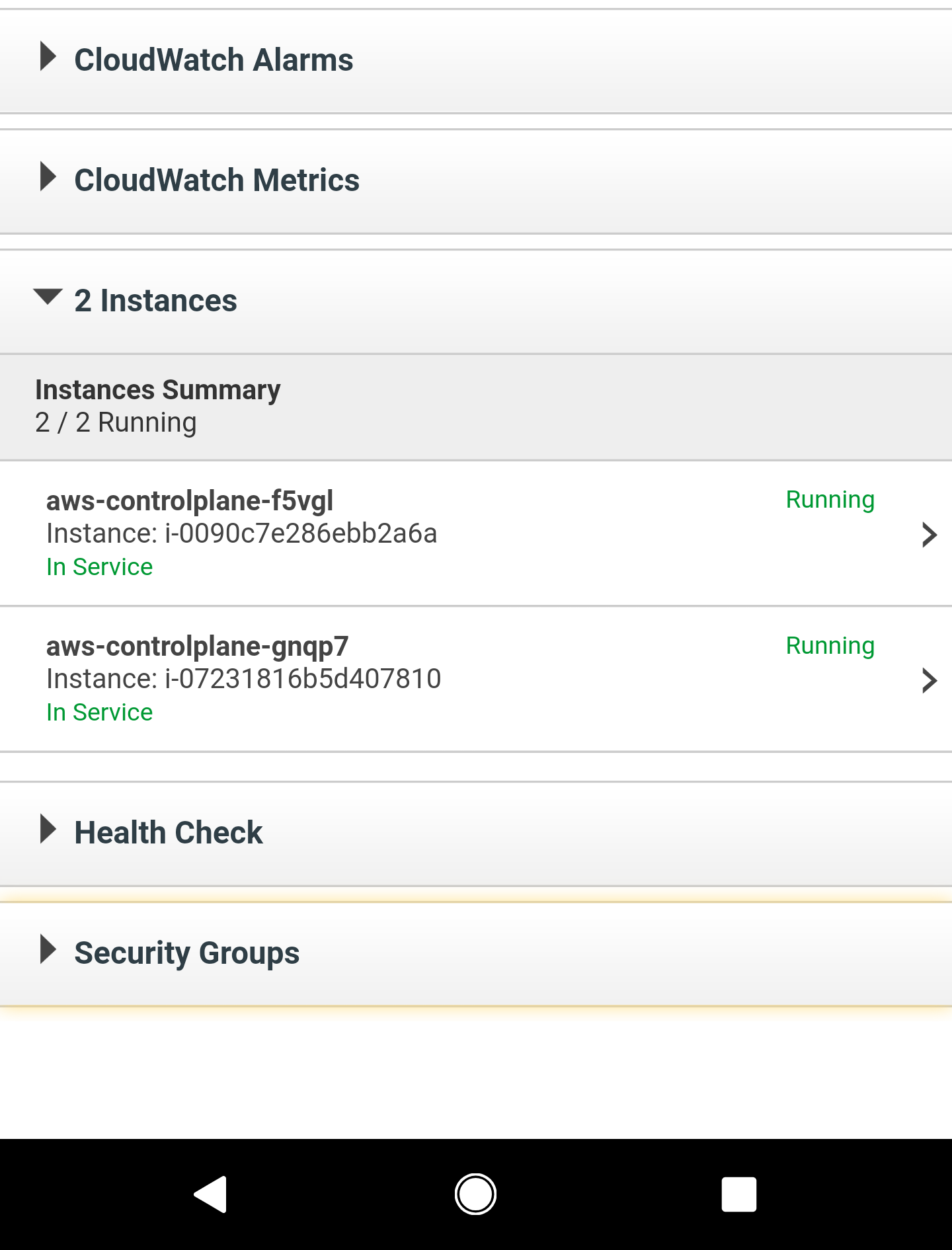
@randomvariable -- 4 NATGW, only one of which was instantiated by clusterctl. I think what's interesting here is the two control plane nodes from separate runs got attached to the same ELB.
So it appears the first run fails on something DNS related (ELB object is being created, but isn't up in time?) and the second could be failing because it's getting through to the ELB but maybe trying to pass the second server's cert material to the first one?
justaugustus
on 15 Oct 2018
/remove-lifecycle active
Need to get the post-CRD code working first ( #247 )
randomvariable
on 15 Oct 2018
/priority critical-urgent
detiber
on 17 Oct 2018
Likely related to #241
detiber
on 26 Oct 2018
This should be fixed now
 chuckha
on 15 Nov 2018
chuckha
on 15 Nov 2018
Related issues
 joejulian
·
5Comments
randomvariable
·
3Comments
joejulian
·
5Comments
randomvariable
·
3Comments
 benmoss
·
5Comments
benmoss
·
5Comments
 tahsinrahman
·
5Comments
tahsinrahman
·
5Comments
 kferrone
·
7Comments
kferrone
·
7Comments