Client: [macOS] Several glitches when switching dark/light mode
I use the latest version of ownCloud Client (2.5.3) on MacOS Mojave (10.14.3) Dark Mode activated
Under Settings Folder Names are blank
Expected behaviour
Folder Names should be displayed
Actual behaviour
Folder Names blank, can't choose what to sync
Steps to reproduce
- Just Install and enable dark mode
3.
Server configuration
Operating system:
Web server:
Database:
PHP version:
ownCloud version:
Storage backend (external storage):
Client configuration
Client version:
Operating system:
OS language:
Qt version used by client package (Linux only, see also Settings dialog):
Client package (From ownCloud or distro) (Linux only):
Installation path of client:
Logs
Please use Gist (https://gist.github.com/) or a similar code paster for longer
logs.
Template for output < 10 lines
Client logfile: Output of
owncloud --logwindoworowncloud --logfile log.txt
(On Windows usingcmd.exe, you might need to firstcdinto the ownCloud directory)
(See also http://doc.owncloud.org/desktop/2.2/troubleshooting.html#client-logfile )Web server error log:
Server logfile: ownCloud log (data/owncloud.log):
See Screenshot:

 islamadel
All 36 comments
The team is working on a 2.5.4 release with Qt 5.12.x. You can already download a pre-release build here:
https://download.owncloud.com/desktop/daily/?C=M;O=D
Could you test and provide feedback?
 michaelstingl
on 19 Feb 2019
michaelstingl
on 19 Feb 2019
@islamadel to be exact please try https://download.owncloud.com/desktop/daily/ownCloud-2.5.4.11337-daily20190219.pkg
 guruz
on 19 Feb 2019
guruz
on 19 Feb 2019
@guruz @michaelstingl
I used the build from guruz
https://download.owncloud.com/desktop/daily/ownCloud-2.5.4.11337-daily20190219.pkg
it looks so right now :


I think font for Account, Activity , General and Network is too dark :'(
 lazawan
on 19 Feb 2019
guruz
on 20 Feb 2019
lazawan
on 19 Feb 2019
guruz
on 20 Feb 2019
@lazawan thank you for the screenshots.
@michaelstingl We could just opt out of dark mode for now until we ourselves fixed all issues and Qt upstream has fixed theirs (maybe with our help)
If you need extra time to work on your app's Dark Mode support, you can temporarily opt out by including the NSRequiresAquaSystemAppearance key (with a value of YES) in your app’s Info.plist file. Setting this key to YES causes the system to ignore the user's preference and always apply a light appearance to your app.
Basically, try a 2.5.4 with this.
guruz
on 20 Feb 2019
@michaelstingl We could just opt out of dark mode for now until we ourselves fixed all issues and Qt upstream has fixed theirs (maybe with our help)
@guruz Yeah, let's do this in the 2.5.4.
We can keep it enabled in the daily builds, then we can check the progress…
michaelstingl
on 20 Feb 2019
Pushed this into 2.5 branch for now ^^.. maybe someone wants to try this with TOMORROWS daily build.
CC @ChrisEdS
guruz
on 22 Feb 2019
Will do.
 ChrisEdS
on 22 Feb 2019
ChrisEdS
on 22 Feb 2019
I also have Guruz's version running in my laptop. If it's needed to test a new release I don't mind do the job.
 ea1het
on 22 Feb 2019
ea1het
on 22 Feb 2019
@ChrisEdS @ea1het https://download.owncloud.com/desktop/daily/ownCloud-2.5.4.11390-daily20190304.pkg :-)
guruz
on 4 Mar 2019
It's getting better. What is still noticeable to me you find in the graphics.


ChrisEdS
on 4 Mar 2019
I had to reinstall the old client first to see your "back to normal mode" fix.
ChrisEdS
on 8 Mar 2019
Disabling dark mode in latest 2.5.4 daily builds works as per https://github.com/owncloud/client/commit/710a2af6b5496df4ee5cfe13a9c407cf27979de2#commitcomment-32655811
I'm moving this issue then and we fix it in a later release.
guruz
on 10 Mar 2019
According to https://bugreports.qt.io/browse/QTBUG-71020 , it got fixed with 5.12.3. We should try again with https://github.com/owncloud/client/commit/710a2af6b5496df4ee5cfe13a9c407cf27979de2 reverted and latest Qt.
michaelstingl
on 24 Sep 2019
@TheOneRing could you revert 710a2af in a branch from 2.6, then build a new macOS version for @HanaGemela to test?
michaelstingl
on 24 Sep 2019
Ready for test builds https://github.com/owncloud/client/pull/7489 (Do not merge)
 jnweiger
on 24 Sep 2019
jnweiger
on 24 Sep 2019
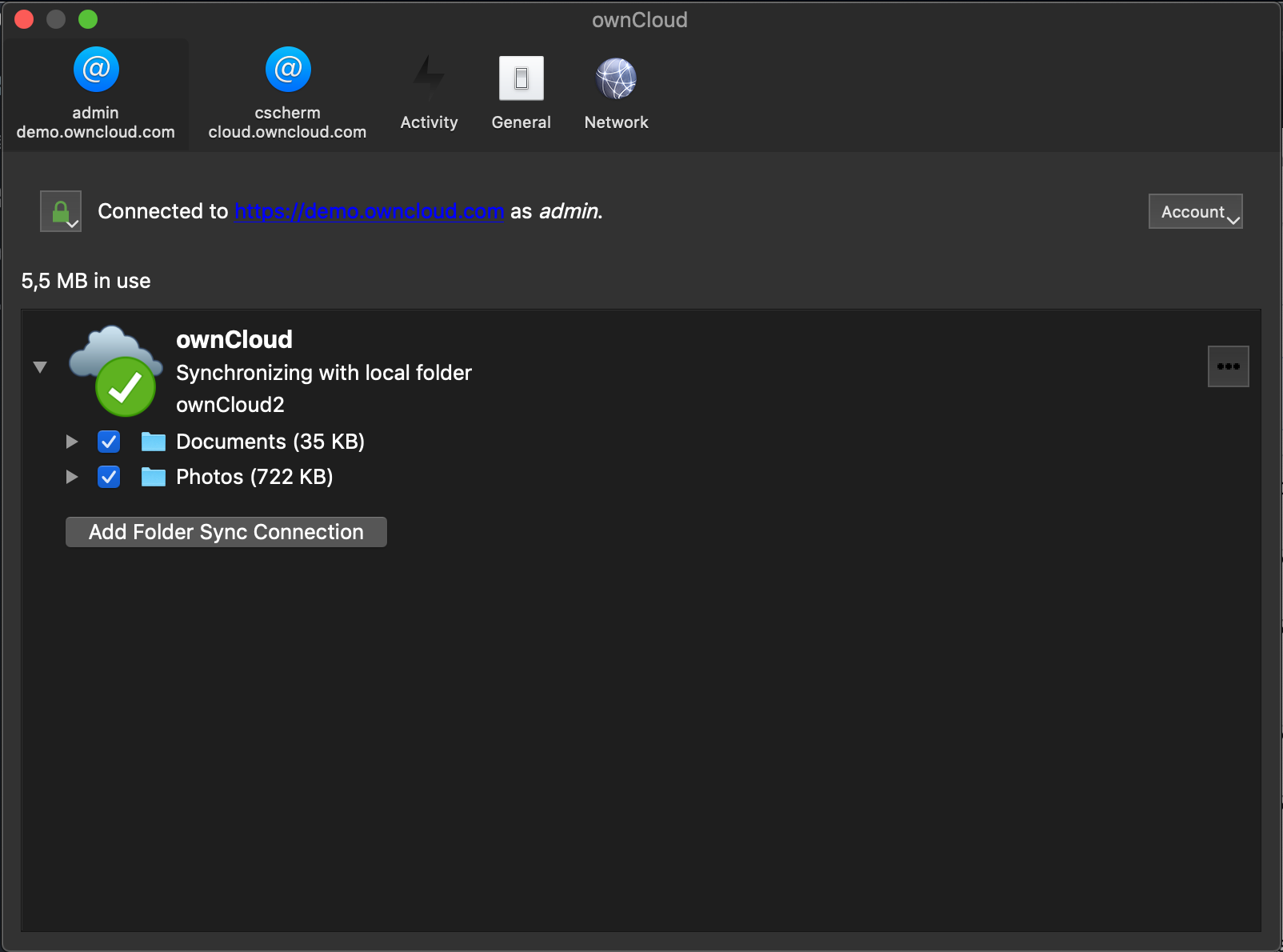
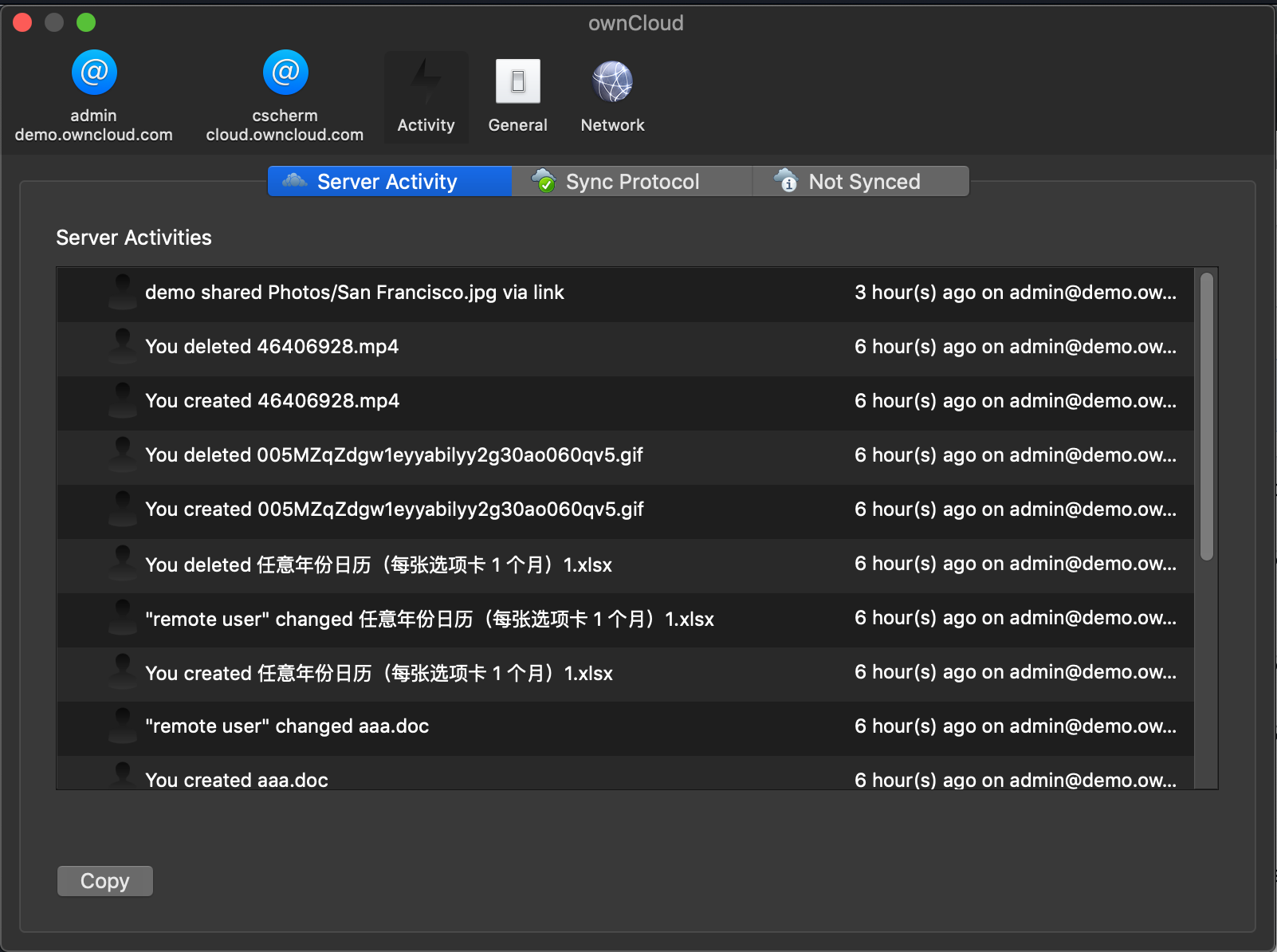
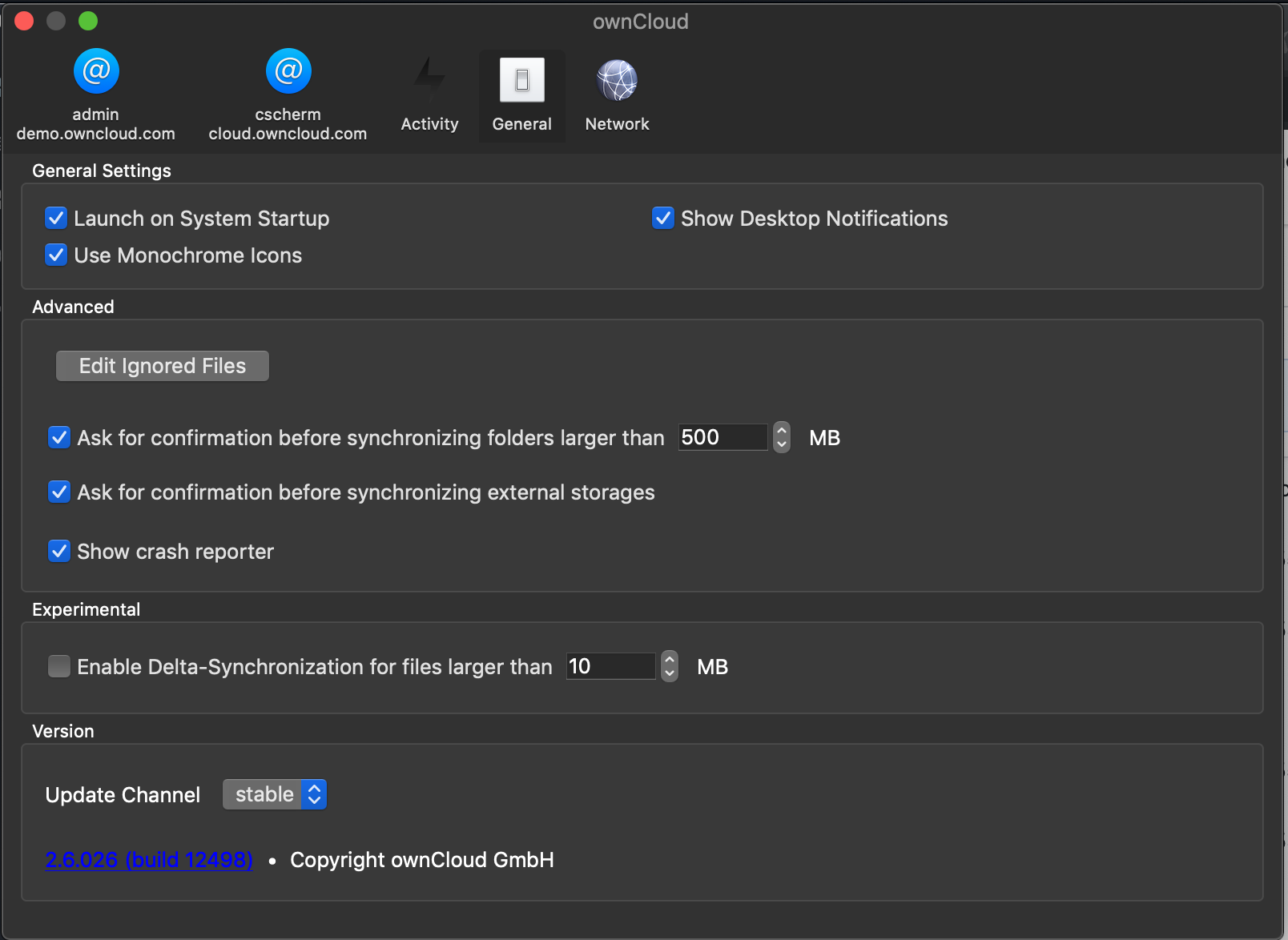
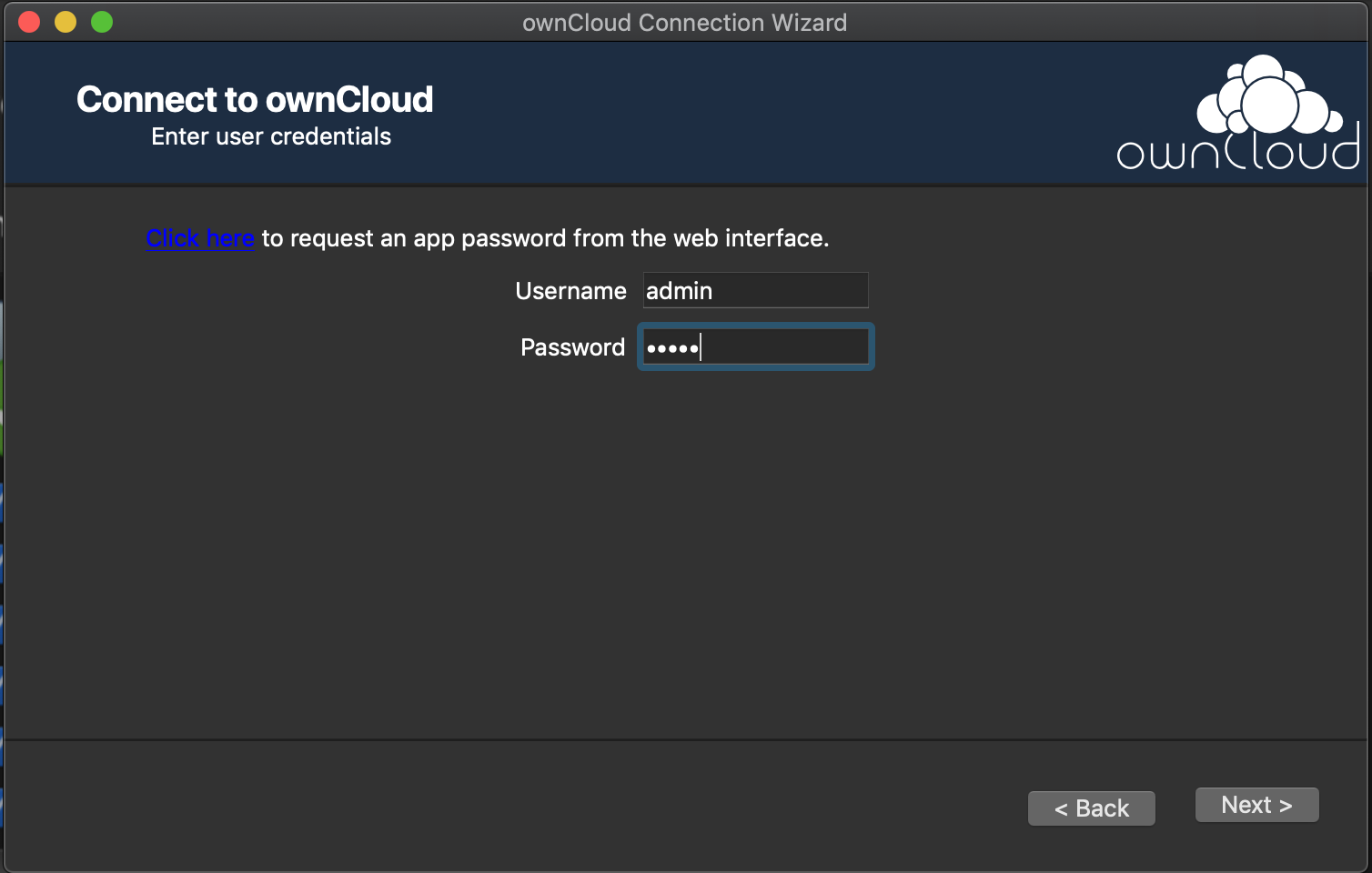
I've tested the Dark Mode with Qt 5.12.5 and I'm pretty surprised. Looks good so far.
|  |
|  |
|
|---|---|
|  |
|  |
|
What could be improved is the low contrast of the links and of the two icons.
|  |
|
 |
|  |
|
|---|---|---|
But I found one glitch. The background color of the top bar is missing (transparent) after closing the client and opening the settings again.
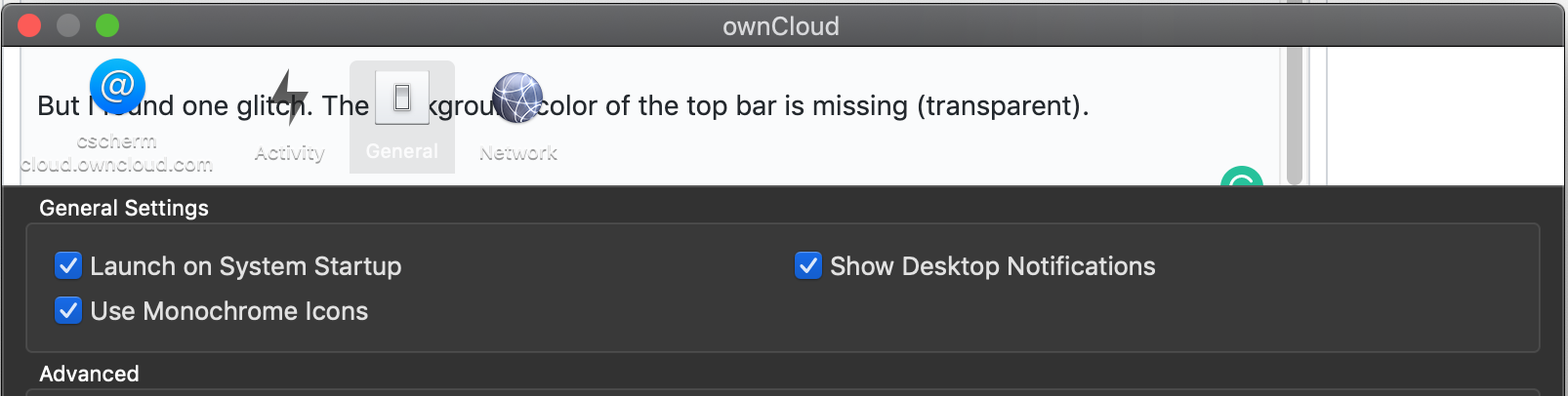
Steps to reproduce
- Launch the client
- Go to settings
- Close the client
- Open settings via the menu
ChrisEdS
on 24 Sep 2019
@ChrisEdS for the glitch see https://github.com/owncloud/client/issues/7371#issuecomment-534888737
 TheOneRing
on 25 Sep 2019
TheOneRing
on 25 Sep 2019
Is that fixed now?
 ogoffart
on 10 Oct 2019
ogoffart
on 10 Oct 2019
From my point of view, it looks good. @TheOneRing Do you agree?
I can do another test with the latest daily build if needed.
ChrisEdS
on 10 Oct 2019
Remaining issues:
1) 'Add folder Sync Connection' button moves slower then its title - this is more noticeable with dark mode

2) Too low contrast


 HanaGemela
on 10 Oct 2019
HanaGemela
on 10 Oct 2019
Another thing are the icons for user and notifications. For my flavor, they are both too dark.


We should use a light grey instead?
ChrisEdS
on 31 Oct 2019
Fixed with Qt 5.14 so probably with 2.8.

TheOneRing
on 24 Feb 2020
@TheOneRing please provide build with Qt 5.14 for testing
HanaGemela
on 18 Mar 2020
It looked to me that the issues are already fixed in the latest builds with Qt 5.12.7 so current 2.6.3 builds should be ok
TheOneRing
on 18 Mar 2020
Chris posted a screenshot with dark notifications (https://github.com/owncloud/client/issues/7043#issuecomment-548366165) so it used to be working. But now the server notifications do not have a dark mode in 2.6.3 (build 13252)

HanaGemela
on 18 Mar 2020
Seen in Version 2.7.0 (build 2098)

 davitol
on 16 Sep 2020
davitol
on 16 Sep 2020
Seen in Version 2.7.0 (build 2098)
Does a reboot fix it?
michaelstingl
on 16 Sep 2020
Does a reboot fix it?
Yes, it did. So ignore my previous comment 😄
davitol
on 16 Sep 2020
Yes there seem to be issue with scroll areas, same as https://github.com/owncloud/client/issues/7043#issuecomment-600733357 ...
I tried to work around it and only made things worse.... I assume it is a Qt bug...
TheOneRing
on 16 Sep 2020
I have the same on Big Sur


 voroyam
on 14 Jan 2021
voroyam
on 14 Jan 2021
Which version do you use?
ChrisEdS
on 14 Jan 2021

ChrisEdS
on 14 Jan 2021
2.7.4
voroyam
on 14 Jan 2021
I'm also on 2.7.4. - that's weird.
ChrisEdS
on 14 Jan 2021
It only happens when you switch themes.... I'll update the title
TheOneRing
on 14 Jan 2021
Related issues
 dartcafe
·
4Comments
dartcafe
·
4Comments
 ahmedatawfik
·
5Comments
jnweiger
·
5Comments
ahmedatawfik
·
5Comments
jnweiger
·
5Comments
 moscicki
·
4Comments
moscicki
·
4Comments
 ctrlbru
·
5Comments
ctrlbru
·
5Comments
Most helpful comment
Remaining issues:

1) 'Add folder Sync Connection' button moves slower then its title - this is more noticeable with dark mode
2) Too low contrast


