Client: Windows Client Stuck in 'loading' screen
After a period of time not using the program, it seems to be stuck in 'loading' screen.
my log id: 056f233f8a8a966f080fdd1c
 richardevs
All 9 comments
Cc: @zanderz can you investigate please?
 maxtaco
on 14 Jun 2017
maxtaco
on 14 Jun 2017
I am also having this issue.
Keybase GUI Version: 1.0.23-20170522110822+8a8aea0
Windows 10.0.15063. 16gb of RAM, Intel i7-7700HQ
Log ID: d058c043bc262ade560a981c
 gabefair
on 14 Jun 2017
gabefair
on 14 Jun 2017
@gabefair please do keybase log send
maxtaco
on 14 Jun 2017
OK, thanks. @zanderz pls take a look, both cases show the typical error, I believe because the keybase service isn't running.
What is the workaround until the next release?
maxtaco
on 14 Jun 2017
@gabefair It looks like things worked after the last May 22 update, until June 1 or so. Did you disable any Keybase startup shortcuts? Does rebooting not help? The next release, out soon, will help address this condition. Until then, you could try opening Keybase Shell and entering keybaserq "C:\Users\Richard S. Leung\AppData\Local\Keybase\keybase.exe" ctl watchdog2
 zanderz
on 14 Jun 2017
zanderz
on 14 Jun 2017
@zanderz so the issue was that I disabled the "Keybase quiet start utility" from loading on startup b/c I wanted keybase to run when I say it should. Also it runs twice on startup.

gabefair
on 14 Jun 2017
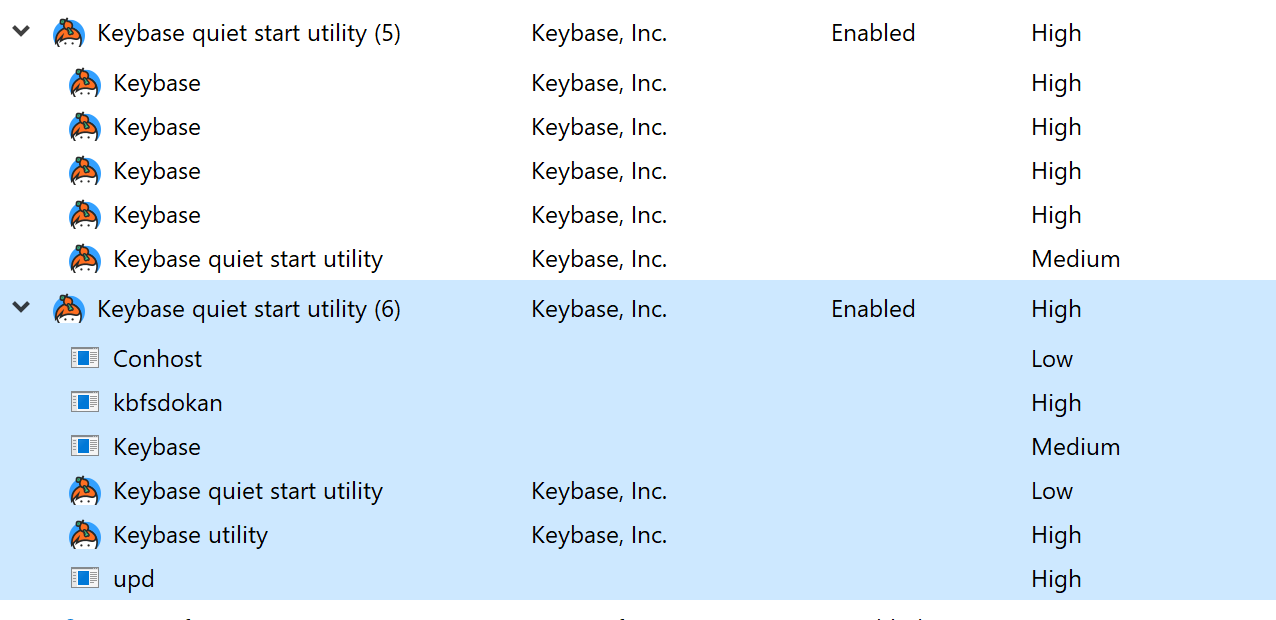
The quiet start utility launches both the GUI and essential Keybase services - if you expand those entries, you'll see they are not duplicates. Disabling the background service will prevent Keybase from functioning, but this has been improved in an upcoming release.
zanderz
on 15 Jun 2017
The "ctl watchdog2" command to the Keybase Shell solve the issue.
richardevs
on 16 Jun 2017
See #14222
 kenorb
on 12 Sep 2019
kenorb
on 12 Sep 2019
Related issues
 tyrion
·
3Comments
tyrion
·
3Comments
 shadowfacts
·
4Comments
shadowfacts
·
4Comments
 heartwithyou
·
3Comments
heartwithyou
·
3Comments
 hkjels
·
4Comments
hkjels
·
4Comments
 veddermatic
·
3Comments
veddermatic
·
3Comments