Cli: Generate initial migration from model?
I'm just getting started with Sequelize and the CLI. I want my project's initial database to be bootstrapable with sequelize db:migrate (i.e. create the database from nothing with an initial set of migrations). In that regard, it seems to me that I am duplicating a lot of code.
- I create my initial model, wherein I fully describe the table
- I then create a migration for it where I mostly just copy and paste the previously written definition
- If there are changes to be made before committing, I get to make them in multiple places
I have a simple two table test project at https://github.com/jsumners/sequelize-migration-test that shows what I'm describing.
Would it not be possible (make more sense) for sequelize migration:generate to read the already defined model and generate the migration from that definition?
 jsumners
All 202 comments
Yes. That would be a good idea and I'm planning to do that since a while already but never found the time for that :(
On Tue, Jul 21, 2015 at 11:09 PM, James Sumners [email protected]
wrote:
I'm just getting started with Sequelize and the CLI. I want my project's initial database to be bootstrapable with
sequelize db:migrate(i.e. create the database from nothing with an initial set of migrations). In that regard, it seems to me that I am duplicating a lot of code.
- I create my initial model, wherein I fully describe the table
- I then create a migration for it where I mostly just copy and paste the previously written definition
- If there are changes to be made before committing, I get to make them in multiple places
I have a simple two table test project at https://github.com/jsumners/sequelize-migration-test that shows what I'm describing.Would it not be possible (make more sense) for
sequelize migration:generateto read the already defined model and generate the migration from that definition?Reply to this email directly or view it on GitHub:
https://github.com/sequelize/cli/issues/157
 sdepold
on 21 Jul 2015
sdepold
on 21 Jul 2015
If I get a chance I'll see if I can work something up. But I'm not sure I'll have the opportunity.
jsumners
on 22 Jul 2015
+1 :)
 o5
on 19 Oct 2015
o5
on 19 Oct 2015
+1
 mwain
on 27 Oct 2015
mwain
on 27 Oct 2015
+1. Well, it is just javascript, so im going to make a file that exports the javascript object, that the model in models/ and migrations/ can import. Not going to set my self up for the inevitable 'change one place, but forgot the other'
 DenLilleMand
on 4 Nov 2015
DenLilleMand
on 4 Nov 2015
+1
 btroo
on 7 Dec 2015
btroo
on 7 Dec 2015
+1
 golendukhin
on 7 Apr 2016
golendukhin
on 7 Apr 2016
Is there any progress? or alternative?
 amit034
on 2 Jun 2016
amit034
on 2 Jun 2016
no progress afaik
sdepold
on 3 Jun 2016
+1 Will be the very popular feature. I hope this feature will be implemented
 zmts
on 30 Jun 2016
zmts
on 30 Jun 2016
+1
 kkleidal
on 26 Jul 2016
kkleidal
on 26 Jul 2016
+1
 suricactus
on 16 Aug 2016
suricactus
on 16 Aug 2016
+1
 oliv23
on 15 Oct 2016
oliv23
on 15 Oct 2016
+1
 WaqqasMeraj
on 20 Oct 2016
WaqqasMeraj
on 20 Oct 2016
+1
 juniorplenty
on 20 Oct 2016
juniorplenty
on 20 Oct 2016
+1
 atlantageek
on 4 Nov 2016
atlantageek
on 4 Nov 2016
+1
 bradleyy1012
on 28 Nov 2016
bradleyy1012
on 28 Nov 2016
+1
 jcfinnerup
on 29 Nov 2016
jcfinnerup
on 29 Nov 2016
+1
 Anomnimel
on 26 Dec 2016
Anomnimel
on 26 Dec 2016
+1
 darrenchiu
on 12 Jan 2017
darrenchiu
on 12 Jan 2017
By the way, now I use https://github.com/Vincit/objection.js/
Very nice convenient ORM
zmts
on 12 Jan 2017
+1
Though currently I'm doing it this way: https://gist.github.com/notgiorgi/7276aae5baebb5725799ce0f5b8468f3
 notgiorgi
on 24 Jan 2017
notgiorgi
on 24 Jan 2017
I would like to start working on this feature. Can anyone give me pointers on where I should begin?
Thanks a lot.
 SargeKhan
on 25 Jan 2017
SargeKhan
on 25 Jan 2017
+1
 omeragich
on 5 Feb 2017
omeragich
on 5 Feb 2017
+1
 iDVB
on 16 Feb 2017
iDVB
on 16 Feb 2017
+1
 willsr
on 6 Mar 2017
willsr
on 6 Mar 2017
+1
 roybrey
on 29 Mar 2017
roybrey
on 29 Mar 2017
+1
 minhnhat2807
on 17 Apr 2017
minhnhat2807
on 17 Apr 2017
+1
 laynef
on 19 Apr 2017
laynef
on 19 Apr 2017
+1
 Cuxs
on 21 Apr 2017
Cuxs
on 21 Apr 2017
+1
 alperfiratkaya
on 17 May 2017
alperfiratkaya
on 17 May 2017
+1
 michie1
on 24 May 2017
michie1
on 24 May 2017
+1
 steenis87
on 24 May 2017
steenis87
on 24 May 2017
+1 this would be a huge help.
 thedodd
on 31 May 2017
thedodd
on 31 May 2017
+1
 hagnus
on 3 Jun 2017
hagnus
on 3 Jun 2017
+1
 Rockuo
on 4 Jun 2017
Rockuo
on 4 Jun 2017
Is this still open ? It would be awesome to be able to generate migration from already existing/edited model
 pgrzesik
on 6 Jun 2017
pgrzesik
on 6 Jun 2017
+1
 aviranco
on 6 Jun 2017
aviranco
on 6 Jun 2017
+1
 felixdenoix
on 12 Jun 2017
felixdenoix
on 12 Jun 2017
+1 This is actually the way migrations should work. A great reference for the mechanics of migrations is Microsoft's Entity Framework Core.
Essentially, you're free to write your model using EF Core and run migrations from the dotnet-cli. Your entities and their relationships are then read and parsed by EF Core and the entire model is setup for commit to a new (or existing) database.
Was hoping to see this awesome feature in Sequelize v4. :(
 skynode
on 13 Jun 2017
skynode
on 13 Jun 2017
+1
 Undre4m
on 7 Jul 2017
Undre4m
on 7 Jul 2017
+1 and is there any update or schedule for this issue? @sdepold
 hallaji
on 12 Jul 2017
hallaji
on 12 Jul 2017
+1
 qeesung
on 14 Jul 2017
qeesung
on 14 Jul 2017
+1
 framled
on 17 Jul 2017
framled
on 17 Jul 2017
+1
 88media
on 25 Jul 2017
88media
on 25 Jul 2017
+1
 RossAD
on 24 Aug 2017
RossAD
on 24 Aug 2017
+1
 fchu
on 1 Sep 2017
fchu
on 1 Sep 2017
+1
 zhanwenchen
on 6 Sep 2017
zhanwenchen
on 6 Sep 2017
+1
 almeynman
on 14 Sep 2017
almeynman
on 14 Sep 2017
+100000000 Django makes this work fantastic!. If Sequelize could make it the same way, wuaaaa it would be great!
 sruda
on 21 Sep 2017
sruda
on 21 Sep 2017
- Look for a way to do something
- Find an issue describing exactly what you want to do
- Check date: 2 years ago
- Sweet, must be a way to do this by now! :)
- Scroll down
- Nope, still nothing
- Sadness :(
 KevBelisle
on 29 Sep 2017
KevBelisle
on 29 Sep 2017
Since this issue continues to get comments...
I ended up writing https://www.npmjs.com/package/cloob to suit my needs.
jsumners
on 29 Sep 2017
+1
 haroldkyle
on 3 Oct 2017
haroldkyle
on 3 Oct 2017
this has already been done in the new version of sequelize
bradleyy1012
on 4 Oct 2017
@bradleyy1012 Can you show an example how to do it please?
 alikhil
on 4 Oct 2017
alikhil
on 4 Oct 2017
I might have meant the new version of sequelize-cli but basically u just create the model from the cli and it creates the migration for you too.
bradleyy1012
on 4 Oct 2017
@bradleyy1012 But isn't this proposal about something different? I mean generating migration from a hand-written model like Code First Migrations in Entity Framework.
alikhil
on 4 Oct 2017
ahh i see what you mean. i misunderstood cause its been a while since i visited this post. yea theres still no way to do that yet that i know of :(
bradleyy1012
on 5 Oct 2017
:+1: This is a pretty core feature in most ORM/migration tools that are as fully featured as sequelize
 arianamiri
on 16 Oct 2017
arianamiri
on 16 Oct 2017
Ok I’ll just try to write it myself and hope for an eventual integration into sequelize-cli. @sdepold any pointers?
The project will probably be based on this blog post using SQL dump files and Sequelize
zhanwenchen
on 18 Oct 2017
+1
 squidwardthetentacles
on 4 Nov 2017
squidwardthetentacles
on 4 Nov 2017
duplicate on #120 ?
 karladler
on 6 Nov 2017
karladler
on 6 Nov 2017
duplicate on #120 ?
No, that issue was about camelCase vs underscored column names.
KevBelisle
on 6 Nov 2017
+1
 saczuac
on 17 Nov 2017
saczuac
on 17 Nov 2017
+1
 Murmurianez
on 23 Nov 2017
Murmurianez
on 23 Nov 2017
+1
 jehy
on 28 Nov 2017
jehy
on 28 Nov 2017
+1
 kckolz
on 8 Dec 2017
kckolz
on 8 Dec 2017

 srikanthkolli
on 9 Dec 2017
srikanthkolli
on 9 Dec 2017
+1
 samuelcastro
on 15 Dec 2017
samuelcastro
on 15 Dec 2017
+1
 enginustun
on 1 Jan 2018
enginustun
on 1 Jan 2018
+1
 StArRy5211
on 4 Jan 2018
StArRy5211
on 4 Jan 2018
+1
 damianijr
on 5 Jan 2018
damianijr
on 5 Jan 2018
+1
Found this gist
 dskvr
on 14 Jan 2018
dskvr
on 14 Jan 2018
+1
 giulioambrogi
on 15 Jan 2018
giulioambrogi
on 15 Jan 2018
+1, with the ability to "generate migration from model", not only initial.
Current state is "generate migration along with model"
 cyrilchapon
on 19 Jan 2018
cyrilchapon
on 19 Jan 2018
+1 I really like Sequelize. This would make it so much better.
 salientgreen
on 19 Jan 2018
salientgreen
on 19 Jan 2018
+1
 Henrod
on 23 Jan 2018
Henrod
on 23 Jan 2018
Please stop +1 postings. It helps nobody and notifies everybody watching this thread. I would recommend using the emojis instead to express yourself. Thank you.
Edit: I'm not gonna argue on that, but there was a reason why +1 Emoji was introduced: https://github.com/isaacs/github/issues/9
karladler
on 23 Jan 2018
The whole point of writing "+1" is accurately to notify every subscribed people.
A "thumb up emoji" 1 milion times is less valuable than 10 "+1", for the same reason.
Feel free to unregister if you don't want to be notified, and let us promote this 3-years-old non addressed feature. Noone is responsible for you not unsubscribing from issues, configuring issues or your email client.
+1 definately
EDIT: plus you got notified because you suggested a "mark as duplicate"
duplicate on #120 ?
Without even reading related issue
duplicate on #120 ?
No, that issue was about camelCase vs underscored column names.
Do you find yourself generating 3 pointless notifications, more useful than people voting for a feature ?
cyrilchapon
on 23 Jan 2018
It's also fair to point out issues get Closed after some time, regardless if they are still relevant. The bot does not take emojis into account afaik.
Undre4m
on 23 Jan 2018
+1
 thomasmeadows
on 26 Jan 2018
thomasmeadows
on 26 Jan 2018
+1
 mahsan3
on 7 Feb 2018
mahsan3
on 7 Feb 2018
+1
 NicTorgersen
on 7 Feb 2018
NicTorgersen
on 7 Feb 2018
+1
 yew2993
on 8 Feb 2018
yew2993
on 8 Feb 2018
+1
 williamoliveira
on 10 Feb 2018
williamoliveira
on 10 Feb 2018
+1, again
sruda
on 12 Feb 2018
+1
 dansoah
on 14 Feb 2018
dansoah
on 14 Feb 2018
First I created a model with model:generate whereby I added 5 columns.
Then I extended the model by hand to 15 columns and copied same code to the migration file.
Still although Sequelize prints 'CREATE TABLE IF NOT EXIST' for the model in question at each start, and correctly describes 15 columns, no additional columns were created in the database.
Is there a way to do what I wanted to, which is to link db table creation to hand-written model, or not? Do I have to create 15 columns table anew with model:generate?
Thanks!
+1
 ooddaa
on 20 Feb 2018
ooddaa
on 20 Feb 2018
seriously? +1000
 pdefreitas
on 22 Feb 2018
pdefreitas
on 22 Feb 2018
+1
 apopescu-im
on 5 Mar 2018
apopescu-im
on 5 Mar 2018
+1
 shishiranshuman
on 14 Mar 2018
shishiranshuman
on 14 Mar 2018
+1
 cckwes
on 15 Mar 2018
cckwes
on 15 Mar 2018
:+1:
 jackiewung
on 16 Mar 2018
jackiewung
on 16 Mar 2018
+1
 herrdu
on 26 Mar 2018
herrdu
on 26 Mar 2018
+1
 fabiano-amaral
on 26 Mar 2018
fabiano-amaral
on 26 Mar 2018
+1
 alexvnsky
on 29 Mar 2018
alexvnsky
on 29 Mar 2018
+1
 shaunjacobsen
on 5 Apr 2018
shaunjacobsen
on 5 Apr 2018
+1
 fzamperin
on 7 Apr 2018
fzamperin
on 7 Apr 2018
+1
 dart-h-vader
on 8 Apr 2018
dart-h-vader
on 8 Apr 2018
+1
 fthrs
on 10 Apr 2018
fthrs
on 10 Apr 2018
+1... Come on.
 ChBernat
on 11 Apr 2018
ChBernat
on 11 Apr 2018
+1
 jeanpchr
on 19 Apr 2018
jeanpchr
on 19 Apr 2018
+1
 tanser
on 21 Apr 2018
tanser
on 21 Apr 2018
+1
 jrobic
on 30 Apr 2018
jrobic
on 30 Apr 2018
+1
 biigpongsatorn
on 30 Apr 2018
biigpongsatorn
on 30 Apr 2018
+1 I'd really love to see this feature.
 leo-esaki
on 30 Apr 2018
leo-esaki
on 30 Apr 2018
+100
 davelee
on 3 May 2018
davelee
on 3 May 2018
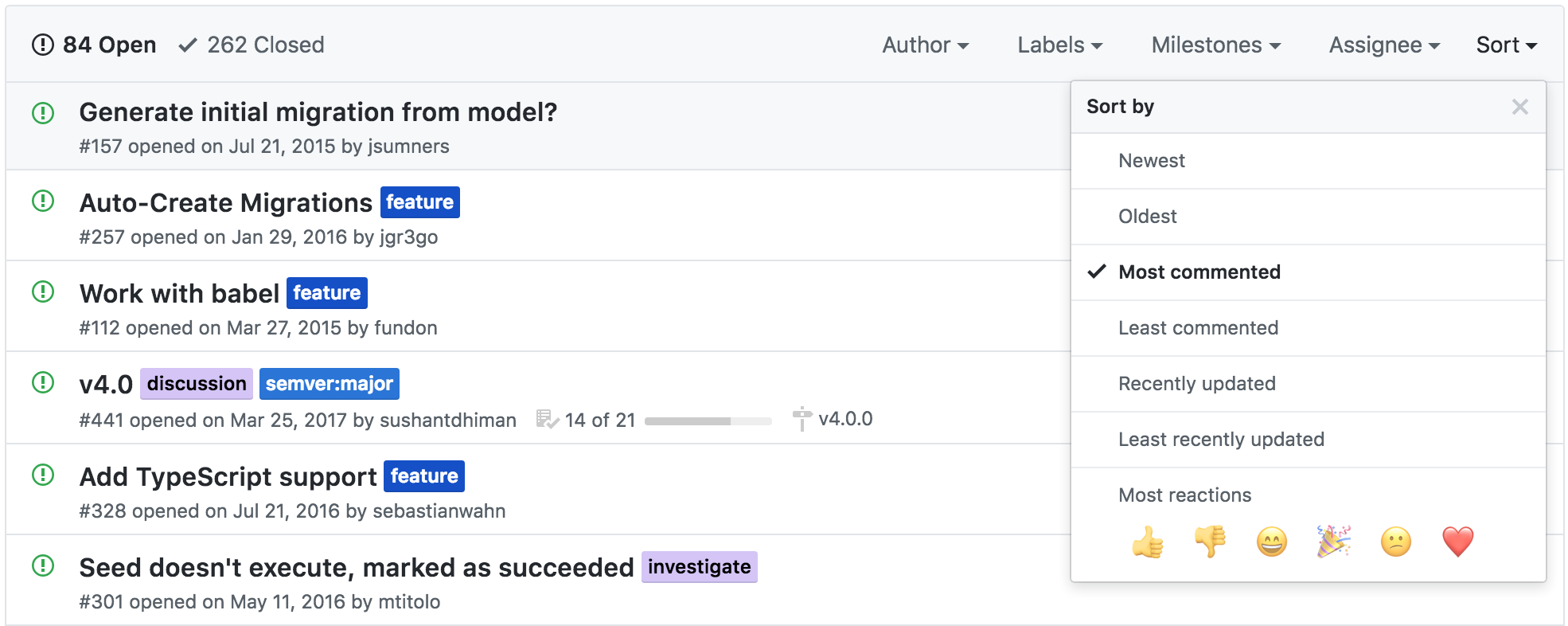
I'll just leave this here
kckolz
on 3 May 2018
+100
 ugogiordano87
on 7 May 2018
ugogiordano87
on 7 May 2018
+1
 rguinea
on 20 May 2018
rguinea
on 20 May 2018
+1
 dariospadoni
on 22 May 2018
dariospadoni
on 22 May 2018
+1
 mwergles
on 23 May 2018
mwergles
on 23 May 2018
+1
 BerkOzdilek
on 24 May 2018
BerkOzdilek
on 24 May 2018
+1
 bbb159
on 2 Jun 2018
bbb159
on 2 Jun 2018
+1
I am gonna try this (https://www.npmjs.com/package/sequelize-auto-migrations), but would love to see this as a core feature.
 hisankaran
on 5 Jun 2018
hisankaran
on 5 Jun 2018
+1
 kwdiwt
on 10 Jun 2018
kwdiwt
on 10 Jun 2018
it has been ~3 years since, no solution yet?
 littlechad
on 13 Jun 2018
littlechad
on 13 Jun 2018
+1
 EirikFA
on 14 Jun 2018
EirikFA
on 14 Jun 2018
+1
 nedex
on 18 Jun 2018
nedex
on 18 Jun 2018
+1
 tombiddulph
on 19 Jun 2018
tombiddulph
on 19 Jun 2018
+1
 ghost
on 23 Jun 2018
ghost
on 23 Jun 2018
+2
 tuo
on 25 Jun 2018
tuo
on 25 Jun 2018
+1
 cwiki
on 26 Jun 2018
cwiki
on 26 Jun 2018
+1 👍
 dubchuck
on 7 Jul 2018
dubchuck
on 7 Jul 2018
+1
 excelsiormante
on 16 Jul 2018
excelsiormante
on 16 Jul 2018
+1
 jeespinozam
on 18 Jul 2018
jeespinozam
on 18 Jul 2018
+1
 kaufmannmarton
on 20 Jul 2018
kaufmannmarton
on 20 Jul 2018
+1
 adityakakarot
on 21 Jul 2018
adityakakarot
on 21 Jul 2018
+1
 vitorsilvalima
on 29 Jul 2018
vitorsilvalima
on 29 Jul 2018
+1
 Rabinzon
on 29 Jul 2018
Rabinzon
on 29 Jul 2018
😭😭😭
 Evilart86
on 3 Aug 2018
Evilart86
on 3 Aug 2018
+1
 shakedlokits
on 7 Aug 2018
shakedlokits
on 7 Aug 2018
+1
 bephrem1
on 13 Aug 2018
bephrem1
on 13 Aug 2018
+1
 TimAConner
on 13 Aug 2018
TimAConner
on 13 Aug 2018
+1
 phillipmiles
on 14 Aug 2018
phillipmiles
on 14 Aug 2018
+1
 kalifa17
on 15 Aug 2018
kalifa17
on 15 Aug 2018
+1
 souserge
on 17 Aug 2018
souserge
on 17 Aug 2018
+1
 sajadghawami
on 19 Aug 2018
sajadghawami
on 19 Aug 2018
+1
 Exxenoz
on 20 Aug 2018
Exxenoz
on 20 Aug 2018
Any updates on this one?
 genesst
on 20 Aug 2018
genesst
on 20 Aug 2018
+1
 danielrvt
on 20 Aug 2018
danielrvt
on 20 Aug 2018
+1
 Jujenji
on 21 Aug 2018
Jujenji
on 21 Aug 2018
+1
 AmirMolotov
on 31 Aug 2018
AmirMolotov
on 31 Aug 2018
+1
 pankev-in
on 9 Sep 2018
pankev-in
on 9 Sep 2018
+2
 jpwiddy
on 10 Sep 2018
jpwiddy
on 10 Sep 2018
+1
 Wayne82
on 11 Sep 2018
Wayne82
on 11 Sep 2018
+1
 AminTaghikhani
on 12 Sep 2018
AminTaghikhani
on 12 Sep 2018
+1
 javialon26
on 13 Sep 2018
javialon26
on 13 Sep 2018
I'll take this on if no one else has. I need this right now for my work so it makes sense.
 everettcaleb
on 17 Sep 2018
everettcaleb
on 17 Sep 2018
I'll take this on if no one else has. I need this right now for my work so it makes sense.
@everettcaleb I'd be happy to help with it. I used this tool sequelize-auto-migrations (although, I had to mod the npm package locally to get it to work on my windows pc) which may be a good starting point. I used it before I wrote a migration, and now I have written many by hand and feel confident helping define what each seuqelize command should output and building it.
I'll email the address on your profile.
TimAConner
on 17 Sep 2018
I'll take this on
OMFG @everettcaleb I think 200 developers would owe you a coffee if you did so.
if no one else has
Trust me I've been following this topic 2 years ago, no one is and no one has never been 😅
EDIT: can help if you drive me a little.
cyrilchapon
on 17 Sep 2018
@TimAConner and @cyrilchapon email me and we can collaborate
everettcaleb
on 17 Sep 2018
@everettcaleb Just emailed you!
TimAConner
on 17 Sep 2018
+1
 janlukasschroeder
on 20 Sep 2018
janlukasschroeder
on 20 Sep 2018
(+1 —though isn't that what the 👍 reaction on the issue is for? 😉)
For a project I'm working on, I went with a poor man's solution by:
- dumping the models as JSON (the .name, .attributes and .options property of each model, plus fixing the attributes to retain their type information)
- then stored the .json file as a snapshot of the initial schema in a
migration-extras/directory - made my first migration script use the .json file to re-instantiate the model definitions and make calls to
.sync()each of them to the DB.
Here's a gist I made of what I did if it would help anyone before this issue is officially solved: https://gist.github.com/scryptonite/3bee4b3d55485230db113af639a0601f
 scryptonite
on 22 Sep 2018
scryptonite
on 22 Sep 2018
I think this feature is not only useful for convenience but it would also act a better primer/starting point for those new sequelize in order to help understand the best practice for working with sync/define/migrations
 Recodify
on 5 Nov 2018
Recodify
on 5 Nov 2018
+1
 LyLuX
on 11 Nov 2018
LyLuX
on 11 Nov 2018
+1
 enima2684
on 12 Nov 2018
enima2684
on 12 Nov 2018
I have written a utility to create initial migrations from existing models, I think I can add this feature to the cli.
Can I take this issue? @sushantdhiman
 mubaidr
on 3 Dec 2018
mubaidr
on 3 Dec 2018
+1
 lchforcom
on 8 Dec 2018
lchforcom
on 8 Dec 2018
+1.
 dattran92
on 10 Jan 2019
dattran92
on 10 Jan 2019
+1
 Bobsar0
on 13 Jan 2019
Bobsar0
on 13 Jan 2019
+1...
 mvelebit
on 13 Jan 2019
mvelebit
on 13 Jan 2019
+1
 bobbui
on 4 Feb 2019
bobbui
on 4 Feb 2019
+1
 jpraccio0722
on 9 Feb 2019
jpraccio0722
on 9 Feb 2019
+1
 jesualex
on 13 Feb 2019
jesualex
on 13 Feb 2019
+1
 imgntn
on 13 Feb 2019
imgntn
on 13 Feb 2019
+1
 matt212
on 16 Feb 2019
matt212
on 16 Feb 2019
4 years passed ...
 botaniQQQ
on 20 Feb 2019
botaniQQQ
on 20 Feb 2019
+1
 KevinLeigh
on 21 Feb 2019
KevinLeigh
on 21 Feb 2019
+1
 abhilashcode
on 24 Feb 2019
abhilashcode
on 24 Feb 2019
+1
 tchikl-h
on 9 Mar 2019
tchikl-h
on 9 Mar 2019
+1
 tejaram15
on 17 Mar 2019
tejaram15
on 17 Mar 2019
+1
 nickloeper
on 26 Mar 2019
nickloeper
on 26 Mar 2019
+1, hello from 2019
 webdevbyjoss
on 1 Apr 2019
webdevbyjoss
on 1 Apr 2019
The +1's aren't doing anything to promote this issue. It's probably only contributed to lessening the visibility of this issue for the project maintainers—they've probably muted this issue and have now almost completely forgotten about it. Someone either just needs to work to submit a PR to fix this issue, or just wait patiently for the maintainers to get around to it. I would prefer not to have to mute this thread for myself, as I too earnestly wait for an official solution to this issue. I just ask that everyone would stop commenting with merely +1 and nothing else to add to the discussion. 😅
For the impatient, I've already commented above that I came up with a poor man's fix for folks who (like me) rushed ahead with their own projects by defining models but didn't bother writing the setup migrations for them. https://github.com/sequelize/cli/issues/157#issuecomment-423715290
I've used the same-ish script I put in that gist for several personal side-projects of mine and it's proven adequate for the helping with creating the initial starting-point migration.
If my gist/outlined steps don't fit your particular project's needs, maybe comment about it so that whoever is finally brave enough to submit a PR for this issue, can possibly account for your edge case(s).
scryptonite
on 1 Apr 2019
The developers and maintainers have done a great job at building this library, needless to say I have never enjoyed working with SQL more when it comes it sequelize. A couple of commands and whoosh Magic and the interface is pretty amazing too.
When I started with a model and couldn't write all the fields and wrote just one to create migration and model file. Once I was finished with the model and thought of synchronizing the two, I ended up here. I hope this get fixed soon.
 kaizoku-kenshin
on 14 May 2019
kaizoku-kenshin
on 14 May 2019
+1
 eugene-matvejev
on 27 Jun 2019
eugene-matvejev
on 27 Jun 2019
Has any work been done towards achieving this? Can anyone outline the steps that should be taken to do this?
I come from Django which does all of this for you, so it was very surprisingly to learn that such basic ORM functionality does not exist out of the box for this package (same with: https://github.com/sequelize/cli/issues/257)
Our company is starting a new long term project using Sequelize. Since this is obviously very sought after functionality based on all the +1s; and since the maintainers are absent in addressing it, if someone can point me to any initial work that has already been done on the subject we can start to add some cycles to addressing it.
From what I see, these are the best candidates for this type of functionality so far:
- https://github.com/sequelize/cli/issues/157#issuecomment-423715290
- https://www.npmjs.com/package/sequelize-auto-migrations (seems unmaintained)
- https://github.com/sequelize/cli/compare/master...jgr3go:auto-migrate?expand=1
Instead of all the people saying +1 why don't we just do something about it?
@jsumners @sdepold have you made any progress, or do you have an outline of the steps you would take to add this feature?
If a PR was made to add this, would it be addressed or is this something best left to external packages like sequelize-auto-migrations
 cjancsar
on 7 Jul 2019
cjancsar
on 7 Jul 2019
@cjancsar sorry. I never progressed past reasearching this module.
jsumners
on 7 Jul 2019
I had started reverse engineering the django orm a month ago. The important
thing is there is no diagram or such algorithm that atleast outlines the
necessary steps.
My analysis:-
- Django looks for a migrations folder.
- If present it searches for the latest migration.
- It compares the current change with migration file along with the
database fields i.e. it identifies changes as operations. - Creates a string out of these operations and then writes it to a file.
- It also writes dependencies to the newly created file in order to
rollback changes. These are done by a singly linked list and if any
dependency loop occurs an error is thrown.
Someone please let me know if any tutorials exist for creating this. We can
split the tasks amongst ourselves. This can be completed in 2 months time
with adequate research.
Karra Raghu Ram
On Sun, 7 Jul, 2019, 9:25 PM James Sumners, notifications@github.com
wrote:
@cjancsar https://github.com/cjancsar sorry. I never progressed past
reasearching this module.—
You are receiving this because you commented.
Reply to this email directly, view it on GitHub
https://github.com/sequelize/cli/issues/157?email_source=notifications&email_token=AD34HHEGJH2C724VU5SLF6LP6IGWPA5CNFSM4BLUMXD2YY3PNVWWK3TUL52HS4DFVREXG43VMVBW63LNMVXHJKTDN5WW2ZLOORPWSZGODZLOGQA#issuecomment-509010752,
or mute the thread
https://github.com/notifications/unsubscribe-auth/AD34HHBYZBIU7L47VZG5MN3P6IGWPANCNFSM4BLUMXDQ
.
tejaram15
on 8 Jul 2019
+1
 acharzuo
on 9 Jul 2019
acharzuo
on 9 Jul 2019
Started using sequelizer today, seems a great ORM but just jumped into this, which I think is a feature that it should have from the beggining :(
 javiermrz
on 10 Jul 2019
javiermrz
on 10 Jul 2019
Started using sequelizer today, seems a great ORM but just jumped into this, which I think is a feature that it should have from the beggining :(
Same!
 matiasbenedetto
on 17 Jul 2019
matiasbenedetto
on 17 Jul 2019
I am literally going to abandon sequelize, never use it again, and recommend everyone else stay far away from it if this feature doesn't come very soon.
 pbirsinger
on 26 Jul 2019
pbirsinger
on 26 Jul 2019
Guys, I managed to get myself another tool working next to sequelize, and now I have the full set. I use Sequelize only as a mapper for interacting with the database, and for migrations Im using Postgrator. I really recommend you guys taking a look at it. It's really similar to Flyway (for Spring) and It applies database version control in an easy way. I find It a great combo, and I dont need the migrations features of Sequelize anymore, I even find that Postgrator is better with that than Sequelize would be.
So just create the DB with the Sequelize models, and when you are ready just dump it and use that .sql file as the first version of your database for Postgrator :)
javiermrz
on 26 Jul 2019
No progress yet ?
 jy95
on 24 Oct 2019
jy95
on 24 Oct 2019
还没有进展吗?
+1
 xjnotxj
on 6 Dec 2019
xjnotxj
on 6 Dec 2019
+1
 fischettij
on 20 Dec 2019
fischettij
on 20 Dec 2019
That's a very bad feeling......
 irisEco
on 22 Dec 2019
irisEco
on 22 Dec 2019
This feature should really be implemented in the official CLI. There was a nice side project doing it but it feels a bit abandon :
https://github.com/flexxnn/sequelize-auto-migrations
Might still be a good pointer to start the implementation.
 OlivierCuyp
on 23 Dec 2019
OlivierCuyp
on 23 Dec 2019
@janmeier this feature request is opened since 2015. Could you let us know if there is any progress on it ?
To me, sync is most of the time not a good idea.
And migrations is the right path to go but it is painful. So auto-generate migrations from models would be really nice
OlivierCuyp
on 23 Dec 2019
+1, hello from 2020
 sksankarraj
on 2 Jan 2020
sksankarraj
on 2 Jan 2020
Any hope in 2020?
 yeongjet
on 2 Jan 2020
yeongjet
on 2 Jan 2020
No hope :))
 vietduong-agilityio
on 15 Jan 2020
vietduong-agilityio
on 15 Jan 2020
There is a hope now https://github.com/flexxnn/sequelize-auto-migrations
webdevbyjoss
on 21 Jan 2020
@webdevbyjoss as I commented previously, sadly this project feels a bit abandoned ...
OlivierCuyp
on 24 Jan 2020
Hi everyone, this project is not abandoned, however I am super busy at the main repo for now; hopefully in the near future I will be able to make the super overhaul that I am planning for the Sequelize CLI. Thanks for the patience so far :grimacing:
 papb
on 24 Jan 2020
papb
on 24 Jan 2020
Hi @papb, I was speaking about https://github.com/flexxnn/sequelize-auto-migrations.
But I'm really glad that you plan to take a deeper look at this issue in the near futur.
OlivierCuyp
on 27 Jan 2020
I wonder if anyone could recommend an alternative library which has this feature implemented.
 randyzhao
on 11 Apr 2020
randyzhao
on 11 Apr 2020
Hi everyone, this project is not abandoned, however I am super busy at the main repo for now; hopefully in the near future I will be able to make the super overhaul that I am planning for the Sequelize CLI. Thanks for the patience so far 😬
define "near"
 billkiddo
on 28 Apr 2020
billkiddo
on 28 Apr 2020
i see this is a miss from sequelize, it can be every helpful generating initial migration from defined models, here we have to copy it again in two places with sync off feature !!
 tkssharma
on 13 Jun 2020
tkssharma
on 13 Jun 2020
Related issues
 khaledbnmohamed
·
3Comments
khaledbnmohamed
·
3Comments
 PavelPolyakov
·
5Comments
PavelPolyakov
·
5Comments
 LucasBadico
·
5Comments
LucasBadico
·
5Comments
 radglob
·
6Comments
radglob
·
6Comments
 TomerRon
·
3Comments
TomerRon
·
3Comments
Most helpful comment
Yes. That would be a good idea and I'm planning to do that since a while already but never found the time for that :(
On Tue, Jul 21, 2015 at 11:09 PM, James Sumners [email protected]
wrote: