Cli: --template is not working
Environment
Not relevant at this point
Description
Using npx react-native init MyApp --template typescript (I guess any template actually) is not working.
It seems that a step is missing like "apply the template"
We can see in the folder after init process finish that a ./template folder is here, containing what we would expect to be at root ./
Reproducible Demo
npx react-native init MyApp --template typescript

 lbnlrnt
All 6 comments
By the way, I was creating a new project with the will to create a template myself. Maybe the process has changed?
I found this article from 2017, that doesn't seem up to date when comparing what lives in the typescript template.
If you have any advises at same the time really interested :)
lbnlrnt
on 9 Dec 2020
CLI doesn't supports shortcuts anymore, but full module names or absolute file paths. Check the docs/ directory in this repository :)
npx react-native init MyApp --template react-native-template-typescript
 thymikee
on 9 Dec 2020
thymikee
on 9 Dec 2020
Okay thanks will check that
lbnlrnt
on 9 Dec 2020
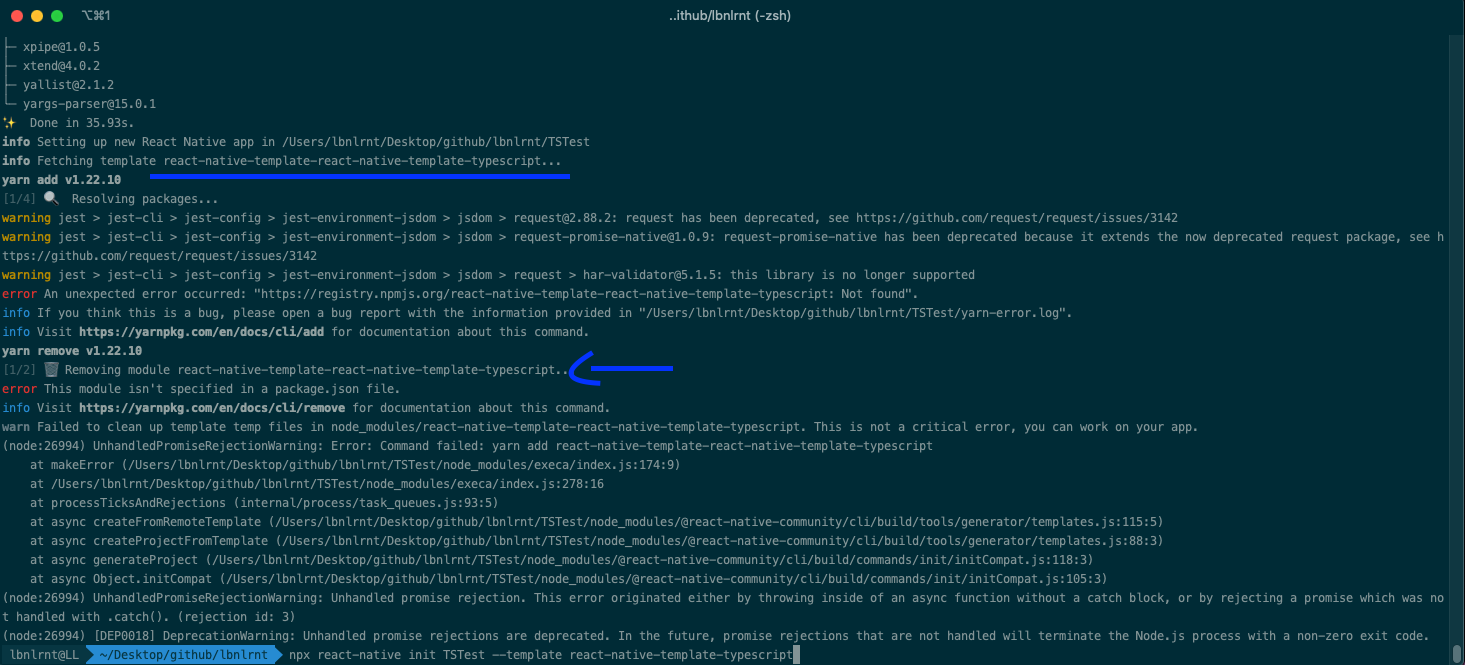
@thymikee Doesn't seems to be better, I don't know if it a display error, but it seems to try to fetch react-native-template-react-native-template-typescript
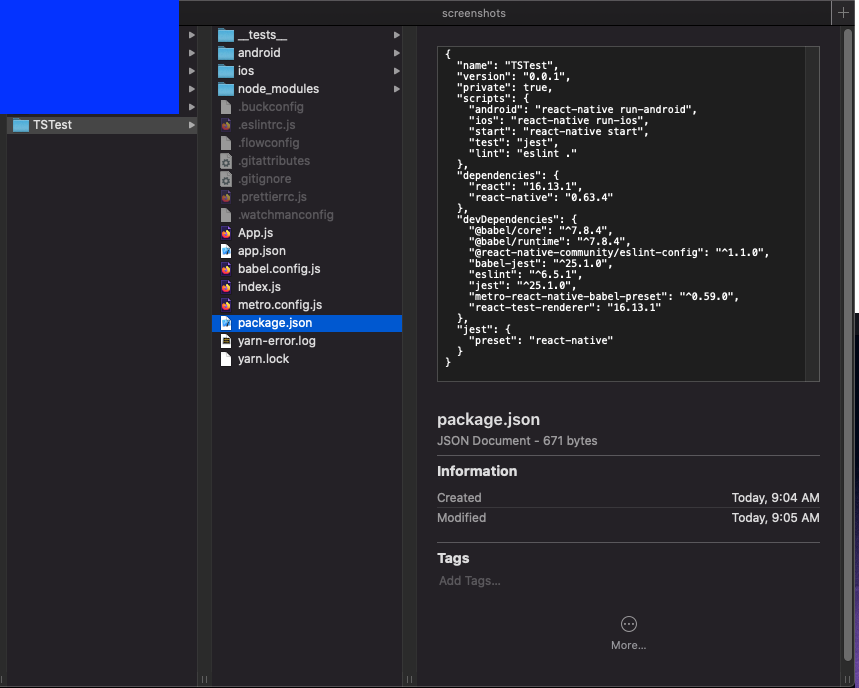
Package.json doesn't even have the right dependencies
lbnlrnt
on 9 Dec 2020
@thymikee Sorry for the noise, all good, it came from the fact that I still had a react-native-cli installed locally and it was using it instead of the right cli :)
lbnlrnt
on 9 Dec 2020
@thymikee Sorry for the noise, all good, it came from the fact that I still had a react-native-cli installed locally and it was using it instead of the right cli :)
Happens to the best :) Glad it works for you now!
thymikee
on 9 Dec 2020
Related issues
 jchook
·
4Comments
jchook
·
4Comments
 gitowiec
·
3Comments
thymikee
·
4Comments
gitowiec
·
3Comments
thymikee
·
4Comments
 ctavan
·
3Comments
ctavan
·
3Comments
 k3nda
·
3Comments
k3nda
·
3Comments