Cli: [command: run-ios][edge-case] app bundle fails to install to simulator
Environment
React Native Environment Info:
System:
OS: macOS High Sierra 10.13.6
CPU: (8) x64 Intel(R) Core(TM) i7-7820HQ CPU @ 2.90GHz
Memory: 2.75 GB / 16.00 GB
Shell: 3.2.57 - /bin/bash
Binaries:
Node: 8.15.0 - ~/.nvm/versions/node/v8.15.0/bin/node
Yarn: 1.13.0 - /usr/local/bin/yarn
npm: 6.4.1 - ~/.nvm/versions/node/v8.15.0/bin/npm
Watchman: 4.9.0 - /usr/local/bin/watchman
SDKs:
iOS SDK:
Platforms: iOS 12.1, macOS 10.14, tvOS 12.1, watchOS 5.1
Android SDK:
API Levels: 23, 25, 26, 27, 28
Build Tools: 23.0.1, 25.0.2, 25.0.3, 26.0.1, 26.0.2, 27.0.1, 27.0.3, 28.0.2, 28.0.3
System Images: android-23 | Intel x86 Atom_64, android-23 | Google APIs Intel x86 Atom_64
IDEs:
Android Studio: 3.1 AI-173.4907809
Xcode: 10.1/10B61 - /usr/bin/xcodebuild
npmPackages:
react: 16.6.3 => 16.6.3
react-native: ^0.58.6 => 0.58.6
Description
NOTE: This is probably an unlikely edge-case for most react-native projects
Pre-Conditions
- Add an additional XCode build configuration (debug) and scheme that invokes it
- Modify the XCode workspace in some fashion to allow for building and running a non-standard configuration. In my case, I used
react-native-schemes-manager - Ensure that running the non-standard Debug build via
XCode IDEandreact-native run-ios --configuration=otherDebugConfigName --scheme=otherDebugSchemeNamecompile and run successfully.
^This is important since this issue is not about XCode configurations themselves or react-native-schemes-manager, but is manifest by using an otherwise working alternate Debug configuration.
Reproducing the issue
Assuming that the above conditions are met, and everything is working to this point.
In the XCode IDE modify YourProject->YourTargetApp->Build Phases section:
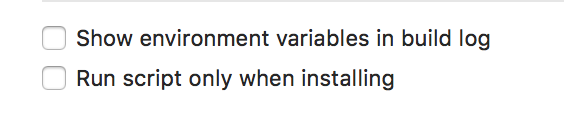
Make sure that none of the "Run Script" phases are outputting environment variables to the build log.
Show environment variables in build log
is UNCHECKED for all run scripts (like the image below)
Observe
- XCode IDE build (run non-standard Debug config), compiles and launches the iOS simulator as expected.
- cli
react-native run-ios --configuration=otherDebugConfigName --scheme=otherDebugSchemeNamewill ultimately fail at the very end to install the compiled App bundle "*.app" to the simulator.
Notes:
- The
xcodebuildcompiles fine; with no errors. - The error occurs within the execution of the
runIOS.jsscript itself.
The issue appears to be related to a string match used to determine the built app bundle name against the build log.
In the version of react-native I was using (0.58.6) the code is located at line 322 of react-native/local-cli/runIOS/runIOS.js
//FULL_PRODUCT_NAME is the actual file name of the app, which actually comes from the Product Name in the build config, which does not necessary match a scheme name,  example output line: export FULL_PRODUCT_NAME="Super App Dev.app"
let productNameMatch = /export FULL_PRODUCT_NAME="?(.+).app"?$/m.exec(
    buildOutput,
);
The master branch of react-native-cli has refactored it into a function here: https://github.com/react-native-community/react-native-cli/blob/master/packages/cli/src/commands/runIOS/runIOS.js#L362
Final thoughts
It's probably a really rare case for most developers of react-native, but it does seem to be a little brittle to rely upon generated build stdout to pull the app bundle name. Maybe this is something worth looking into.
Re-enabling the environment var output results in a working cli build and install.
Although, maybe y'all have already determined this isn't a supported use-case to begin with.
In any case, just wanted to document this somewhere.
Thanks for all the work you do!
 superguineapig
All 8 comments
Confirmed, I just lost few hours trying to understand why.
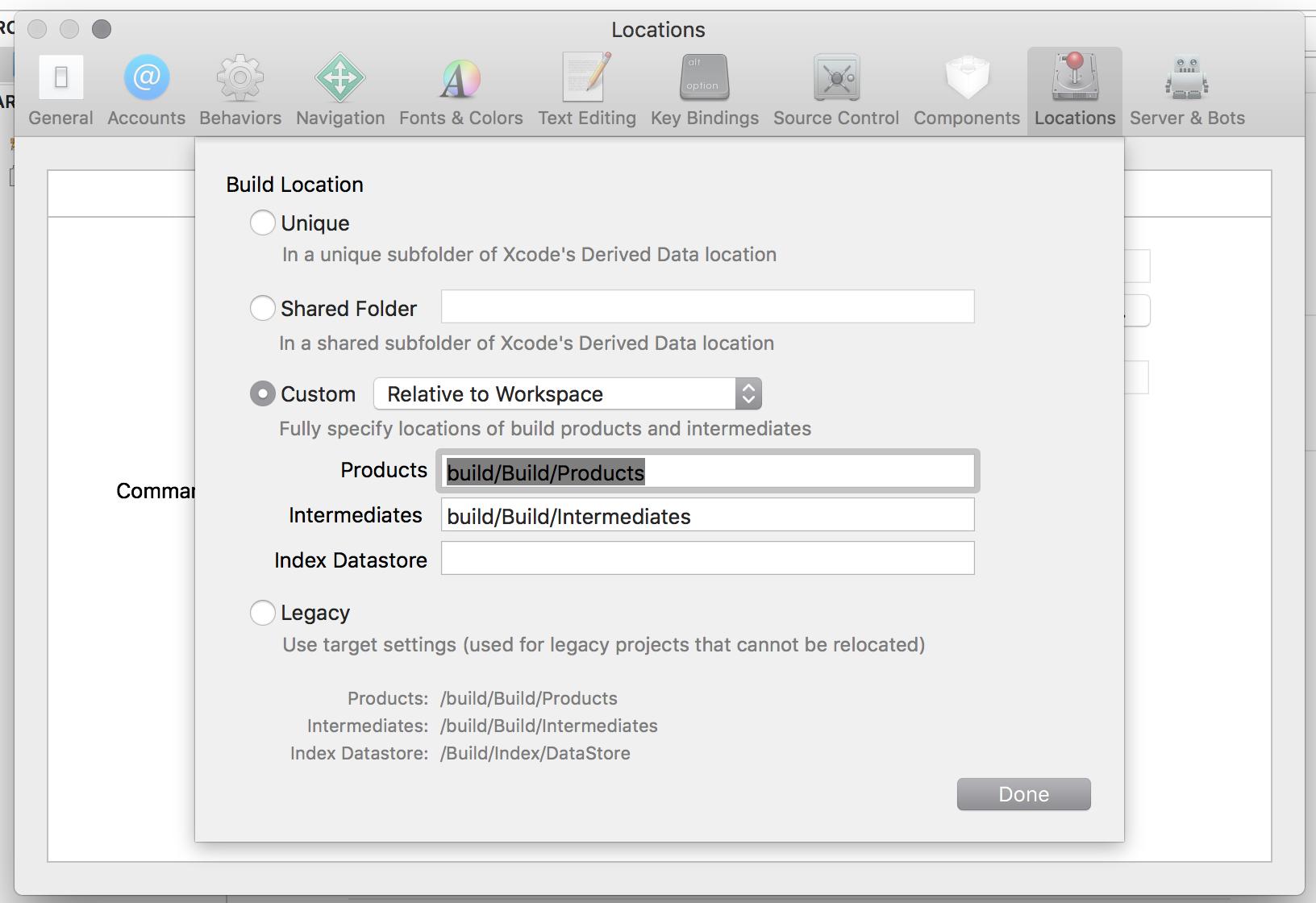
in my case I have this global setting
 rborn
on 13 Mar 2019
rborn
on 13 Mar 2019
cc @dratwas @michalchudziak
 thymikee
on 13 Mar 2019
thymikee
on 13 Mar 2019
Does this still happening in RN 0.61+?
thymikee
on 9 Mar 2020
@thymikee this is still happening - just found out it's similar to #622. Going to look at this.
 grabbou
on 19 Mar 2020
grabbou
on 19 Mar 2020
This is affecting a project I am working on. We run react-native run-ios --configuration=XXX with no scheme (because the scheme is the same across our configs).
The FULL_PRODUCT_NAME is set appropriately but now its picking up the scheme and using it instead as the app name and cant find the bundle when trying to install.
This all the sudden started happening after I upgraded to Xcode 12 so maybe the build output is different. Any thoughts on how to address this?
 zsiegel
on 22 Sep 2020
zsiegel
on 22 Sep 2020
I just ran into the same problem with Xcode 12 and the culprit seems to be the regexp matching the product name: In my case the equal sign in the build output is escaped with a backslash (\=), so the regexp doesn't match. If I change the regexp to include an escaped backslash (\\=), everything works fine.
I haven't had a chance to check it with other Xcode versions but the line in question is here: https://github.com/react-native-community/cli/blob/c23e16192f8d23915c14a11e54c3d5ffdfb243df/packages/platform-ios/src/commands/runIOS/index.ts#L444
 croaker
on 23 Sep 2020
croaker
on 23 Sep 2020
This is affecting me as well. In the output it's looking for (example) MyAppDevelopment.app when my scheme is "MyAppDevelopment" even though the product name and actual build output is just "MyApp.app"
 lumenlunae
on 29 Oct 2020
lumenlunae
on 29 Oct 2020
My problem was the same as @croaker (by the way, thanks for the hint to solve).
The problem: My build output is being generated with an extra \ as bellow:
export FULL_PRODUCT_NAME\=MyAppName.app
export GCC3_VERSION\=3.3
...
And don't know exactly why, maybe is something related to Xcode 12, but to solve the problem I changed the regexp to match this case and it worked:
function getProductName(buildOutput) {
  const productNameMatch = /export FULL_PRODUCT_NAME\\?="?(.+)\.app"?\s/m.exec(buildOutput);
  return productNameMatch ? productNameMatch[1] : null;
}
 gmeneguz
on 26 May 2021
gmeneguz
on 26 May 2021
Related issues
 ferrannp
·
4Comments
ferrannp
·
4Comments
 lucasbento
·
3Comments
lucasbento
·
3Comments
 ctavan
·
3Comments
lucasbento
·
3Comments
ctavan
·
3Comments
lucasbento
·
3Comments
 openmaya
·
4Comments
openmaya
·
4Comments
Most helpful comment
@thymikee this is still happening - just found out it's similar to #622. Going to look at this.