Cli: react-native init should have a folder option in addition to the current ProjectName one
As written in the title, a folder option would be very welcome. It should allow to give a different location to the default one it currently uses.
We should be able to do:
foo@bar:~$ react-native init AwesomeProject .
or
foo@bar:~$ react-native init AwesomeProject awesome05
 zabojad
All 8 comments
I think that makes sense
 thymikee
on 21 Jan 2019
thymikee
on 21 Jan 2019
@zabojad ping, would you like to take a stab at it? :) We've rewritten init to be a local command, so it's way easier to test now.
thymikee
on 15 Apr 2019
Is anyone working on this? If not I would like to do it.
 lucasbento
on 1 May 2019
lucasbento
on 1 May 2019
Is there a manual workaround for this? If I init a react-native project with an app name, then change the folder name (not app name) it will no longer build. I'm guessing there a few other things I need to change in some configs. The name of my folder can differ from the name of the app itself, correct? And the name of the folder doesn't have to be alphanumeric? (hyphens) Any help would be greatly appreciated.
 garretteklof
on 15 May 2019
garretteklof
on 15 May 2019
@garretteklof: changing just the folder should work fine, if you have a unix-like OS just do mv MyProject my-new-project-folder and that should be it.
lucasbento
on 16 May 2019
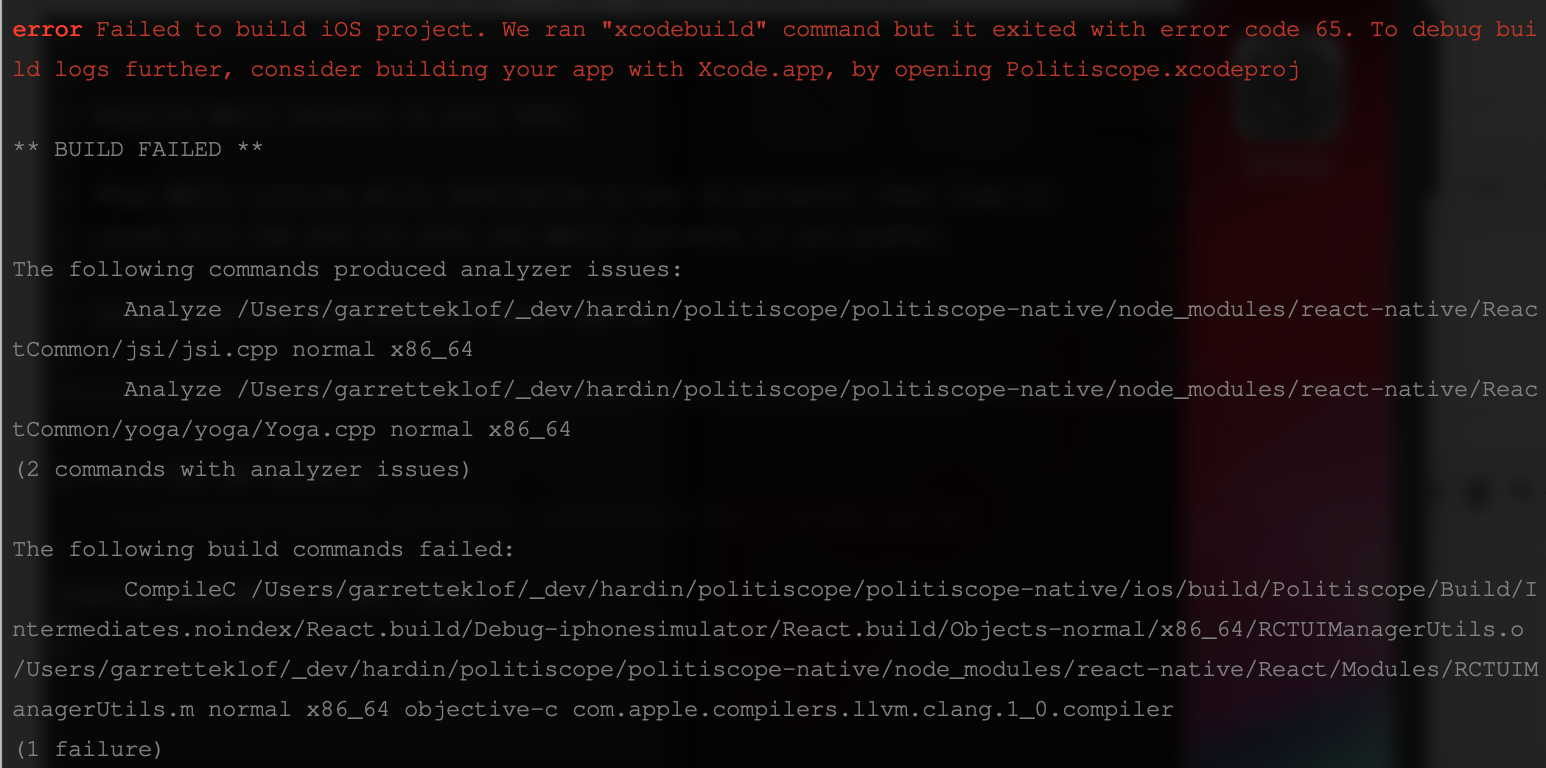
Yeah every time I do that (just change the folder name, or mv) it won't build.
garretteklof
on 16 May 2019
@garretteklof this issue and @lucasbento response is about changing the _root_ directory of your React Native project, not the Xcode or Android project name. Please mind the difference. The later is not supported automatically.
thymikee
on 16 May 2019
@thymikee I'm aware. I definitely just wanted to change the root folder (I know there's a separate process for the project name). Apologies if I didn't spell that out well enough. For me, what worked was deleting the ios/build folder, and then re-running react-native run-ios. Without doing that, various build errors like the one I pasted above kept occurring. Hopefully this is of some help to someone. Thanks for the responses!
garretteklof
on 16 May 2019
Related issues
 jchook
·
4Comments
jchook
·
4Comments
 ferrannp
·
4Comments
ferrannp
·
4Comments
 gitowiec
·
3Comments
gitowiec
·
3Comments
 sibelius
·
3Comments
sibelius
·
3Comments
 Jarred-Sumner
·
3Comments
Jarred-Sumner
·
3Comments
Most helpful comment
I think that makes sense