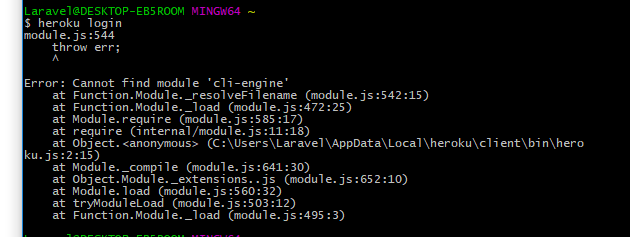
When I Type "Heroku" and hit then it shows,
module.js:544
throw err;
^
Error: Cannot find module 'cli-engine'
at Function.Module._resolveFilename (module.js:542:15)
at Function.Module._load (module.js:472:25)
at Module.require (module.js:585:17)
at require (internal/module.js:11:18)
at Object.
at Module._compile (module.js:641:30)
at Object.Module._extensions..js (module.js:652:10)
at Module.load (module.js:560:32)
at tryModuleLoad (module.js:503:12)
at Function.Module._load (module.js:495:3)
 cronlab-io
All 24 comments
Can you run heroku version and what is your version?
 RasPhilCo
on 5 Dec 2017
RasPhilCo
on 5 Dec 2017
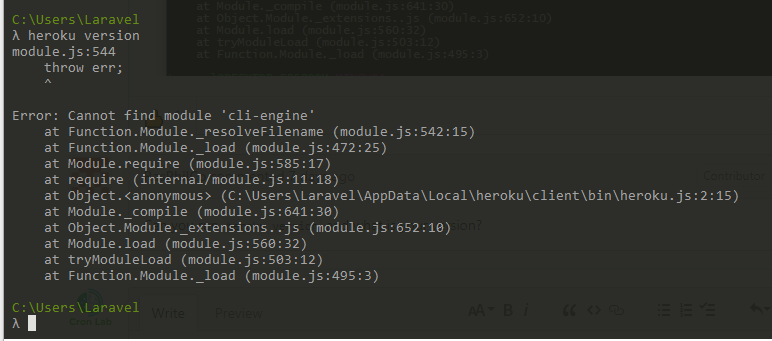
it shows same error when i type and hit heroku version and my version latest. see screenshot below
cronlab-io
on 12 Dec 2017
Same error here. Any fix soon?
 williameliel
on 3 Jan 2018
williameliel
on 3 Jan 2018
we don't actually use this package anymore. Make sure you're on [email protected]+
 jdxcode
on 3 Jan 2018
jdxcode
on 3 Jan 2018
@jdxcode It's the version I'm running
```$ ls -al
total 0
drwxr-xr-x 3 williamgarcia wheel 102 Jan 3 15:05 .
drwxr-xr-x 26 williamgarcia wheel 884 Jan 3 15:05 ..
drwxr-xr-x 8 williamgarcia wheel 272 Jan 3 15:05 6.15.4
williameliel
on 3 Jan 2018
I saw this error after upgrading to Heroku 6.15.2 on macOS via brew upgrade heroku.
A fresh install resolved the error for me:
brew uninstall --force heroku
brew install heroku
 georgebrock
on 3 Jan 2018
georgebrock
on 3 Jan 2018
thanks @georgebrock that did it!
williameliel
on 3 Jan 2018
i am running the pkg version, reinstalling from the pkg did not fix the issue.
then i did mv .local dot-local-old and then reinstalled, and it fixed the issue
here is the diff of the old and new .local
➔ diff -r .local dot-local-old
Only in dot-local-old/share: bower
Only in dot-local-old/share/heroku: cli
Only in dot-local-old/share/heroku: client
diff -r .local/share/heroku/config.json dot-local-old/share/heroku/config.json
1a2,3
>   "skip_analytics": true,
>   "install": "REDACTED",
3d4
<   "install": "REDACTED",
Only in dot-local-old/share/heroku: plugins
I don't know if that "install" value is a secret so I redacted it. let me know if it's needed for debugging.
 jjb
on 4 Jan 2018
jjb
on 4 Jan 2018
Okay, now i've sent my dot-local-old to heroku in ticket 542719.
jjb
on 4 Jan 2018
I had exactly the same issue. Uninstalling and reinstalling heroku worked for me as well. Thanks @georgebrock !
 kburzota
on 5 Jan 2018
kburzota
on 5 Jan 2018
sorry about the trouble here! we had some code to tidy up our directory and get rid of some extra files that was too eager. A fix is rolling out right now. If your CLI is broken, just delete ~/.local/share/heroku/client and it should resolve itself automatically.
jdxcode
on 5 Jan 2018
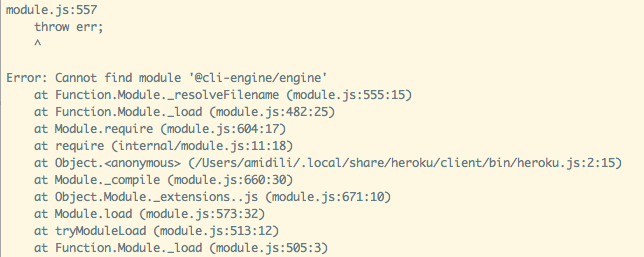
I just ran brew upgrade heroku to 6.15.11 and got this error when running heroku local.
I have ran
brew uninstall --ignore-dependencies --force heroku
then brew cleanup -s
then reinstalled heroku brew install heroku.
which allowed me to run heroku local successfully... until I quit my terminal and then restarted
it giving me the same error as before. Not sure what's going on here.
UPDATE: It took a complete mac restart, brew uninstall --force heroku, and brew install heroku to fix this issue. heroku local is now running as expected.
 anthonymidili
on 8 Jan 2018
anthonymidili
on 8 Jan 2018
Having this issue with 6.15.31
This has been the 3rd time I've had to reinstall heroku.
 TallOrderDev
on 12 Mar 2018
TallOrderDev
on 12 Mar 2018
I thought reinstalling Heroku had resolved this for me, but as reported in #683 and by other commenters, the issue keeps coming back.
georgebrock
on 19 Mar 2018
This keeps happening to me as well. I don't think requesting users just delete ~/.local/share/heroku/client is an appropriate and reasonable response.
 Pro777
on 23 Mar 2018
Pro777
on 23 Mar 2018
So there are 2 issues here. The ones the users had back in December/January are not the ones you guys are having now. That was affecting most users and was quickly fixed, but took a while to roll out and clear out stale code that kept making it reappear.
It's apparent that there is another issue that is causing a small number of users to have to reset their CLI weekly. I've been pulling my hair out digging through the code trying to figure out what it is but have come up short. You have no idea how much this has been on my mind. I haven't said much about it because I haven't figured anything out.
I'm not sure what it is but I think it might be something with our bash script on certain machines running symlinks. It might also be stale code that keeps getting executed on your machine.
I just pushed out a potential fix that moves one of the files from a symlink into a real file. If you update to 6.15.38, let me know if you see it happen again. It might also be a good idea to try the pkg installer as that might solve an issue with stale code being loaded.
If this is really causing you pain, just use npm install -g heroku-cli and that will never autoupdate.
In any case, with this new change, if I get a new traceback after this happens on version 6.15.38+, it will give me more information on what the root cause. So please keep me informed but hopefully this will resolve the issue.
jdxcode
on 23 Mar 2018
Got the following just now:
module.js:472
    throw err;
    ^

Error: Cannot find module 'cli-engine'
    at Function.Module._resolveFilename (module.js:470:15)
    at Function.Module._load (module.js:418:25)
    at Module.require (module.js:498:17)
    at require (internal/module.js:20:19)
    at Object.<anonymous> (/Users/josefdiago/.local/share/heroku/client/bin/heroku.js:2:13)
    at Module._compile (module.js:571:32)
    at Object.Module._extensions..js (module.js:580:10)
    at Module.load (module.js:488:32)
    at tryModuleLoad (module.js:447:12)
    at Function.Module._load (module.js:439:3)
version was 6.16.12
 jdiago
on 11 Apr 2018
jdiago
on 11 Apr 2018
You have old code on your machine if you get this error despite what the version states.
jdxcode
on 11 Apr 2018
Weird. I've brew rm heroku, brew cleanup -s, then brew install heroku a few times already because of this recently.
Are there other files I need to get rid of manually?
jdiago
on 11 Apr 2018
yes I put the instructions on this ticket: https://github.com/heroku/cli/issues/683
We definitely do not use this path (.local/share/heroku/client/bin/heroku.js) anymore so if you're getting this issue it must be old code on the machine
jdxcode
on 11 Apr 2018
Done. Thank you.
jdiago
on 11 Apr 2018
I'm really new to heroku (like I haven't successfully deployed to the point I can see my app) and I've returned to this thread a few times trying various fixes. I just ran this npm install -g heroku-cli but I did it in the directory I'm trying to push. Should I be on the root instead? I haven't tried to push to my repo again but I've done it so many times I wanted to ask before I try again.
I checked my heroku version:
heroku-cli/6.16.17 (darwin-x64) node-v8.10.0
 green64
on 23 Apr 2018
green64
on 23 Apr 2018
I've uninstalled & reinstalled heroku using brew numerous times. I only barely skimmed this issue previously.
Just now I saw recommendation to rm -rf ~/.local/share/heroku/client in a different thread, and simply doing that seemed to fix my issue. We'll see how long it lasts 🤷♂️
@green64 sorry I didn't see this sooner, I assume you worked it out, but for reference: npm install -g is install "globally" so it doesn't matter what directory you run it from.
 sdhull
on 31 May 2018
sdhull
on 31 May 2018
thank you -- I got it working after reinstalling git, heroku several times, standing on one leg and holding my tongue just right. :)
green64
on 31 May 2018
Related issues
 saintthor
·
4Comments
saintthor
·
4Comments
 sdalezman
·
4Comments
sdalezman
·
4Comments
 zeke
·
7Comments
zeke
·
7Comments
 ValentinTrinque
·
3Comments
ValentinTrinque
·
3Comments
 edmorley
·
3Comments
edmorley
·
3Comments
Most helpful comment
I saw this error after upgrading to Heroku 6.15.2 on macOS via
brew upgrade heroku.A fresh install resolved the error for me: