Cli-microsoft365: Bug report: MkDocs Docker Command mentioned wrong after docs folder restructure
Description
Changes need to be done in the Project Guide named Minimal Path to Awesome
Steps to reproduce
Open the Project Guide named Minimal Path to Awesome
Check the section Documentation
Command given for opening MkDocs using Docker container is wrong due to the change in docs folder structure after the V3 release
on Windows:
run docker run --rm -it -p 8000:8000 -v c:/projects/cli-microsoft365/docs/manual:/docs squidfunk/mkdocs-material:3.1.0 to start the local web server with MkDocs and view the documentation in the web browser

Expected result
We need to remove the sub-folder manual which was the old folder structure from the Minimal Path to Awesome documentation.
The documentation server should be rendered, but instead we are getting the error.
The change need to be done to the command,
docker run --rm -it -p 8000:8000 -v c:/projects/cli-microsoft365/docs:/docs squidfunk/mkdocs-material:3.1.0
rather than
docker run --rm -it -p 8000:8000 -v c:/projects/cli-microsoft365/docs/manual:/docs squidfunk/mkdocs-material:3.1.0

Environment
3.1.0
 arjunumenon
All 7 comments
Good catch @arjunumenon would you like to submit the change?
 garrytrinder
on 7 Sep 2020
garrytrinder
on 7 Sep 2020
Definitely @garrytrinder . Pleasure would be mine 🙏🙏. Please feel free to assign it to me.
arjunumenon
on 8 Sep 2020
Awesome 😎 All yours 👍🏻
garrytrinder
on 8 Sep 2020
Hey @garrytrinder - Quick question If I may.
When we fork the M365 CLI Repo , I guess wiki content are not forked to your Repo since Wiki is a separate entity altogether. Details mentioned HERE. Since that being the case, do you think I can push the changes directly to the original Wiki Repo for me to make the changes. I haven't come across this use case before. Can you advise what has to be done here? Pardon me If I am missing something here.
arjunumenon
on 8 Sep 2020
Ah yes, we did move this from the repo into the wiki recently, apologies, so many changes recently 😄
Do you see the Edit button on the page?
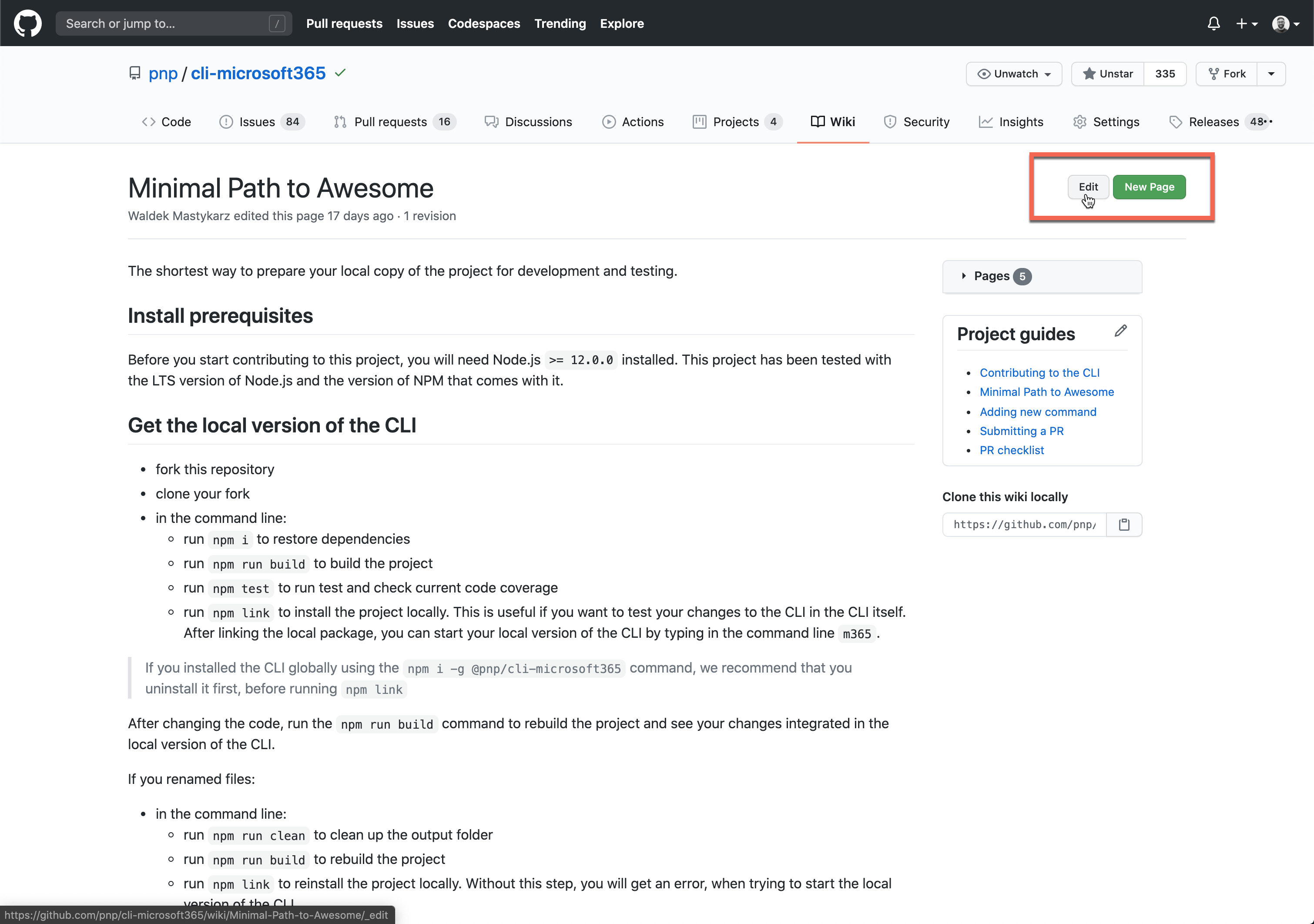
If you do you should be able to make the change, outside of the PR process.
If not, I'll make the update for you.
garrytrinder
on 8 Sep 2020
Thanks @garrytrinder for the direction. I am seeing neither the New Page nor Edit Page option in the Wiki section. Guess I don't have the needed permission for the same.

There are couple of work-around suggested by some users which is explained in the THIS LINK and THIS LINK.
Do you want me try that from my side? Or do you prefer it to be done from your end?
Let me know if you need any help if you are going with the latter?
arjunumenon
on 8 Sep 2020
I've updated the Wiki. Thanks agains for reporting it @arjunumenon 👏
 waldekmastykarz
on 8 Sep 2020
waldekmastykarz
on 8 Sep 2020
Related issues
garrytrinder
·
3Comments
arjunumenon
·
3Comments
 andrewconnell
·
3Comments
waldekmastykarz
·
3Comments
andrewconnell
·
3Comments
waldekmastykarz
·
3Comments
 VelinGeorgiev
·
3Comments
VelinGeorgiev
·
3Comments
Most helpful comment
I've updated the Wiki. Thanks agains for reporting it @arjunumenon 👏