Cli-microsoft365: spo listitem set SingleMetadataField
When executing the cmd:
o365 spo listitem set -u "https://tenant.sharepoint.com/sites/sitecol" -i "9" -t "All Documents" --SingleMetadataField "Term Name|448496d0-f253-46a1-ad02-5e6d84f84b58;"
I get the error:
'448496d0-f253-46a1-ad02-5e6d84f84b58' is not recognized as an internal or external command,
operable program or batch file.
When running the following:
o365 spo listitem set -u "https://tenant.sharepoint.com/sites/sitecol" -i "9" -t "All Do
cuments" --SinglePeopleField "[{'Key':'i:0#.f|membership|[email protected]'}]"
I also get a similar message:
'membership' is not recognized as an internal or external command,
operable program or batch file.
Running version: 1.22.0
Not sure if I am doing something wrong here or if an issue.
 ahyland
All 20 comments
In which shell and on which OS are you seeing this?
 waldekmastykarz
on 9 Jul 2019
waldekmastykarz
on 9 Jul 2019
Hi Waldek,
This is on Windows 10 using Windows PowerShell version 5.1.17134.590
ahyland
on 9 Jul 2019
Seems that the | char is causing the issues when cmd or powershell , I found some documents saying the ^ should escape the | char and thread it as text so I tried specifying term value like that "'Term name'^|GUID", but it did not work for me. Reference to the source I used: https://www.robvanderwoude.com/escapechars.php
@waldekmastykarz, I am thinking on we can simplify that to the user so just term guid is passed or just user email is passed as option value and then the cli does the | concatenation on the background.
 VelinGeorgiev
on 10 Jul 2019
VelinGeorgiev
on 10 Jul 2019
The command below works when using a bash shell on macOS
spo listitem set -u https://contoso.sharepoint.com/sites/somesite -t "Library Title" -i <id> --MetadataFieldName '`Label|Termguid`'
Sounds like it could be similar to #625
spo customaction set with --clientSideComponentProperties param results in invalid JSON object
 phillipharding
on 10 Jul 2019
phillipharding
on 10 Jul 2019
@VelinGeorgiev I would prefer avoiding introducing any specific constructs in the CLI if it's a shell-specific thing. Let's see if there are any known issues and ways around it.
waldekmastykarz
on 10 Jul 2019
@ahyland could you please try what @phillipharding proposed and see if it helps?
waldekmastykarz
on 10 Jul 2019
@waldekmastykarz I have just tried this now using Windows PowerShell however I get the same output.
'448496d0-f253-46a1-ad02-5e6d84f84b58`' is not recognized as an internal or external command,
operable program or batch file.
ahyland
on 10 Jul 2019
Unfortunately, I can't reproduce the issue. When I try to execute the exact command, it's working just fine. I'm using:
- CLI v1.22.0
- PowerShell 5.1.17134.407
- Win 10
Anything else that I could try?
waldekmastykarz
on 11 Jul 2019
@waldekmastykarz could you please give me the cmd you have run so I can give it a try. Thanks!
ahyland
on 11 Jul 2019
It's exactly what you put in your original issue:
o365 spo listitem set -u "https://tenant.sharepoint.com/sites/sitecol" -i "9" -t "All Documents" --SingleMetadataField "Term Name|448496d0-f253-46a1-ad02-5e6d84f84b58;"
Hi @waldekmastykarz sorry for the delay in getting back to you.
I have had other users test this and they confirm that they have the same issue?
ahyland
on 17 Jul 2019
I @ahyland , I can also reproduce it. I do not have enough time to troubleshot and see If I can find a solution. I will try to find some time until the end of the week so see if I can find working solution.
VelinGeorgiev
on 17 Jul 2019
I have tried several more things, but I am running out of options here.
I am thinking of enhancing the CLI and introducing our own special character combination for the input when we have to use | char to make it work with Windows cmds that do not accept that. For example encodeURIComponent('|') resolves in %7C. We can look for %7C input and send it to the apis as | char. This way we will escape death by windows cmd.
Example:
--SingleMetadataField "Term Name%7C448496d0-f253-46a1-ad02-5e6d84f84b58;"
to be translated and send by the CLI like
--SingleMetadataField "Term Name|C448496d0-f253-46a1-ad02-5e6d84f84b58;"
@waldekmastykarz what do you think?
VelinGeorgiev
on 24 Jul 2019
@VelinGeorgiev what configuration have you used to repro the issue? As I mentioned, using
- CLI v1.22.0
- PowerShell 5.1.17134.407
- Win 10
everything is working as expected
waldekmastykarz
on 18 Aug 2019
Here is what I have
- CLI v1.22.0
- I used cmd.exe (have not tested in the PowerShell console, but I can)
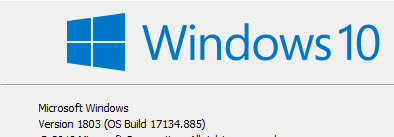
VelinGeorgiev
on 23 Aug 2019
It could be, that in cmd, you'd need to wrap quotes in another pair of quotes. It could be that the first pair of quotes get removed and what's passed into the cmd is the raw | which is parsed as piping rather than a command argument.
waldekmastykarz
on 25 Aug 2019
I tried dozen combinations . Nothing worked for me.
VelinGeorgiev
on 25 Aug 2019
I'll see if I can repro it with cmd. 👍
waldekmastykarz
on 26 Aug 2019
Unfortunately, I still can't repro it. I tried in both cmd.exe as well as cmder and in both cases the command as mentioned literally in the original comment works as expected. What am I missing guys?
waldekmastykarz
on 3 Sep 2019
Closing due to lack of response
waldekmastykarz
on 1 Oct 2019
Related issues
VelinGeorgiev
·
3Comments
 vineet2907
·
3Comments
vineet2907
·
3Comments
 andrewconnell
·
3Comments
andrewconnell
·
3Comments
 arjunumenon
·
3Comments
arjunumenon
·
3Comments
 garrytrinder
·
3Comments
garrytrinder
·
3Comments
Most helpful comment
The command below works when using a bash shell on macOS
spo listitem set -u https://contoso.sharepoint.com/sites/somesite -t "Library Title" -i <id> --MetadataFieldName '`Label|Termguid`'Sounds like it could be similar to #625
spo customaction set with --clientSideComponentProperties param results in invalid JSON object