Cli-microsoft365: Graph Team Clone and suffix/prefix policy
If the tenant has a prefix/suffix policy with something like "O365_" etc the team clone command will not work since it uses a regex on the displayName as mailNickname:
 phettz
All 6 comments
@phettz we automatically assign mailNickname since that setting is currently ignored by the Microsoft Graph. This is a known issue, but once it is fixed on the Microsoft Graph level, then we will let the Office 365 CLI user specify the mailNickname instead of automatically assigning value. You can have a look at https://docs.microsoft.com/en-us/graph/api/team-clone?view=graph-rest-1.0#request-body, the mailNickname section where there is specified that this is known issue.
If you are currently experiencing issue, could you please be more specific and provide us with steps to reproduce the issue?
 VelinGeorgiev
on 3 Jul 2019
VelinGeorgiev
on 3 Jul 2019
ah I see @VelinGeorgiev , this the command and error I get when the tenant have O365 group naming policy:
o365$ graph teams clone --teamId a17d5347-db2e-46dd-980a-418b53ee6e35 --displayName "o365_Clone-Test" --partsToC
lone "apps,tabs,settings,channels" --description "Clone test" --visibility "private" --verbose
Error: The team prefix or suffix is incorrect, prefix:'o365_', suffix:''
Hey @phettz, I double checked if the mailNickname is still ignored and it is. When I executed the following command
graph teams clone --teamId 14004c95-3d57-4e54-83a8-173803d91772 --displayName o365_clone-test --partsToClone "apps,tabs,settings,channels" --description test --visibility Private --debug
this is the payload that has been send
body:
   { displayName: 'o365_clone-test',
     mailNickname: 'o365clonetest5624',
     partsToClone: 'apps,tabs,settings,channels',
     description: 'test',
     visibility: 'Private' },
but it cloned the teams with completely different email that matches the display name and ignored the mailNickname in the body payload of the CLI request.
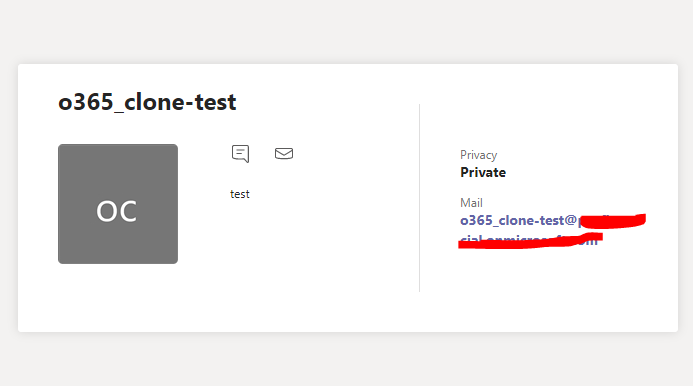
Note: that I do not have naming policy enabled.
My thought is that there has to be something to do between the O365 group naming policy and the Microsoft Graph api where the Microsoft Graph API does not handle correctly. All the Office 365 CLI is doing is to call the graph rest service under the hood so there is nothing on the CLI side that can interfere. This is the official documentation with the REST service - https://docs.microsoft.com/en-us/graph/api/team-clone?view=graph-rest-1.0 I would suggest that you rise it as new issue in their issues log at the bottom so they can fix it asap.
VelinGeorgiev
on 5 Jul 2019
@VelinGeorgiev so is the conclusion that it's nothing that we can address in the CLI and we should close this issue?
 waldekmastykarz
on 13 Jul 2019
waldekmastykarz
on 13 Jul 2019
@waldekmastykarz , It seems that is a Microsoft Graph issue. All we can do it to create issue on their board, but I cannot repro since o365 group sufix/prefix policy requires AAD premium if I am not mistaken so I simply do not have that to repro and create an issue on their board.
VelinGeorgiev
on 13 Jul 2019
In that case, let's close this issue
waldekmastykarz
on 13 Jul 2019
Related issues
 phillipharding
·
3Comments
phillipharding
·
3Comments
 arjunumenon
·
3Comments
arjunumenon
·
3Comments
 vineet2907
·
3Comments
waldekmastykarz
·
3Comments
VelinGeorgiev
·
3Comments
vineet2907
·
3Comments
waldekmastykarz
·
3Comments
VelinGeorgiev
·
3Comments
Most helpful comment
Hey @phettz, I double checked if the mailNickname is still ignored and it is. When I executed the following command
this is the payload that has been send
but it cloned the teams with completely different email that matches the display name and ignored the mailNickname in the body payload of the CLI request.
Note: that I do not have naming policy enabled.
My thought is that there has to be something to do between the O365 group naming policy and the Microsoft Graph api where the Microsoft Graph API does not handle correctly. All the Office 365 CLI is doing is to call the graph rest service under the hood so there is nothing on the CLI side that can interfere. This is the official documentation with the REST service - https://docs.microsoft.com/en-us/graph/api/team-clone?view=graph-rest-1.0 I would suggest that you rise it as new issue in their issues log at the bottom so they can fix it asap.