Cli-microsoft365: o365 spo login doesn't seem to save
I'm just trying to follow the CI docs:
https://docs.microsoft.com/en-us/sharepoint/dev/spfx/toolchain/implement-ci-cd-with-azure-devops#connecting-to-the-app-catalog
I tried to login and check for the status without specifying the command prompt scope to 0365 as follows:
>o365 spo login https://xxx.sharepoint.com --authType password --userName $(userName) --password $(password)

>o365 spo status
**Logged out**
While entering o365, then login using just spo login it seems to works fine.
>o365
o365$ spo login https://xxx.sharepoint.com --authType password --userName $(userName) --password $(password)
o365$ spo status
connectedAs: [email protected]
connectedTo: https://xxx.sharepoint.com
Is this the expected behaviour?
version 1.12.0
 jonathanhotono
All 7 comments
No, it's not. In the first case, you should stay connected too. Which OS are you using the CLI on?
 waldekmastykarz
on 17 Jan 2019
waldekmastykarz
on 17 Jan 2019
@waldekmastykarz windows 10
jonathanhotono
on 18 Jan 2019
Unfortunately I can't reproduce it @jonathanhotono. Are you running your terminal in admin mode? Also, could you try to add the --debug option to the login method to see if it would give us some more info why it's not working for you?
waldekmastykarz
on 23 Jan 2019
@waldekmastykarz with debug doesn't seem to show any good result

I have a high suspicion that it might be the password complexity that causes this issue as I tried to login to another tenant with simpler password:
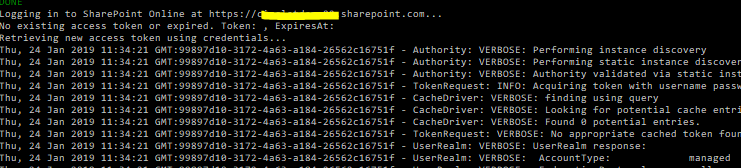
I tried this generated password on another tenant and also won't work: b3U/7k$6e~_>:kdQ
jonathanhotono
on 24 Jan 2019
Using your complex password, I can indeed reproduce the issue. What seems to help is wrapping it in double quotes. The auth then proceeds as expected and the quotes are not included in the password sent to AAD.
waldekmastykarz
on 24 Jan 2019
@waldekmastykarz yep I did tried with double quotes and it does work. Thanks!
jonathanhotono
on 24 Jan 2019
Perfect! Thanks for confirming!
waldekmastykarz
on 26 Jan 2019
Related issues
 joshua-probst
·
3Comments
joshua-probst
·
3Comments
 rabwill
·
3Comments
rabwill
·
3Comments
 plamber
·
3Comments
plamber
·
3Comments
 garrytrinder
·
3Comments
garrytrinder
·
3Comments
 thomyg
·
3Comments
thomyg
·
3Comments