Clay: Dropdown Menu: Checkbox and Radio hover interaction styles inherited
What are the steps to reproduce?
- Go to Clay Storybook
- Open ClayDropdown menu item
- Select Checkbox or Radio
- Click "Click me" button
Current behavior
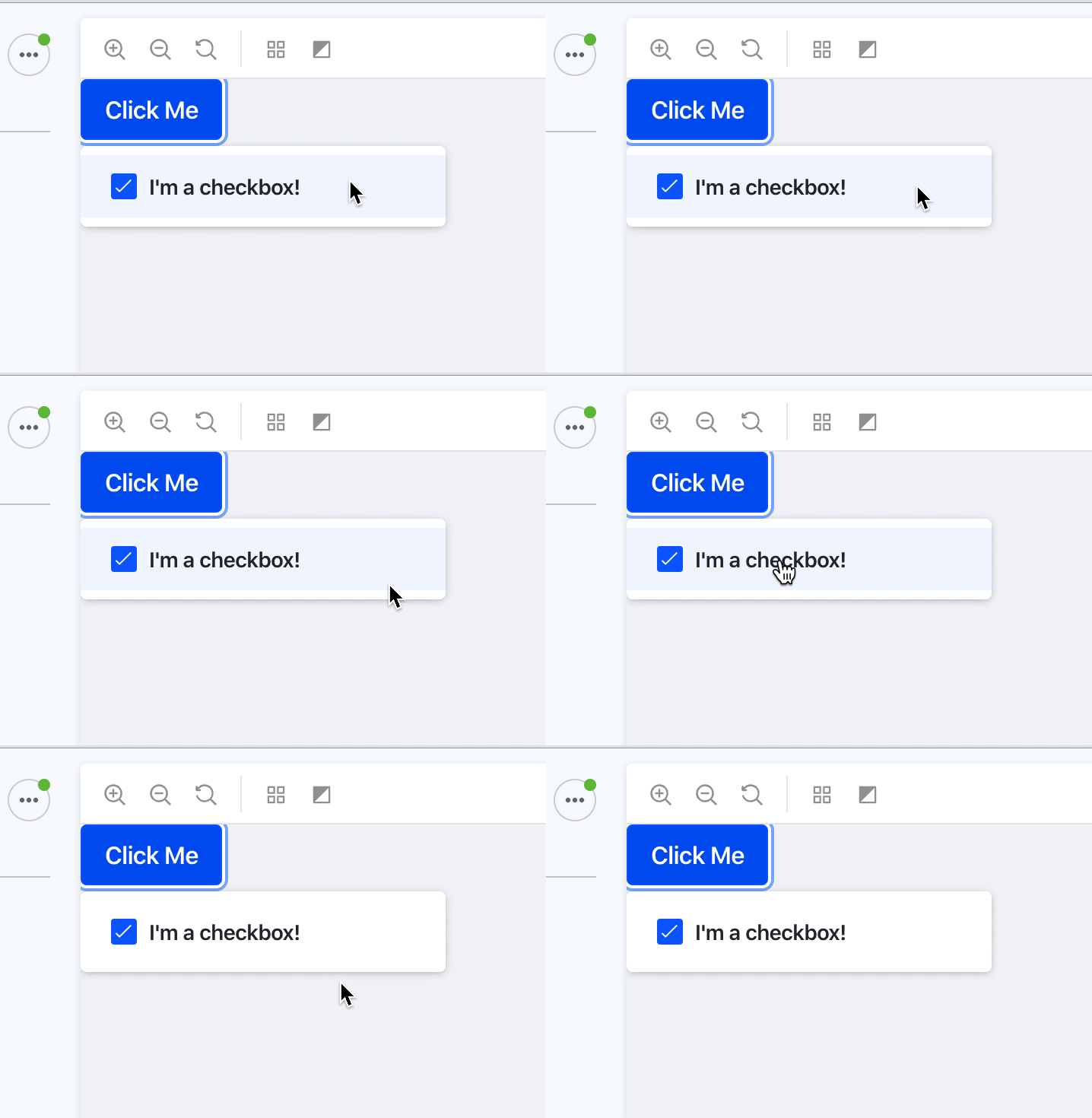
What is the expected result?
Dropdown item hover or selected interaction styles mustn't be inherited to check boxes and radio buttons
Environment
| Tech | Version |
| ----- | ------- |
| Clay | v3.0 |
 drakonux
All 8 comments
@pat270 Are we probably missing something with markup on components?
 matuzalemsteles
on 13 Dec 2019
matuzalemsteles
on 13 Dec 2019
Just one more thing. I reported this as a bug but this ticket is an update caused by a review we did due to LEXI-661 and Lexicon has to change the documentation about this too.
Sent with GitHawk
drakonux
on 13 Dec 2019
@matuzalemsteles this is an update to the design, I'll update in Clay CSS. It will probably require some markup change to the clay component.
 pat270
on 13 Dec 2019
pat270
on 13 Dec 2019
@matuzalemsteles Not sure if Clay Dropdown can do this already, the only thing that needs to change is dropdown-item needs to to be dropdown-section for checkbox/radios. See https://github.com/liferay/clay/pull/2861.
pat270
on 20 Jan 2020
Thanks @pat270
matuzalemsteles
on 20 Jan 2020
Hey @pat270 @matuzalemsteles any update with this issue? is it done?
drakonux
on 28 Feb 2020
hey @drakonux, I think we ended up missing this on the track for component corrections, sorry about that. I'll take care of that today.
matuzalemsteles
on 28 Feb 2020
Thanks @matuzalemsteles
drakonux
on 28 Feb 2020
Related issues
drakonux
·
5Comments
pat270
·
4Comments
 joseigor
·
5Comments
joseigor
·
5Comments
 dgarciasarai
·
4Comments
dgarciasarai
·
4Comments
 brunofarache
·
5Comments
brunofarache
·
5Comments
Most helpful comment
@matuzalemsteles this is an update to the design, I'll update in Clay CSS. It will probably require some markup change to the clay component.