Clarity: Datagrid Single Row Action no longer works when ResizeSensor is used by other elements
Describe the bug
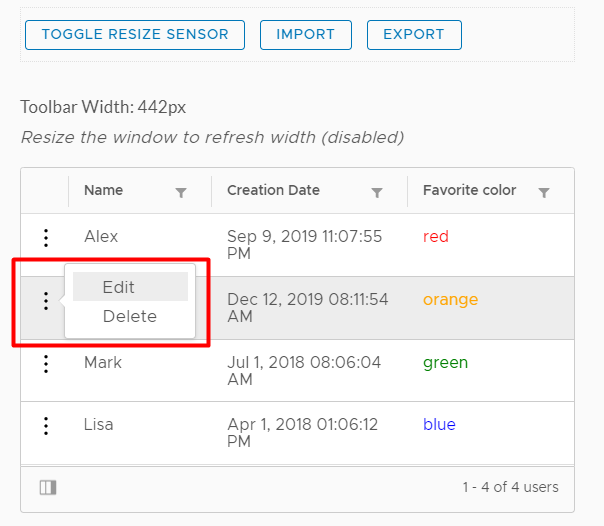
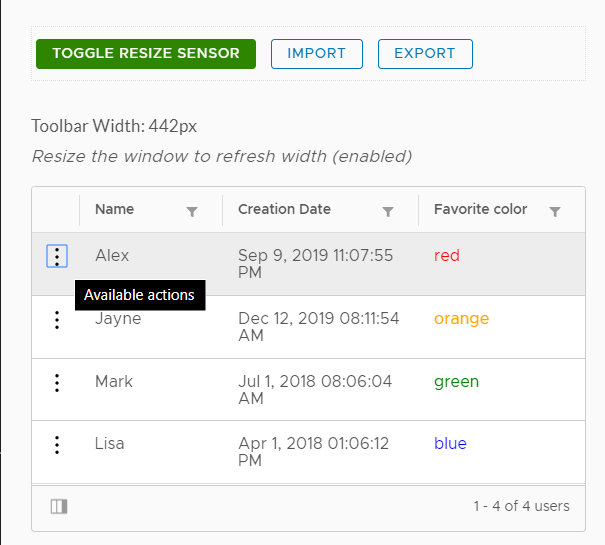
I've been using the ResizeSensor which is a part of css-element-queries library to detect the changes in dimension of any HTML element. I don't have any problems with it prior to Clarity version 2.2.0 but when I updated my dependencies to the latest Clarity version, the data grid component's single row action, which I think is now using the new smart popover, it's not popping up.
Resize sensor is disabled:
Resize sensor is enabled and applied to the _toolbar_ element:
How to reproduce
Sample code that uses the ResizeSensor (I created a directive for this):
<div (elementResized)="onResize($event)">
    <button class="btn">Button 1</button>
    <button class="btn">Button 1</button>
</div>

<clr-datagrid>
    ...datagrid definition here
</clr-datagrid>
Use this StackBlitz link to see the issue: https://stackblitz.com/edit/clarity-light-theme-v2-yrfkcg
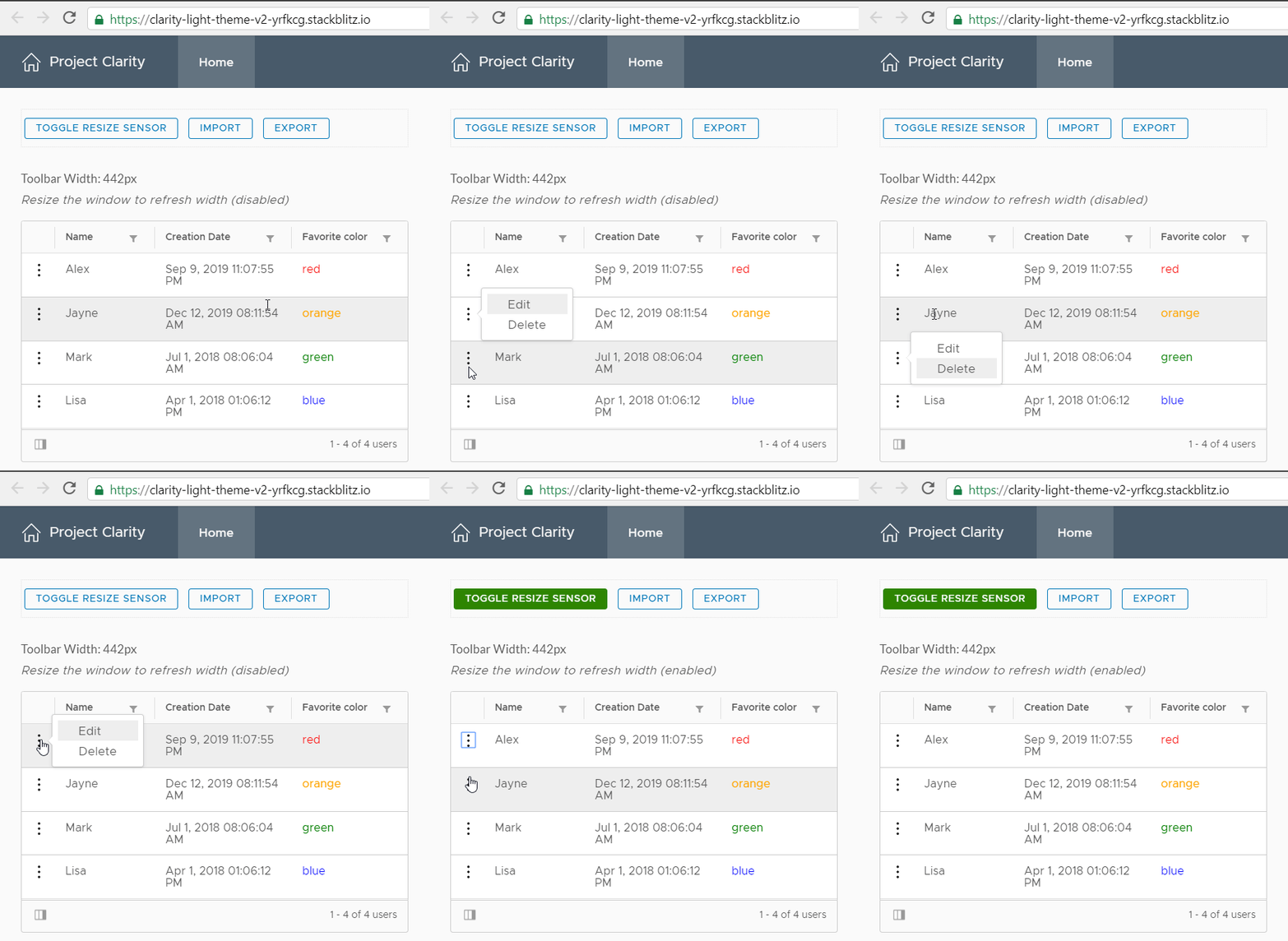
- Click on the
Toggle Resize Sensorbutton to enable/disable the resize sensor. - Click on the single action row button.
Expected behavior
The datagrid single row action should show up when clicked. If you have an alternative that I can use for detecting the size changes in an element, then I think I get rid of the ResizeSensor library.
Versions
App
- Angular: [e.g. 6] 8
- Node: [e.g. 8.10.0] 10 or 11
- Clarity: [e.g. 0.12.5] 2.2.0
Device:
- Type: [e.g. MacBook] Dell XPS 13
- OS: [e.g. iOS] Windows 10
- Browser [e.g. chrome, safari] Chrome, Edge Chromium, Edge, Firefox, IE11
- Version [e.g. 22] Latest
Additional notes
Column filters and column hide/show toggle seem fine. I think only the single action row button is not working.
 whizkidwwe1217
All 7 comments
Hi There,
I did a bit of investigation on this. One thing I noticed is that I can only replicate the issue as described wen using the stackblitz code editor and preview pane in the same tab. The popover works as expected when Toggle Resize Sensor is on in the full app view: https://clarity-light-theme-v2-yrfkcg.stackblitz.io/
Is this the case for you as well?
 hippee-lee
on 9 Sep 2019
hippee-lee
on 9 Sep 2019
First, what are you using this ResizeSensor for exactly? I'm not sure why you are using it but since this is a third party service it is unclear to me if this is an issue on our end or theirs.
 gnomeontherun
on 9 Sep 2019
gnomeontherun
on 9 Sep 2019
@gnomeontherun @hippee-lee It doesn't work in the full app view for me either. When the button is green, that means ResizeSensor is being used. I made a toggle button so I can see the difference when using and not using the ResizeSensor.
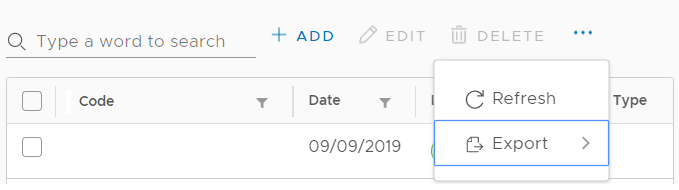
I built a custom toolbar component similar to Microsoft's Office UI Fabric CommandBar component and Blueprint's Overflow list component. The component can contain several buttons/toolbar items. If the width of the toolbar is enough to display all the buttons then it'll display all of them. But, if the width is smaller than the total width of all the buttons, those buttons that aren't visible are added to the overflow button.
The reason why I used this library is because I used it to listen to the changes in the dimension of an element. With that, I can recalculate the width of the toolbar and the total width of all its buttons. Then when I got the right calculated widths, I can now decide whether I should make the buttons visible in the toolbar or hide it in the overflow button.
To summarize, my goal is to listen to the changes in the HTML element's dimensions. I can't use the html resize event since it fires only when resizing the browser window.
Is there any workaround you can suggest? I'm also looking for an alternative solution so maybe I can just get rid of ResizeSensor.
whizkidwwe1217
on 10 Sep 2019
Here's what it looks like in real-world app:
When the width of the page is wider:

When the width is tight:
whizkidwwe1217
on 10 Sep 2019
@gnomeontherun @hippee-lee I've done some research and came up with an alternative solution. I totally got rid of the ResizeSensor library and used Google Dev's ResizeObserver instead. Tested it, used some polyfills for other browsers, and now I've got the single action row working again! Anyway, thanks for looking into this issue and I can now close this.
whizkidwwe1217
on 10 Sep 2019
Awesome. fwiw - I think ResizeObserver is part of the WebAPI and not exclusive to Chrome/google https://drafts.csswg.org/resize-observer-1/ and https://developer.mozilla.org/en-US/docs/Web/API/ResizeObserver.
hippee-lee
on 10 Sep 2019
Hi there 👋, this is an automated message. To help Clarity keep track of discussions, we automatically lock closed issues after 14 days. Please look for another open issue or open a new issue with updated details and reference this one as necessary.
![github-actions[bot] picture](https://avatars.githubusercontent.com/in/15368?v=4&s=40) github-actions[bot]
on 5 Sep 2020
github-actions[bot]
on 5 Sep 2020
Related issues
 vmwareux-vivian
·
41Comments
vmwareux-vivian
·
41Comments
 reddolan
·
99Comments
reddolan
·
99Comments
 girijaa
·
29Comments
girijaa
·
29Comments
 civanova
·
25Comments
civanova
·
25Comments
 gracesnoh
·
41Comments
gracesnoh
·
41Comments