Epic for Icons Volume 15
Icons to be added for next icon release:
@Stela-Stamenkova , please refer to issue #3296 for examples and details for #1-7. These icons should be consistent in style, size & weight with the text-editing icon set currently in the Clarity library.
- Strikethrough
- Subscript
- Superscript
- Foreground color
- Highlight color
- Indent (Increase Indention)
- Outdent (Decrease Indention)
- Storage adapter (FC HBA) Reference #3237
- Label for BETA (similar to the "new" label icon in Clarity) - request from @reddolan
 lil-kim
All 20 comments
Hello everyone!
Icons_Vol15.zip
I am attaching the icons, let me know how they work.
Best,
Stela
 Stela-Stamenkova
on 16 May 2019
Stela-Stamenkova
on 16 May 2019
Do we anticipate these making it into the 2.0 release?
 reddolan
on 16 May 2019
reddolan
on 16 May 2019
@reddolan
2.0 is in release candidacy. I think it's more likely these make it into 2.1. @gnomeontherun could add more info on that.
 mathisscott
on 16 May 2019
mathisscott
on 16 May 2019
@mathisscott thank you. I will plan to get these icons ready for the 2.0 resource work that aligns with #3258
reddolan
on 16 May 2019
Hello,
I am adding them again, with little changes per comment by Lilia.
Let me know how they work now.
icons_Vol-15.zip
Stela-Stamenkova
on 20 May 2019
Looks good, @Stela-Stamenkova. Thank you!
lil-kim
on 20 May 2019
Do we happen to know which categories each will reside in?
reddolan
on 20 May 2019
I am assuming
- Text Editing: Strikethrough, Subscript, Superscript, Foreground color, Highlight color, Indent, Outdent
- Technology: Storage adapter
- Essential: Beta
reddolan
on 20 May 2019
@reddolan Agreed!
lil-kim
on 20 May 2019
I see beta-line, but am not seeing beta-solid. Was this intentional? new has line and solid
reddolan
on 20 May 2019
Good catch @reddolan. @Stela-Stamenkova would you please add a solid version of "Beta"? Thank you!
lil-kim
on 20 May 2019
I am also seeing something weird with the beta one where the TA are not showing in the SVG when importing it into Sketch or Figma. Is there something different with the TA?
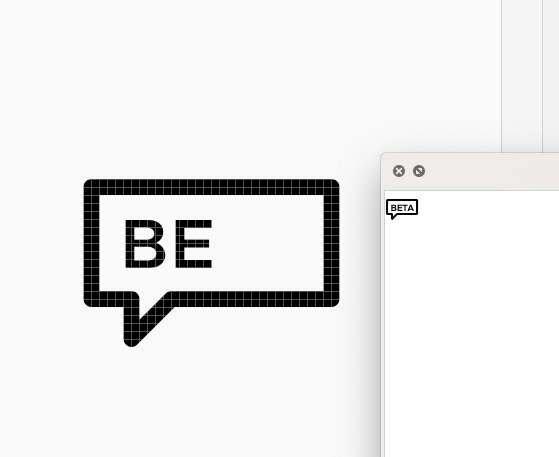
It looks like the TA may actually still be text instead of lines.
reddolan
on 20 May 2019
Also, the names of Indent and Outdent are reversed
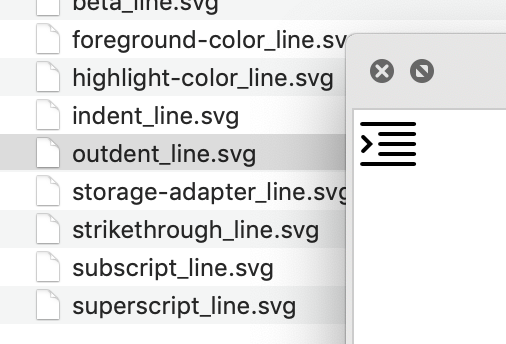
reddolan
on 20 May 2019
Hello again!
Red, I am sorry, here they are again, with solid version and bug fixed.
Vol15.zip
Stela-Stamenkova
on 21 May 2019
Hi @Stela-Stamenkova
The solid beta icon is a filled polygon with white text. That's not going to to work. What we need is a solid polygon with the text cut out. In Illustrator terms this would be a "subtract" merging of these paths, I believe. When you get that taken care of could you post the new solid beta icon here?
Thanks!
mathisscott
on 27 Jun 2019
Once I get an updated beta-solid icon, I can move this into review.
mathisscott
on 27 Jun 2019
@mathisscott,
Here's the corrected beta icon:
beta_solid.svg.zip
lil-kim
on 28 Jun 2019
Regarding the new icon added here "Storage adapter (FC HBA) Reference #3237".
Even after updating the icons to version 2.0.2 , I do not see the svg file for storage-adapter in the technology-shapes.zip. Is this not available yet?
The clarity website icons section is displaying the icon though.
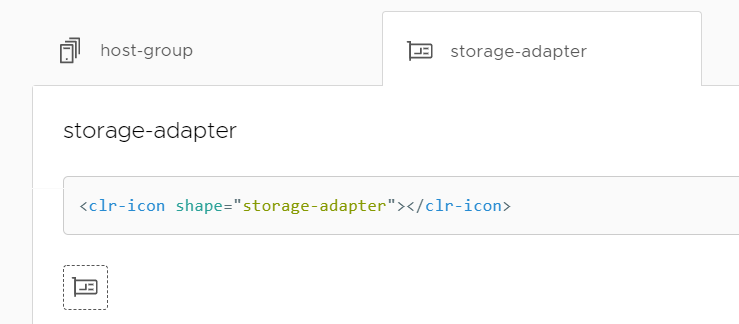
 abbyhtml
on 18 Jul 2019
abbyhtml
on 18 Jul 2019
@abbyhtml
The vol. 15 icons were merged into master last week. The website auto-updated and published the icons documentation. So while they are on the website, the icons have not been released yet. They will be available in 2.0.3. I would expect that release to happen next week.
mathisscott
on 18 Jul 2019
Hi there 👋, this is an automated message. To help Clarity keep track of discussions, we automatically lock closed issues after 14 days. Please look for another open issue or open a new issue with updated details and reference this one as necessary.
![github-actions[bot] picture](https://avatars.githubusercontent.com/in/15368?v=4&s=40) github-actions[bot]
on 6 Sep 2020
github-actions[bot]
on 6 Sep 2020
Related issues
 yandong01
·
3Comments
yandong01
·
3Comments
 dennitsa
·
4Comments
dennitsa
·
4Comments
 nkolchakov
·
3Comments
nkolchakov
·
3Comments
 JohannesRudolph
·
4Comments
JohannesRudolph
·
4Comments
 Vad1mo
·
3Comments
Vad1mo
·
3Comments