Select one ... (check one with "x")
[ ] bug
[ ] feature request
[x] enhancement
Description
Enhancement to the wizard component to add an error state to the wizard step states.
Wizard step states:
- Inactive
- Active
- Complete
- Error (new state addition)
Documentation
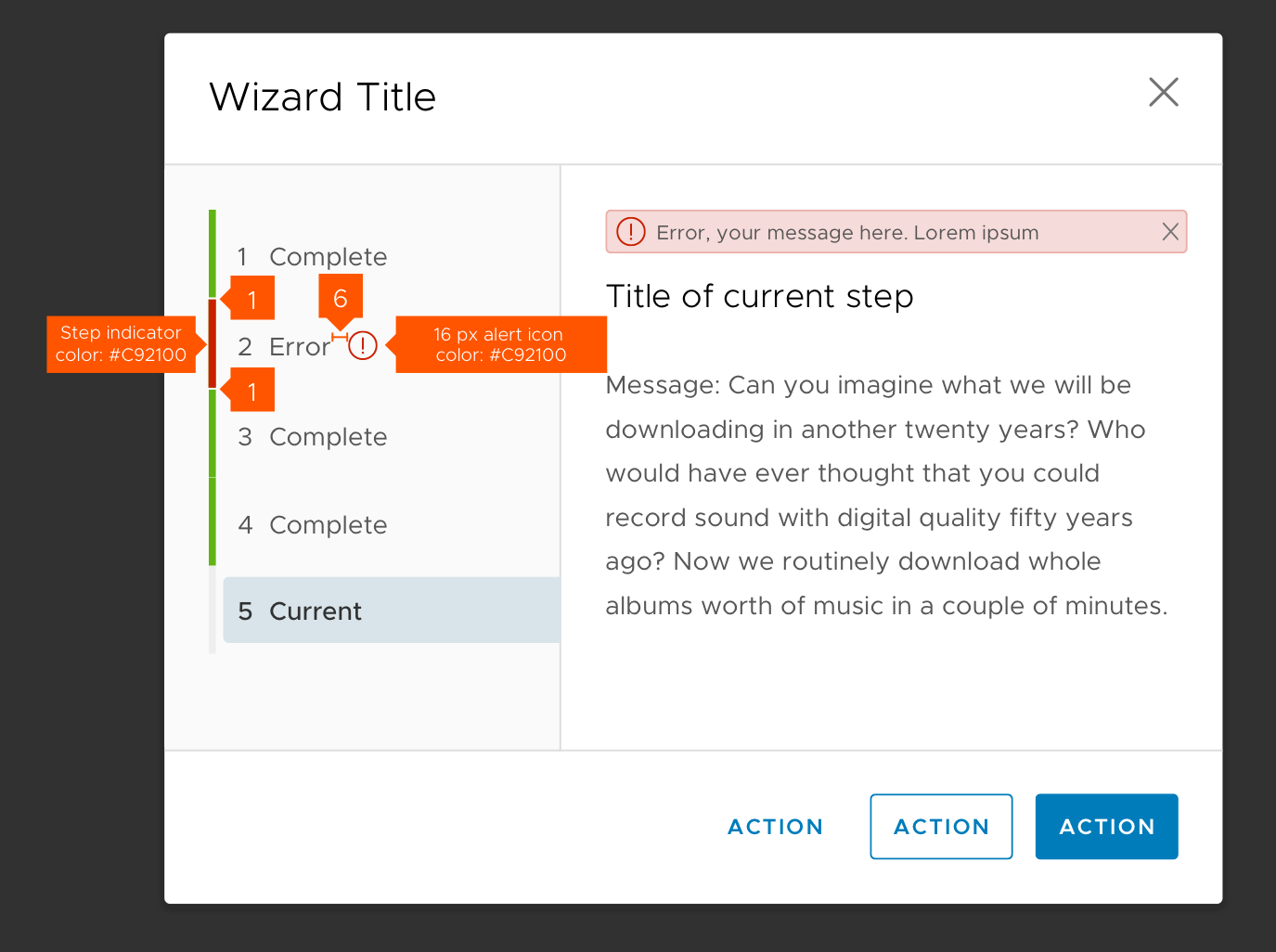
Wizard step state that displays when an error has occurred once the wizard is saved/submitted/published. This addresses two primary scenarios:
- Once wizard steps are complete, on save/submit/publish the information is sent to a server/service to be validated and incorrect input(s) need to be reported back to the corresponding step(s).
- When selections in a later step in the wizard invalidate an entry in earlier steps.
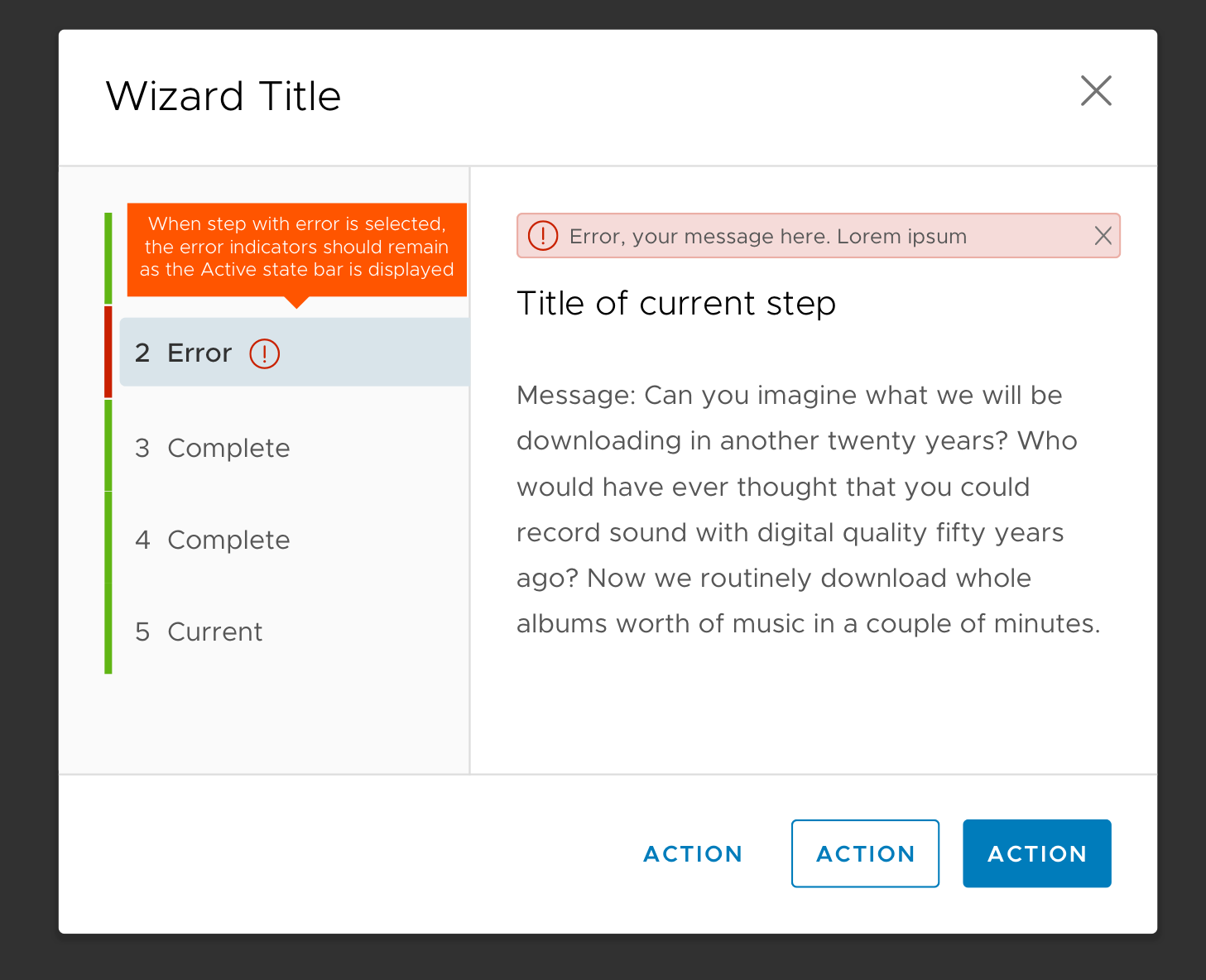
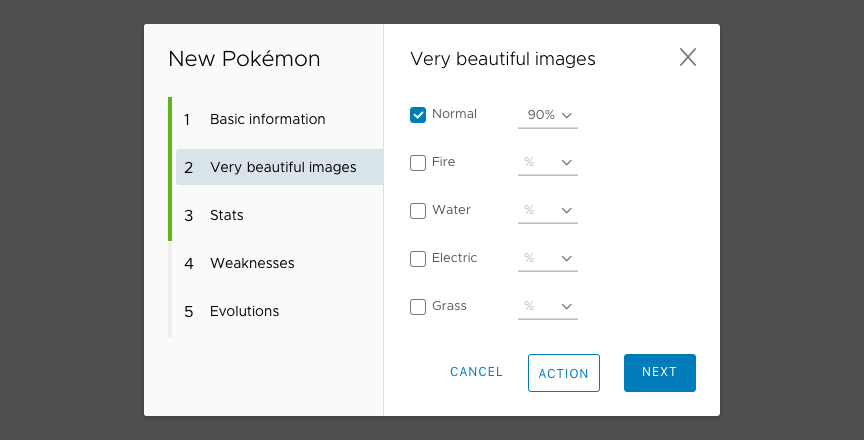
The error state utilizes a color change in the progress indicator, an alert icon, and subtle border between other steps to draw attention to the error status. See below for specs:
Error reported:
Error state active:
 jeremydejiacomo
All 12 comments
I forgot we didn't have this yet. It was on our list of things to do, but never a priority. Thanks for opening the issue.
 youdz
on 24 Apr 2018
youdz
on 24 Apr 2018
Description
Enhancement to the wizard component to add an error state to the wizard step states.
Wizard step states:
Inactive
Active
Complete
Error(new state addition)
Error Reported
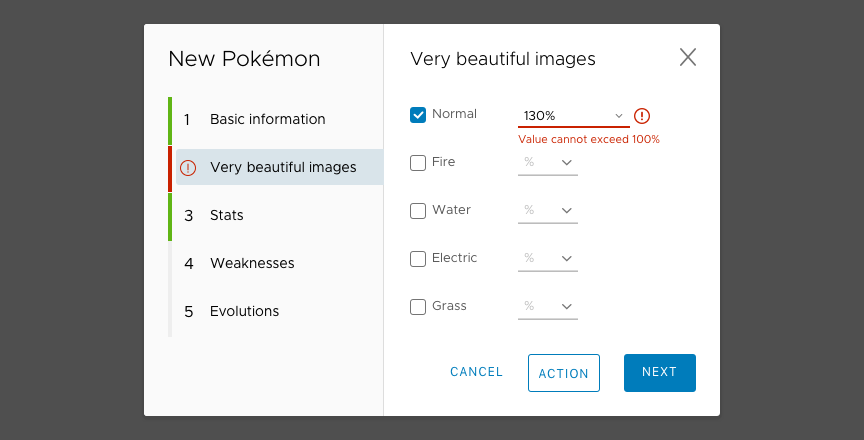
When an error occurs, replace the step number with the error icon to ensure consistency with the stepper design. Change the progress indicator to red and add a one-px gap above and below the red bar for accessibility.
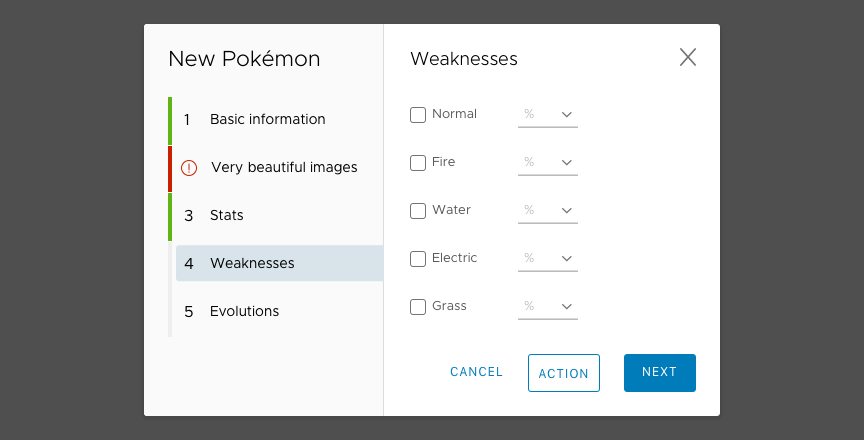
Error State Active
Indicate clearly why the error occurs on the error step.
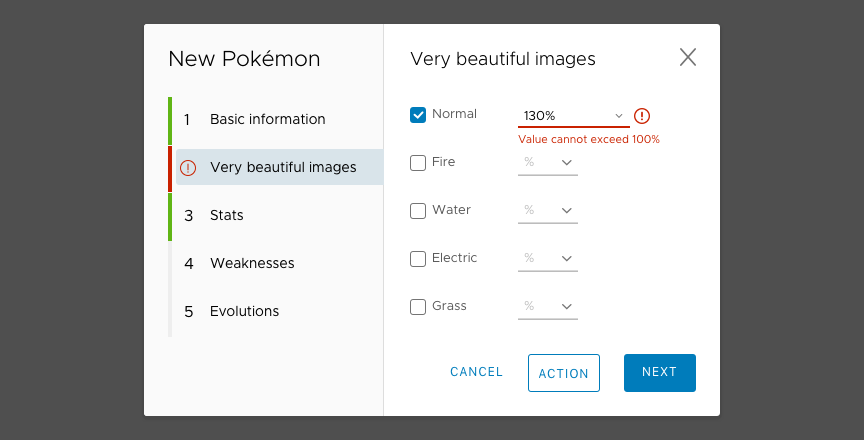
Error Resolved
The progress indicator changed back to green once all errors are resolved.
 ybian02
on 26 Jul 2018
ybian02
on 26 Jul 2018
Hey,
Any insight into how we could accomplish this while it is still being developed? I see @coryrylan updated the docs but not sure how we can change the page number since it is not exposed in the template...
 Only1MrAnderson
on 8 Apr 2019
Only1MrAnderson
on 8 Apr 2019
@Only1MrAnderson
The current page of the wizard can be set by using wizard.goTo() or by setting the currentPage property in the navService.
 mathisscott
on 9 Apr 2019
mathisscott
on 9 Apr 2019
@mathisscott thanks for the reply. I understand that, but how does one modify the UI as it defaults to the number of the page? I am referring to this image here. There is nothing in the documentation about overriding that.
Only1MrAnderson
on 9 Apr 2019
The image with the red icon next to _Very beautiful images_ is the mockup / design that needs to be implemented. I know it looks like the real thing but I believe it is an image from Sketch.
Does using form validation help the wizard user address errors and issues before moving on to the next step? Even though this hasn't yet been implemented yet?
It does sound like this feature is important to the app. Would you be interested in contributing here?
 hippee-lee
on 9 Apr 2019
hippee-lee
on 9 Apr 2019
@hippee-lee I agree it is very beautiful. I would be interested in contributing. Let me give contributing.md a quick read 👍
Only1MrAnderson
on 9 Apr 2019
Is there a timeline for implementation.
 antonevane
on 12 Jul 2019
antonevane
on 12 Jul 2019
This feature is still in the backlog queue.
hippee-lee
on 13 Jul 2019
Are there any plans to remove this from the official documentation since it's not implemented yet? A little text giving a warning to readers would even suffice. Unfortunately I spent time refactoring some of my code base to implement this feature but when the time came, found out that it was not even a feature in Clarity although it has a fairly large section under the wizard documentation.
 jeff-bacon
on 23 Aug 2019
jeff-bacon
on 23 Aug 2019
I'm working on this issue, can you assign me please?
 florin-borceanu
on 24 Sep 2019
florin-borceanu
on 24 Sep 2019
Hi there 👋, this is an automated message. To help Clarity keep track of discussions, we automatically lock closed issues after 14 days. Please look for another open issue or open a new issue with updated details and reference this one as necessary.
![github-actions[bot] picture](https://avatars.githubusercontent.com/in/15368?v=4&s=40) github-actions[bot]
on 3 Sep 2020
github-actions[bot]
on 3 Sep 2020
Related issues
 JohannesRudolph
·
4Comments
JohannesRudolph
·
4Comments
 dennitsa
·
4Comments
dennitsa
·
4Comments
 amellnik
·
3Comments
amellnik
·
3Comments
 Thatkookooguy
·
3Comments
Thatkookooguy
·
3Comments
 ph55
·
3Comments
ph55
·
3Comments
Most helpful comment
I forgot we didn't have this yet. It was on our list of things to do, but never a priority. Thanks for opening the issue.