Ckeditor5: How to make the marker to be displayed in the document with color?
writer.addMarker( "search:blue", {range: range, usingOperation: false} );
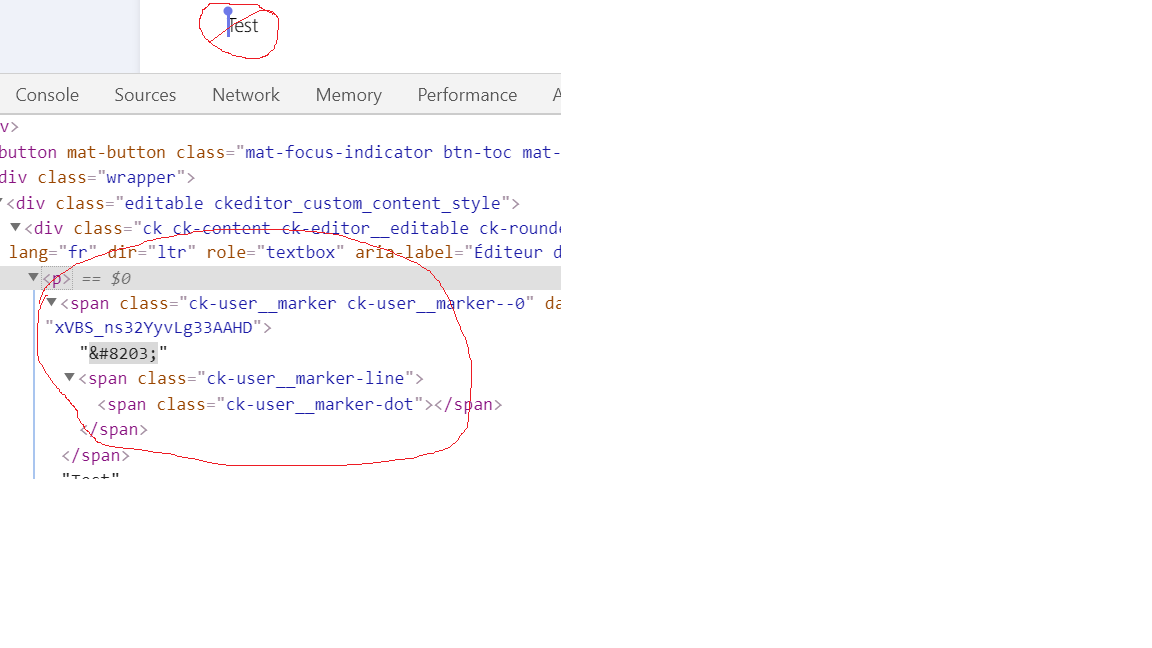
Above code does not generate span in the view . Hence the markerline and marker dot is not visible.
Please let me know how to add marker and view it in the document. Any sample code will be very useful for my implementation of find functionality.
Thanks.
 Shankar26G
All 4 comments
Shankar26G
on 27 Mar 2020
Hi, thanks for the report. Adding a marker to your model only, will not make it look highlighted in the view. To achieve this, you also need to add a conversion using marker-to-highlight downcast helper. You can do it like this:
// conversion between model and view
// don't forget to add a CSS class for 'my_marker_css_class' in your html file
editor.conversion.for( 'downcast' ).markerToHighlight( { model: 'my_marker', view: { classes: 'my_marker_css_class' } } );

// create a marker
editor.model.change( writer => {
    writer.addMarker( "my_marker", {range: range, usingOperation: false})
} );
You can start with this snippet and then further modify it to fit your particular needs.
Hope that helps!
 FilipTokarski
on 30 Mar 2020
FilipTokarski
on 30 Mar 2020
Thanks Filip Tokarski. Let me try and get back to you.
Shankar26G
on 30 Mar 2020
Filip Tokarski, It is working like charm.
Thanks a lot for the help. Really appreciate it
Shankar26G
on 31 Mar 2020
Related issues
 Reinmar
·
3Comments
Reinmar
·
3Comments
 jodator
·
3Comments
jodator
·
3Comments
 pandora-iuz
·
3Comments
pandora-iuz
·
3Comments
 devaptas
·
3Comments
devaptas
·
3Comments
 benjismith
·
3Comments
benjismith
·
3Comments