Ckeditor5: The dropdown list is visible on inactive dropdown element
Steps to reproduce
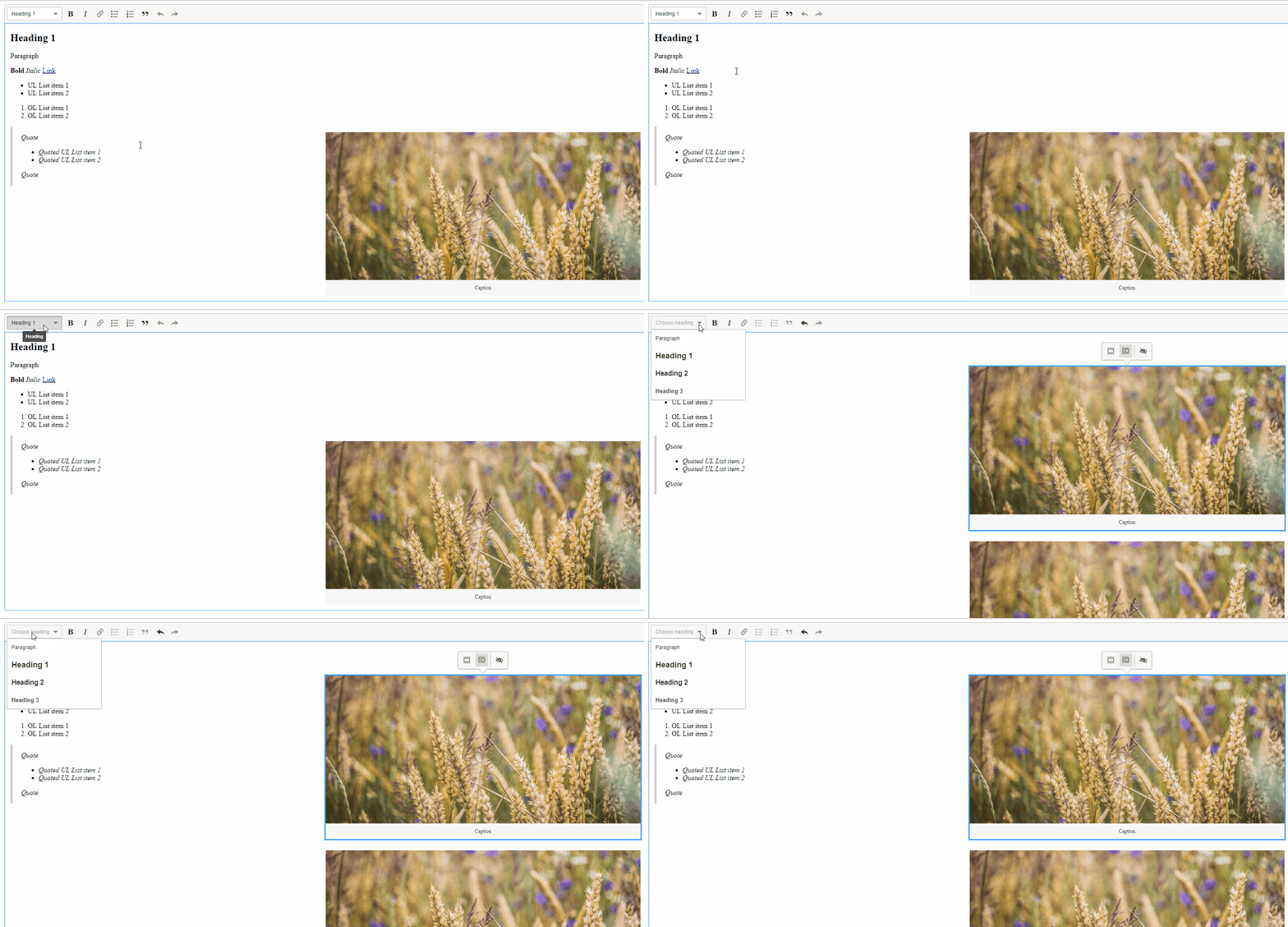
- Go to http://localhost:8125/ckeditor5-core/tests/manual/article.html.
- Select the image.
- Press Ctrl + C.
- Open the dropdown panel.
- Press Ctrl + V.
Current result
The dropdown became inactive, but the list is still visible.
Expected result
The list should disappear when the dropdown becomes inactive.
GIF
Other information
OS: Windows 10, MacOS X
Browser: All browsers
Release: 0.11.0
 Mgsy
Mgsy
👍2
>All comments
Hi!
We've faced the same issue on Special Characters plugin during integration with our own plugin (when we are focusing our inline element the Special Characters dropdown on toolbar didn't get closed even when the button on toolbar gets disabled).
Could you please give us a hint on where it should be handled and maybe we can try to take a look at this issue?
 Kydyralin
on 24 Nov 2020
Kydyralin
on 24 Nov 2020
👍2
Was this page helpful?
0 / 5 - 0 ratings
Related issues
 metalelf0
·
3Comments
metalelf0
·
3Comments
 pandora-iuz
·
3Comments
pandora-iuz
·
3Comments
 Reinmar
·
3Comments
Reinmar
·
3Comments
 PaulParker
·
3Comments
PaulParker
·
3Comments
 MansoorJafari
·
3Comments
MansoorJafari
·
3Comments
Most helpful comment
Hi!
We've faced the same issue on Special Characters plugin during integration with our own plugin (when we are focusing our inline element the Special Characters dropdown on toolbar didn't get closed even when the button on toolbar gets disabled).
Could you please give us a hint on where it should be handled and maybe we can try to take a look at this issue?