Ckeditor5: Highlight-Plugin destroys Insert-Table Button
Hi all,
I tried to update our application to the newly released CK-Packages. I figured out, that the combination of the Highlight- and the Table-Plugin does not work properly anymore:
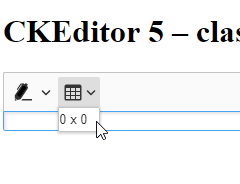
The UI of the "Insert Table" Button is broken. You can reproduce this by configuring the current "ckeditor5-build-classic" setup with only these two plugins. There are no warnings or errors in the console.
Can anyone please look into this?
Thanks!
 ckotzbauer
All 14 comments
Sole
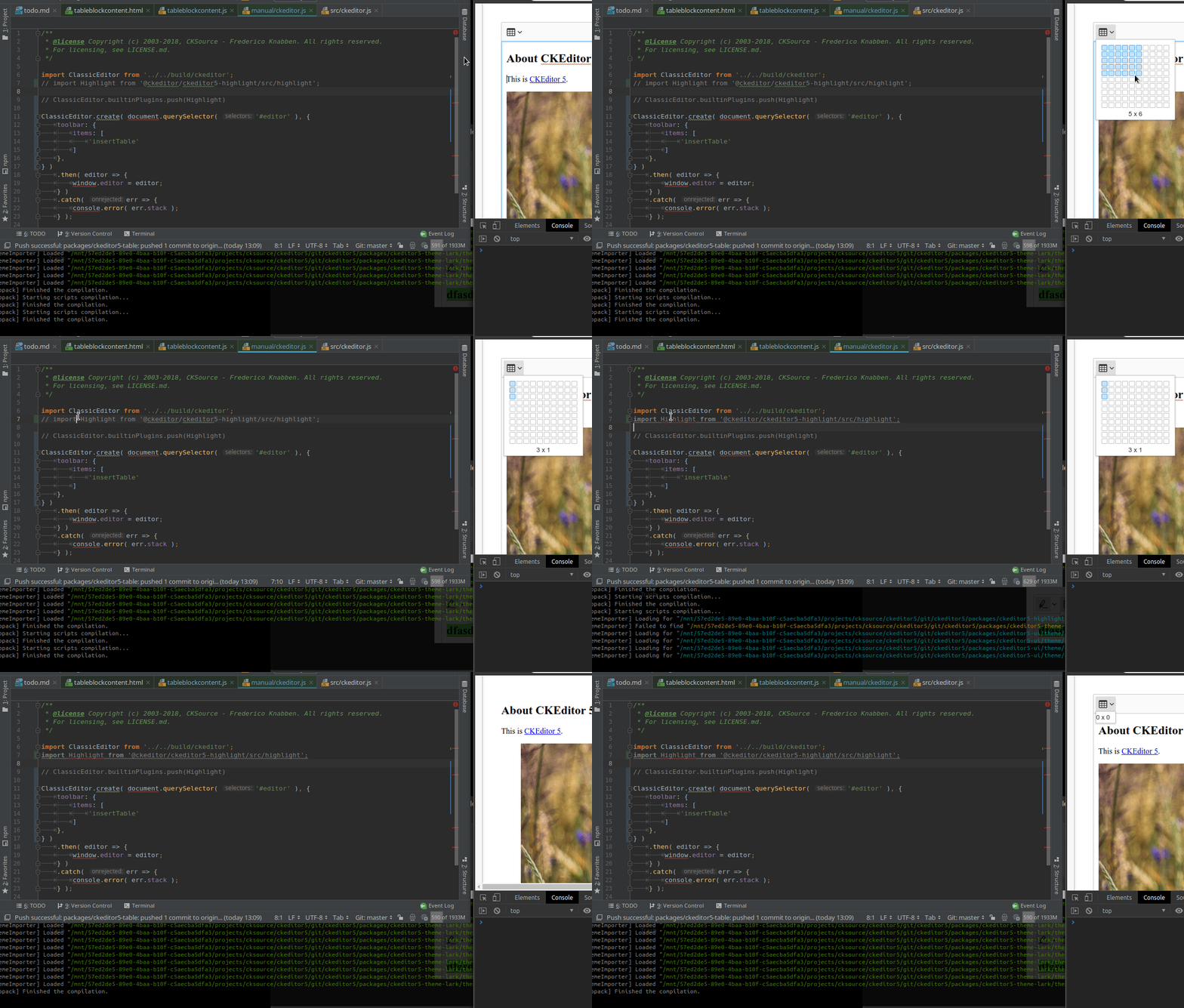
import Highlight from '@ckeditor/ckeditor5-highlight/src/highlight';
breaks the dropdown:
 jodator
on 7 Dec 2018
jodator
on 7 Dec 2018
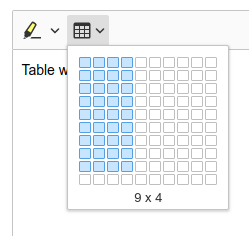
However it does not break when building other manual test (ie table):
jodator
on 7 Dec 2018
@code-chris could you paste how'd you built that example?
jodator
on 7 Dec 2018
That's the testcode I used:
// The editor creator to use.
import ClassicEditorBase from '@ckeditor/ckeditor5-editor-classic/src/classiceditor';

import Table from '@ckeditor/ckeditor5-table/src/table';
import TableToolbar from '@ckeditor/ckeditor5-table/src/tabletoolbar';
import Highlight from '@ckeditor/ckeditor5-highlight/src/highlight';

export default class ClassicEditor extends ClassicEditorBase {}

// Plugins to include in the build.
ClassicEditor.builtinPlugins = [
    Table,
    TableToolbar,
    Highlight
];

const colorList = [
    'Red Pen',
    'Green Pen',
    'Blue Pen',
    'Yellow Marker',
    'Green Marker',
    'Pink Marker',
    'Blue Marker'
].map(x => ({
    model: x.replace(" ", ""),
    class: x.toLowerCase().replace(" ", "-"),
    title: x,
    color: `var(--ck-highlight-${x.toLowerCase().replace(" ", "-")})`,
    type: x.split(" ")[1].toLowerCase()
}));

// Editor configuration.
ClassicEditor.defaultConfig = {
    toolbar: {
        items: [
            'highlight',
            'insertTable',
        ]
    },
    highlight: {
        options: colorList
    },
    table: {
        contentToolbar: [
            'tableColumn',
            'tableRow',
            'mergeTableCells'
        ]
    },
    language: 'en'
};
I've found another conflicting plugin:
import Highlight from '@ckeditor/ckeditor5-highlight/src/highlight';
import Font from '@ckeditor/ckeditor5-font/src/font';
right now I'm suspecting the dropdown API to mess it up (double CSS imports or something). I'm still trying to figure it out though.
jodator
on 17 Dec 2018
@code-chris I've checked the provided setup - it is too narrow. To have working editor you'd need at least two more (Essentials & Paragraph) so you can type in tables or around them.
import Essentials from '@ckeditor/ckeditor5-essentials/src/essentials';
 // Or packages from Essentials plugin like Typing, ect
import Paragraph from '@ckeditor/ckeditor5-paragraph/src/paragraph';
import Table from '@ckeditor/ckeditor5-table/src/table';
import TableToolbar from '@ckeditor/ckeditor5-table/src/tabletoolbar';
import Highlight from '@ckeditor/ckeditor5-highlight/src/highlight';

export default class ClassicEditor extends ClassicEditorBase {}

// Plugins to include in the build.
ClassicEditor.builtinPlugins = [
    Essentials,
    Paragraph,
    Table,
    TableToolbar,
    Highlight
];
But, at least for me you setup works (the drop-down appears).
@oleq I've found another issue though. When you try to use extraPlugins property ie in manual tests (I've used build-classic/manual/ckeditor.js`:
import ClassicEditor from '../../build/ckeditor';

import Highlight from '@ckeditor/ckeditor5-highlight/src/highlight';

ClassicEditor.create( document.querySelector( '#editor' ), {
    extraPlugins: [ Highlight ]
} )
The issue is similar - there are double CSS declarations - one from <style> and one from webpack import AFAICS:

while with Highlight build in and no extraPlugins:

jodator
on 17 Dec 2018
@jodator Thanks for your feedback. I try it again when I'm back from vacation in january.
ckotzbauer
on 17 Dec 2018
@code-chris I couldn't reproduce your issue either.
- I cloned the latest https://github.com/ckeditor/ckeditor5-build-classic.
- Added
"@ckeditor/ckeditor5-highlight": "^10.0.4",topackage.json. - Defined
ckeditor.jsas follows
import ClassicEditorBase from '@ckeditor/ckeditor5-editor-classic/src/classiceditor';
import Table from '@ckeditor/ckeditor5-table/src/table';
import TableToolbar from '@ckeditor/ckeditor5-table/src/tabletoolbar';
import Highlight from '@ckeditor/ckeditor5-highlight/src/highlight';
import Essentials from '@ckeditor/ckeditor5-essentials/src/essentials';
import Paragraph from '@ckeditor/ckeditor5-paragraph/src/paragraph';

export default class ClassicEditor extends ClassicEditorBase {}

ClassicEditor.builtinPlugins = [
    Essentials,
    Paragraph,
    Table,
    TableToolbar,
    Highlight
];

const colorList = [
    'Red Pen',
    'Green Pen',
    'Blue Pen',
    'Yellow Marker',
    'Green Marker',
    'Pink Marker',
    'Blue Marker'
].map( x => ( {
    model: x.replace(" ", ""),
    class: x.toLowerCase().replace(" ", "-"),
    title: x,
    color: `var(--ck-highlight-${x.toLowerCase().split( ' ' ).reverse()})`,
    type: x.split(" ")[1].toLowerCase()
} ) );

// Editor configuration.
ClassicEditor.defaultConfig = {
    toolbar: {
        items: [
            'highlight',
            'insertTable',
        ]
    },
    highlight: {
        options: colorList
    },
    table: {
        contentToolbar: [
            'tableColumn',
            'tableRow',
            'mergeTableCells'
        ]
    },
    language: 'en'
};
npm run build.
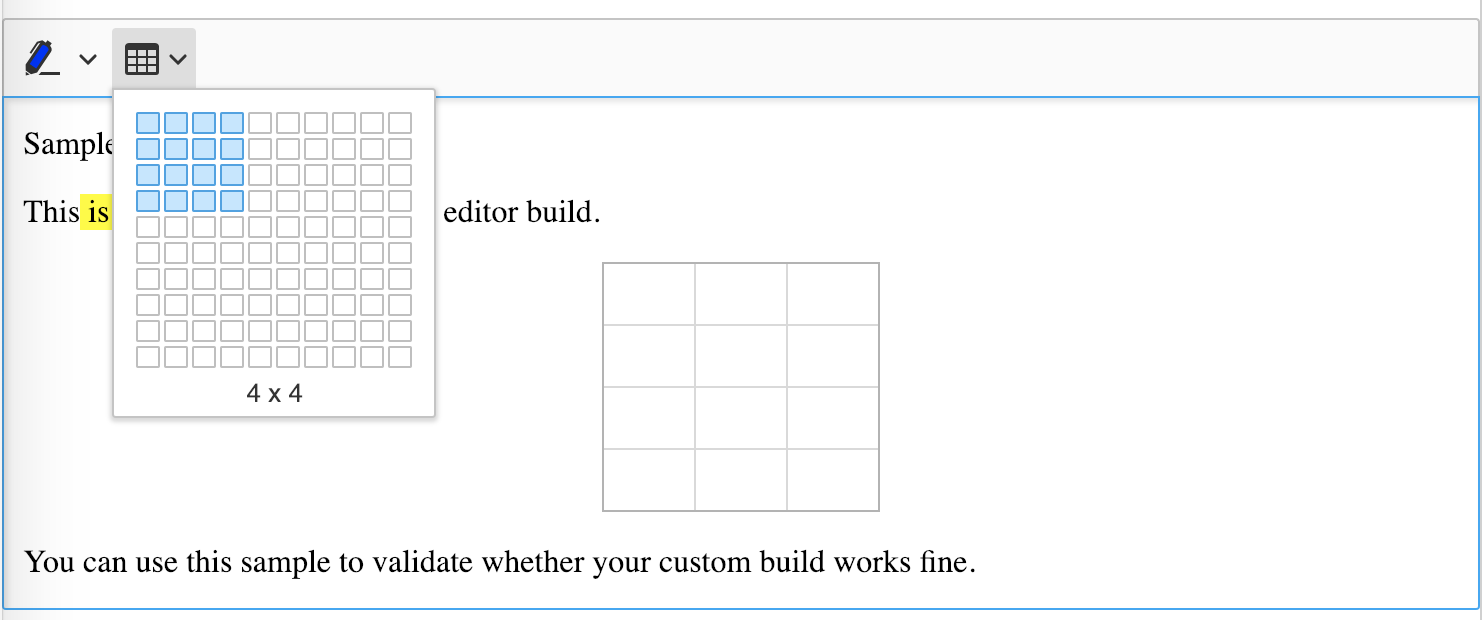
Everything looks good to me (ckeditor5-build-classic/sample/index.html)
Just to make sure we're on the same page, are you 100% sure you used @ckeditor/ckeditor5-editor-classic, not @ckeditor/ckeditor5-build-classic?
Because if you used the later, something like that must actually happen (both JS and CSS files will duplicate), as is stated in our docs:
One of the possible mistakes is trying to add a plugin in this way to an existing (bundled) editor build. Installing an existing build and then trying to add a plugin to it may not work if that plugin needs to import any of the source editor modules.
The reason why this method will not work is that dependencies of the added plugin may duplicate the code already bundled in the used editor build. In the best scenario, this is going to raise the overall code size. In the worst scenario, an application built this way may be unstable.
 oleq
on 18 Dec 2018
oleq
on 18 Dec 2018
@jodator FYI: What you did in https://github.com/ckeditor/ckeditor5-highlight/issues/31#issuecomment-445231985 must fail as I pointed out in my previous comment. You added the source code of a plugin to an existing editor build and built it again. That duplicated both JS and CSS.
oleq
on 18 Dec 2018
@oleq We customized the classic-build as mentioned in the docs: https://github.com/SamhammerAG/hd-ckeditor5-build-classic
I updated this fork to use the latest versions which were released about two weeks ago. I found several issues:
- The Table-UI-Flyout doesn't work anymore
- Our own CK-Plugins are not working anymore (@samhammer/ckeditor5-simple-button-plugin, @samhammer/ckeditor5-simple-image-upload-plugin)
- Warnings at runtime occur that some plugins are loaded multiple times. ("plugincollection-plugin-name-conflict: Two plugins with the same name were loaded")
The current HEAD of our repository is not runnable. I focused on the first of these errors and isolated these two plugins with trial and error.
ckotzbauer
on 18 Dec 2018
@code-chris
I cloned the repository that you mentioned...
- Where did you get
[email protected]from anyway? The latest release is 12.0.0. I fixed the version. - I commented out all your packages
@samhammer/*to keep things simple (official stuff only). npm i- I added
<link rel="stylesheet" href="../build/ckeditor.css" type="text/css">tosample/index.html. - I simplified the code that creates the instance to
    ClassicEditor.create( document.querySelector( '#editor' ), {
            toolbar: [
                'highlight',
                'insertTable'
            ]
        } )
        .then( editor => {
            window.editor = editor;
        } )
        .catch( err => {
            console.error( err.stack );
        } );
npm run build
No issue with the result. The output CSS has no duplicates.

node --version
v8.12.0

npm --version
6.4.1
- The Table-UI-Flyout doesn't work anymore
Not sure what do you mean by "flyout". If you mean the dropdown, it works for me (screenshot).
Our own CK-Plugins are not working anymore (@samhammer/ckeditor5-simple-button-plugin, @samhammer/ckeditor5-simple-image-upload-plugin)
CKEditor team is not responsible for the 3rd—party code. You didn't provide any information how to run them anyway (I took a quick glance at the source and they do need configuration). Our GitHub issue tracker is not the right place to ask for this kind of help.
You should consider using our Gitter channel instead or contact our support team for a dedicated assistance.
Warnings at runtime occur that some plugins are loaded multiple times. ("plugincollection-plugin-name-conflict: Two plugins with the same name were loaded")
The error comes with an object telling precisely which plugins clash. The bare error tells us nothing, sorry.
oleq
on 18 Dec 2018
@oleq
- The wrong theme-lark version was a typo in the repo. That was not intentional.
- I never requested support for third-party sources. I just gave you this informations for a complete overview
- However, I figured out what happend here: It seems that the fork of the table-plugin caused the error. We replaced the official version with the fork to include an unreleased bugfix. I'm pretty sure that I replaced this version in my tests, but now I can't reproduce the issues anymore. So it seems to be fixed.
ckotzbauer
on 2 Jan 2019
I encountered the same problem. In my case, I managed to fix it by changing the order of imports and injections!
I imported the Highlight plugin at first, and surprisingly, this fixed my issue!
 ayhansalami
on 10 Mar 2019
ayhansalami
on 10 Mar 2019
@ayhansalami could you post your setups? The broken one and the fixed one? Minimal package.json and the file with imports. I'm curious to see what happened there.
jodator
on 11 Mar 2019
Related issues
jodator
·
3Comments
 benjismith
·
3Comments
benjismith
·
3Comments
 Reinmar
·
3Comments
Reinmar
·
3Comments
Reinmar
·
3Comments
Reinmar
·
3Comments
 metalelf0
·
3Comments
metalelf0
·
3Comments
Most helpful comment
@oleq