Ckeditor5: Command state in case of no removable styling in selection
During the implementation I was thinking how the remove command state (which is also reflected on the button).
At first I implement it in a way that the state is _enabled_ if selection contains _anything_ that could be removed by the feature. If not it's removed because… there's nothing that the command will do anyway.
It sounded logical to me and I kind of like this idea.
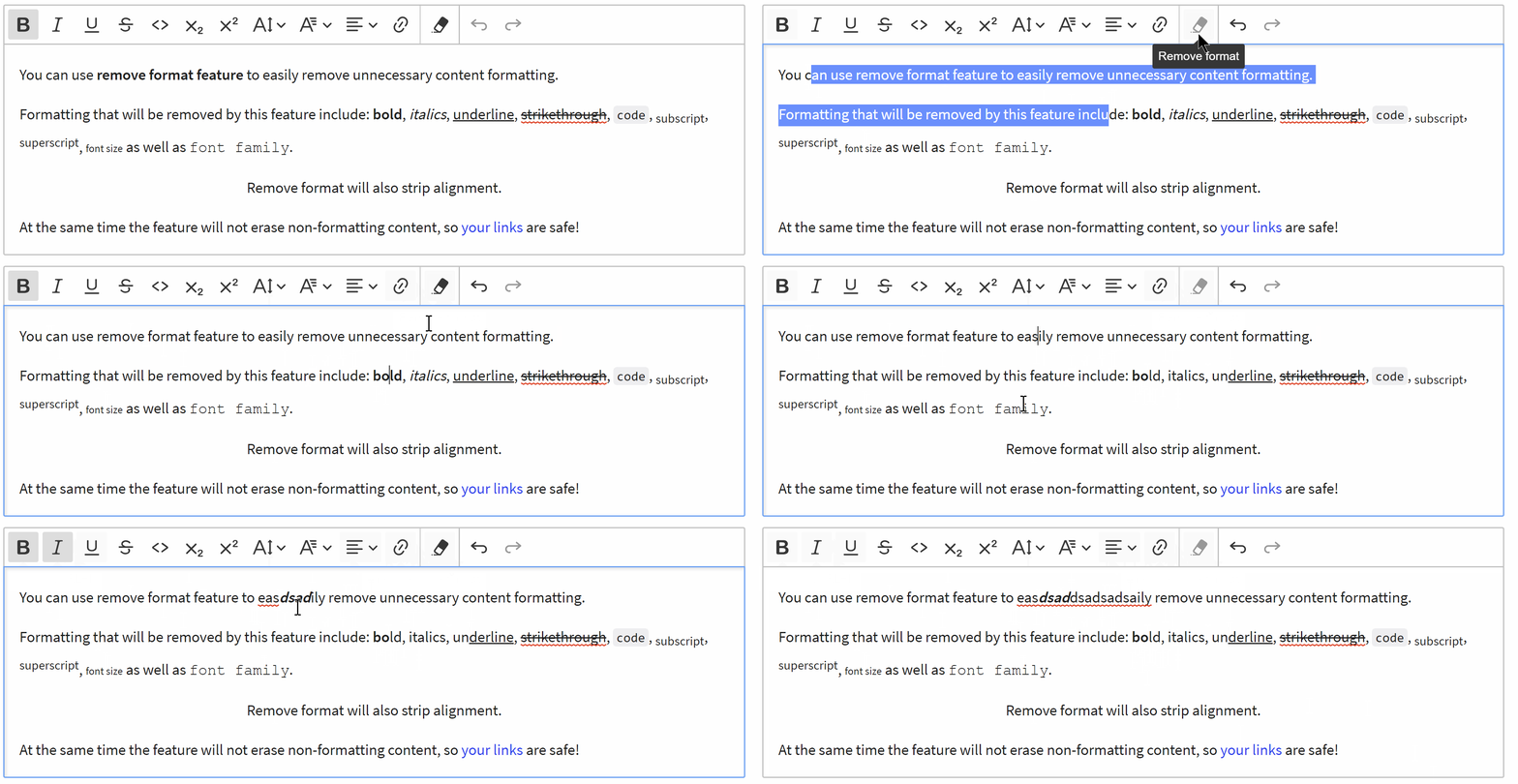
After adding it I saw however that other word processors do not really care about the state and always leave it as enabled. Also I'm wondering whether disabling the button wouldn't make the end user feel like there's something he or she is missing (incomplete feature) or that it's broken or somehting.
I like the first approach more, but I'm not sure so I'd like to open a discussion on this one.
 mlewand
All 8 comments
It's actually quite a good idea to disable a button state when there is "nothing to remove". If a button has no action behind it, it should be temporarily disabled.
OTOH, it must be a reason why our competitors are not toggling state it 🤔
By the way, I know it's a different case, but we are disabling/enabling undo/redo buttons - I think users are not assuming this feature as disabled permanently.
To sum up, I'm for toggling a state of a button, but I'm not 100% sure. 👍
 dkonopka
on 28 Mar 2019
dkonopka
on 28 Mar 2019
It's actually quite a good idea to disable a button state when there is "nothing to remove". If a button has no action behind it, it should be temporarily disabled.
There's a reason. You can have the following content/selection:
<p>some[ forma<b>tting</b> to remove ]</p>
In this case neither the focus nor the anchor are in styled content. But the remove format button must be enabled nevertheless! One must be able to clean-up everything in the selection no matter the focus/anchor points of the seleciton.
So, long story short, the button must be always enabled and clickable.
 oleq
on 28 Mar 2019
oleq
on 28 Mar 2019
<p>some[ forma<b>tting</b> to remove ]</p>
☝️ In this case it's obvious the remove button should be enabled.
I was thinking about case like this:
<p>really [ nothing to remove ] here</p>
There's a reason. You can have the following content/selection:
@oleq Of course, that's a obvious requirement but it doesn't dismiss this case.
See the screencast below:
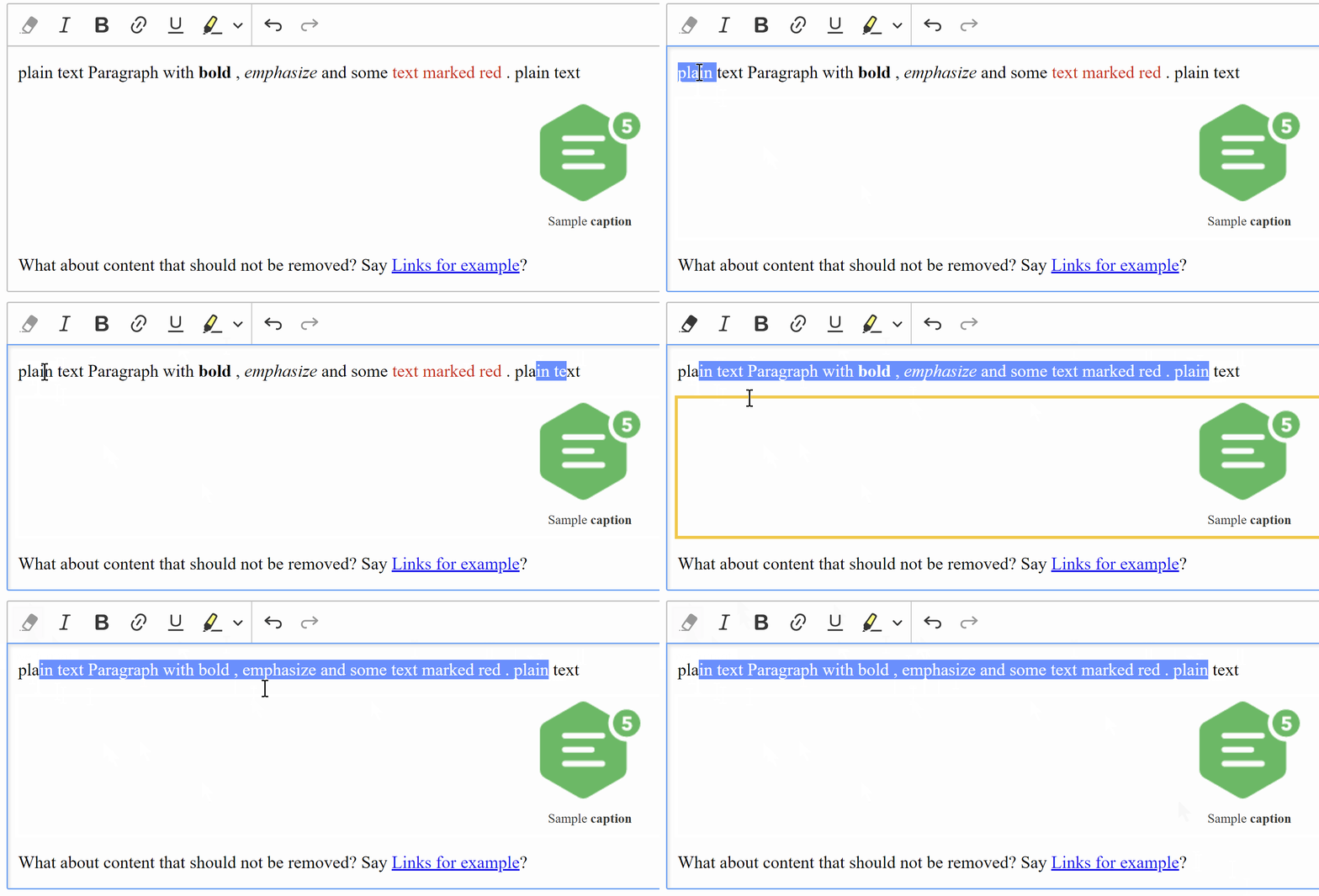
- Having disabled state results in user clicking the button but getting no effect what so ever.
- Toggling the button state comes with multiple pros:
- Confirms that the action has been executed.
- When selecting shows the user that there is no formatting in selection. So user can be sure there is no custom font in selection, something that some people might have problems with.
I really fail to see the logic in keeping it enabled if it does nothing.
mlewand
on 28 Mar 2019
I really fail to see the logic in keeping it enabled if it does nothing.
I'm OK with it as long as it does not impair the performance. Because the similar logic to one that removes the formatting must be executed each time model changes (quite frequently) to walk the entire span of the selection. Normally, other features' commands rely on focus/anchor of the selection to set the state only.
Maybe you could implement it so it "walks" until it finds anything removable and then it stops and sets isEnabled = true? Didn't check the code so IDK if that's possible.
oleq
on 28 Mar 2019
The method for finding items that would be affected by remove format feature are returned by a generator function.
In case of determining command state I'm calling the generator only once, and as soon as the first item is found no further checking is needed.
Source can be found here:
mlewand
on 28 Mar 2019
I guess that concludes the discussion that we should have a toggleable button and that it is performance–wise safe to implement?
oleq
on 28 Mar 2019
Yes, the issue is resolved, thanks!
mlewand
on 2 Apr 2019
Related issues
 Reinmar
·
3Comments
Reinmar
·
3Comments
 wwalc
·
3Comments
oleq
·
3Comments
wwalc
·
3Comments
oleq
·
3Comments
 MCMicS
·
3Comments
Reinmar
·
3Comments
MCMicS
·
3Comments
Reinmar
·
3Comments