Ckeditor5: How can I configure toolbar's size?
Is this a bug report or feature request? (choose one) - Question
💻 Version of CKEditor - v11.0.1

.ck-editor__editable {
  width: 700px;
  min-height: 400px;
}
I've configured editor's size, but toolbar's width isn't changed.
How can I set the with of toolbar and editor same?
 DemoCrazer
All 4 comments
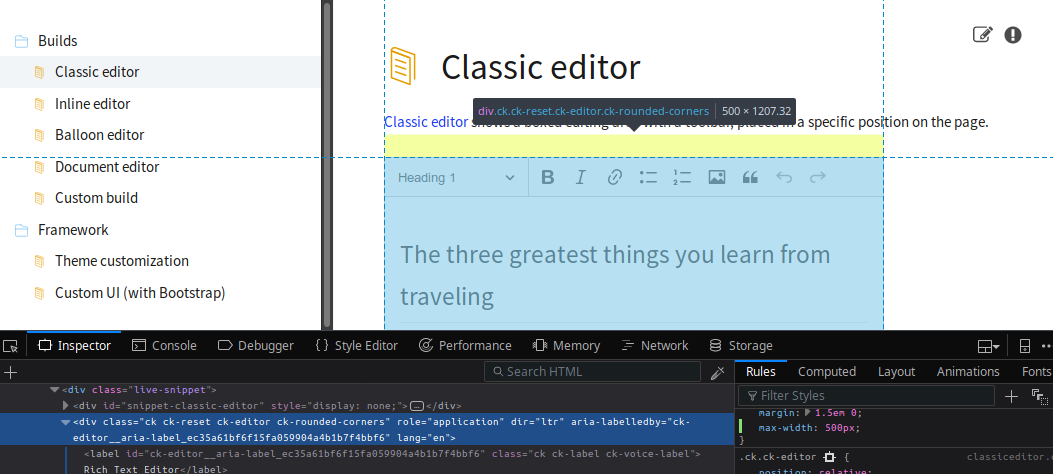
@Luberen You should style the top-most container of the editor, like:
.ck.ck-editor {
    max-width: 700px
}
See below (I've set 500px there):
 jodator
on 10 Aug 2018
jodator
on 10 Aug 2018
👍1
To avoid confusion I've added an answer about controlling width to the @wwalc's question about configuring height of the editor.
jodator
on 10 Aug 2018
👍1
@jodator Thanks. I have one more question. Is it impossible to change minimum height? After I changed class selector to .ck.ck-editor, height of the editor has been reduced.
DemoCrazer
on 10 Aug 2018
@Luberen you should be able to set min-height on the .ck-editor__editable as in the SO answer. As you control height/width of the editor with CSS the proper selectors for configuring would be:
.ck.ck-editorforwidth(whole toolbar + editing area).ck-editor__editable- forheight(it will set the height of the editing area so it will not mess with toolbar's height)
jodator
on 10 Aug 2018
👍1
Was this page helpful?
0 / 5 - 0 ratings
Related issues
 MansoorJafari
·
3Comments
MansoorJafari
·
3Comments
 MCMicS
·
3Comments
MCMicS
·
3Comments
 pomek
·
3Comments
pomek
·
3Comments
 msamsel
·
3Comments
msamsel
·
3Comments
 hamenon
·
3Comments
hamenon
·
3Comments