Ckeditor5-angular: Angular 8: ngOnDestroy crashes when targeting es2015 or greater
So Angular 8 just got released and I was playing around with a new feature: differential loading. If I target es2015 (or newer) in tsconfig.json ckeditor works just fine except that the ngOnDestroy handler crashes with the following stack trace:
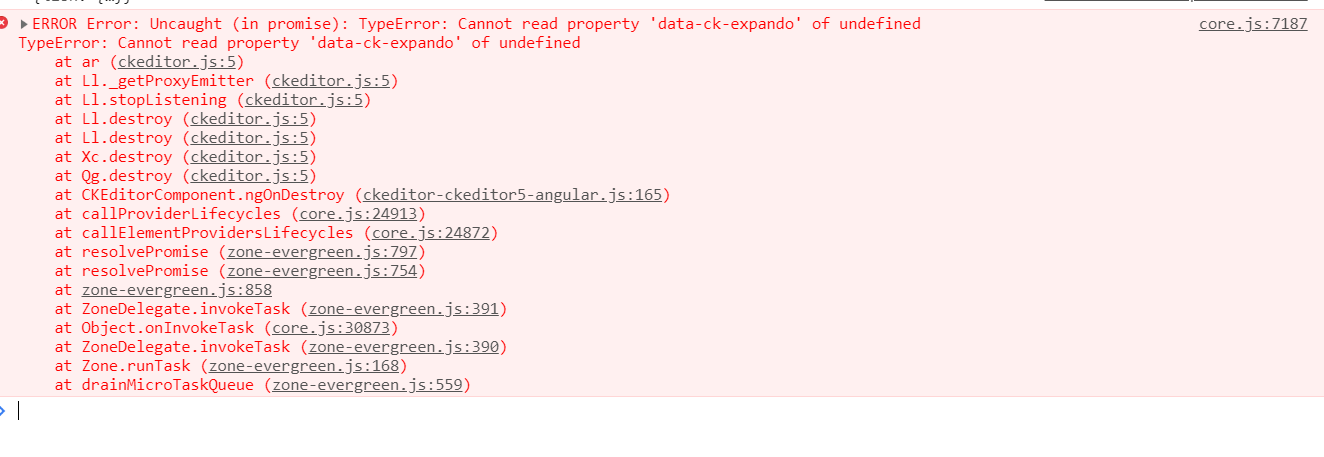
ERROR Error: Uncaught (in promise): TypeError: Cannot read property 'data-ck-expando' of undefined
TypeError: Cannot read property 'data-ck-expando' of undefined
at ur (ckeditor.js:5)
at Yl._getProxyEmitter (ckeditor.js:5)
at Yl.stopListening (ckeditor.js:5)
at Yl.destroy (ckeditor.js:5)
at Yl.destroy (ckeditor.js:5)
at hl.destroy (ckeditor.js:5)
at Qg.destroy (ckeditor.js:5)
at CKEditorComponent.ngOnDestroy (ckeditor-ckeditor5-angular.js:165)
at callProviderLifecycles (core.js:24913)
at callElementProvidersLifecycles (core.js:24872)
at resolvePromise (zone-evergreen.js:797)
at resolvePromise (zone-evergreen.js:754)
at zone-evergreen.js:858
at ZoneDelegate.invokeTask (zone-evergreen.js:391)
at Object.onInvokeTask (core.js:30873)
at ZoneDelegate.invokeTask (zone-evergreen.js:390)
at Zone.runTask (zone-evergreen.js:168)
at drainMicroTaskQueue (zone-evergreen.js:559)
at ZoneTask.invokeTask [as invoke] (zone-evergreen.js:469)
at invokeTask (zone-evergreen.js:1603)
If I target es5 (and effectively disable differential loading) the ngOnDestroy handler and everything else works fine.
The steps to reproduce are simple:
- Generate a new project at Angular 8 with
ng new testing-ck. This will have tsconfig.json target at es2015 by default. npm install @ckeditor/ckeditor5-build-classic @ckeditor/ckeditor5-angularand follow the usual procedures.- Get the crash when destroying the component with the ckeditor element.
 al0xf
al0xf
All 37 comments
cc @ma2ciek
 Mgsy
on 29 May 2019
Mgsy
on 29 May 2019
Bump - Just installed this on a angular 8 project with same error
 benjamin-wilson
on 29 May 2019
benjamin-wilson
on 29 May 2019
same here. After update from Angular 7 to 8, got this. onDestroy crashing core.js
 cvile
on 30 May 2019
cvile
on 30 May 2019
Yep. I'm confirming it. Probably Angular changed the way of destorying components. I'll see if it can be easily fixable.
 ma2ciek
on 30 May 2019
ma2ciek
on 30 May 2019
The problem is complex, as always...
In the above stack trace, you can see that the EmitterMixin#stopListening is called with the undefined value. The method checks whether the emitter (the undefined value in that invocation) is a node, a window or other type of element to properly detach listeners. During that assertion, it checks the value of Object.prototype.toString.apply( obj );, where obj is an undefined, so the value should be [object Undefined]. But it turns out that the value is equal to [object Window] here... So the emitter is assumed to be a window and listeners are incorrectly detached from it.
But why the Object.prototype.toString.apply( undefined ); returns [object Window]?
You can type in the console and it will return the correct value ([object Undefined])... Unless you will type it inside the angular application, where you will be prompted with [object Window].
Soo, I've checked the recently updated packages and one of it is zone.js which was bumped to version 0.9 and it contains the https://github.com/angular/zone.js/pull/734 merged with the unfortunate code:
export function patchObjectToString() {
  const originalObjectToString = Object.prototype.toString;
  Object.prototype.toString = function() {
    if (this instanceof Promise) {
      return '[object Promise]';
    }
    return originalObjectToString.apply(this, arguments);
  };
}
This patch looks OK at first glance, but when the code is invoked in the non-strict mode it turns out to be invalid as the this will point to the window instead of undefined...
But why is it called in the non-strict mode context? IDK... Maybe the other bug is in the CKEditor 5 codebase. When I added the use strict at the top of the ckeditor.js file the problem disappeared.
TLDR; The quick fix, for now, is to disable the invalid transpilation:
// polyfills.js
import 'zone.js/dist/zone.js';
(window as any).__Zone_disable_toString = true;
Or to downgrade Zone.js:
- downgrade the
zone.jsto version 0.8.26, - change the
import 'zone.js/dist/zone'toimport 'zone.js/dist/zone.js'in thepolyfills.jsfile (somehow the old zone can't be imported without the extension)
I've already reported it on the Zone.js side: https://github.com/angular/zone.js/issues/1238, but the fix is probably necessary on our side too (CKEditor 5 builds should be exported with the global use strict).
ma2ciek
on 30 May 2019
Other quick solutions might be found in the https://github.com/angular/zone.js/issues/1238#issuecomment-497510046.
ma2ciek
on 31 May 2019
Jumping in on this as I just encountered it, I found that this worked without downgrading zone.js:
polyfills.tx
import 'zone.js/dist/zone.js';  // Included with Angular CLI. The .js is required for some reason..
(window as any).__Zone_disable_toString = true; // Zone will not patch Function.prototype.toString
Found that in https://github.com/angular/zone.js/issues/1238#issuecomment-497510046 as linked by @ma2ciek
 Routhinator
on 15 Jun 2019
Routhinator
on 15 Jun 2019
Jumping in on this as I just encountered it, I found that this worked without downgrading zone.js:
polyfills.tx
import 'zone.js/dist/zone.js';  // Included with Angular CLI. The .js is required for some reason..
(window as any).__Zone_disable_toString = true; // Zone will not patch Function.prototype.toString
Found that in angular/zone.js#1238 (comment) as linked by @ma2ciek
this helping me thxxxx
 JamesKrub
on 5 Jul 2019
JamesKrub
on 5 Jul 2019
Update: We're waiting for the next release of Zone.js - the master already contains the fix.
ma2ciek
on 5 Jul 2019
It seems this issue got re-introduced with the WordCount plugin, even with the fix in Zone.js.
angular project package.json:
"zone.js": "git+https://[email protected]/angular/zone.js.git",
"@ckeditor/ckeditor5-angular": "1.1.0",
[...]
CKEDitor custom build (updated as of v12.3.0), with WordCount included. Upon navigating away from the route with CKEditor, the ckeditor5-angular component is destroyed (along with the CKEditor5 instance), giving the following error:
ERROR Error: Uncaught (in promise): TypeError: Cannot read property 'element' of undefined
TypeError: Cannot read property 'element' of undefined
at db.builtinPlugins.destroy
Where destroy contains:
destroy() {
    this._outputView.element.remove(),
    this._outputView.destroy(),
    super.destroy()
}
Maybe worth noting that I do not use the element injection one can do with the WordCount plugin -- I instead use the event handler.
 Trysor
on 6 Jul 2019
Trysor
on 6 Jul 2019
@Trysor - Could you create another issue? It isn't related to the current one.
ma2ciek
on 8 Jul 2019
Seems like this was fixed by angular8.1 without a new release of zonejs?
 wynfred
on 12 Jul 2019
wynfred
on 12 Jul 2019
@wynfred not so far as I can tell, but... the first half of the above solution worked for me alone:
// works alone
import 'zone.js/dist/zone.js';  // Included with Angular CLI. The .js is required for some reason..
// did not try this. Doesn't seem needed...
(window as any).__Zone_disable_toString = true; // Zone will not patch Function.prototype.toString
 Methodician
on 20 Jul 2019
Methodician
on 20 Jul 2019
Same error for me. Angular 8.
This solution worked:
// works alone
import 'zone.js/dist/zone.js'; // Included with Angular CLI. The .js is required for some reason..
// did not try this. Doesn't seem needed...
(window as any).__Zone_disable_toString = true; // Zone will not patch Function.prototype.toString
 Exitare
on 26 Jul 2019
Exitare
on 26 Jul 2019
I tried both the options but it does not work. I even downgraded zone.js to 0.8.26.
For me it always worked locally but has not worked at all in production with all the different solutions proposed above. I am using webpack.
I am using angular version 7.2.12
Can anyone please help as this is blocking us to go to production.
"dependencies": {
"@angular/common": "7.2.12",
"@angular/compiler": "7.2.12",
"@angular/core": "7.2.12",
"@angular/forms": "7.2.12",
"@angular/platform-browser": "7.2.12",
"@angular/platform-browser-dynamic": "7.2.12",
"@angular/router": "7.2.12",
"@ckeditor/ckeditor5-angular": "^1.1.0",
"@ckeditor/ckeditor5-build-classic": "^12.2.0",
"@fortawesome/angular-fontawesome": "0.3.0",
"@fortawesome/fontawesome-svg-core": "1.2.17",
"@fortawesome/free-solid-svg-icons": "5.8.1",
"@ng-bootstrap/ng-bootstrap": "4.1.1",
"@ngx-translate/core": "11.0.1",
"@ngx-translate/http-loader": "4.0.0",
"bootstrap": "4.3.1",
"core-js": "2.6.5",
"moment": "2.24.0",
"ng-jhipster": "0.9.3",
"ngx-cookie": "4.0.2",
"ngx-infinite-scroll": "7.1.0",
"ngx-webstorage": "3.0.2",
"rxjs": "6.4.0",
"swagger-ui": "2.2.10",
"tslib": "1.9.3",
"zone.js": "0.8.26"
},
 coolduebtn
on 31 Jul 2019
coolduebtn
on 31 Jul 2019
@coolduebtn, have you tried the (window as any).__Zone_disable_toString = true; after importing the zone as suggested above? I've added it to my post as well.
ma2ciek
on 1 Aug 2019
@coolduebtn, have you tried the
(window as any).__Zone_disable_toString = true;after importing the zone as suggested above? I've added it to my post as well.
@ma2ciek Yes did that as well but nothing seems to be working. everyone says the problem is in angular version 8 but I having the same issue in 7 as well
coolduebtn
on 2 Aug 2019
@ma2ciek Yes did that as well but nothing seems to be working. everyone says the problem is in angular version 8 but I having the same issue in 7 as well
From my perspective, the version of Angular doesn't matter. Only the version of Zone.js should matter...
As a side test, you can check whether the Object.prototype.toString.apply( undefined ); will return a correct value in your console in your Angular app.
ma2ciek
on 2 Aug 2019
Object.prototype.toString.apply( undefined );
@ma2ciek i get the following result : "[object Window]"which should not be the case ideally. However on my dev env I get the value "[object Undefined]"
Any leads on what could be the issue.
coolduebtn
on 2 Aug 2019
Are you sure that you use zone.[email protected]? Maybe you didn't rebuild the project or some package-lock.json / yarn.lock prevented the downgrade? Because this error was introduced in the next version of Zone.js (0.9).
ma2ciek
on 2 Aug 2019
Are you sure that you use zone.[email protected]? Maybe you didn't rebuild the project or some
package-lock.json/yarn.lockprevented the downgrade? Because this error was introduced in the next version of Zone.js (0.9).
@ma2ciek I run my npm install and npm run build on a nodejs docker container in every build , so it installs a fresh copy everytime. I did a cat of my zone.js package.json after my npm install and it shows 0.8.26.
So basically the only difference between dev and prod environment is the webpack builds. Is there any config in the webpack which you feel could impact this behaviour; I am attaching in the doc the content of 4 files for your reference. (package.json, webpack.common.js, webpack.dev.js , webpack.prod.js )
Thanks a lot for all the help so far
coolduebtn
on 2 Aug 2019
Hm, I don't see anything special there. Maybe you could comment out the possible parts of the production config and check which part trigger this error? I'd start with commenting out the minifier.
ma2ciek
on 2 Aug 2019
Hm, I don't see anything special there. Maybe you could comment out the possible parts of the production config and check which part trigger this error? I'd start with commenting out the minifier.
@ma2ciek You were right the problem was in my webpack minimize config which uses TerserPlugin. thanks so much for all the help
coolduebtn
on 2 Aug 2019
Hello everyone, I followed all the previous steps and it didn't work, until I made a change in the version of the CDN I was using.
I currently use this:
<script src = "https://cdn.ckeditor.com/ckeditor5/12.3.1/classic/ckeditor.js"> </script>
And it works very well for me
 davidleal123
on 20 Aug 2019
davidleal123
on 20 Aug 2019
I am using Angular 8.2.9, Zone.js 0.9.1, CKEditor 12.4.0 and still get the error! 👎
 alexanderzeillinger
on 7 Oct 2019
alexanderzeillinger
on 7 Oct 2019
Actually I am using Angular/cli 8.0.3
Im only using these two dependencies
    "@ckeditor/ckeditor5-angular": "^1.1.0",
    "@ckeditor/ckeditor5-build-classic": "^12.3.1",
And im not using any cdn from ckeditor,
this is my import in my module:
import { CKEditorModule } from '@ckeditor/ckeditor5-angular';
This is my import inside the component:
import * as ClassicEditor from '@ckeditor/ckeditor5-build-classic';
and thats my implementation:
` public Editor = ClassicEditor;
public editorData = '
Ckeditor5 & Angular
';public config = {
language: 'es',
toolbar: [
'heading', '|',
'bold', 'italic', 'undo', 'redo', 'blockQuote', 'link', '|',
'numberedList', 'bulletedList', 'mediaEmbed', '|',
'insertTable', 'tableColumn', 'tableRow', 'mergeTableCells'
],
removePlugins: ['insert'],
};
and last, my HTML implementation:
davidleal123
on 7 Oct 2019
Version updated from 0.9.1 to 0.10.0.
"zone.js": "0.10.0".
This worked for me.
 gvreddy04
on 30 Oct 2019
gvreddy04
on 30 Oct 2019
Version updated from 0.9.1 to 0.10.0.
"zone.js": "0.10.0".
This worked for me.
That's a great news @gvreddy04!
Maybe the "zone.js": "^0.10.0". range would be safer for getting updates?
Anyway, since the upgrade of zone.js fixes this issue, I'm closing it.
ma2ciek
on 30 Oct 2019
Version updated from 0.9.1 to 0.10.0.
"zone.js": "0.10.0".This worked for me.
That work for me as well.
 EdenWoo
on 7 Nov 2019
EdenWoo
on 7 Nov 2019
It's no working for me.
I use same configuration from @cocoolduebtn. I am using webpack
It's working in dev but not in production.
"dependencies": {
    "@angular/common": "8.0.0",
    "@angular/compiler": "8.0.0",
    "@angular/core": "8.0.0",
    "@angular/forms": "8.0.0",
    "@angular/platform-browser": "8.0.0",
    "@angular/platform-browser-dynamic": "8.0.0",
    "@angular/router": "8.0.0",
    "@ckeditor/ckeditor5-angular": "1.1.0",
    "@ckeditor/ckeditor5-basic-styles": "11.1.4",
    "@ckeditor/ckeditor5-build-classic": "12.4.0",
    "@fortawesome/angular-fontawesome": "0.4.0",
    "@fortawesome/fontawesome-svg-core": "1.2.25",
    "@fortawesome/free-regular-svg-icons": "5.11.2",
    "@fortawesome/free-solid-svg-icons": "5.11.2",
    "@ng-bootstrap/ng-bootstrap": "4.2.1",
    "@ngx-translate/core": "11.0.1",
    "@ngx-translate/http-loader": "4.0.0",
    "ag-grid-angular": "^21.2.2",
    "ag-grid-community": "^21.2.2",
    "bootstrap": "4.3.1",
    "core-js": "3.1.3",
    "moment": "2.24.0",
    "ng2-search-filter": "0.5.1",
    "ngx-cookie": "4.0.2",
    "ngx-infinite-scroll": "7.2.0",
    "ngx-webstorage": "4.0.1",
    "rxjs": "6.5.2",
    "tslib": "1.10.0",
    "zone.js": "0.10.0"
  },
In polyfills.ts :
import 'core-js/proposals/reflect-metadata';
import 'zone.js/dist/zone.js';
(window as any).__Zone_disable_toString = true;
require('../manifest.webapp');
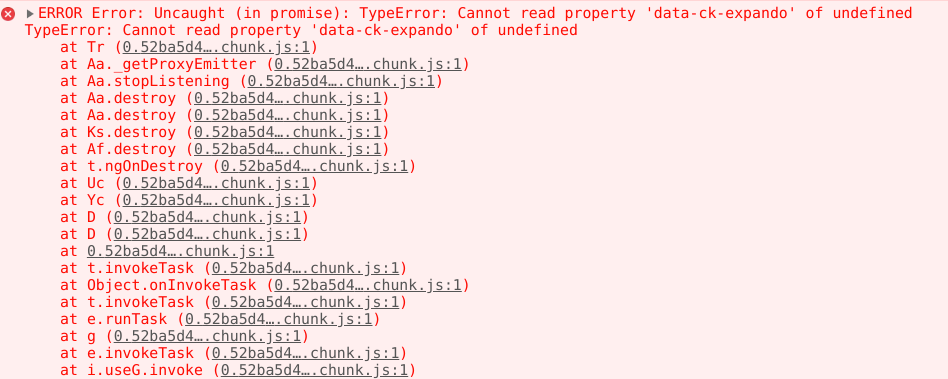
main.83409f22a2c74d96c1fe.bundle.js:1 ERROR TypeError: Cannot read property 'data-ck-expando' of undefined
    at Si (4.83409f22a2c74d96c1fe.chunk.js:1)
    at Oa._getProxyEmitter (4.83409f22a2c74d96c1fe.chunk.js:1)
    at Oa.stopListening (4.83409f22a2c74d96c1fe.chunk.js:1)
    at Oa.destroy (4.83409f22a2c74d96c1fe.chunk.js:1)
    at Oa.destroy (4.83409f22a2c74d96c1fe.chunk.js:1)
    at ea.destroy (4.83409f22a2c74d96c1fe.chunk.js:1)
    at Ip.destroy (4.83409f22a2c74d96c1fe.chunk.js:1)
    at e.ngOnDestroy (main.83409f22a2c74d96c1fe.bundle.js:1)
    at ug (main.83409f22a2c74d96c1fe.bundle.js:1)
    at lg (main.83409f22a2c74d96c1fe.bundle.js:1)
@coolduebtn how did you correct this erreur ?
 Thieus
on 12 Nov 2019
Thieus
on 12 Nov 2019
It's no working for me.
I use same configuration from @cocoolduebtn. I am using webpack
It's working in dev but not in production."dependencies": { "@angular/common": "8.0.0", "@angular/compiler": "8.0.0", "@angular/core": "8.0.0", "@angular/forms": "8.0.0", "@angular/platform-browser": "8.0.0", "@angular/platform-browser-dynamic": "8.0.0", "@angular/router": "8.0.0", "@ckeditor/ckeditor5-angular": "1.1.0", "@ckeditor/ckeditor5-basic-styles": "11.1.4", "@ckeditor/ckeditor5-build-classic": "12.4.0", "@fortawesome/angular-fontawesome": "0.4.0", "@fortawesome/fontawesome-svg-core": "1.2.25", "@fortawesome/free-regular-svg-icons": "5.11.2", "@fortawesome/free-solid-svg-icons": "5.11.2", "@ng-bootstrap/ng-bootstrap": "4.2.1", "@ngx-translate/core": "11.0.1", "@ngx-translate/http-loader": "4.0.0", "ag-grid-angular": "^21.2.2", "ag-grid-community": "^21.2.2", "bootstrap": "4.3.1", "core-js": "3.1.3", "moment": "2.24.0", "ng2-search-filter": "0.5.1", "ngx-cookie": "4.0.2", "ngx-infinite-scroll": "7.2.0", "ngx-webstorage": "4.0.1", "rxjs": "6.5.2", "tslib": "1.10.0", "zone.js": "0.10.0" },In polyfills.ts :
import 'core-js/proposals/reflect-metadata';
import 'zone.js/dist/zone.js';
(window as any).__Zone_disable_toString = true;
require('../manifest.webapp');
main.83409f22a2c74d96c1fe.bundle.js:1 ERROR TypeError: Cannot read property 'data-ck-expando' of undefined at Si (4.83409f22a2c74d96c1fe.chunk.js:1) at Oa._getProxyEmitter (4.83409f22a2c74d96c1fe.chunk.js:1) at Oa.stopListening (4.83409f22a2c74d96c1fe.chunk.js:1) at Oa.destroy (4.83409f22a2c74d96c1fe.chunk.js:1) at Oa.destroy (4.83409f22a2c74d96c1fe.chunk.js:1) at ea.destroy (4.83409f22a2c74d96c1fe.chunk.js:1) at Ip.destroy (4.83409f22a2c74d96c1fe.chunk.js:1) at e.ngOnDestroy (main.83409f22a2c74d96c1fe.bundle.js:1) at ug (main.83409f22a2c74d96c1fe.bundle.js:1) at lg (main.83409f22a2c74d96c1fe.bundle.js:1)@coolduebtn how did you correct this erreur ?
In the webpack.prod.js files there is section called minimizer which uses TerserPlugin. I commented the terserOptions and then everything started to work.
  minimizer: [
            new TerserPlugin({
                parallel: true,
                cache: true,
                // terserOptions: {
                //     ecma: 6,
                //     ie8: false,
                //     toplevel: true,
                //     module: true,
                //     sourceMap: true, // Enable source maps. Please note that this will slow down the build
                //     compress: {
                //         dead_code: true,
                //         warnings: false,
                //         properties: true,
                //         drop_debugger: true,
                //         conditionals: true,
                //         booleans: true,
                //         loops: true,
                //         unused: true,
                //         toplevel: true,
                //         if_return: true,
                //         inline: true,
                //         join_vars: true,
                //         ecma: 6,
                //         module: true,
                //         toplevel: true
                //     },
                //     output: {
                //         comments: false,
                //         beautify: false,
                //         indent_level: 2,
                //         ecma: 6
                //     },
                //     mangle: {
                //         module: true,
                //         toplevel: true
                //     }
                // }
            }),
            new OptimizeCSSAssetsPlugin({})
        ]
I hope this fixes your issue. If not start commenting out other configs in this file till it starts working
coolduebtn
on 12 Nov 2019
Yes I understand your modification but I would like to do it without having to comment on terserOptions
Thieus
on 13 Nov 2019
Yes I understand your modification but I would like to do it without having to comment on terserOptions
Maybe instead of commenting out the entire terserOptions, you can try commenting out the specific config with the options which is creating the issue.
coolduebtn
on 13 Nov 2019
It should be one of the compression options which causes an issue. I'd bet the compress.inline option with which I had an issue some time ago.
ma2ciek
on 13 Nov 2019
No working with compress.inline = false
webpack.prod.js :
terserOptions: {
                    ecma: 6,
                    ie8: false,
                    toplevel: true,
                    module: true,
                    compress: {
                        dead_code: true,
                        warnings: false,
                        properties: true,
                        drop_debugger: true,
                        conditionals: true,
                        booleans: true,
                        loops: true,
                        unused: true,
                        toplevel: true,
                        if_return: true,
                        inline: false,
                        join_vars: true,
                        ecma: 6,
                        module: true,
                        toplevel: true
                    },
                    output: {
                        comments: false,
                        beautify: false,
                        indent_level: 2,
                        ecma: 6
                    },
                    mangle: {
                        module: true,
                        toplevel: true
                    }
                }
https://webpack.js.org/plugins/terser-webpack-plugin/
https://github.com/terser/terser#compress-options
if you have an idea of the problematic option ?
in polyfill.ts, should I put this code
import 'core-js/proposals/reflect-metadata';
import 'zone.js/dist/zone.js';
(window as any).__Zone_disable_toString = true;
require('../manifest.webapp');
or this code :
import 'core-js/proposals/reflect-metadata';
import 'zone.js/dist/zone';
require('../manifest.webapp');
the problem can not be fixed directly in the ckeditor that will avoid the annoyance of angular developers?
Thieus
on 14 Nov 2019
if you have an idea of the problematic option?
I don't know which exact config option in terser might cause this issue. You can test it one by one.
If that's caused by the terser and the app stops working in the production mode than I guess that that's a slightly different problem not connected to the zone.js issue. So probably both config polyfills should work.
the problem can not be fixed directly in the ckeditor that will avoid the annoyance of angular developers?
The core of this issue probably affects many places in the CKEditor 5 codebase where we use Object.prototype.toString() and in these places, we can't use anything else actually.
Also, you can test the result of Object.prototype.toString.apply( undefined ) to check if your problem is the same as specified in the issue.
ma2ciek
on 14 Nov 2019
Version updated from 0.9.1 to 0.10.0.
"zone.js": "0.10.0".This worked for me.
Thank you very much this solution helped me.
 ynhz8709
on 23 Jan 2020
ynhz8709
on 23 Jan 2020
Related issues
 ninadh26
·
6Comments
ninadh26
·
6Comments
 Karman40
·
5Comments
Karman40
·
5Comments
 rivernews
·
5Comments
rivernews
·
5Comments
 apappas1129
·
6Comments
apappas1129
·
6Comments
 Ruud-cb
·
10Comments
Ruud-cb
·
10Comments
Most helpful comment
Version updated from 0.9.1 to 0.10.0.
"zone.js": "0.10.0".
This worked for me.