Ckeditor4: Grammarly CKEditor 4 incompatibility
Are you reporting a feature request or a bug?
Bug: 3rd-party extension incompatibility
Check if the issue is already reported
Some users reported that grammarly adds extra content to CKEditor , also there is a known incompatibility with CKEditor 5.
Provide detailed reproduction steps (if any)
1. Grammarly inserts additional styles and scripts into editor document
However, both style and script tags are outside of body element which does not affect editor content/output:
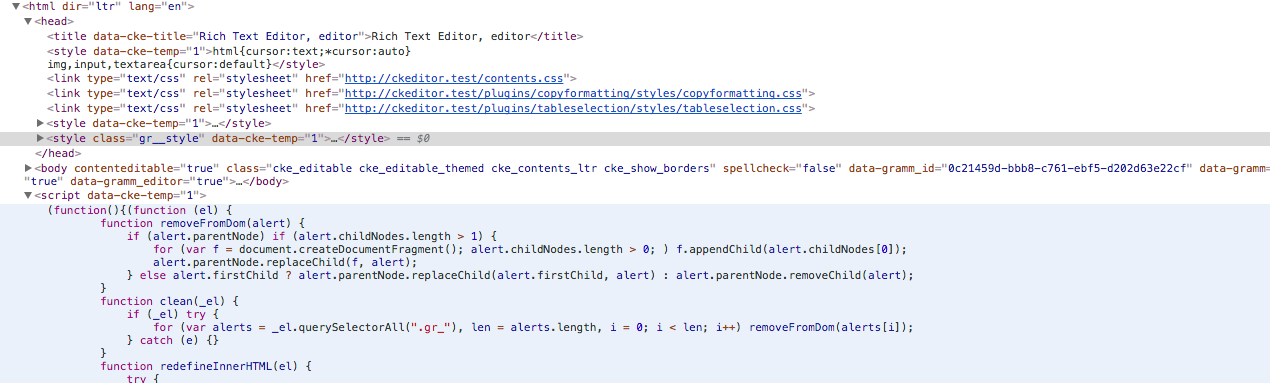
2. Grammarly inserts additional tags into content
For example:
<h1><g class="gr_ gr_5 gr-alert gr_gramm gr_inline_cards gr_run_anim Punctuation only-ins replaceWithoutSep" id="5" data-gr-id="5">Hello</g> world!</h1>
however, even with ACF (allowedContent=true) turned off, it is removed when content is fetch from the editor.
3. Grammarly adds <div class="grammarly-disable-indicator"> </div>
Seems it happens only on Safari, div is added to the end of the content
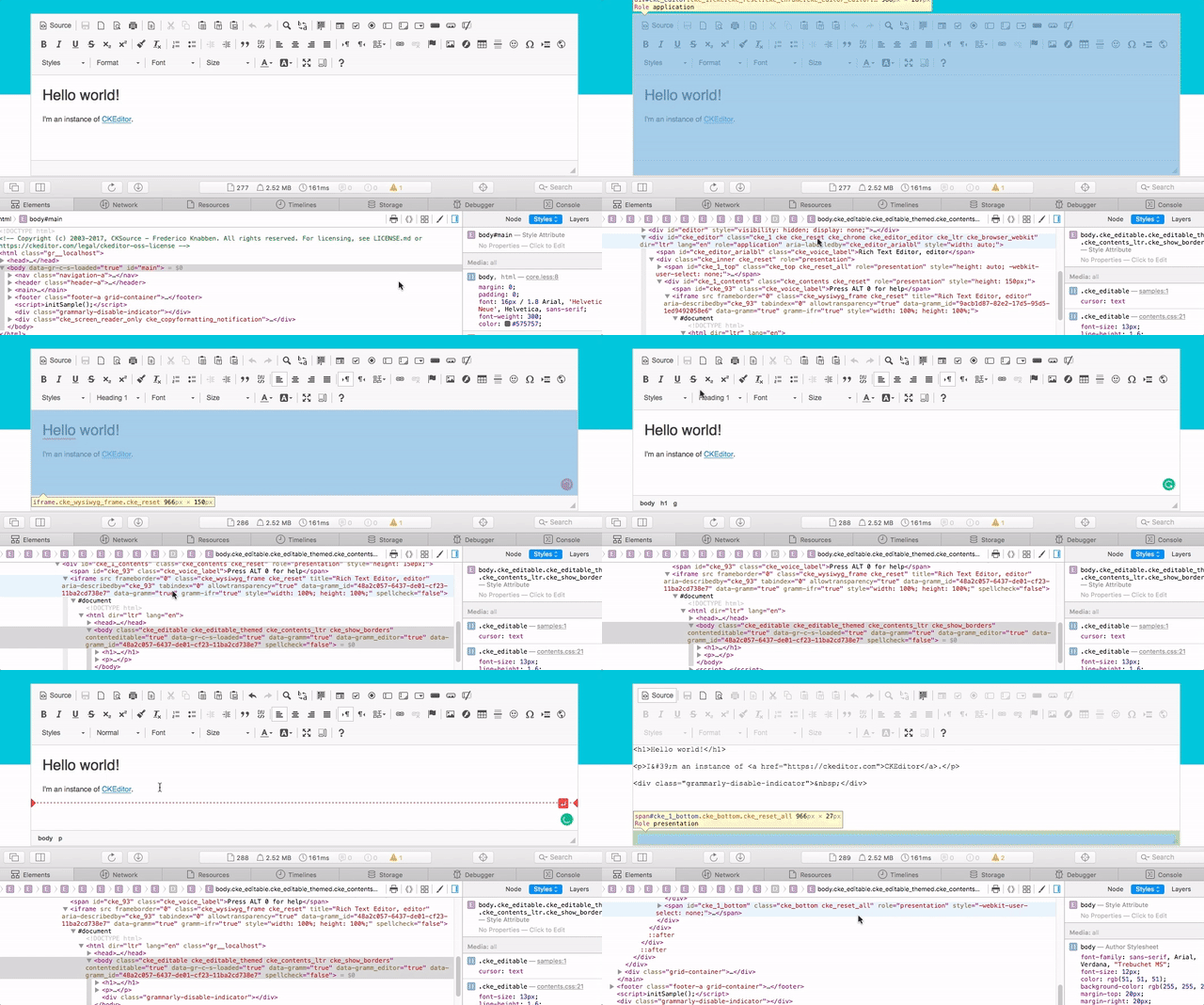
Unfortunately, it seems ACF does not remove this additional element even when enabled. So this is the real issue which breaks editor usability.
To sum up, the only visible issue ATM is extra div added on Safari by Grammarly, which pollutes editor output and may break output HTML.
Other details
- Browser: Tested on Chrome, Safari, Firefox
- OS: All
- CKEditor version:
4.8.0 - Installed CKEditor plugins:
full preset/ minimal (plugins: 'toolbar,wysiwygarea,basicstyles')
 f1ames
All 9 comments
Though it's a third party issue, let's keep it open and try to reach Grammarly team on how we can cooperate to resolve this.
 mlewand
on 15 Dec 2017
mlewand
on 15 Dec 2017
This is the html that it creates. This is probably not something that can be fixed by ya'all without allowing Grammarly to be turned off on select sites. But I thought I would at least share in case it helps you or someone else.
 kgibso01
on 15 Dec 2017
kgibso01
on 15 Dec 2017
It isn't actually ckeditor it is another editor in a proprietary tool called Cirlce that is doing it. I am on Windows 10, using Chrome. See attached for a file that shows what is created when I have the Grammarly extensions enabled. Super strange may not be something you can fix and that is ok. Thanks.
test email.txt
kgibso01
on 15 Dec 2017
Though it's a third party issue, let's keep it open and try to reach Grammarly team on how we can cooperate to resolve this.
Tagging @A-gambit
 preeteshjain
on 24 Nov 2018
preeteshjain
on 24 Nov 2018
Has this issue ever been resolved?
 GeraldinePink
on 28 Jan 2019
GeraldinePink
on 28 Jan 2019
My team has been running into this issue as well and are curious as to whether there are any updates?
 kyletolle
on 14 Feb 2019
kyletolle
on 14 Feb 2019
Let's check if this issue is still valid.
f1ames
on 23 Apr 2021
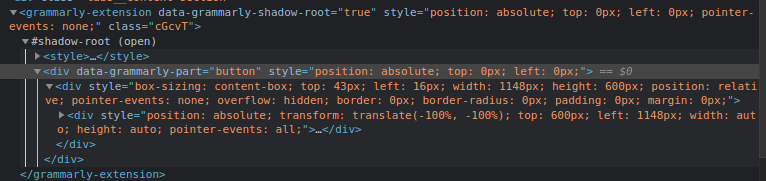
Currently, buttons and suggestions are placed with shadow DOM:
and

The same goes for pop up:
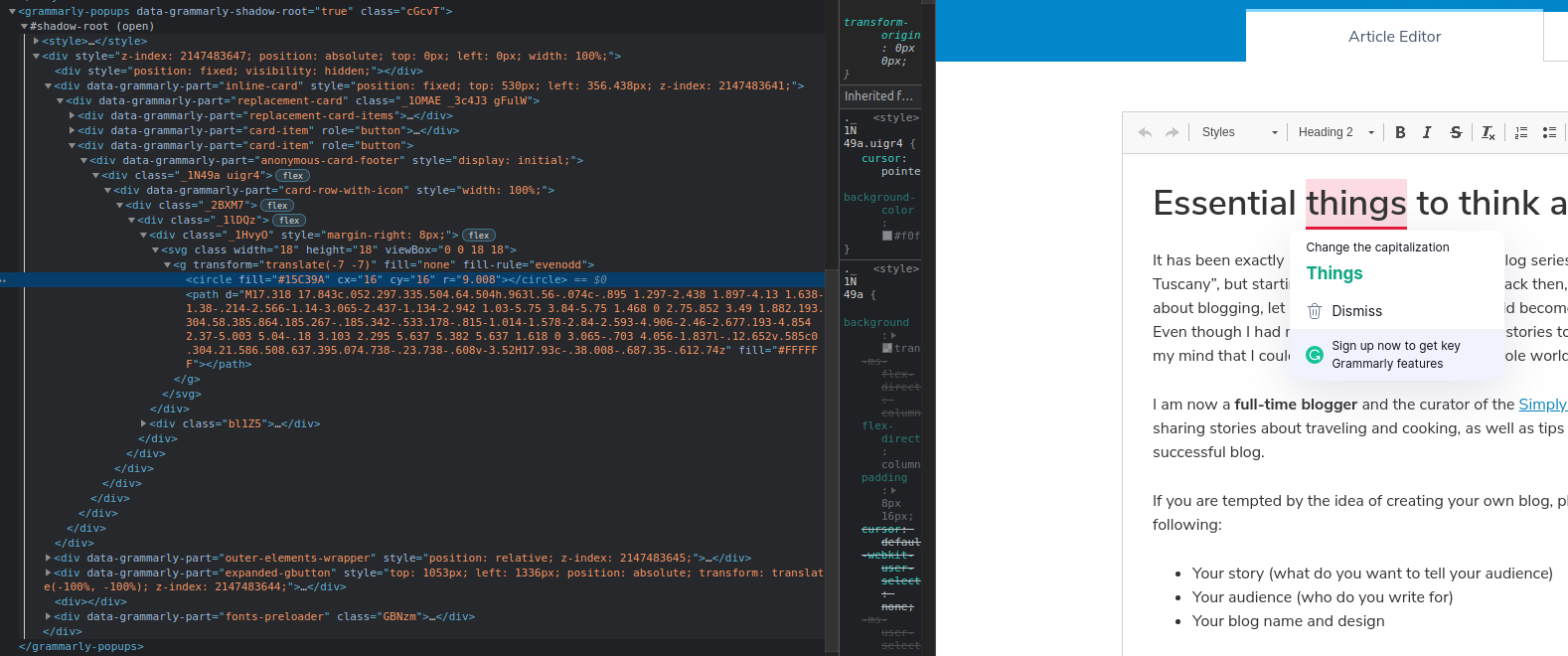
I just assume that this issue is no longer valid. I can't run Safari with Grammarly extension to be 100% sure.
 sculpt0r
on 27 May 2021
sculpt0r
on 27 May 2021
I have checked both Chrome and Safari in context of https://github.com/ckeditor/ckeditor4/issues/1350#issuecomment-849579294. Confirmed everything is inside separate element (which use shadow DOM) outside the editor so the issue is fixed.
f1ames
on 1 Jun 2021
Related issues
f1ames
·
4Comments
 jswiderski
·
5Comments
jswiderski
·
5Comments
 jbalinski
·
4Comments
jbalinski
·
4Comments
 DmitrySmolsky
·
4Comments
mlewand
·
5Comments
DmitrySmolsky
·
4Comments
mlewand
·
5Comments
Most helpful comment
My team has been running into this issue as well and are curious as to whether there are any updates?