Ckan: [Bug]All mods under compatible are visually checked as installed, but do not appear under the installed tab, and are not actually installed.
Background
- Operating System: Windows 10
- CKAN Version: Orion
- KSP Version: 2594 (according to launcher)
Have you made any manual changes to your GameData folder (i.e., not via CKAN)?
No
Problem
Describe the bug
All mods under compatible are visually checked as installed, but do not appear under the installed tab, and are not actually installed. It appears to just be visual, since gamedata folder and the installed tab are perfectly fine.
Steps to reproduce
Update to orion,reboot Ckan.
Expected behavior
Works perfectly fine, minus the graphical portion of the checkbox.
Screenshots (if applicable)
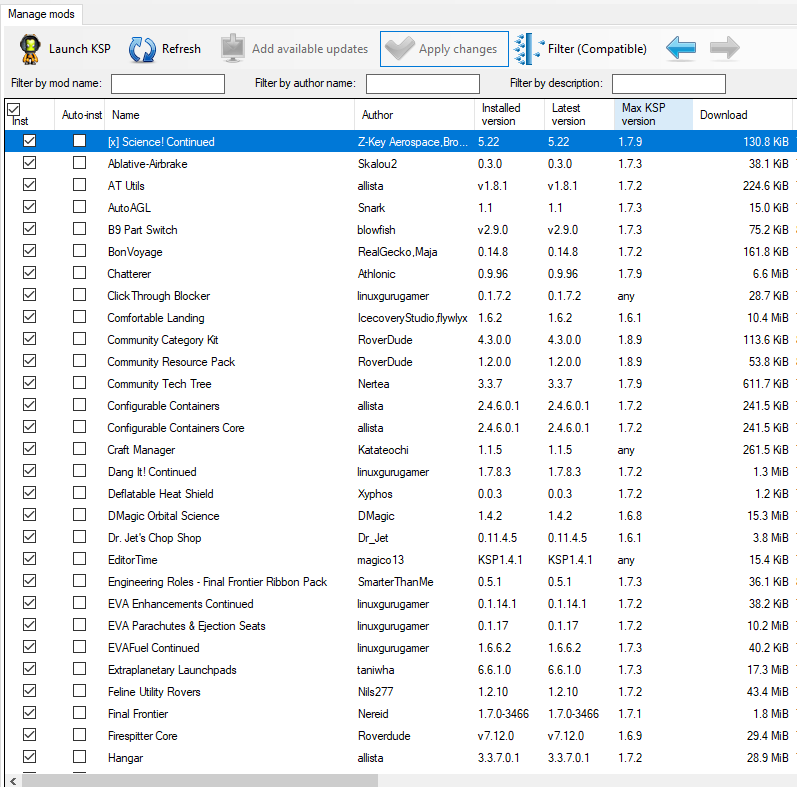
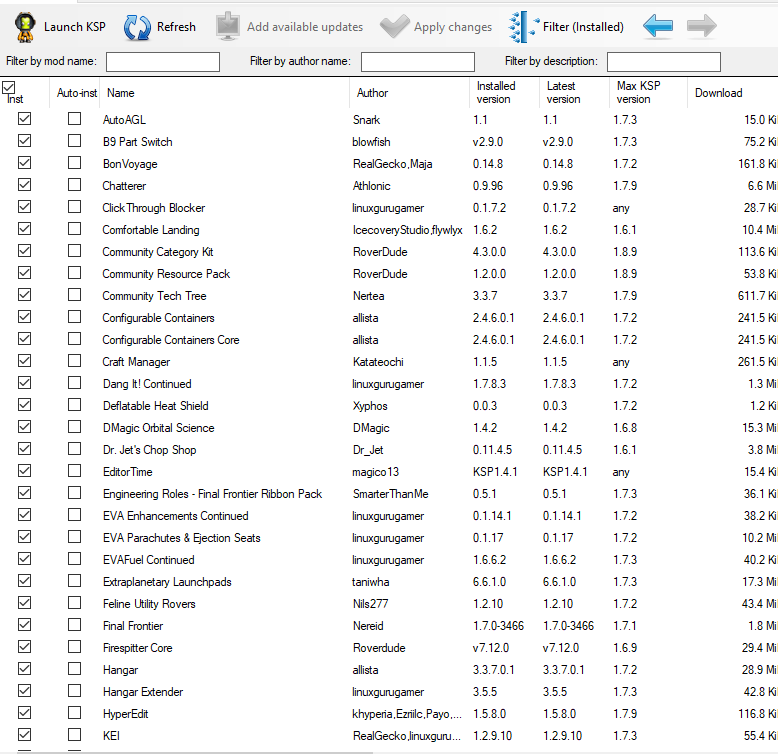
 nascarlaser1
All 11 comments
I suspect you restarted CKAN a second time already? And the issue is still there? After refreshing it stays the same?
Can you export you installed mods (under File > Export installed mods > CKAN favourites list (*.ckan) and upload it here?
 DasSkelett
on 17 Aug 2019
DasSkelett
on 17 Aug 2019
I've restarted program repeatedly over multiple days, as well as refreshing.
I'm not sure how to upload the mod list due to github not supporting the file type.
nascarlaser1
on 17 Aug 2019
Either zip it, or just add .txt after the .ckan extension.
DasSkelett
on 17 Aug 2019
ckan mod export.zip
Here ya go ^^
nascarlaser1
on 17 Aug 2019
I tried installing that mod list in Windows (except StockalikeMiningExtension which can't be installed currently), and it worked normally:
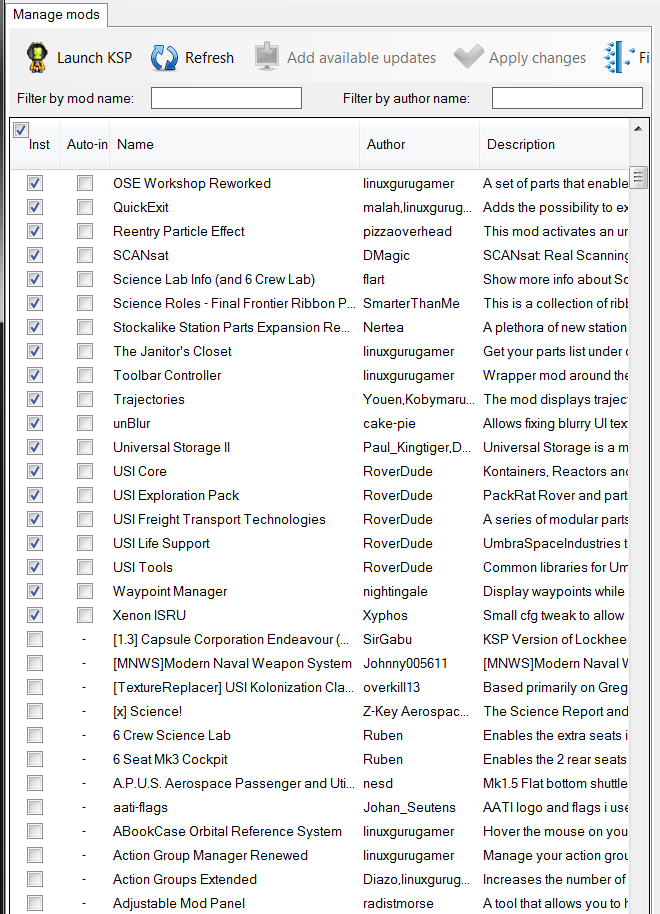
Can you upload a copy of your CKAN\registry.json file as well? There may be some clues in there.
 HebaruSan
on 18 Aug 2019
HebaruSan
on 18 Aug 2019
Where do I find the registry.json?
nascarlaser1
on 19 Aug 2019
It's in the CKAN folder in your KSP folder.
HebaruSan
on 19 Aug 2019
Here it is ^^
registry.zip
nascarlaser1
on 20 Aug 2019
Thanks!
I tried replacing my copy of that file with yours, and unfortunately it still works fine for me, so something else is causing it.
HebaruSan
on 20 Aug 2019
Ok. It seems to just affect it visually,so I'm fine with it until i re-install ckan. Was mostly a "Hey look" sorta bug then anything else ^^
nascarlaser1
on 21 Aug 2019
Still no hint of how to reproduce this. Without that, we can't investigate or fix it.
Please let us know if you have more information, we can re-open.
HebaruSan
on 9 Jul 2020
Related issues
DasSkelett
·
6Comments
 motoboy98
·
6Comments
motoboy98
·
6Comments
 core-code
·
5Comments
core-code
·
5Comments
 Zuthal
·
5Comments
Zuthal
·
5Comments
 davidgiven
·
6Comments
davidgiven
·
6Comments