CKAN stops working immediately after launch with no code or anything
Background
CKAN Version:
bruce? 1.24.0 i think
KSP Version:
1.3.1 heavily modded
Operating System:
windows 10
Have you made any manual changes to your GameData folder (i.e., not via CKAN)?
yep its modded but i have tried moving my ksp folder out of steam and letting steam download a fresh one and tried to run ckan on that but that doesnt work too
Affected mods and mod versions:
ehhhhhhh ???????
all of them i guess
Problem
What steps did you take in CKAN?
put it into my ksp directory (1.3.1) (heavily modded)
launch it
What did you expect to happen?
launch normally lol
What happened instead?
ckan stops working immediately after launching it from inside the ksp directory, ive tried deleting the ckan folder but that doesnt do anything
IMMEDIATELY a windows error pops up saying "ckan has stopped working" then says close program
Screenshots:

CKAN error codes (if applicable):
 RDambrosio016
All 61 comments
Which version of .NET do you have?
 HebaruSan
on 7 Apr 2018
HebaruSan
on 7 Apr 2018
i have the latest one, 4.7.1 i think its the name
RDambrosio016
on 7 Apr 2018
also one detail i forgot to add, i dont know if it makes a difference but i edited my paging file size to fix 100 disk usage
RDambrosio016
on 7 Apr 2018
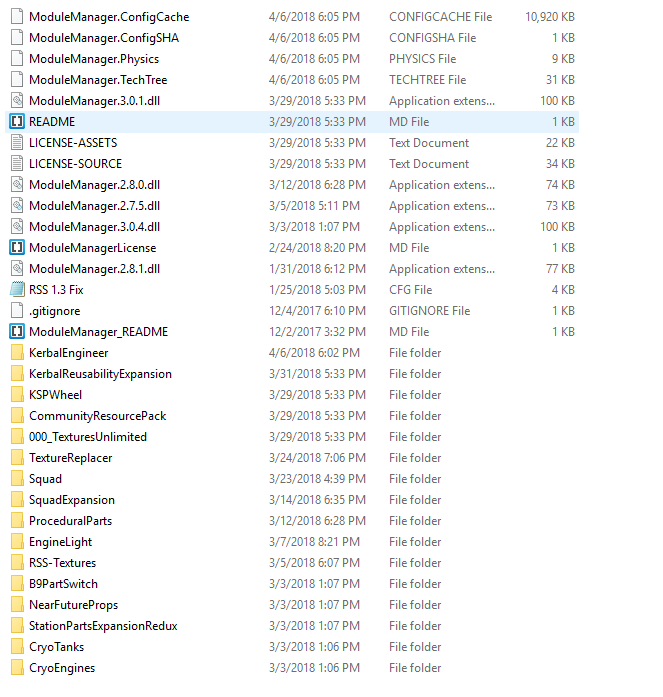
OK, so far I'm not able to reproduce this. I tried putting the EXE in my GameData folder as you seem to have from the screenshot, and it launched normally. To solve this we'll need enough information for other people to be able to make it happen.
Can you detail exactly what you mean about the paging file size?
HebaruSan
on 7 Apr 2018
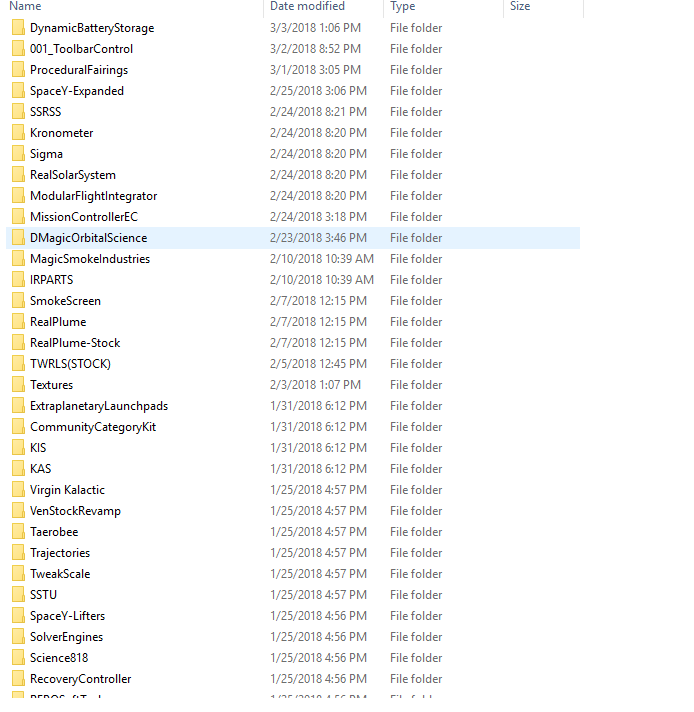
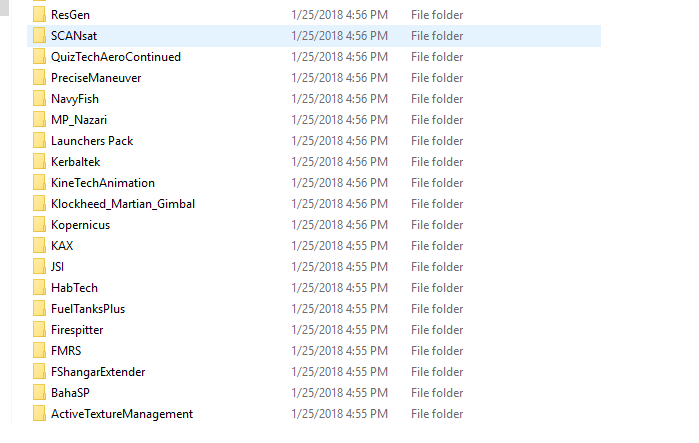
here it is, ill also give you a screenshot of the mods

RDambrosio016
on 7 Apr 2018
OK, thanks, I don't think that's the cause.
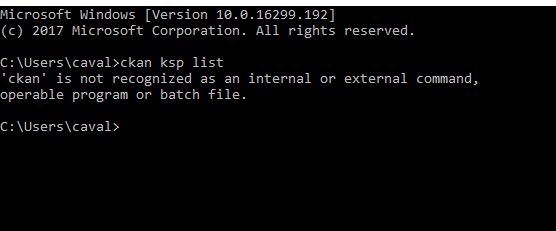
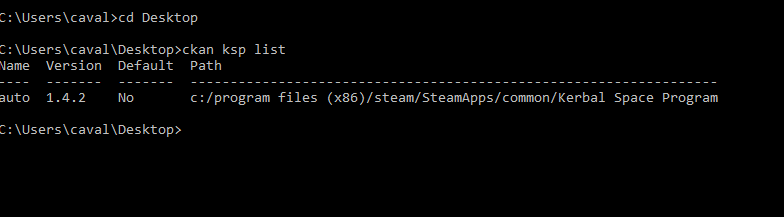
Can you please try running ckan ksp list in a cmd window and let us know what it says? You may have to "cd" to the directory where you saved ckan.exe for this to work.
HebaruSan
on 7 Apr 2018
RDambrosio016
on 7 Apr 2018
You need to "cd" to the directory where you saved ckan.exe for that to work.
HebaruSan
on 7 Apr 2018
oh so C:\Program Files (x86)\Steam\steamapps\common\Kerbal Space Program/ckan
is that what it means?
sorry i dont know a lot about this
RDambrosio016
on 7 Apr 2018
Let's say you saved ckan.exe to your c:\Users\caval\Desktop folder. Then you could run:
cd Desktop
ckan ksp list
ok
RDambrosio016
on 7 Apr 2018
RDambrosio016
on 7 Apr 2018
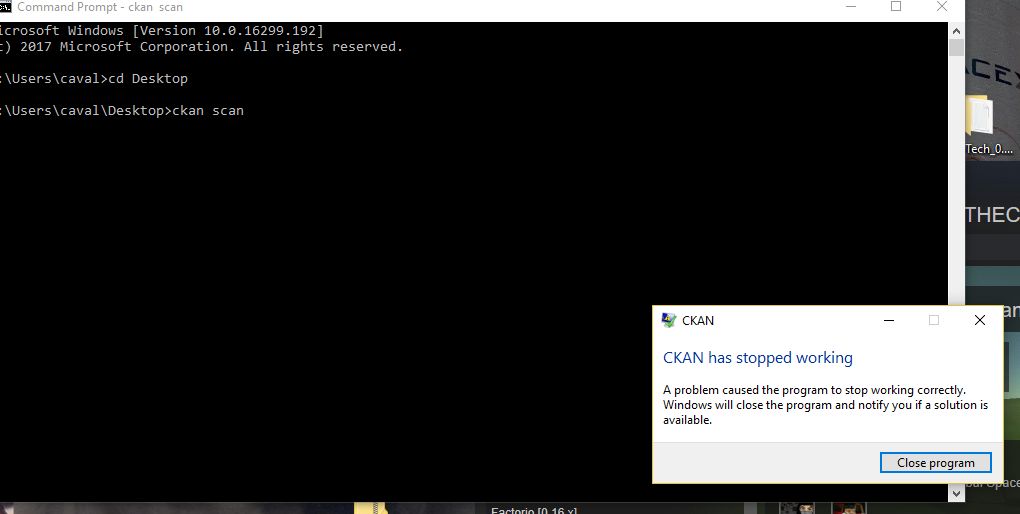
Thanks, that looks normal. How about this? It's the next thing the GUI tries to do when it starts up:
cd Desktop
ckan scan
ckan list
If the same problem happens, this might give us more information about it.
HebaruSan
on 7 Apr 2018
RDambrosio016
on 7 Apr 2018
crashes when i do
ckan list too
RDambrosio016
on 7 Apr 2018
the program doesnt like me
RDambrosio016
on 7 Apr 2018
OK, that helps to narrow down where the problem might be. Try this to hopefully get more output before it crashes:
cd Desktop
ckan scan --debug

RDambrosio016
on 7 Apr 2018
Aha, so it crashes when it tries to load this file!
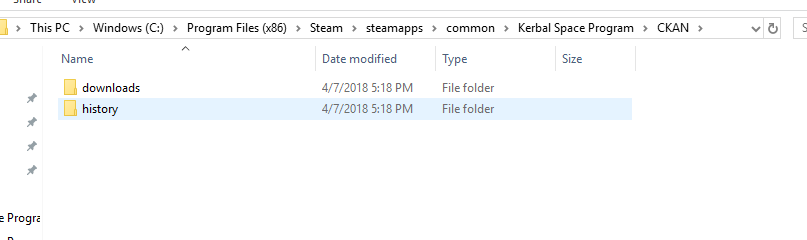
C:\Program Files (x86)\Steam\SteamApps\common\Kerbal Space Program\CKAN\registry.json
Can you please check whether that file exists? If so, try moving it to another folder. This would allow CKAN to attempt to recreate the file automatically next time it runs, and it would also allow us to inspect the file later to see what's wrong with it.
If it doesn't exist, then it may be a permissions problem with the containing CKAN folder.
HebaruSan
on 8 Apr 2018
nope it doesnt exist
RDambrosio016
on 8 Apr 2018
Is your disk full? CKAN needs to be able to create a 6 MB file in that folder, and it would not be able to continue if that fails.
HebaruSan
on 8 Apr 2018
no i have 1 tb left
RDambrosio016
on 8 Apr 2018
nope
RDambrosio016
on 8 Apr 2018
and nothing in downloads either
RDambrosio016
on 8 Apr 2018
i guess this is a more complex problem than usual
RDambrosio016
on 8 Apr 2018
i guess this is a more complex problem than usual
Well it's certainly more obscure, as we typically get a stack trace. Something on your PC is stopping CKAN from creating a file, and we have to basically guess what it is.
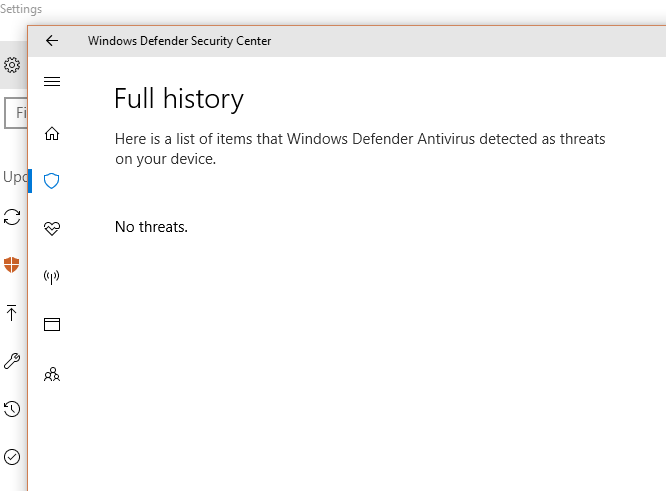
Can you check your antivirus software to see if it has any log entries related to this file?
HebaruSan
on 8 Apr 2018
i dont have one, the windows default thing is pretty good
RDambrosio016
on 8 Apr 2018
ill try adding ckan to my exclusions on windows defender but i dont know if it will make a difference
RDambrosio016
on 8 Apr 2018
yeah no it doesnt seem like it does anything, i also tried running ckan as admin but that doesnt work either
RDambrosio016
on 8 Apr 2018

RDambrosio016
on 8 Apr 2018
one is allowed threats and one is quarantined threats
RDambrosio016
on 8 Apr 2018
@duckthecuck, if you can download this test version, there are now more debug messages around the point where you're having this problem. Could you please try running it with ckan scan --debug again and share the output?
HebaruSan
on 11 Apr 2018
oh wait my bad it was called ckan(3) so it didnt recognize it xD
these are the outputs
C:\Users\caval>cd desktop

C:\Users\caval\Desktop>ckan scan --debug
177 [1] INFO CKAN.CmdLine.CommonOptions (null) - Debug logging enabled
253 [1] DEBUG CKAN.KSP (null) - Checking if KSP is in my exe dir: C:\Users\caval\Desktop
270 [1] DEBUG CKAN.RegistryManager (null) - Preparing to load registry at c:/program files (x86)/steam/SteamApps/common/Kerbal Space Program/CKAN
271 [1] DEBUG CKAN.RegistryManager (null) - Checking for stale lock file at c:/program files (x86)/steam/SteamApps/common/Kerbal Space Program/CKAN\registry.locked
271 [1] DEBUG CKAN.RegistryManager (null) - Trying to create lock file: c:/program files (x86)/steam/SteamApps/common/Kerbal Space Program/CKAN\registry.locked
271 [1] DEBUG CKAN.RegistryManager (null) - Lock file created: c:/program files (x86)/steam/SteamApps/common/Kerbal Space Program/CKAN\registry.locked
272 [1] DEBUG CKAN.RegistryManager (null) - Trying to load registry from c:/program files (x86)/steam/SteamApps/common/Kerbal Space Program/CKAN\registry.json
273 [1] INFO CKAN.RegistryManager (null) - Creating new CKAN registry at c:/program files (x86)/steam/SteamApps/common/Kerbal Space Program/CKAN\registry.json
And it "stopped working" right after that? Weird! That would narrow it down to this:
... since Save prints a message on its first line. Unfortunately that line doesn't do anything that could crash. I guess we could add more debugging statements to Registry.Empty...
HebaruSan
on 11 Apr 2018
yep it crashes like normal after it runs that
RDambrosio016
on 12 Apr 2018
this is like trying to find a needle in a haystack except windows dyed the hay the same color as the needle
RDambrosio016
on 12 Apr 2018
@duckthecuck, have you ever run CKAN with administrative privileges? To be clear, I am NOT asking you to try this. If you have done it in the past, it could be relevant.
 politas
on 13 Apr 2018
politas
on 13 Apr 2018
sorry for the late reply, yes i have tried after it stopped working a couple of times
RDambrosio016
on 14 Apr 2018
ive "runned it as administrator"
RDambrosio016
on 14 Apr 2018
so, what could be wrong with it?
RDambrosio016
on 18 Apr 2018
Not sure, but see if you can run CKAN on a fresh copy of KSP with no /CKAN folder and no mods installed.
politas
on 27 Apr 2018
I have tried that, getting a fresh copy of ksp on my pc, putting a new download of ckan in it and running it but it does the same exact thing
RDambrosio016
on 27 Apr 2018
Does it actually create a CKAN/registry.json file in the KSP instance?
What does ckan ksp list return?
politas
on 28 Apr 2018
nope it doesnt, here is what ckan ksp list returns:
Creating c:/program files (x86)/steam/SteamApps/common/Kerbal Space Program/CKAN/downloads
Creating c:/program files (x86)/steam/SteamApps/common/Kerbal Space Program/CKAN/history
Name  Version     Default  Path
----  ----------  -------  ------------------------------------------------------------------
auto  1.3.1.1891  No       c:/program files (x86)/steam/SteamApps/common/Kerbal Space Program
keep in mind this is on a realism overhaul folder but it returns the same stuff on a fresh install
RDambrosio016
on 28 Apr 2018
and yeah it just doesnt create it at all
RDambrosio016
on 28 Apr 2018
Ok, so that's your original Steam copy of KSP. Now if you could copy that directory (c:/program files (x86)/steam/SteamApps/common/Kerbal Space Program) to somewhere under your user directory in order to be free of weird Windows permissions issues, then run:
ckan ksp add new <path/of/copy>
And then launch CKAN. That should give you a Select KSP install dialog. Choose the "new" install and see if that works.
politas
on 28 Apr 2018
im not sure if i understand :), would u like me to take a new folder of ksp, move it to desktop or somewhere free of steam, and then run the command?
RDambrosio016
on 28 Apr 2018
C:\Users\caval>cd desktop

C:\Users\caval\Desktop>ckan ksp add new <C:\Users\caval\Desktop\Kerbal Space Program>
The syntax of the command is incorrect.
:(
RDambrosio016
on 28 Apr 2018
C:\Users\caval\Desktop>ckan ksp add new
add <name> <path> - argument missing, perhaps you forgot it?
i think its missing something, huh
RDambrosio016
on 28 Apr 2018
Don't use less-than and greater-than symbols ("<" and ">") in the command. Those do special things in a cmd window and will confuse it. Try quotes intead:
ckan ksp add new "C:\Users\caval\Desktop\Kerbal Space Program"
lmao sorry
RDambrosio016
on 28 Apr 2018

RDambrosio016
on 28 Apr 2018
i forgot to mension, this is the test version you gave me in a previous comment
RDambrosio016
on 28 Apr 2018
This honestly looks like a case of not having .NET installed. How did you confirm that you had it?
Oh, please get rid of the test version and install the latest release to make sure you have the newest changes. The test version is a bit old by now, which isn't likely to matter, but better safe than sorry.
HebaruSan
on 28 Apr 2018
ok, i have installed the latest .net, is there any way to see if it is installed?
RDambrosio016
on 28 Apr 2018
yeah no even with latest on a new 1.4 download it crashes
RDambrosio016
on 28 Apr 2018
i do have .net installed

RDambrosio016
on 30 Apr 2018
cant download astronomers visual pack for rss cause ckan bronk feelsbadman, hope windows stops beign a cuck
RDambrosio016
on 2 May 2018
After that last incoherent message, I'm tempted to just close this issue
politas
on 7 Jul 2020
yikes this is old
RDambrosio016
on 7 Jul 2020
Related issues
 junwooPark
·
7Comments
junwooPark
·
7Comments
 btbonval
·
6Comments
btbonval
·
6Comments
 ihsoft
·
5Comments
ihsoft
·
5Comments
 jupiterbjy
·
3Comments
jupiterbjy
·
3Comments
 motoboy98
·
6Comments
motoboy98
·
6Comments
Most helpful comment
After that last incoherent message, I'm tempted to just close this issue