Citra: Star Fox 64 3D Aquas and Andross fight are upside down
using latest nightly upon entering the water level Aquas as you can see, the level is completely upside down. I don't know any other levels except the final boss fight with Andross that has this issue. The log shows nothing out of the ordinary and i have posted a video for anyone who wants to see what i am talking about. only on aquas but the andross fight I have to redo so will edit this later but for now here in this video https://streamable.com/w8sg1 you can see what i am talking about
 arkhamsaiyan
All 23 comments
upon trying different routes found that the fire level Solar is also upside down.


actually finished the level with the accomplished status. this level sucked when i was a kid lol
arkhamsaiyan
on 12 Nov 2017
Please upload the log file.
 GDhex12
on 13 Nov 2017
GDhex12
on 13 Nov 2017
Oh my bad here is some of the log from entering Aquas and im going to go through and post the venom log but also here are some screen shots of the upside down Aquas not a video.
arkhamsaiyan
on 16 Nov 2017

beginning aquas.


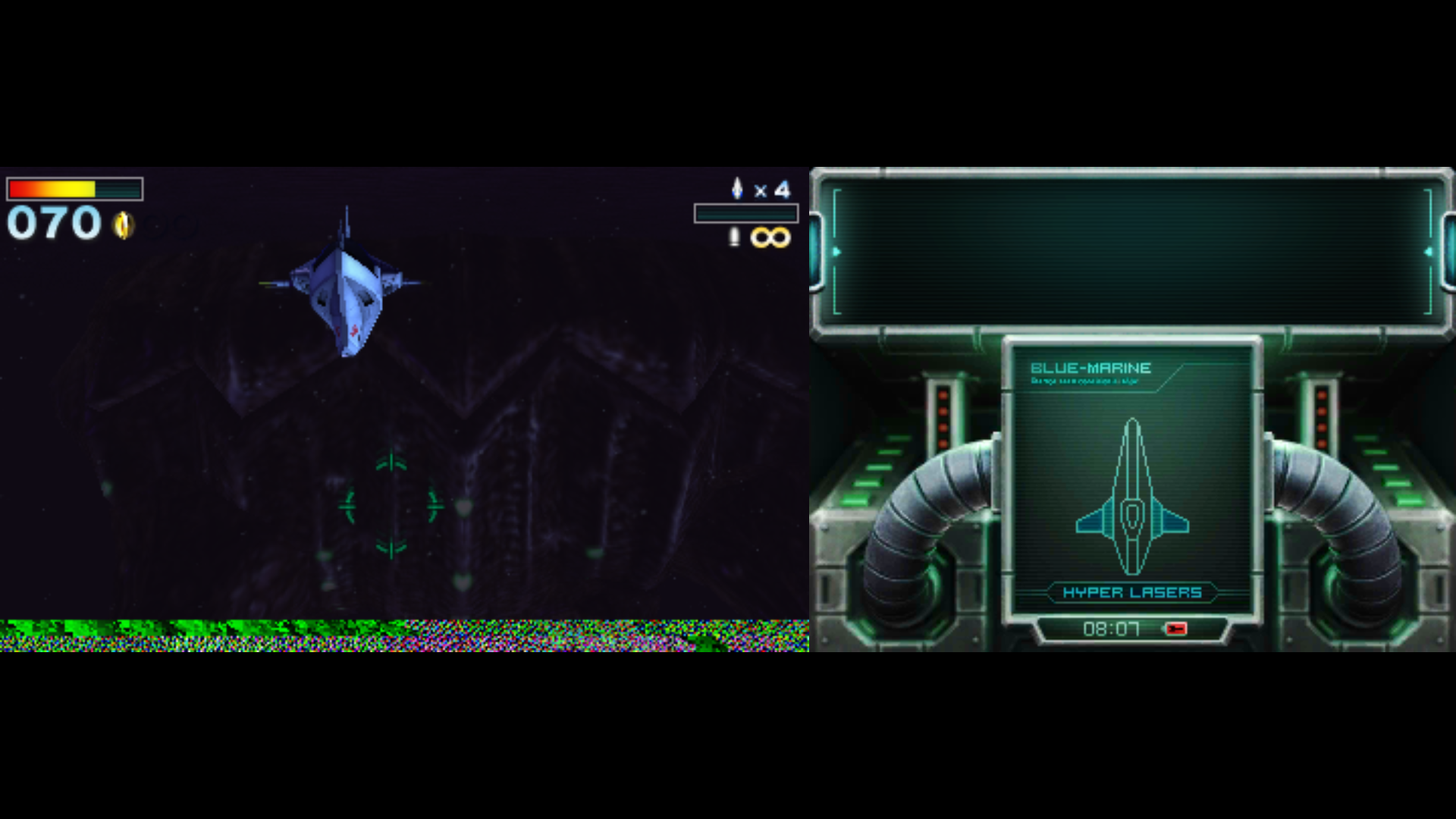


some shots of the level
ill do the andross fight and take shots of it when I am on the fight. shouldnt be too long.
arkhamsaiyan
on 16 Nov 2017
just got to the andross flight path. Star Wolf attacked and I had only Falco as a team mate. But as you can see the flight to andross is fine:

but when I get to his face and hands:


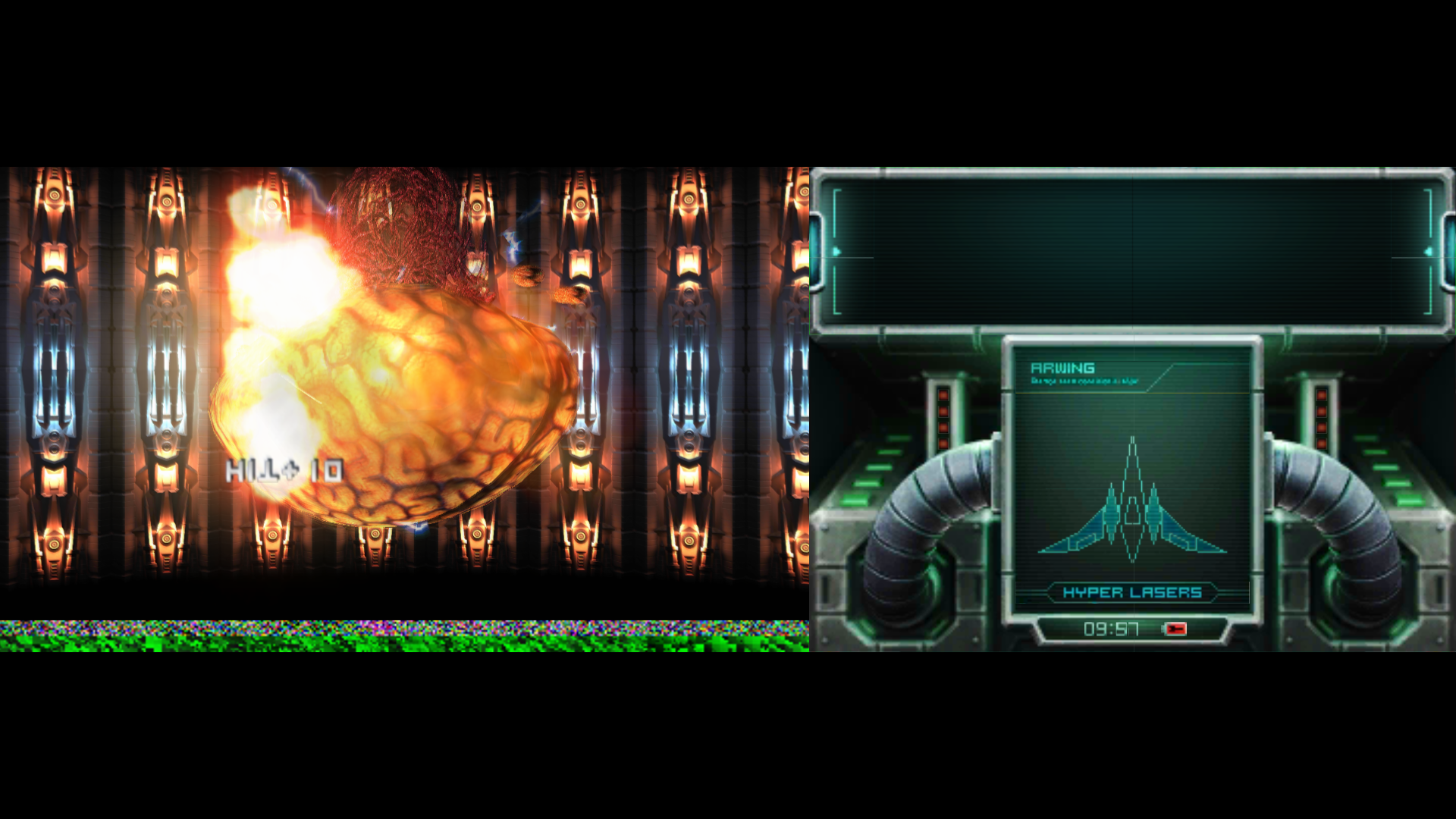
after beating the brain and escaping with James McCloud it goes back to normal.
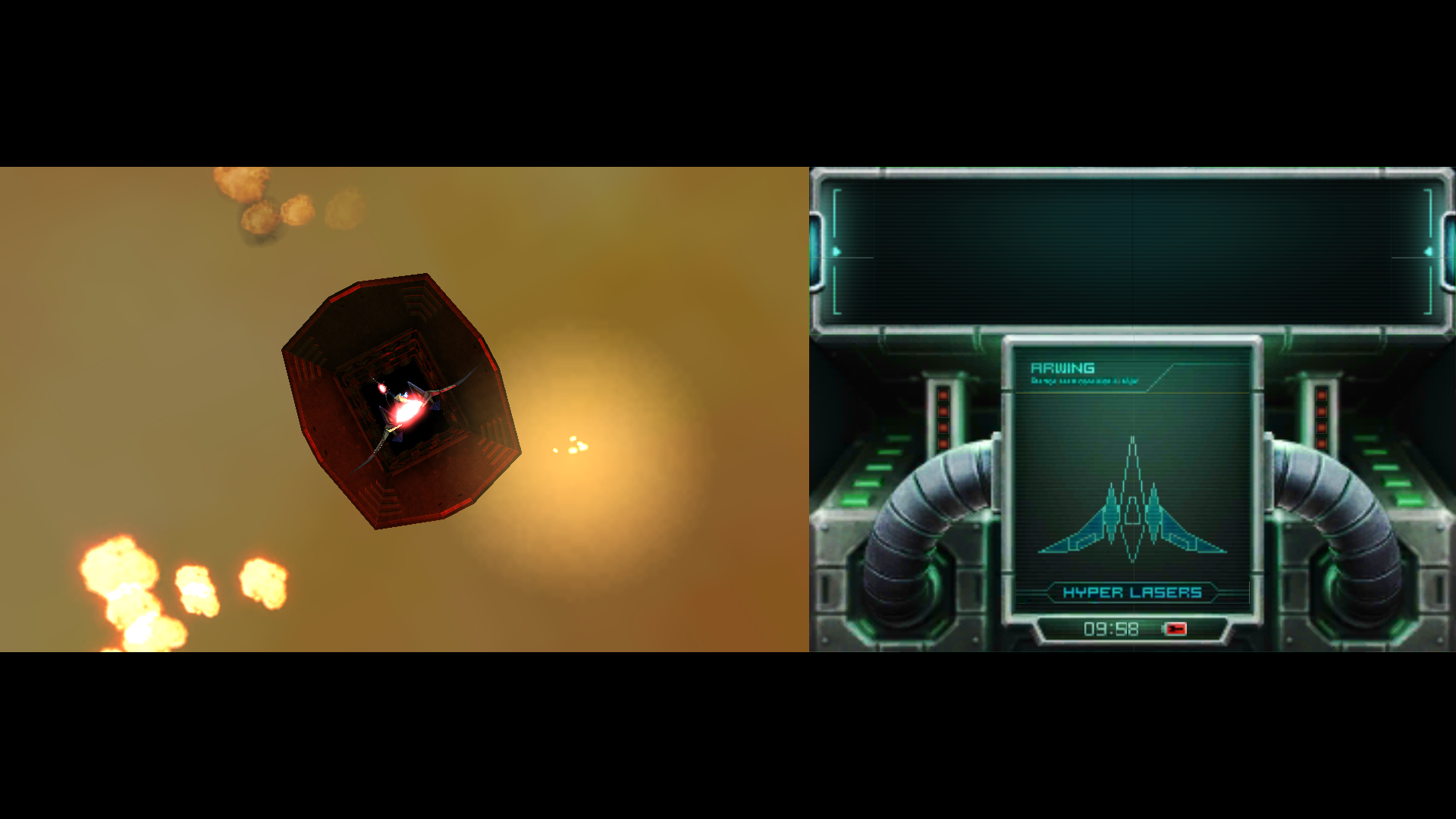
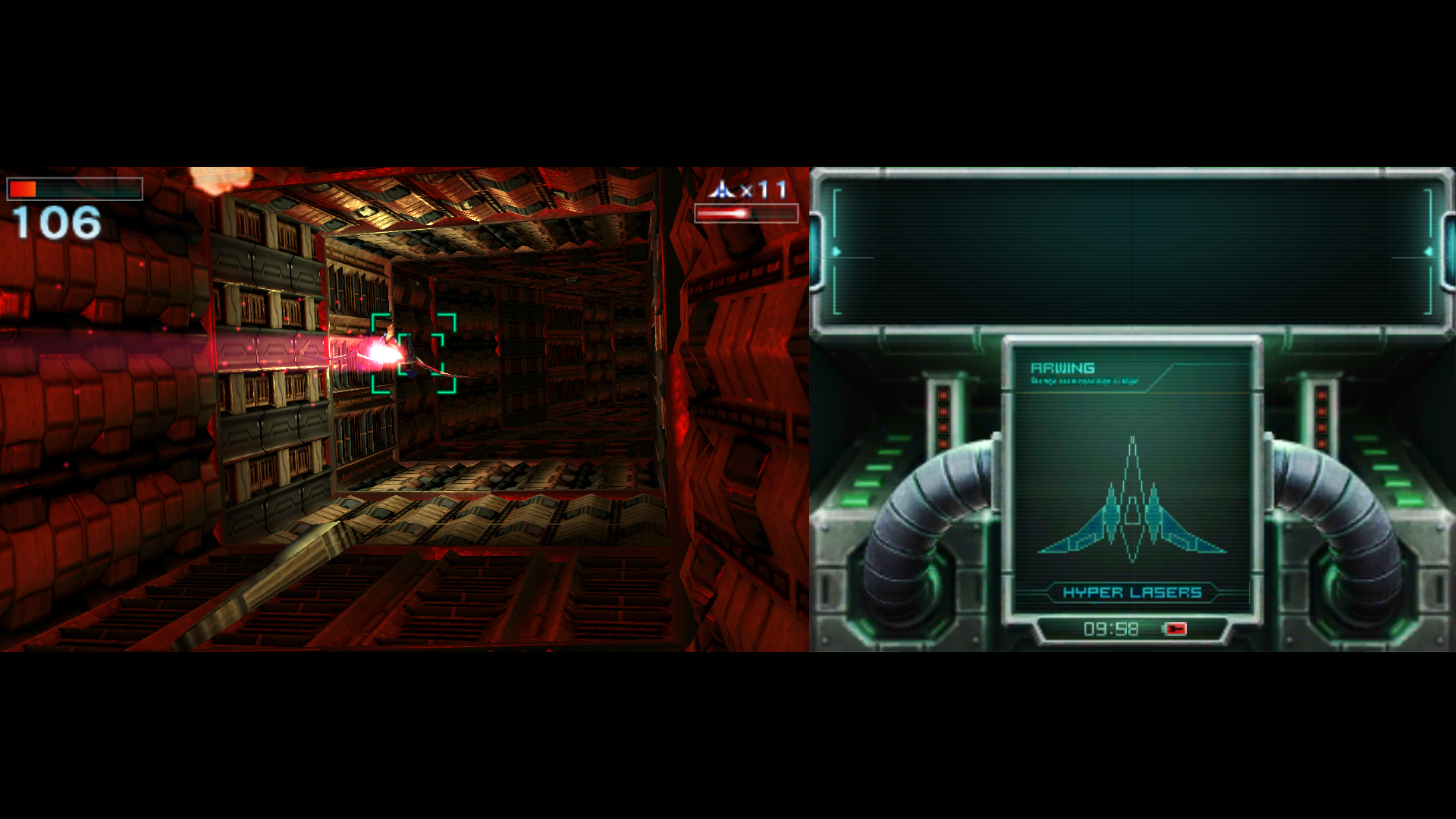
here is log for Andross fight.
https://pastebin.com/G2S0q32e
arkhamsaiyan
on 16 Nov 2017
anything else I need to provide?
arkhamsaiyan
on 20 Nov 2017
Please address this error.
 GamingTVYT
on 16 Aug 2018
GamingTVYT
on 16 Aug 2018
I can confirm this remains an issue under Canary 1143 | HEAD-7a4fea037 (2018-12-22)
 kalanihelekunihi
on 23 Dec 2018
kalanihelekunihi
on 23 Dec 2018
Good god took you guys long enough this is almost two years old
arkhamsaiyan
on 25 Dec 2018
This is still an issue. Why hasn't this at least been labeled yet?
 ghost
on 17 Feb 2019
ghost
on 17 Feb 2019
I think that emulating these games and fixing those errors should not know, because it is such a simple problem, someone who understands codes should know how to solve this ...
GamingTVYT
on 17 Feb 2019
What's actually interesting and worth to consider here is that the background is not only upside down, but corrupted at the bottom as well.
 FearlessTobi
on 12 Apr 2019
FearlessTobi
on 12 Apr 2019
A noteworthy detail: the corruption at the bottom of the screen remains static within a single level, including restarts of that level as long as it is not reloaded.
However, if one returns to the map and retries the stage, there will be different corruption at the bottom of the screen.
kalanihelekunihi
on 4 May 2019
Try disabling the Hardware Shaders, and if you have black textures problems; disabling the Hardware Shaders will solve the problem, but the game will be very slow. What is your system information ?
(OS version, OS and Hardware) What is your citra build ? (The bottom image is a screenshot that i take of the game with Hardware Shaders. The second is without Hardware shaders.)


(My game is in french, so dont asking you why the main menu is in french)
 Wolfy963
on 27 Jul 2019
Wolfy963
on 27 Jul 2019
Disabling Hardware Shaders doesn't fix it for me, it just makes the game run slower. On the latest Canary build.
ghost
on 27 Jul 2019
Still exists as of Canary 1459. Disabling Hardware Render, Hardware Shaders, or Hardware JIT has no effect [I disabled before the corruption to see if these options would prevent it; no dice]. Note I did have 2x Internal Resolution set, so I can't rule out it's an odd IR issue.
It may be worth noting that Aquas, Solar, and the Andros boss fight use some fullscreen hazing effects that other stages don't; can't help but that that's related somehow.
 gamerk2
on 24 Aug 2019
gamerk2
on 24 Aug 2019
Confirming this, still present as of the latest build, in both nightly and canary.
 NickZ
on 17 Oct 2019
NickZ
on 17 Oct 2019
I don't understand why it's happening, there must be a reason !
Wolfy963
on 6 Nov 2019
So I've been working on this for the last few days and I'll put here everything I know about this.
First of all, the garbage drawn on screen is not really a bug: It is deemed by the game outside the framebuffer area and as such doesn't bother to clean it. It usually contains either texture or shader memory.
For the bug in itself: the way rendering works in star fox 64 is by creating an internal framebuffer for the 3D plane and inverting it upon generation of the actual image, as can be seen in the first picture below. Now, during this bug, what the game does is render the image still in the correct internal framebuffer but upside-down from a rendering perspective(aka not inversed), as can be seen in the next 2 images. The first step of the rendering process thus fails to draw in the correct axis contrary to the rest of the game. The real bug then comes down from rendering an incorrect part of the framebuffer, with its Y axis inversed like all of the other scenes and unlike this one.
As such I'd be inclined to believe that the rasterizing part of the pipeline process for the internal framebuffer is correct, even though different from the rest of the game, while the rendering process somehow crops incorrectly this framebuffer, through something I have yet to find.
It is also noteworthy that all framebuffers that have this issue are of a 512x256 resolution, double that of most levels. That might be completely unrelated but I have yet to find any solid leads on why the bugs occur, so better note small details sooner than later.


 GovanifY
on 26 Feb 2020
GovanifY
on 26 Feb 2020
I'm curious why Citra reports "great compatibility" for this game while it still has this issue; it makes certain levels nigh-unplayable.
 SilverlightPony
on 21 Apr 2020
SilverlightPony
on 21 Apr 2020
@SilverlightPony Indeed, that should be changed.
Regarding the issue (and citra as a whole) I didn't had time to investigate anything lately so the ETA is still basically the same as it is in this issue, I hope to come back to it soon but, you know, life happens.
GovanifY
on 21 Apr 2020
Any hopes on fixing this issue? Dumb workaround, but I’d been playing using Xsplit (a streaming app like OBS) and just flipping the screen in the capture window when it happens. I wish the game worked better because the 3ds version really feels like a fabulous remake to the original with higher resolution and better quality audio.
kalanihelekunihi
on 31 Dec 2020
I'll eventually get back to it but I've been busy working on PCSX2 lately emulation wise. I needed to do a bunch of hardware testing and browse through GPU calls which is where I drew the line and had a line of thinking similar to "I'm too lazy to do this right now."
I haven't contributed to citra for quite a bit too, so we'll see what happens I guess. I haven't forgotten the issue, I just need to find week(s) to burn on this issue and understanding better the inner workings of PICA200.
GovanifY
on 31 Dec 2020
Related issues
 DeathWrench
·
3Comments
DeathWrench
·
3Comments
 kdex
·
4Comments
ghost
·
3Comments
kdex
·
4Comments
ghost
·
3Comments
 RicardoMVA
·
3Comments
RicardoMVA
·
3Comments
 animekai
·
3Comments
animekai
·
3Comments
Most helpful comment
So I've been working on this for the last few days and I'll put here everything I know about this.
First of all, the garbage drawn on screen is not really a bug: It is deemed by the game outside the framebuffer area and as such doesn't bother to clean it. It usually contains either texture or shader memory.
For the bug in itself: the way rendering works in star fox 64 is by creating an internal framebuffer for the 3D plane and inverting it upon generation of the actual image, as can be seen in the first picture below. Now, during this bug, what the game does is render the image still in the correct internal framebuffer but upside-down from a rendering perspective(aka not inversed), as can be seen in the next 2 images. The first step of the rendering process thus fails to draw in the correct axis contrary to the rest of the game. The real bug then comes down from rendering an incorrect part of the framebuffer, with its Y axis inversed like all of the other scenes and unlike this one.
As such I'd be inclined to believe that the rasterizing part of the pipeline process for the internal framebuffer is correct, even though different from the rest of the game, while the rendering process somehow crops incorrectly this framebuffer, through something I have yet to find.
It is also noteworthy that all framebuffers that have this issue are of a 512x256 resolution, double that of most levels. That might be completely unrelated but I have yet to find any solid leads on why the bugs occur, so better note small details sooner than later.