Cinnamon: The mintUpdate icon does not appear when system start
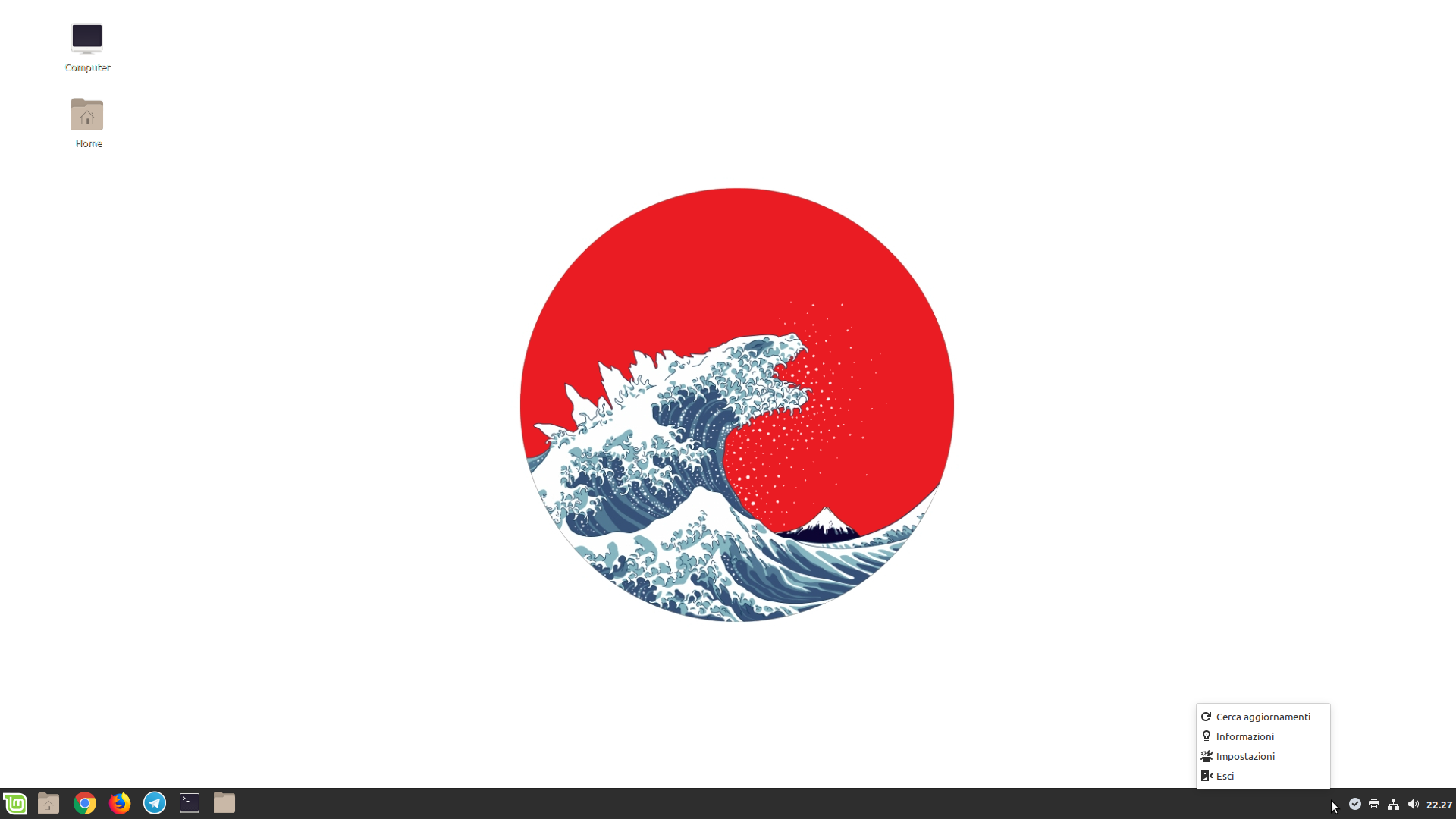
The mintUpdate icon does not appear when system start. The icon is as if it were invisible. If I right-click on where the icon should be, the mintUpdate menu appears. To make the icon reappear I have to restart cinnamon from the special function integrated in the troubleshooting
```
- Cinnamon 4.2.0
- Linux Mint 19.1 (With Tina repositories set manually)
- nvidia 390.x
- 64 bit
 marcogiannini
All 18 comments
Same issue.
 claudiux
on 6 Jul 2019
claudiux
on 6 Jul 2019
You can try to apply following temp fix.
Open /usr/share/cinnamon/applets/[email protected]/applet.js file.
sudo xed /usr/share/cinnamon/applets/[email protected]/applet.js
Find following line,
const NO_RESIZE_ROLES = ['shutter', 'filezilla'];
and add mintupdate.py and save applet.js file.
const NO_RESIZE_ROLES = ['shutter', 'filezilla', 'mintupdate.py'];
If you are using uget or telegram-desktop, edit the file as follows for bad looking systray icons.
const NO_RESIZE_ROLES = ['shutter', 'filezilla', 'mintupdate.py', 'uget-gtk', 'telegramdesktop'];
 kelebek333
on 8 Jul 2019
kelebek333
on 8 Jul 2019
The bug is still present in Beta release
marcogiannini
on 18 Jul 2019
Do you guys have indicators enabled in the Cinnamon settings?
 clefebvre
on 20 Jul 2019
clefebvre
on 20 Jul 2019
Yes, the "notification area" applet is enabled. I tried reinstalling Mint 19.2 Beta from scratch and the bug is still present.
marcogiannini
on 20 Jul 2019
My settings is; indicators disabled and panel height 32.
kelebek333
on 20 Jul 2019
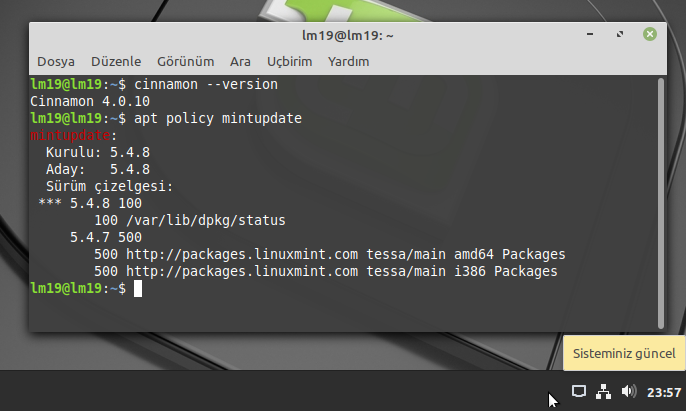
I manually downgrade mintupdate to 5.4.7/tessa and there is no issue with this. I think, this is not a Cinnamon issue. Issue related with MintUpdate's updates.
kelebek333
on 21 Jul 2019
@kelebek333 and 5.4.8 is buggy?
Do you know how to bisect? If so can you identify the offending commit?
clefebvre
on 23 Jul 2019
For info, here a part of my .xsession-errors file:
Cjs-Message: 16:02:01.181: JS LOG: [LookingGlass/info] Cinnamon took 2574 ms to start
Cjs-Message: 16:02:01.248: JS LOG: Unknown network device type, is 14
Cjs-Message: 16:02:01.677: JS LOG: [LookingGlass/info] Hiding systray: network
/usr/share/cinnamon-screensaver/cinnamon-screensaver-main.py:86: Warning: g_base64_encode_step: assertion 'in != NULL' failed
  css = provider.to_string()
Cjs-Message: 16:02:19.630: JS LOG: [LookingGlass/info] Adding systray: mintupdate.py (24x24px)
Cjs-Message: 16:02:19.631: JS LOG: [LookingGlass/info] Resized mintupdate.py with normalized size (24x24px)
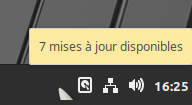
Mintupdate is here, but no icon is displayed:
claudiux
on 23 Jul 2019
yeah, you can see the top right part of it somehow.
clefebvre
on 23 Jul 2019
@kelebek333 and 5.4.8 is buggy?
Do you know how to bisect? If so can you identify the offending commit?
I install mintupdate 5.4.8/tina and hold it. There is same issue with 5.4.8.
        # Starts the blinking
        self.application.set_status("", _("Checking for updates"), "mintupdate-checking", not self.application.settings.get_boolean("hide-systray"))
        Gdk.threads_leave()
Maybe, there's a problem with the hiding mechanism.
Also , there is no issue with MATE or Xfce desktop.
kelebek333
on 23 Jul 2019
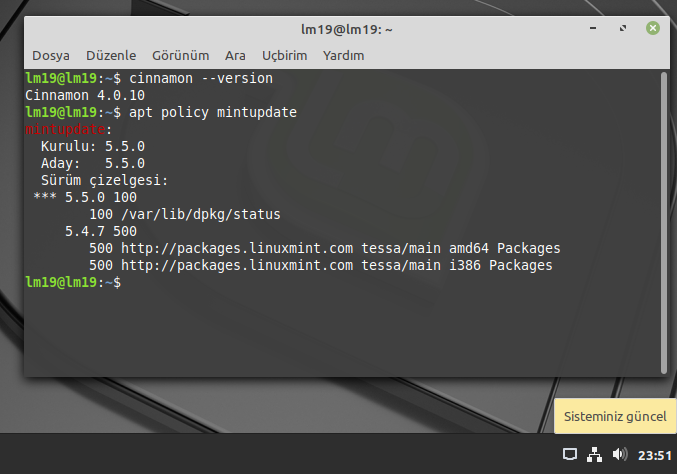
I downgrade Cinnamon 4.2.x/tina to Cinnamon 4.0.x/tessa on my system. In this case, I have observed that the update manager issue persists.
kelebek333
on 23 Jul 2019
@kelebek333 It's not a Cinnamon issue. It's a mintupdate issue. I found the responsible commit and a fix will be ready soon.
If you wanna try, re-add the following 3 lines (lines 1232 till 1234) to your mintUpdate.py file: https://github.com/linuxmint/mintupdate/commit/1b332f7cb8977d0e1df0c7dd8b51783970a35828#diff-a865656bf15d1ec483a023744089ed17L1232
 NikoKrause
on 24 Jul 2019
NikoKrause
on 24 Jul 2019
@NikoKrause , thanks you, issue is solved by way you show.
Actually, I realized it wasn't a Cinnamon problem. I was just trying to eliminate the possibilities related with different versions.
kelebek333
on 24 Jul 2019
@kelebek333 Thanks for confirming. Actually it was your observation that 5.4.7 was fine, which helped solving this issue.
NikoKrause
on 24 Jul 2019
This works now like a charm.
_Three lines of code are missing and everything is depopulated._
Thank you @NikoKrause.
claudiux
on 24 Jul 2019
clefebvre
on 25 Jul 2019
Hello, this is Scrat at FFLM.
My laptop has Linux Mint 19.2 x64, Cinnamon 4.2.3, mintupdate 5.5.4.
Sorry, but applying the patch suggested by NikoKrause (adding 3 lines to mintUpdate.py) does not solve the problem. The problem appears always randomly: sometimes the icon is shown, sometimes (very often) it is not.
The workaround is restarting Cinnamon: it always restores the icon.
Here is the link of my last post on FFLM (in french):
https://forum-francophone-linuxmint.fr/viewtopic.php?f=23&t=13598&p=155575#p155575
 Scrat-fflm
on 9 Aug 2019
Scrat-fflm
on 9 Aug 2019
Related issues
 Odyseus
·
4Comments
Odyseus
·
4Comments
 bittner
·
3Comments
bittner
·
3Comments
 trymeouteh
·
3Comments
trymeouteh
·
3Comments
 pviotti
·
3Comments
pviotti
·
3Comments
 damian101
·
3Comments
damian101
·
3Comments
Most helpful comment
@kelebek333 It's not a Cinnamon issue. It's a mintupdate issue. I found the responsible commit and a fix will be ready soon.
If you wanna try, re-add the following 3 lines (lines 1232 till 1234) to your
mintUpdate.pyfile: https://github.com/linuxmint/mintupdate/commit/1b332f7cb8977d0e1df0c7dd8b51783970a35828#diff-a865656bf15d1ec483a023744089ed17L1232