Cinnamon: [EDIT]"Show all windows": the position of a window is drawn outside its shape - found the steps to reproduce!!! 👍
- Cinnamon version: 4.0.9
- Distribution - Mint 19.1
- Graphics hardware and driver used: Intel Haswell-ULT Integrated Graphics
- 32 or 64 bit: 64 bit
Issue:
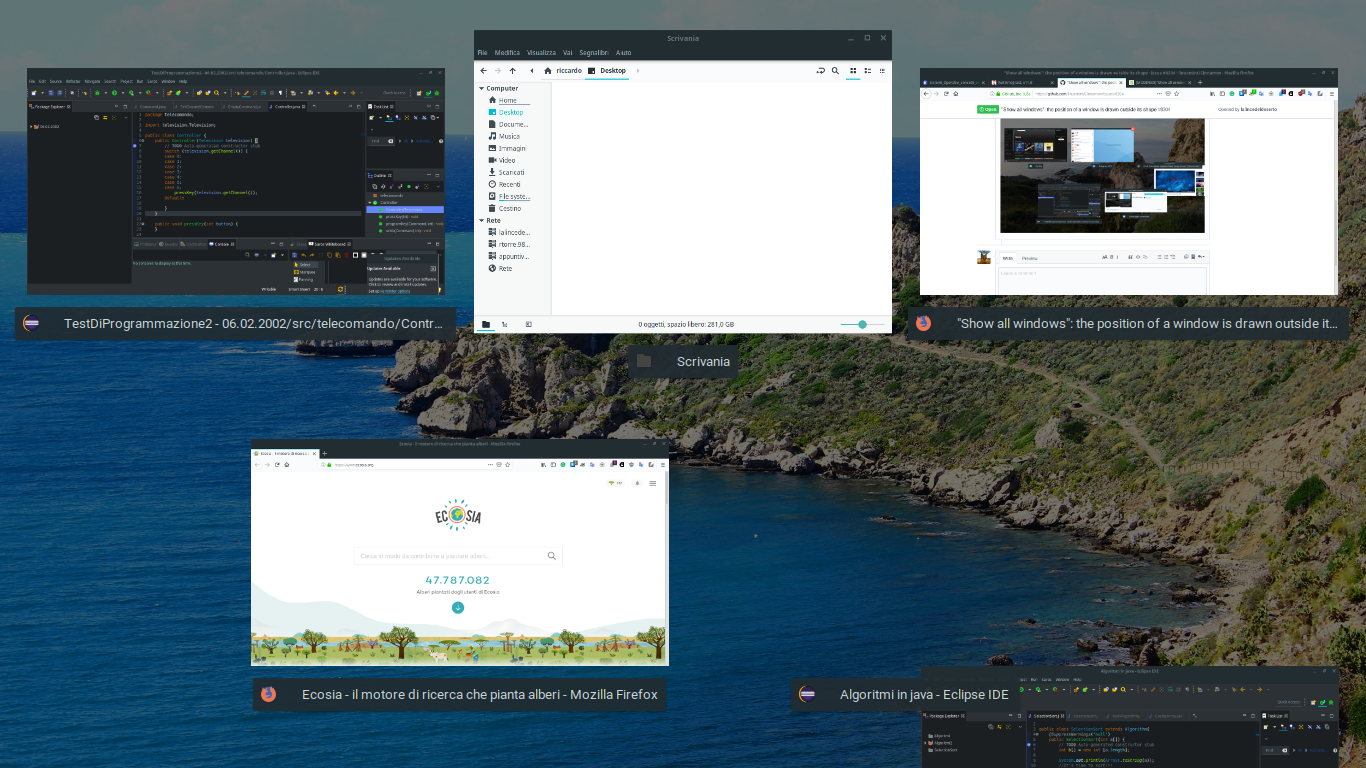
Everytime windows minimized in the system tray (after the 3 steps) are drawn outside their boxes launching the overview "Show all windows" callable with ctrl + alt + down shortcut.
Steps to reproduce:
- Open any application with a GUI.
- Press the maximize button for two times and reduce the window in the system tray.
- Press Ctrl + Alt + Down to see the issue.
Frequency:
This happens every time I do all these operations.
Graphics:
Device-1: Intel Haswell-ULT Integrated Graphics vendor: Hewlett-Packard
driver: i915 v: kernel bus ID: 00:02.0
Display: x11 server: X.Org 1.19.6 driver: intel resolution: 1366x768~60Hz
OpenGL: renderer: Mesa DRI Intel Haswell Mobile v: 4.5 Mesa 18.0.5
direct render: Yes
This is a screenshot. The problem, in this case, is that Firefox is outside the shape in which you press the cross to close its window.

schermata del 2019-01-16 16-28-12
I never had this bug in previous versions, so I think something happened with Cinnamon 4.0.9
 lalincedeldeserto
All 15 comments
Hello
Me too...
This bug is recurrent and appears randomly
Linux mint 19.1
cinnamon 4.0.9
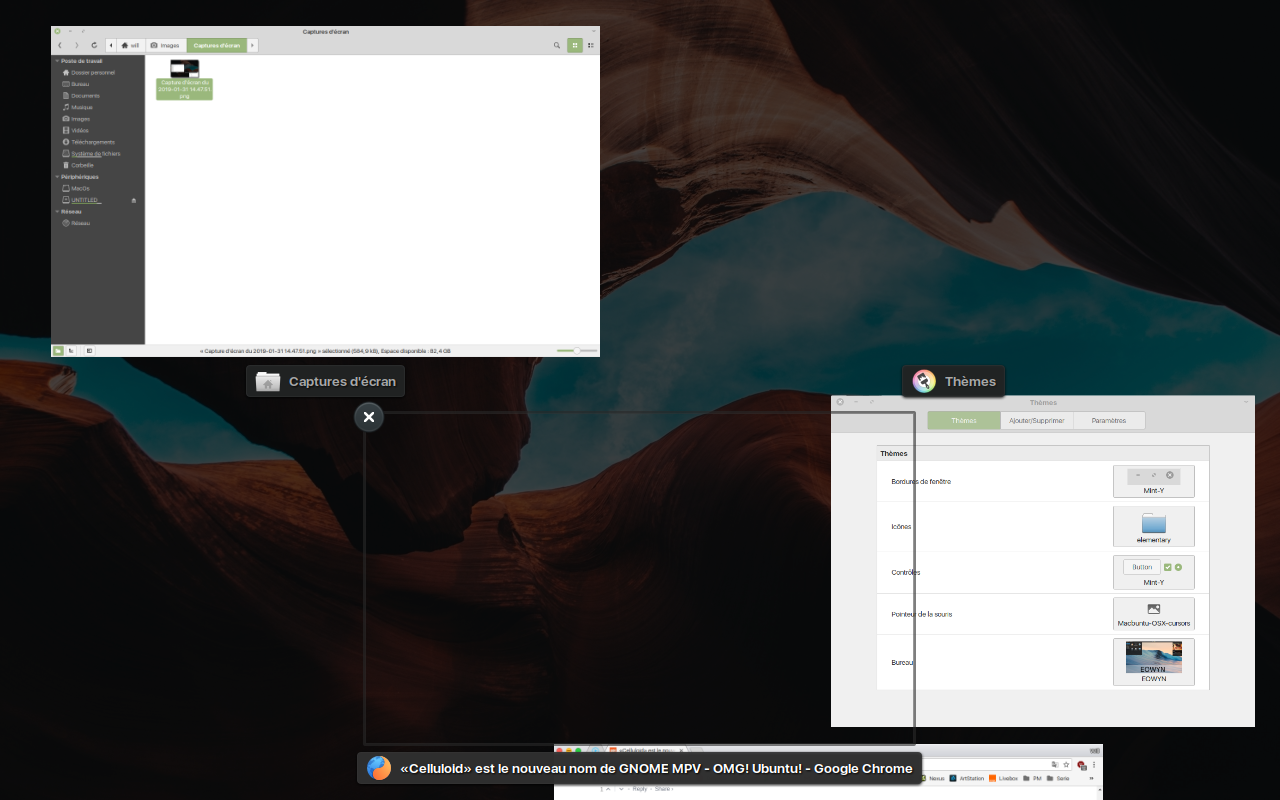
 Hilyxx
on 31 Jan 2019
Hilyxx
on 31 Jan 2019
Hello
Me too...
This bug is recurrent and appears randomlyLinux mint 19.1
cinnamon 4.0.9
I don't think is random, because I found some steps to reproduce it, and every time seems to cause the event:
In my case, you have to resize the window (found also dragging the borders) and minimize it in the panel. Then you call the "Show all windows" via Ctrl+Alt+Down (or with the active corners) and the phenomenon should appear. :+1:
Thanks for your comment, can I ask you @Hilyxx what is the driver of your graphics card?
lalincedeldeserto
on 31 Jan 2019
I can to confirm this bug with these steps...
My graphic card is an Intel HD Graphics 4000 with xorg video intel 2.99.917 and xorg-core 1.19.6
Hilyxx
on 31 Jan 2019
I can to confirm this bug with these steps...
My graphic card is an Intel HD Graphics 4000 with xorg video intel 2.99.917 and xorg-core 1.19.6
I think the problem is related to different Intel graphics cards. I tried the same steps on my brother's laptop too and appears the same issue. (In his laptop there's an intel graphic card, and in this moment I can't remember the name, but when he comes back home - now he's at school :joy: - I'll write it soon).
lalincedeldeserto
on 1 Feb 2019
My brother's laptop is an Acer Aspire ES1-531-P7N0
Graphics:
Device-1: Intel Atom/Celeron/Pentium Processor x5-E8000/J3xxx/N3xxx
Integrated Graphics
vendor: Acer Incorporated ALI driver: i915 v: kernel bus ID: 00:02.0
Display: x11 server: X.Org 1.19.6 driver: modesetting unloaded: fbdev,vesa
resolution: 1366x768~60Hz
OpenGL: renderer: Mesa DRI Intel HD Graphics 405 (Braswell)
v: 4.5 Mesa 18.0.5 direct render: Yes
lalincedeldeserto
on 3 Feb 2019
Cinnamon 3.8 with same intel driver doesn't have this issue.... I've tested with a nonconventional method to replace cinnamon 4 workspace.js by 3.8 version. NO issue... This bug is probably located in workspace.js
Hilyxx
on 3 Feb 2019
@Hilyxx great job, now I'd like to give a quick look to the code and see where are the differences. I don't know JavaScript so this is what I would do.
That's my idea:
- Back up the file version 4.0
- Replace each piece of code, one at a time and restore it if there isn't any change.
Then if the bug is visible, it's possible to start making some hypothesis.
lalincedeldeserto
on 4 Feb 2019
linux mint team has improved significantly workspace.js code. This one is based on new changes introduced by gnome 3.26.
I can't to fix this bug myself, I'm not a developer.
However this issue is very frustrating
Hilyxx
on 4 Feb 2019
linux mint team has improved significantly workspace.js code. This one is based on new changes introduced by gnome 3.26.
I can't to fix this bug myself, I'm not a developer.
However this issue is very frustrating
I can't solve this issue because I'm studying the basics of computer science and at the moment I haven't enough experience to solve this sort of problems. The team worked a lot to improve workspace.js and I think that they will handle that file again at the right moment.
lalincedeldeserto
on 6 Feb 2019
Hi @Hilyxx, a friend suggested to me to switch "Cinnamon" into "Cinnamon (Software Rendering)" modality.
The problem doesn't appear!! So another possible cause might be something related to the hardware. Because we have Intel Graphics (and it's possible we have the same or similar ISA →Istruction Set Architecture).
I asked into the forum if someone had the same problem as me. No one seemed to have.
So at the moment, I found a new possible reason: the GPU. I don't know if the problem is the kernel now. Or something else. Before Cinnamon 4.0.9 with version 3.8, we didn't have problems with "show all windows" modality.
We can only give observations and hope :innocent:
lalincedeldeserto
on 12 Feb 2019
This might be fixed by https://github.com/linuxmint/muffin/pull/405. I haven't reproduced this myself on Nvidia or Intel.
If anyone feels comfortable testing a build from that PR, you can get it here.
 jaszhix
on 12 Feb 2019
jaszhix
on 12 Feb 2019
@jaszhix tested with your build..this bug isn't resolved...
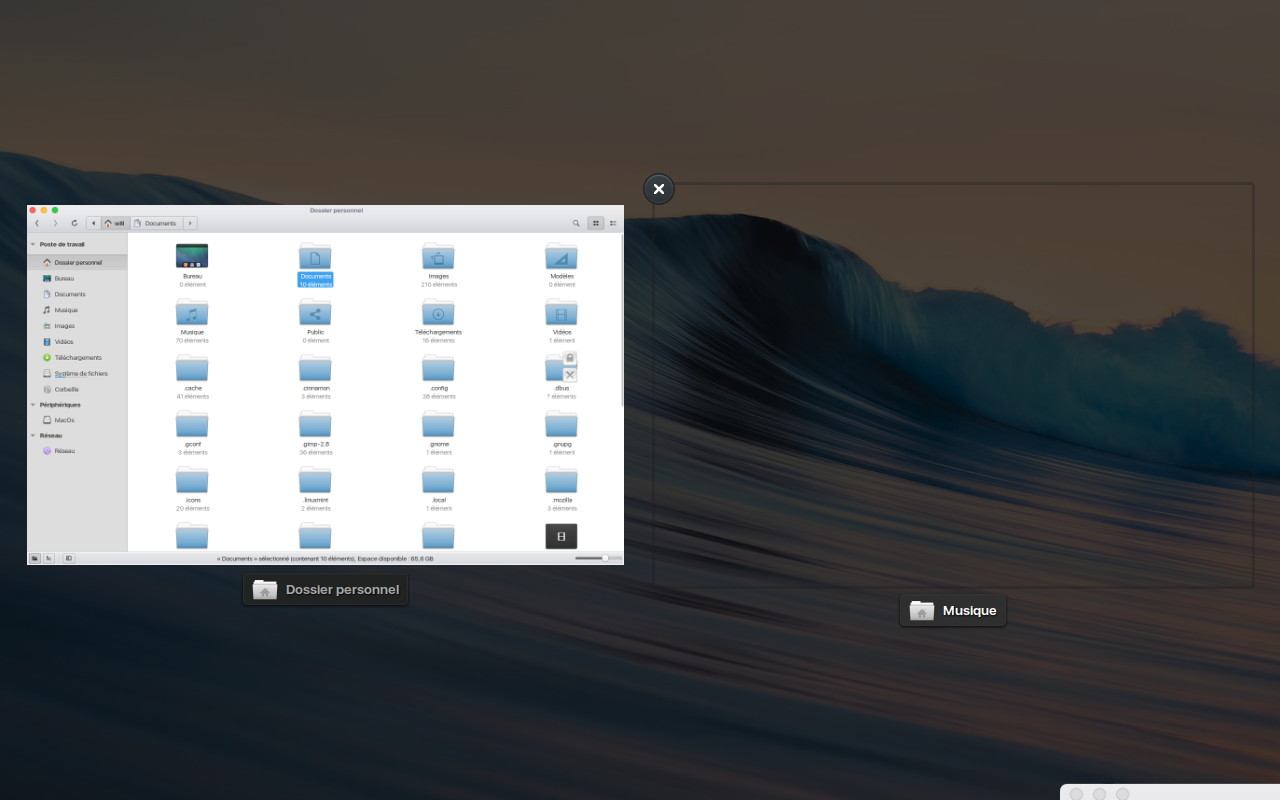
Hilyxx
on 12 Feb 2019
This is a link for a video showing this issue
(_picture is the link.. not possible to embed a YouTube video sorry ..._)

Hilyxx
on 12 Feb 2019
@jaszhix thank you, now I try the build on my machine. :smiley:
@Hilyxx I've just given you a like on Youtube :+1:
Are you using Pantheon? Or have you tweaked Cinnamon?
lalincedeldeserto
on 13 Feb 2019
@jaszhix I tried installing in a usb live system but it's too difficult for me because there are some variables to set and in the log file gcc doesn't recognize -V flag → line 108 in config.log
configure_command.txt
config.log
I want to retry later on a physical installed system, because I don't know what command can solve the problem.
lalincedeldeserto
on 13 Feb 2019
Related issues
 NikoKrause
·
3Comments
NikoKrause
·
3Comments
 garymm
·
3Comments
garymm
·
3Comments
 trymeouteh
·
3Comments
trymeouteh
·
3Comments
 pviotti
·
3Comments
pviotti
·
3Comments
 bittner
·
3Comments
bittner
·
3Comments
Most helpful comment
Cinnamon 3.8 with same intel driver doesn't have this issue.... I've tested with a nonconventional method to replace cinnamon 4 workspace.js by 3.8 version. NO issue... This bug is probably located in workspace.js