Cidram: Fails to create required components
Files that I've copied/replaced from v1 to v2:
vault/cidramblocklists.dat
vault/config.ini
vault/fe_assets/frontend.dat
ipv4_custom.dat
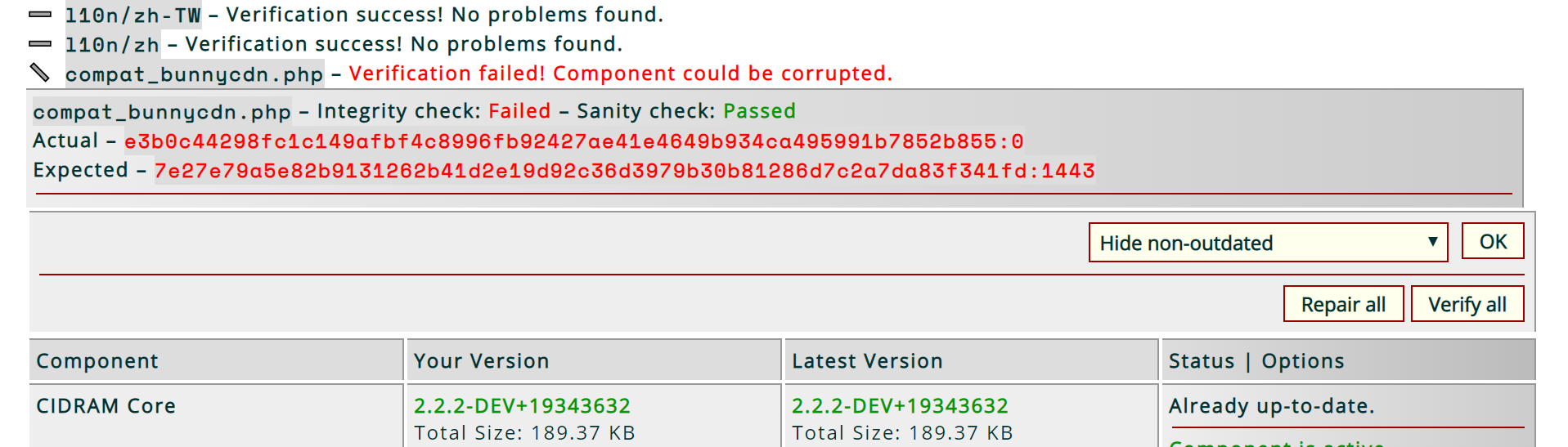
"Verify all" shows:
"Repair all" shows:
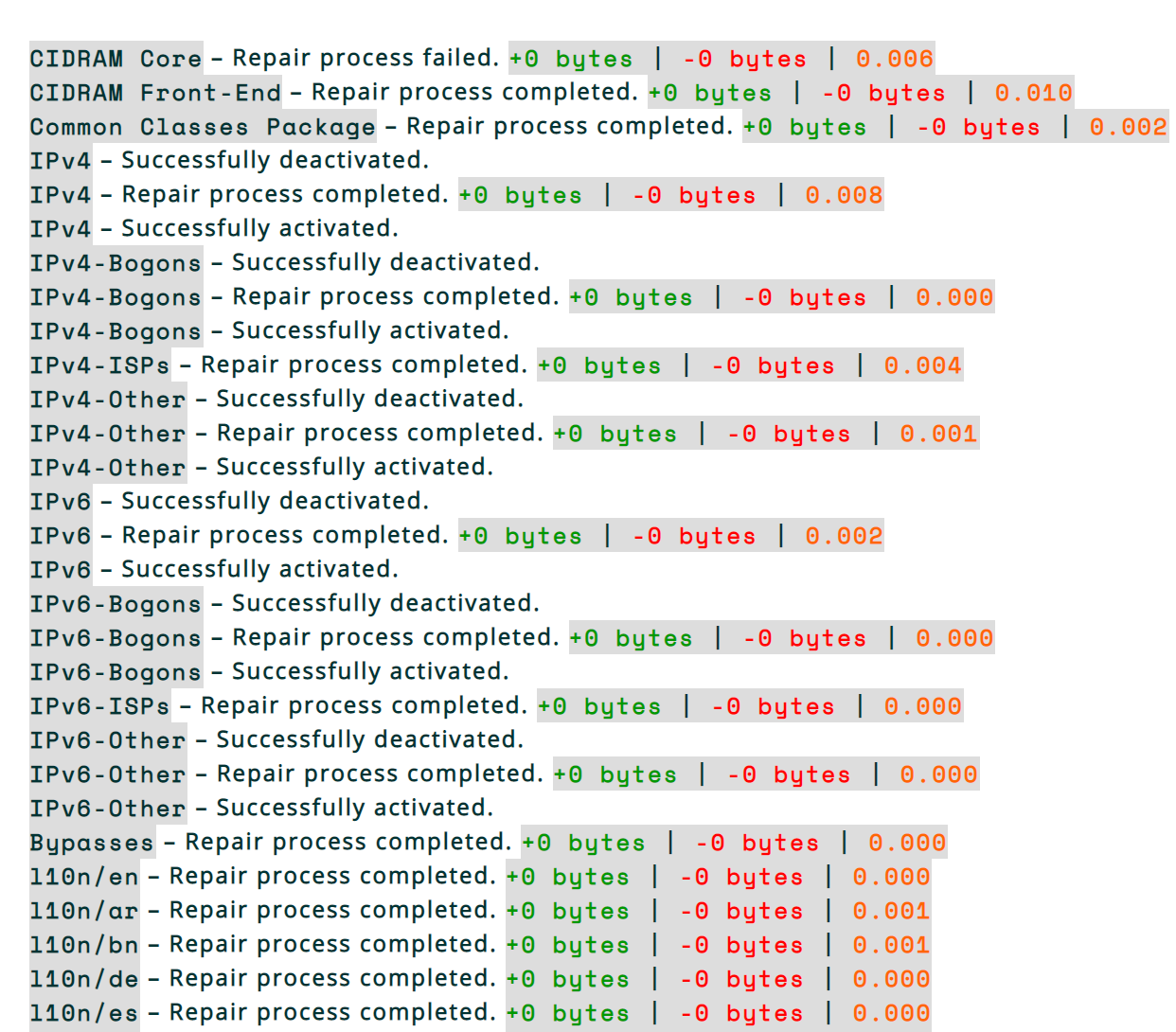
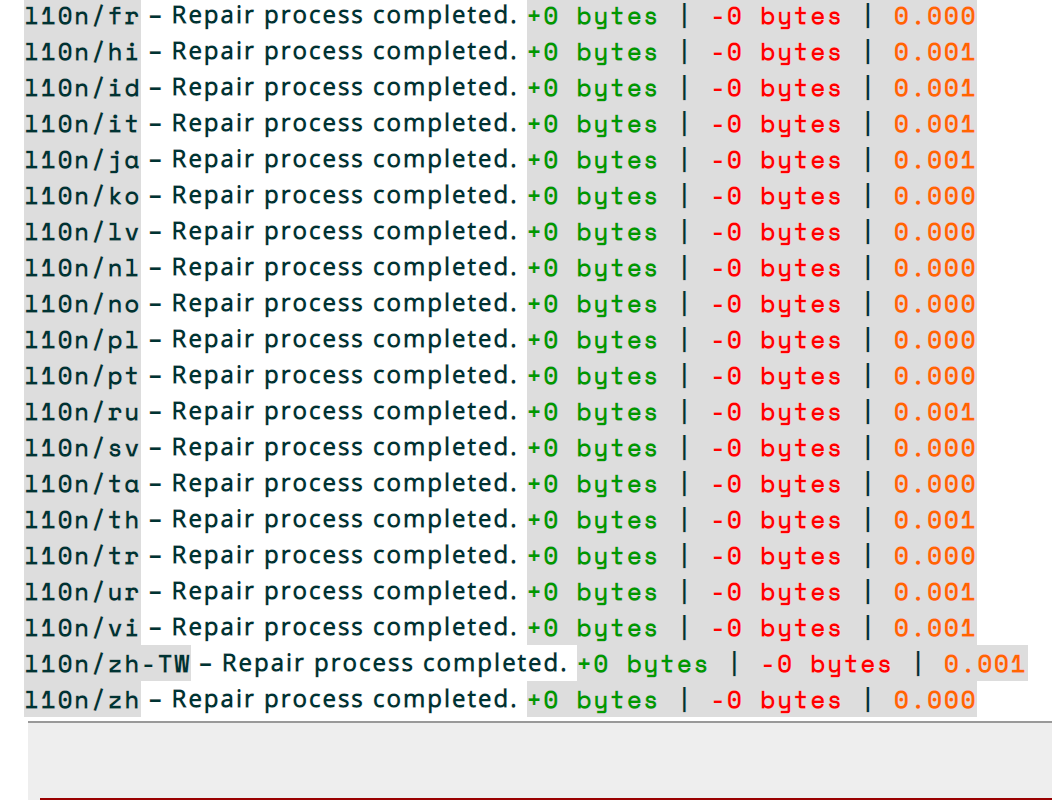
"Repair all" succeeded but there is no log about "bunnycdn", seems like cidram completely ignored it, thus the file is not creating/repairing.
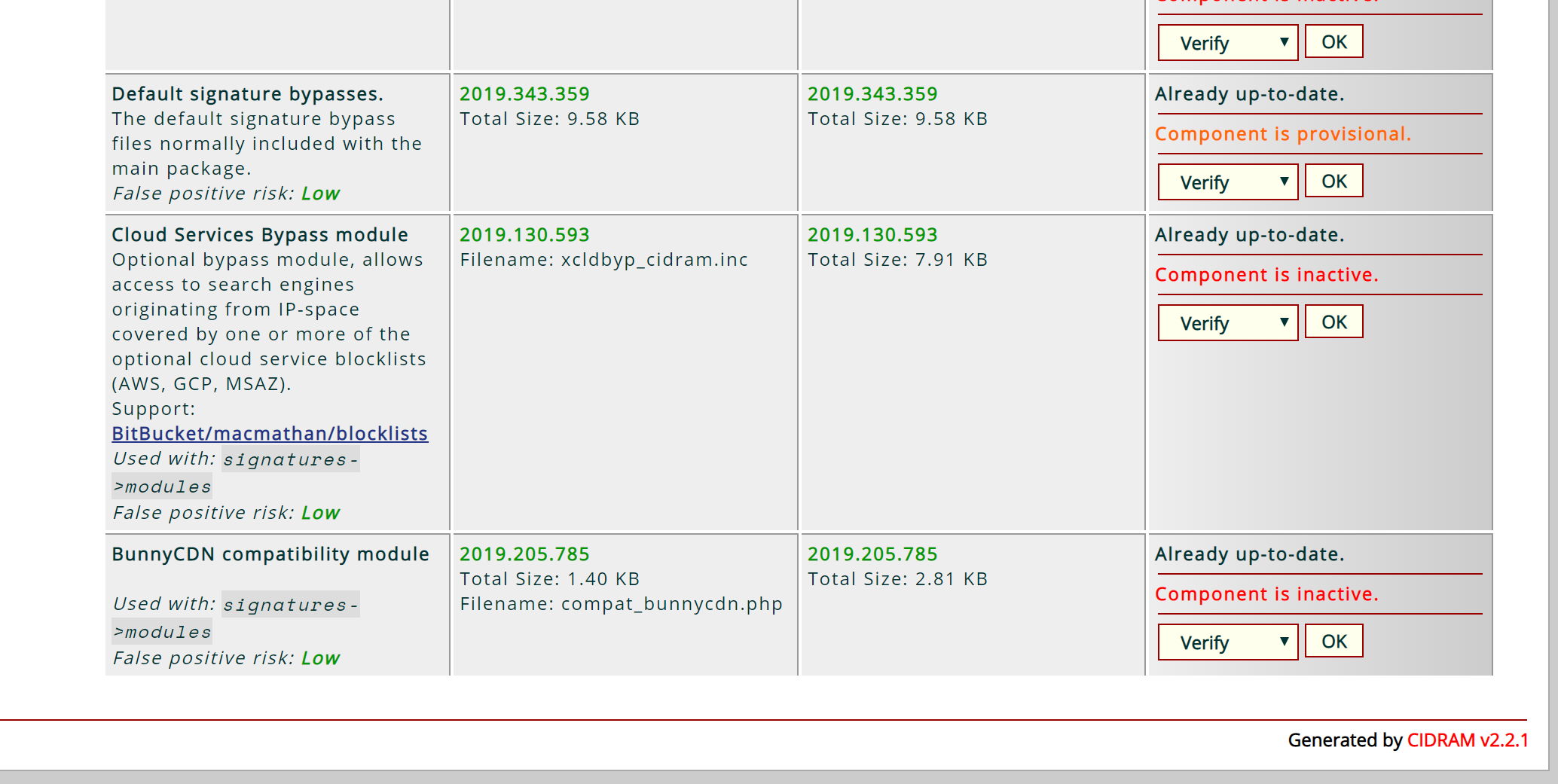
The updates page shows:
 Dibbyo456
All 13 comments
Missed the vault/modules.dat file. :-)
Try copying that file across from v1 to v2 as well, then run the repair again, and it should fix it (in theory).
 Maikuolan
on 10 Dec 2019
Maikuolan
on 10 Dec 2019
Missed the
vault/modules.datfile. :-)
I did copy it but missed to list it here. Just to re-confirm I again copied the file then did "Repair all" and "Verify all" but unfortunately same old issue. Did nothing.
Dibbyo456
on 10 Dec 2019
Interesting.. I've managed to replicate the problem at my end. I don't think you've done any wrong steps; It seems to be something specific about the BunnyCDN module. Investigating further to try to determine the cause of the problem. Will reply again shortly.
Maikuolan
on 10 Dec 2019
It seems to be something specific about the BunnyCDN module
I don't think so.
I also use "Cloud Services Bypass module (macmathan)", the file xcldbyp_cidram.inc does not creates either nor can I activate it just like bunnycdn. I think the issue with 3rd party components.
Dibbyo456
on 10 Dec 2019
The structure of the metadata for the correctly working components and the incorrectly working components is the same, so yeah.. I don't think the metadata itself is the problem at all.
Files metadata seems to be being duplicated internally at the downstream for some reason at the point in the code where it determines whether a component is repairable. Hadn't noticed it doing that before, and not quite sure yet why it's doing that (it shouldn't be doing that though). Checking through the code in detail currently; Hopefully I'll be able to pinpoint where this is happening, and why, and then begin working on a fix.
Maikuolan
on 10 Dec 2019
Haven't yet been able to pinpoint exactly what part of the code is causing the duplication to occur, but I've noticed it seems to only be happening for components that appear in the modules.dat file after the the deprecated "Empty UA blocker module" (module_ua.php).
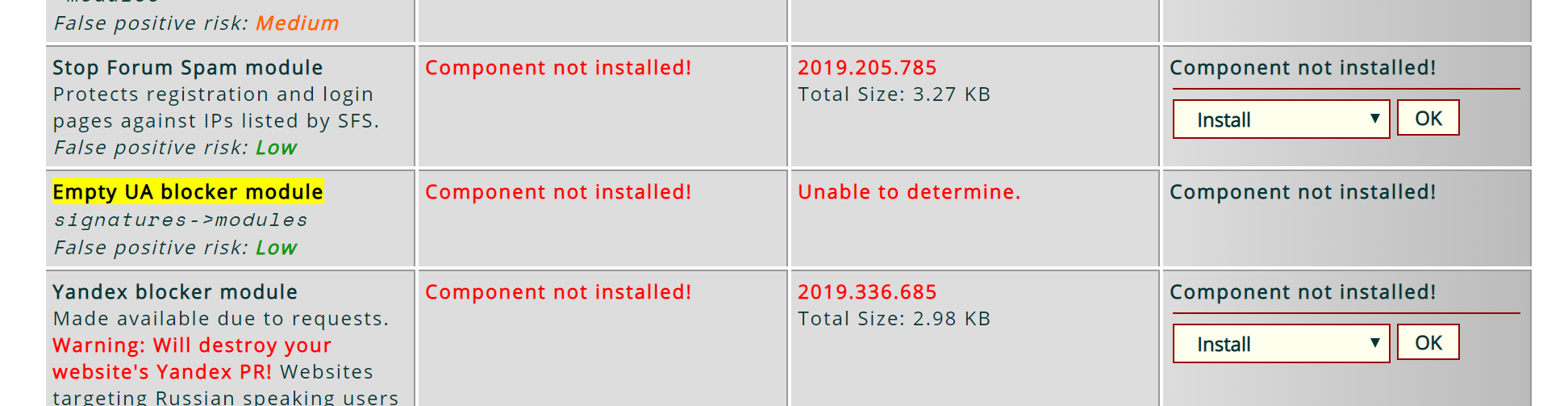
Can you check whether that particular module is listed as installed at your installation, and if it is, try uninstalling it, reloading the updates page, then try repairing again, and let me know whether everything then repairs properly or whether the problem still persists (or, if that particular isn't listed as installed, too)?
Maikuolan
on 10 Dec 2019
Can you check whether that particular module is listed as installed at your installation
Component not installed!
Dibbyo456
on 10 Dec 2019
Cheers. :+1:
I think I've about reached my limit for the night. I'm going to switch off for the night and I'll take a look at this again in the morning (hopefully with fresh eyes, I'll have better luck finding what I'm looking for).
If we need the BunnyCDN module to be working again for your installation right away, might be easiest to just uninstall and reinstall that particular module for the moment. I'll still need to get to the bottom of the problem though, due to that some other modules are affected too, as well as other users potentially facing the same problem. But at least, that might be the way to go for the moment.
I'll reply again tomorrow.
Maikuolan
on 10 Dec 2019
I think I've got it figured out. I've pushed a fix for this just now which should hopefully resolve the problem.
When you've got a spare moment, could you update again, then try running "repair all" again, and let me know how it goes? Cheers. :-)
Maikuolan
on 11 Dec 2019
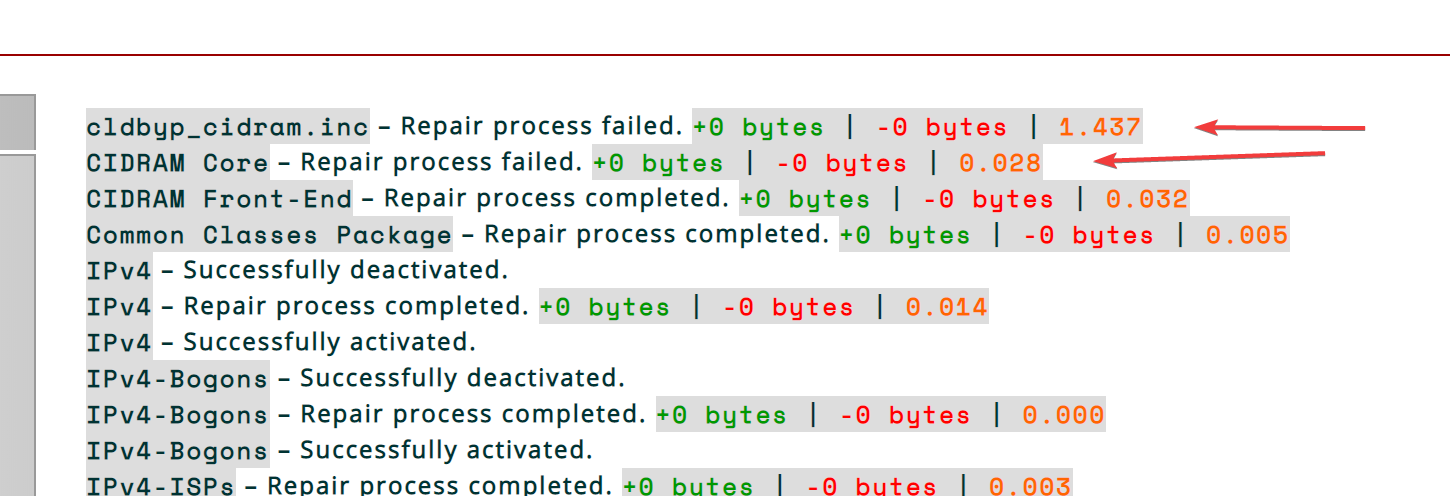
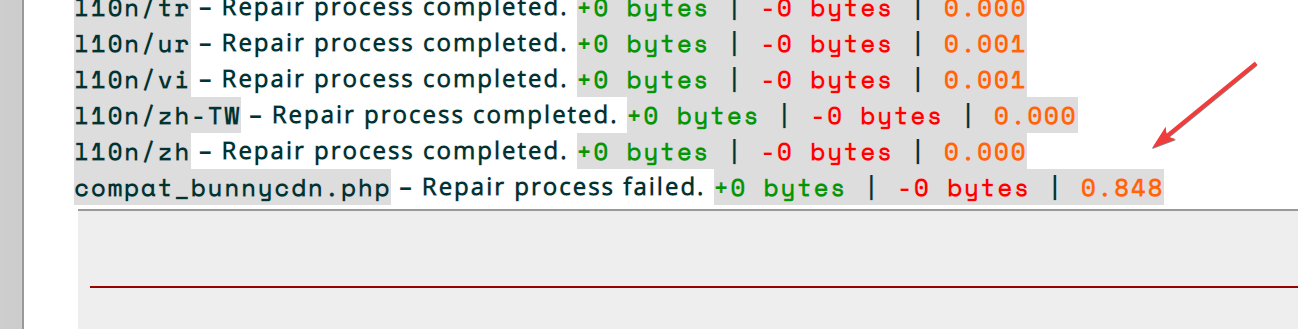
After updating to the latest version I tried the "Repair all" and the output is:
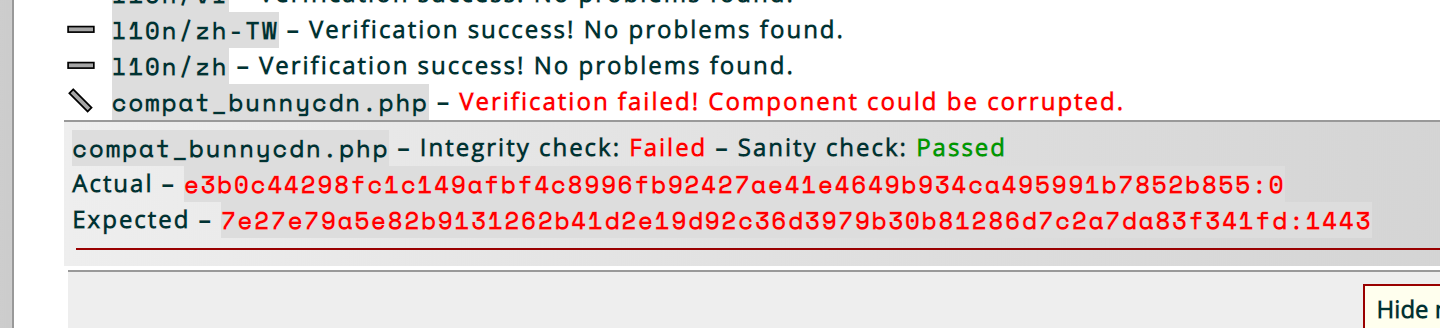
"Verify all" shows:
Dibbyo456
on 11 Dec 2019
Cheers. :-)
Tried adding one more small change just now. Mind having another go again at updating and then trying the repair all again? Sorry if it's a bit frustrating, but we're definitely making progress; I'm hoping the next one should do the trick. '^.^
Maikuolan
on 11 Dec 2019
Success....!!! 🤗

But why "CIDRAM Core" shows "Repair process failed. +0 bytes | -0 bytes | 0.024"
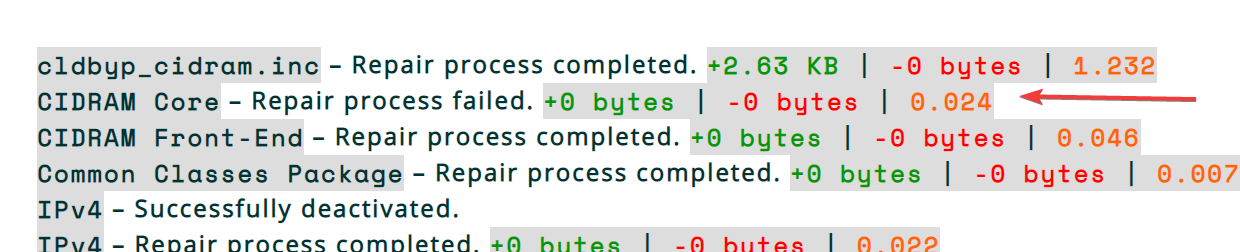
Each time I'm trying to "Repair all" always shows:
CIDRAM Core – Repair process failed. +0 bytes | -0 bytes | 0.006
One more thing, why the components are inactivate?
Shouldn't be those on active state because it was active on v1 ?
Dibbyo456
on 11 Dec 2019
Success....!!! 🤗
Awesome! 🎉 ^.^
But why "CIDRAM Core" shows "
Repair process failed. +0 bytes | -0 bytes | 0.024"
That one, I'm not sure about TBH. It seems to be failing at my end too, even when everything already verifies successfully (so, repair should definitely succeed there, if there isn't anything that needs to be repaired for it anyway). But, it seems that it only happens with the core, so I suspect that it might be a distinct bug in its own right. In any case, it's something to be fixed, even though we've already implemented other things to fix all the other failures now, so I'm going to treat it as a distinct bug of its own, and I'll look into it a bit further tomorrow (about to get head to bed shortly, I think). For the moment, at least, if everything else is now repairing successfully, that's good news, and I think it should be okay to mark this particular bug as fixed now. :-)
One more thing, why the components are inactivate?
Shouldn't be those on active state because it was active on v1 ?
Generally, they should. Something I forgot about when writing the upgrade instructions, which I've just thought about just now: When updating/repairing/it, components will be deactivated beforehand, and reactivated afterwards (a normal thing, something we want to happen, etc; so not a problem in its own right). Also, during reactivation, if any particular file in the active signature files list, active modules list, etc doesn't exist, they're automatically removed from the list (also not a problem in its own right). But, seeing as we're relying on the repair mechanism to reinstate everything.. the modules end up being deactivated (which of course, is the problem we're seeing here). 😕
I might need to add something to the instructions about that, I think.
Anyhow, I think the two most straightforward solutions at this point would be to either (1) click on activate to reactivate by hand all the modules showing as inactive at the updates page, or slightly quicker: (2) just replace the existing value of the modules directive with the old value from the v1 backup to restore it to what it was before (now that the repair process has been completed, the deactivation problem shouldn't occur again).
Maikuolan
on 11 Dec 2019
Related issues
Dibbyo456
·
6Comments
 100percentlunarboy
·
6Comments
Dibbyo456
·
3Comments
100percentlunarboy
·
6Comments
Dibbyo456
·
3Comments
 gizmecano
·
6Comments
gizmecano
·
6Comments
 eurobank
·
3Comments
eurobank
·
3Comments