Cht-core: New contact header not translated in desktop view
Describe the bug
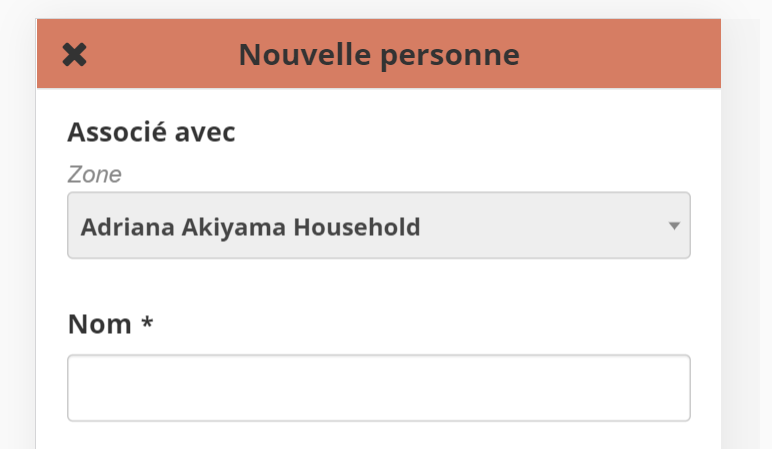
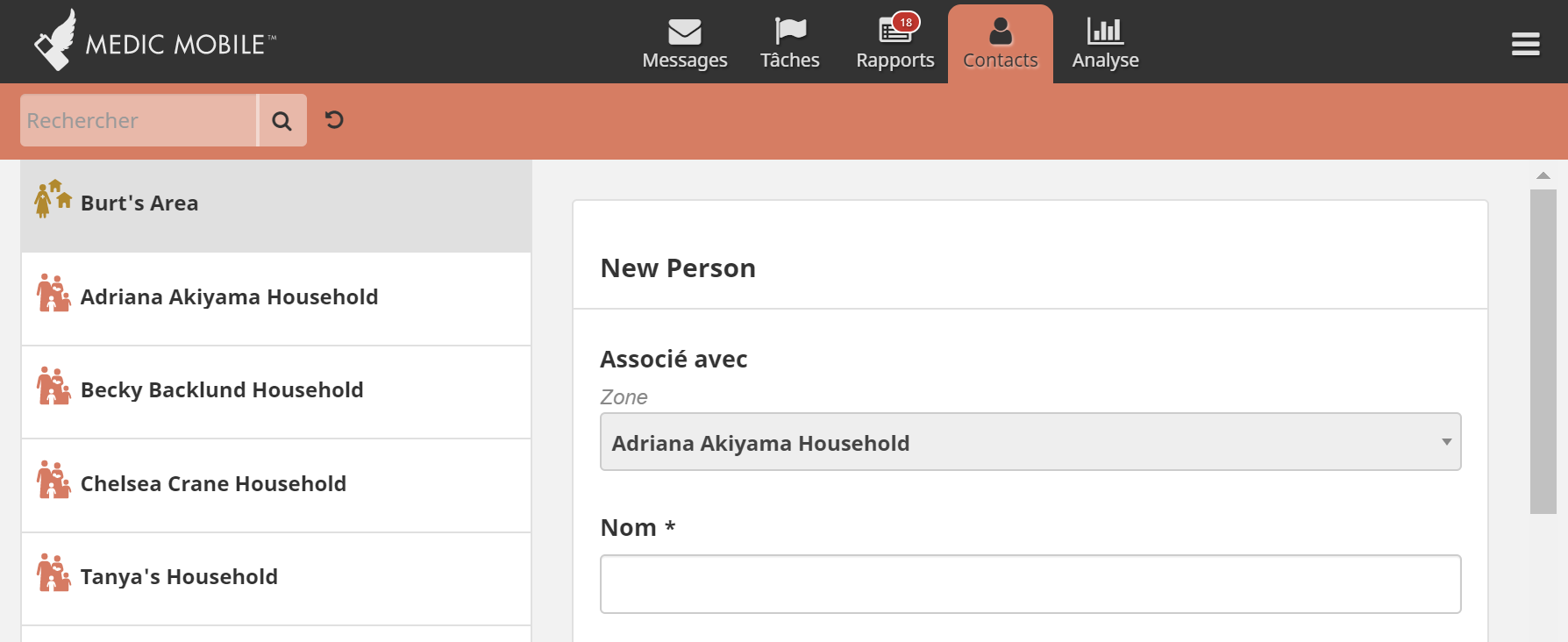
The header when creating a new contact is not translated in desktop view.
To Reproduce
Steps to reproduce the behavior:
- Open the app in mobile view
- Change language to French
- Go to Contact tab
- Select any place
- Add a new person (ie "Nouvelle Personne")
- See that the header is properly localized in mobile view (ie "Nouvelle Personne")
- Change window size to desktop view and repeat 3-5
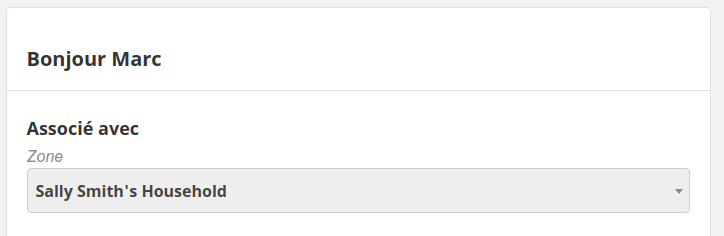
- See that the title in the desktop view is _not_ localalized (ie "New Person")
Expected behavior
The header should be the localized version of the title, and the same in desktop mode as it is in mobile mode.
Screenshots
Environment
- Instance: localhost
- Browser: Chrome
- Client platform: Windows
- App: webapp
- Version:
6291-case-idbranch, but reported on 3.8.1 as well.
Additional context
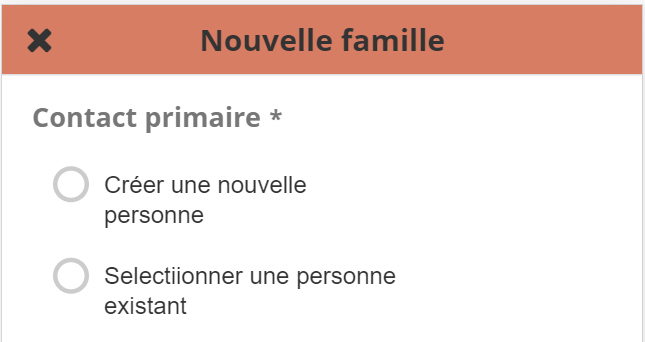
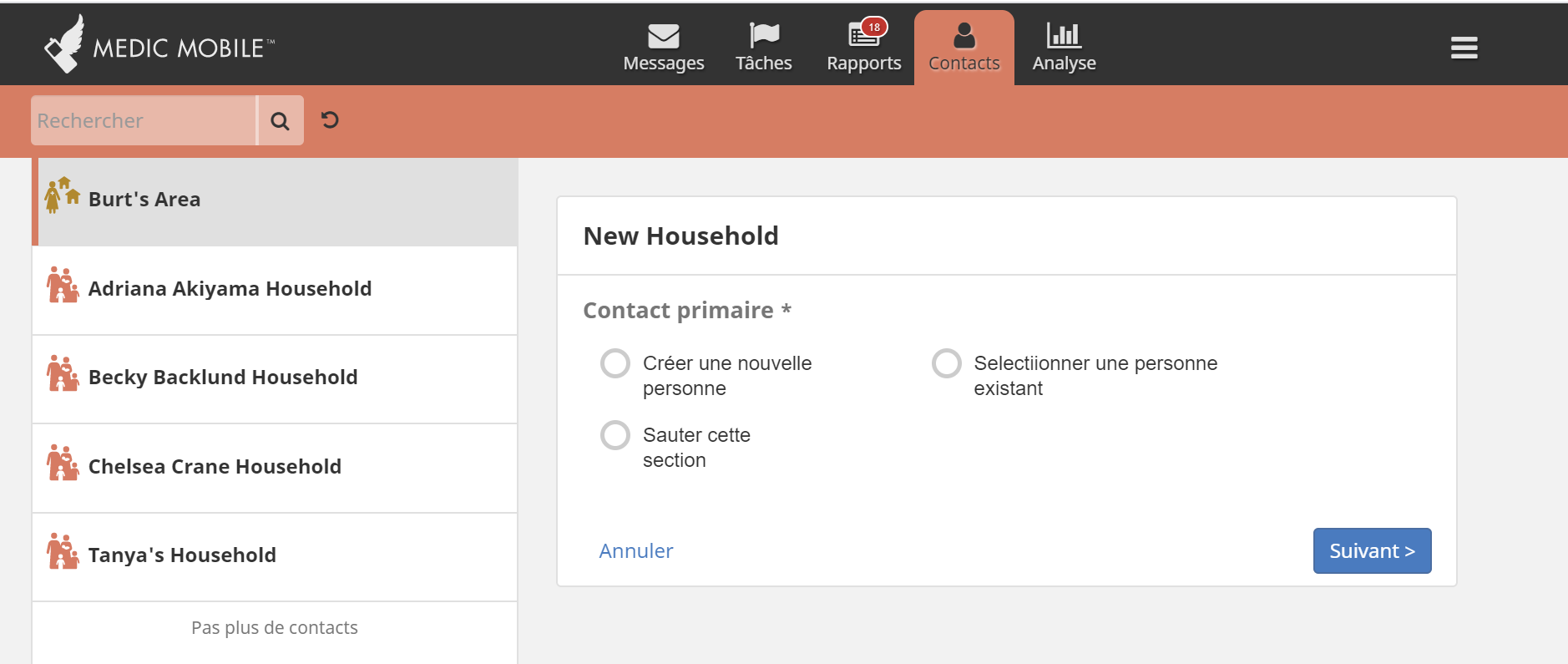
This issue was just reported by a technical partner trying to figure out how to translate the Contact Form titles. The fact that it is localized in mobile view seems to indicate that the translation is configured correctly. All New and Edit contact forms experience the same problem, but the title header for App Forms show properly localized.
If a single non-English language is used for the deployment, a workaround is to put the localized text in the place of the English labels for the following:
contact.type.*.newcontact.type.*.edit
 abbyad
>All comments
I think the problem is that the translation is performed in two different ways...
The mobile version is set when the page is rendered using the $translate service based on the translation key for that contact type.
The desktop title is replaced after Enketo renders the form using TranslateFrom which ignores the translation keys altogether.
Fix this bug by making both consistent so you only have to configure it in one place and it just works. One option would be to remove the title that Enketo renders and output our own that uses the redux state just like the mobile version does. Make sure whatever solution you pick uses translation keys not the deprecated object syntax to make it easier to configure and reuse translation values.
At the same time make sure the default config works out of the box in both resolutions.
One workaround is to also set the translations in the form doc in the database (ie: ID form:contact:person:create) to specify the title in the old style syntax, eg:
 "title": {
  "en": "New Person",
  "fr": "Bonjour Marc"
},
Then sync to the client and refresh.
 garethbowen
on 3 May 2020
garethbowen
on 3 May 2020
Related issues
 ghost
·
4Comments
ghost
·
4Comments
 alxndrsn
·
6Comments
alxndrsn
·
6Comments
abbyad
·
3Comments
alxndrsn
·
6Comments
alxndrsn
·
6Comments
abbyad
·
3Comments
 yrimal
·
5Comments
yrimal
·
5Comments
Most helpful comment
I think the problem is that the translation is performed in two different ways...
The mobile version is set when the page is rendered using the $translate service based on the translation key for that contact type.
The desktop title is replaced after Enketo renders the form using TranslateFrom which ignores the translation keys altogether.
Fix this bug by making both consistent so you only have to configure it in one place and it just works. One option would be to remove the title that Enketo renders and output our own that uses the redux state just like the mobile version does. Make sure whatever solution you pick uses translation keys not the deprecated object syntax to make it easier to configure and reuse translation values.
At the same time make sure the default config works out of the box in both resolutions.
One workaround is to also set the translations in the form doc in the database (ie: ID
form:contact:person:create) to specify the title in the old style syntax, eg:Then sync to the client and refresh.